PRODUCT REVIEW
In-Depth U.S. Market Review
If you’re looking to step into the world of personal cloud storage and data backup without overwhelming complexity, the Synology DS124 Diskless 1-Bay Storage Solution is one of the best NAS for home office use and personal data consolidation in the U.S. market. This compact, single-bay Network Attached Storage (NAS) device is intentionally designed for simplicity, making it a perfect starting point for users migrating their files off various external drives and cloud services. It’s a pure, reliable solution for essential file sharing, centralized backup, and media streaming within your home network.
Synology’s DiskStation Manager (DSM) operating system is the real star here, offering an incredibly user-friendly graphical interface that is often cited as the industry gold standard. It allows you to manage the device, install apps, and set up advanced features like automatic photo backup and VPN access with ease. This focus on software makes the DS124 highly competitive in the consumer NAS space.
Compared to more expensive, multi-bay alternatives like the TerraMaster F2-221 or even Synology’s own dual-bay models, you’re trading the crucial ability to run a RAID 1 configuration (which mirrors your data for redundancy) for a much smaller footprint and a lower initial investment. The DS124 is a single point of failure, but for users primarily interested in a budget storage solution for personal backups where an external drive handles the secondary copy, this diskless unit offers superior software and performance in its class.
Technical Analysis
| Specification | Detail & U.S. Context | Analysis |
| Drive Bays | 1-Bay (3.5" or 2.5" SATA HDD/SSD) | A single bay means no hardware-level redundancy (RAID), making it best suited for users who also back up to the cloud or an external drive. Great for simple consolidation. |
| CPU | Realtek RTD1619B Quad-Core 1.7 GHz | This is a budget-focused processor, but its quad-core design is perfectly sufficient for running basic DSM applications like file synchronization and light media streaming (Plex non-transcoding). |
| RAM | 1 GB DDR4 non-upgradeable | Standard for an entry-level unit. It’s enough for the core DSM functions and one or two background tasks, but limits its utility as a heavy-duty home server. |
| Network Port | 1 x Gigabit Ethernet (RJ-45) | Standard Gigabit speed is the bottleneck, but entirely adequate for most home networks and maximizing internet upload speeds for cloud synchronization. |
| External Ports | 2 x USB 3.2 Gen 1 (5Gbps) | Crucial for connecting external drives for fast, one-touch backup (either to or from the NAS) and for easy migration of existing data. |
| Maximum Internal Capacity | 18TB+ (Drive dependent) | You can install some of the largest consumer hard drives available, giving you massive storage potential in a tiny box for all your photos and videos. |
1. Hardware Architecture and Processing Power
The Synology DS124 Diskless 1-Bay Storage Solution is built around the Realtek RTD1619B Quad-Core processor clocked at 1.7 GHz, a smart choice for balancing performance with cost and energy efficiency. This is paired with 1GB of soldered DDR4 RAM. While the RAM isn't upgradeable, the combination is more than enough to handle the core tasks that this device is intended for.
It ensures smooth operation of Synology's powerful DiskStation Manager (DSM) operating system, which is optimized for resource efficiency. You'll find that file transfers, backups using applications like Synology Drive , and managing your photo library are consistently snappy. The processor is the key to maintaining a responsive experience even while running simultaneous background processes.
2. Physical Build and Drive Installation
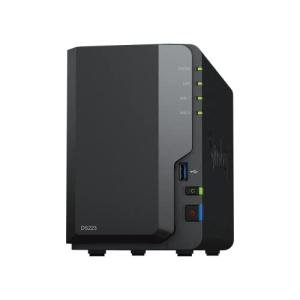
The physical design of the DS124 adheres to Synology’s established, minimalist aesthetic. It’s a compact black box that is easy to tuck away on a shelf or desk, which is a major draw for home office users where space is at a premium. The enclosure is primarily plastic but feels sturdy, with good ventilation to keep your chosen hard drive cool.
Installing a 3.5-inch drive is a tool-less process, which is a significant convenience for the average U.S. consumer. You simply slide the drive tray out, clip your drive in, and slide it back in. This focus on ease of setup and installation is a core design philosophy that makes the initial deployment very straightforward, even for first-time NAS owners.
3. Connectivity and Software Ecosystem
The connectivity is straightforward, featuring a single Gigabit Ethernet port, which is the standard connection for consumer NAS devices and ensures fast local data transfer speeds. Additionally, you get two USB 3.2 Gen 1 ports (5Gbps). These are invaluable for quick backups to external drives or for expanding storage temporarily.
The true value lies in the DiskStation Manager (DSM) operating system. DSM provides a massive ecosystem of apps, including Synology Photos for managing your camera roll, Synology Drive for a personal Dropbox-like experience, and the powerful Active Backup for Business for PC/Mac backups. For U.S. users seeking a robust software experience beyond simple file storage, this operating system is a compelling reason to choose Synology.
User Profiles
1. The Home Data Consolidation Buyer
You are moving off of two or three aging external hard drives and are tired of manually managing scattered files and backups. You want a single, easily accessible, centralized location for all of your family's photos, videos, and important documents. You primarily rely on a single copy of data on the NAS and use a cloud service (like Google Drive or Dropbox) for offsite redundancy.
-
Use Case: Setting up a dedicated folder for each family member, using the Synology Photos app to automatically back up all smartphone camera rolls to one place, and accessing your files remotely via the Synology Drive app while traveling.
-
The Fit: The DS124 is a best budget storage solution for this role. It delivers the superior Synology software experience (DSM) at the lowest price point. The single bay is acceptable because you accept the trade-off of no RAID for the price, trusting your cloud service or external drive for the second layer of backup.
2. The Remote Work Power User
You work remotely and need a secure, fast, and private repository for large work files that you don't want permanently stored on a public cloud server. Speed and privacy on your local network are more important than 24/7 availability or hardware redundancy, as your work laptop maintains a primary copy of all essential documents.
-
Use Case: Using Synology Drive Client on your laptop to sync a specific 'Work Files' folder to the DS124, ensuring a local, versioned backup is always available on your home network without relying on slow internet upload speeds.
-
The Fit: The efficient quad-core CPU handles background syncing and file indexing without issue, making the Synology DS124 a reliable home office use asset. The high-speed USB ports are also perfect for quickly transferring a massive project to a portable drive before a client meeting.
3. The Light Media Streamer
You have a moderate-sized digital media collection (ripped CDs, downloaded movies, home videos) and want to stream this content easily to a smart TV or media player on your local network. You don't need real-time video transcoding (converting high-resolution video down for slower devices) but simply a reliable network share.
-
Use Case: Installing the Plex Media Server package directly on the DS124 and pointing it to your movie library, allowing you to stream your 1080p and 4K media content to a Roku, Apple TV, or smart TV via a wired connection.
-
The Fit: The DS124 is a good entry-point for a streaming NAS. Its processor can manage direct-play streaming (where the TV does the work), offering a much better experience than a portable hard drive connected to a router. The massive single-drive capacity accommodates years of media accumulation.
"Complementary HomeTechCorner Category Recommendations"
| Recommended Products | Why This Category Is Useful Specifically for This Product | Short Usage Scenario |
| Portable Power Stations | Since the DS124 lacks RAID redundancy, a temporary power outage could corrupt data; power stations ensure a clean shutdown. | Imagine a sudden thunderstorm; you can rest easy knowing your crucial family photos on the NAS have enough battery power to safely shut down before the surge hits. |
| High Capacity Nas Drives | The NAS is sold diskless, so you absolutely need a high-quality, high-capacity drive to even begin using it. | You finally unbox the DS124, but wait—you need a dedicated drive to install inside it so you can move all 10TB of your old videos onto your new personal cloud. |
| Networking Gear | A robust Wi-Fi 6 or 7 mesh network ensures fast, reliable access to your files from anywhere in your U.S. home. | You're downstairs in the garage and want to quickly pull up a PDF manual stored on the NAS; a fast mesh system guarantees the file loads instantly over Wi-Fi. |
| Nas Drives For Media | If you plan to use this for media streaming, a drive optimized for 24/7 operation and sequential reads is ideal. | You're hosting a movie night, and with a media-optimized drive, you ensure there are zero buffering interruptions while streaming that massive 4K movie file. |
| Uninterruptible Power Supplies Ups | The best practice for any non-RAID data storage is to pair it with a UPS to prevent file system corruption from sudden power loss. | Your power flickers off for a moment; the UPS keeps the DS124 running just long enough for it to safely write all pending data and initiate a graceful shutdown. |