A reliable power backup system is the silent guardian of any modern home office or entertainment setup. It provides the crucial minutes needed to save work and safely shut down equipment during a blackout, while also filtering out the invisible electrical spikes that can damage sensitive internal components. Selecting the right unit ensures that modems, routers, and computers stay protected and connected.
Uninterruptible Power Supplies (UPS)
Keep your devices running smoothly even during power outages with reliable uninterruptible power supplies
Product List


425VA Surge Protection UPS
Cyberpower
Product Review Score
4.44 out of 5 stars
212 reviews$64.95 $59.95
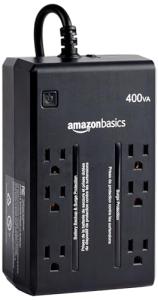
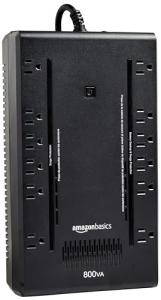
6-Outlet Surge Protector w/ Backup
Amazon Basics
Product Review Score
4.1 out of 5 stars
59 reviews$53.96
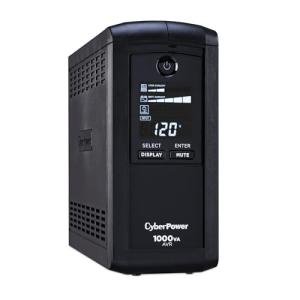
CyberPower 1000VA UPS with LCD
Cyberpower
Product Review Score
4.21 out of 5 stars
196 reviews$189.95 $149.95
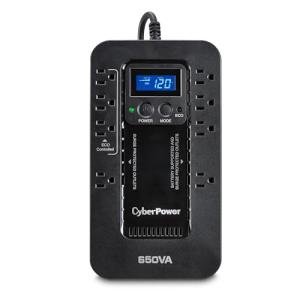

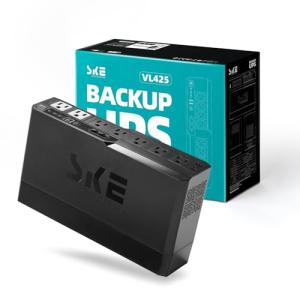
SKE 425VA Battery Backup
Ske Smart Key Energy
Product Review Score
4.76 out of 5 stars
114 reviews$54.99
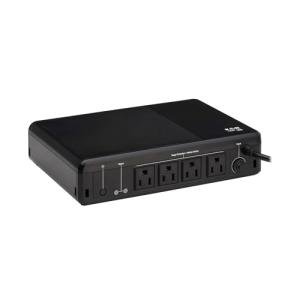
Tripp Lite Battery Backup
Tripp Lite
Product Review Score
4.65 out of 5 stars
225 reviews$109.99 $92.84
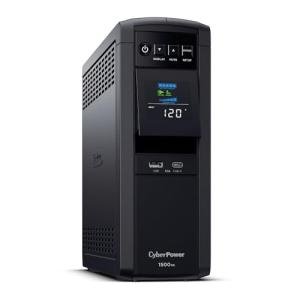
CyberPower 1500VA UPS
Cyberpower
Product Review Score
4.89 out of 5 stars
160 reviews$274.95 $239.95

💡 Practical Usage Tips
- Connect high-drain devices like laser printers or space heaters only to the "surge-only" outlets to avoid overloading the battery backup system.
- Perform a semi-annual battery test by unplugging the unit for a few seconds to ensure the internal cells can still support the connected load.
- Place the unit in a well-ventilated area because the internal transformers and batteries generate heat during charging and power outages.
- Utilize the USB communication port on managed units to enable automatic hibernation settings on your computer before the battery completely drains.
✅ What to Look For & ⚠️ What to Avoid
Must-Have Features:
- An AUTOMATIC VOLTAGE REGULATION (AVR) system is essential for stabilizing power during brownouts without using up the battery life.
- Look for a clear LCD screen like the one on the CyberPower CP1000AVRLCD to monitor real-time power draw and remaining runtime.
- Choose a model with a USER-REPLACEABLE BATTERY so the entire unit does not have to be discarded once the chemical cells eventually wear out.
Red Flags to Avoid:
- Be cautious of units that do not mention their "Transfer Time," as a slow switch to battery power can cause some sensitive PCs to reboot anyway.
- Avoid using a SIMULATED SINE WAVE unit with high-end audio equipment, as it may cause a noticeable buzzing sound or electrical interference.
- Steer clear of units that lack a "Building Wiring Fault" indicator, which is the only way to know if your wall outlet is missing a safe ground connection.
🛡️ Build Quality & Performance
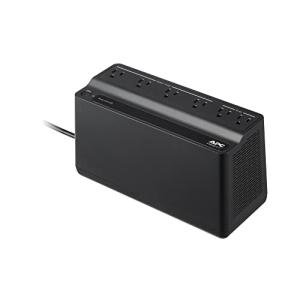
Modern power backups are generally divided into two physical styles: the "power strip" floor model and the "mini-tower" design. Models like the APC Back-UPS BE600M1 utilize high-impact, fire-resistant plastics and offer a wide outlet spacing that is perfect for bulky transformer plugs. These units feel solid and are designed to sit discreetly under a desk or behind a media center without drawing attention.
Performance is largely dictated by the internal LEAD-ACID BATTERY and the cooling method. Entry-level units typically use PASSIVE COOLING, meaning they are completely silent during normal operation. Larger, high-capacity towers may engage an internal fan when the power goes out to manage the heat generated by the INVERTER. Reliability in these devices is often measured by their ability to survive years of "standby" time while remaining ready to spring into action in less than 10 milliseconds when the lights flicker.
🏆 Top Recommendations
| Best For | Model Name | Key Feature | Why It Wins |
|---|---|---|---|
| High-End PCs | CyberPower CP1500PFCLCD | Pure Sine Wave | Matches the clean power high-end PSUs require. |
| Home Office | APC Back-UPS Pro 1500 | 1500VA Capacity | Huge power reserve for multiple monitors and servers. |
| Basic Networking | CyberPower ST425 | Compact Profile | Small footprint fits perfectly in networking closets. |
❓ Frequently Asked Questions
How long will the battery last during a power outage?
Runtime depends entirely on the total wattage of the connected equipment. A standard unit might power a Wi-Fi router for over an hour, but it may only keep a powerful gaming computer running for 5 to 10 minutes.
What is the difference between "Backup" and "Surge" outlets?
The backup outlets receive power from the battery when the lights go out, while surge outlets only provide protection against voltage spikes. Always plug your monitor and PC into the backup outlets, and non-essential items like lamps into the surge outlets.
Can I plug a power strip into my UPS?
It is generally not recommended to "daisy-chain" power strips into a UPS as it can overload the circuit and may void the manufacturer warranty. It is safer to choose a unit with more built-in outlets if you have many devices to connect.