🗺️ The Component Breakdown: Analyzing Product Types for Automation Tools
To build a high-utility control system, you should group Automation Tools based on their form factor and primary purpose: Dedicated Quick Triggers and Unified Console Control .
Group 1: Dedicated Quick Triggers
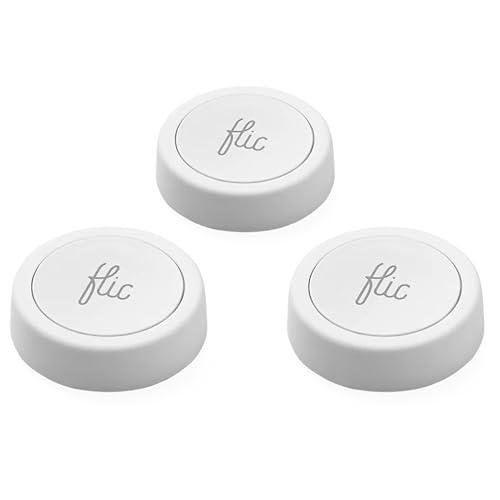
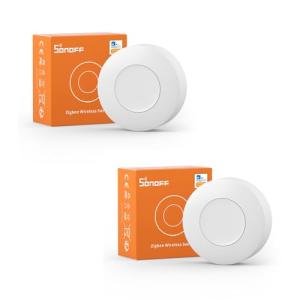
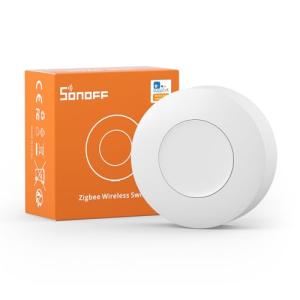
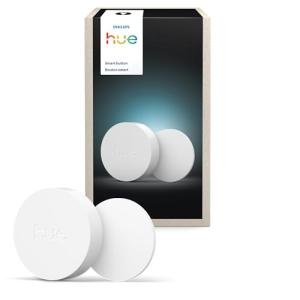
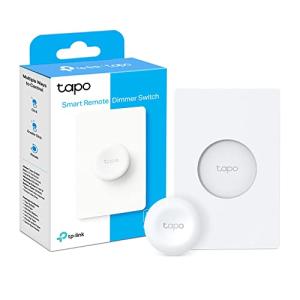
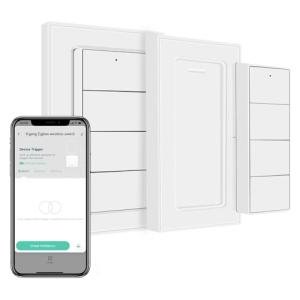
This group focuses on simplicity, portability, and rapid, predefined actions, primarily covering Wireless Programmable Buttons .
-
Utility: A Wireless Programmable Button is the ultimate shortcut. These devices typically offer single, double, and long-press actions, allowing you to trigger up to three distinct routines from one small, discreet spot. They excel in providing Seamless Control for high-priority, recurring actions. For example, you can stick one next to your garage door for a "Home/Away" routine that simultaneously adjusts lights, locks the back door, and checks the status of your smart appliances.
-
Choice Guidance: Deploy Wireless Programmable Buttons in areas where instant, routine execution is critical, but a full wall panel or remote is unnecessary. They are essential for activating Secure Monitoring scenes—like an emergency panic button or an instant "Arm Away" function—because of their accessibility and single-purpose focus. Look for models that support low-latency protocols like Zigbee or Thread for guaranteed responsiveness and Enhanced Comfort .
Group 2: Unified Console Control
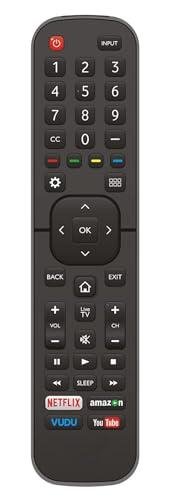
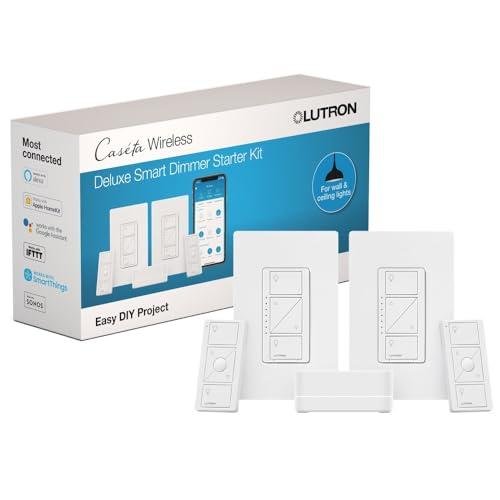
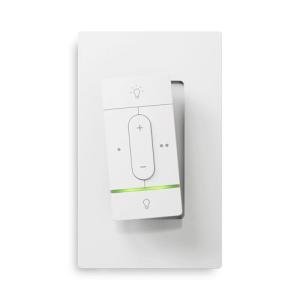
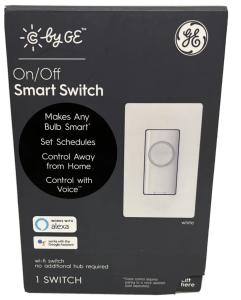
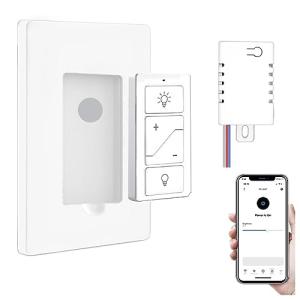
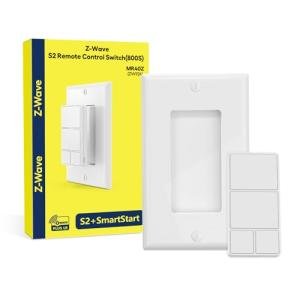
This grouping is designed for comprehensive management of multiple devices in one location, including Universal Smart Remotes and Smart Wall Controllers .
-
Utility: A Universal Smart Remote is the centralized command center for your entertainment space. It consolidates control over smart TVs, soundbars, AV receivers, and smart lights, often translating traditional IR/RF commands into smart home signals. This is critical for achieving Seamless Control in a complex home theater scenario. The Smart Wall Controller offers a permanent, in-wall interface (often battery-powered or wired) for room-specific control of lighting, shades, and climate, presenting a clean, accessible panel.
-
Choice Guidance: Use a Universal Smart Remote where the primary functions involve media and entertainment. For example, when settling in for movie night, one remote press lowers the projector screen, dims the lights, and turns on the sound system. A Smart Wall Controller should be used in key traffic areas like the entryway or kitchen to manage routine functions and specific room scenes, offering reliable Enhanced Comfort for all residents.
Layering & Integration
An advanced system uses the complementary strengths of these Automation Tools to maximize accessibility and resilience.
-
Define Primary Actions: Start by assigning the most frequent, high-impact routines (e.g., "Good Night," "Arm Home") to Wireless Programmable Buttons and placing them strategically near bedsides or exits.
-
Centralize Entertainment: Introduce a Universal Smart Remote in your living room to manage the complex AV stack, providing intuitive Seamless Control for the whole family over media and associated room lighting.
-
Establish Permanent Access: Install a Smart Wall Controller in the main hallway. Program it to run macro routines like "All Off" or to display Secure Monitoring status at a glance. This provides a reliable, non-mobile interface that is always in the same place.
-
Maximize Utility: This layered approach ensures that everyone, from a tech novice to a guest, can instantly access core routines, providing ultimate Enhanced Comfort without relying solely on voice commands or a smartphone app. These various Automation Tools become the dependable, physical touchpoints of your digital home.
🧪 Key Technical Standards and Advanced Use Cases
For Automation Tools to function reliably and instantly, they must utilize robust, low-latency communication standards. Key standards to look for include Zigbee and Z-Wave for wireless remotes and buttons. These mesh protocols offer exceptional battery life and instantaneous response times, which are crucial when triggering security actions or critical comfort scenes. Many modern devices are also adopting Thread or Matter compatibility, ensuring that your chosen Automation Tools will interface flawlessly with the next generation of smart home hubs and devices, guaranteeing long-term Seamless Control .
Advanced Usage: Contextual Scene Management
You can leverage Automation Tools to implement sophisticated automation that responds not just to a button press, but also to the time or the home's status.
-
Scenario (Optimizing the Home Office Environment): You have a Wireless Programmable Button on your desk. You program it with a "Work" routine. A single press during business hours (9 AM-5 PM) triggers the "Focus Mode": smart lights set to cool white, and notifications silenced. A double-press, however, triggers an emergency macro: the lights flash red (for Secure Monitoring ), and an alert is sent to a family member's phone.
-
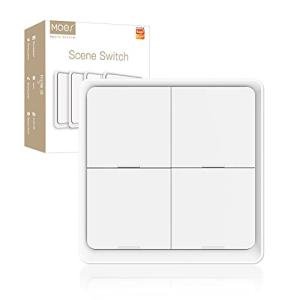
Smart Wall Scenario: Your Smart Wall Controller in the entryway is programmed for four lighting scenes. During the day, one button activates "Bright Daytime." After 9 PM, the same button press is contextually overridden by the hub to activate "Dim Night Path," a lower-intensity scene for safety and Enhanced Comfort . This contextual differentiation, managed by the Automation Tools and the hub, transforms simple buttons into intelligent triggers, providing powerful, yet simple, Seamless Control .
4. Lifestyle Guide
The Simplicity-Seeking User (The Routine Activator)
You prefer tangible buttons over voice or screen taps, especially for predictable, repeated actions. You want a straightforward system that is easy to explain to guests and offers reliable access to core functions for consistent Enhanced Comfort .
-
The Fit: The Wireless Programmable Buttons are your perfect match. They are small, affordable, and offer a simple interface for two or three key routines—such as "Movie Time" or "Bedtime." You can place one on the coffee table and one by the front door, ensuring that essential Seamless Control is always available without hunting for a phone. The physical click provides reassuring confirmation that your action was executed.
-
Recommendation: Wireless Programmable Buttons .
The Performance-Focused User (The Command Integrator)
You have a complex media center and a multi-protocol smart home network. You demand a single, powerful device that can handle both legacy IR equipment and modern smart home routines for ultimate Seamless Control .
-
The Fit: The Universal Smart Remote is essential for consolidating your A/V stack. It can learn IR codes from your non-smart components and simultaneously command your smart lights and shades via Z-Wave or Zigbee, creating unified "Scenes." You would pair this with a Smart Wall Controller in the media room to provide a static backup interface for Enhanced Comfort and quick access to lighting presets. The integrated control delivers advanced Secure Monitoring capabilities for your entertainment space, such as an "Emergency Off" button.
-
Recommendation: Universal Smart Remotes combined with a Smart Wall Controller .
The Budget-Expansion User (The High-Utility Placer)
You need to add physical control points affordably and want the highest utility per device. You are looking for a few key control points that can manage different systems (e.g., security and lighting) as you build out your home.
-
The Fit: Start with a few Wireless Programmable Buttons for critical, high-use spots, as they offer the most action possibilities for a low cost. Then, invest in one Smart Wall Controller for the main entryway. This wall controller provides a highly visible, permanent command center for arming your system ( Secure Monitoring ) and setting the primary "Coming Home" scene. This combination ensures maximum function and visible Seamless Control without overspending on redundant interfaces.
-
Recommendation: Wireless Programmable Buttons combined with a Smart Wall Controller .
5. COMPLEMENTARY CATEGORY RECOMMENDATIONS
| Recommended Categories |
Why This Category Is Useful Specifically for This Product |
Short Usage Scenario |
| Central Hubs |
Hubs provide the logic and communication layer that Automation Tools trigger, ensuring multi-protocol commands are reliably executed. |
Pressing a smart button signals the hub to run a routine that locks a Z-Wave lock and turns on Zigbee lights. |
| Lighting Climate |
Automation Tools (like wall controllers) are the simplest physical way to activate complex lighting scenes or adjust smart thermostats for Enhanced Comfort . |
Tap the wall controller to set the bedroom lights to "Reading Mode" and lower the temperature two degrees. |
| Home Security |
Buttons and controllers provide a quick, physical way to arm/disarm the security system, enhancing Secure Monitoring access. |
A programmed button near the front door instantly arms the home security perimeter. |
| Smart Power |
Remotes and buttons trigger smart plugs and strips, bringing non-smart devices under Seamless Control via a physical interface. |
Use a smart remote to turn off the coffee maker plugged into a smart outlet. |
| Smart Displays |
Displays can confirm the status of the routine triggered by Automation Tools (e.g., showing "System Armed"). |
Pressing the "Away" button causes the smart display to confirm, "Security Armed, Lights Off." |
| Voice Assistants |
Voice and physical controls work in tandem; a remote can control the media, and a voice command can manage the routine. |
Tell the voice assistant to change the channel while using the smart remote to adjust the volume. |
| Entertainment Tech |
Universal Smart Remotes are essential for integrating complex A/V components like soundbars and streaming devices into a single control point. |
The remote activates the TV and sets the surround sound system to the correct input automatically. |
By strategically choosing your Automation Tools , you graduate from a reactive smart home to a proactive one. These physical interfaces ensure that your most important routines—from security protocols to comfort scenes—are always accessible and instantaneously reliable. Embrace these Automation Tools to solidify your system's performance, guaranteeing true Seamless Control and long-term Enhanced Comfort for everyone in your household.