Transforming a home's lighting infrastructure with smart wall controllers offers a significant upgrade in convenience and energy management without the need to replace every individual bulb. These devices replace traditional mechanical switches, providing the ability to schedule lights, control scenes via voice, and integrate with broader home automation ecosystems. Navigating the technical landscape requires understanding the difference between Wi-Fi direct models and those utilizing a dedicated smart bridge to ensure reliability and responsiveness.
Smart Wall Controllers
Take control of your home's tech with intuitive wall controllers that simplify your daily routines
Product List
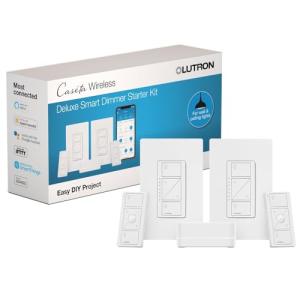
Lutron Caseta Smart Dimmer Kit
Lutron
Product Review Score
4.4 out of 5 stars
159 reviews$189.90 $151.90
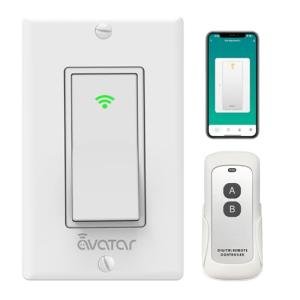
Voice-Controlled Bluetooth Switch
Avatar Controls
Product Review Score
4.92 out of 5 stars
162 reviews$24.99
Insteon Smart Dimmer Keypad
Insteon
Product Review Score
4.11 out of 5 stars
83 reviews$84.99 $76.49
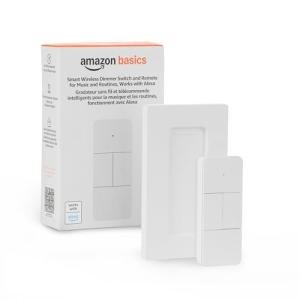
Smart Dimmer Switch Remote
Amazon Basics
Product Review Score
4.7 out of 5 stars
116 reviews$19.99 $16.99
💡 Practical Usage Tips
- Before purchasing any hardware, remove the existing faceplate to verify if a neutral wire (usually white) is present in the junction box, as this is a mandatory requirement for most Wi-Fi-based switches.
- If the home network is crowded with many devices, prioritizing systems that use sub-GHz frequencies prevents the signal interference often found on the 2.4GHz band.
- When installing dimmers for LED lights, ensure the total wattage meets the minimum load requirement to avoid flickering, or install a LUT-MLC capacitor to stabilize the current.
- For multi-gang boxes where switches sit side-by-side, check the manufacturer's guidelines on heat dissipation, as you may need to de-rate the maximum load capacity when removing metal side tabs.
✅ What to Look For & ⚠️ What to Avoid
Must-Have Features
- Systems using a leak-to-load power design are essential for older homes lacking neutral wires, allowing smart functionality without rewiring.
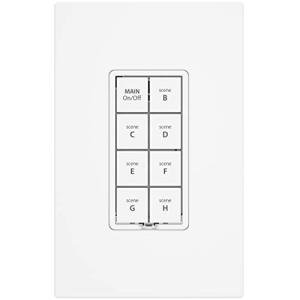
- Look for devices supporting dual-mesh technology, like the Insteon Keypad, which transmits over both RF and powerlines for superior reliability in large homes.
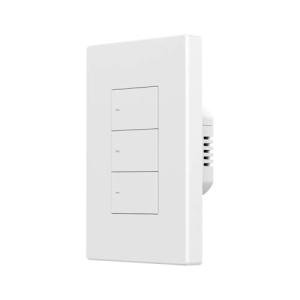
- Tactile feedback through physical buttons is superior to capacitive touch for high-traffic areas, reducing the need to look at the switch to operate it.
Red Flags to Watch Out For
- Avoid switches with poor internal isolation, as this can lead to ghost switching where the light turns on or off randomly due to electrical noise or moisture.
- Be cautious of "Wi-Fi only" devices that lack a fallback control method, as internet outages can render advanced scheduling and voice control completely inoperable.
- Hardware susceptible to zombie states requires manual power cycling at the breaker to reset, which is a significant inconvenience.
🛡️ Build Quality & Performance
The physical construction of a smart switch dictates both its longevity and the user experience. Entry-level models often utilize standard mechanical relays which produce an audible clicking sound every time the lights are toggled. While reliable, this noise can be intrusive in bedrooms or quiet spaces. More advanced systems utilize solid-state TRIAC dimming which operates silently but requires careful thermal management.
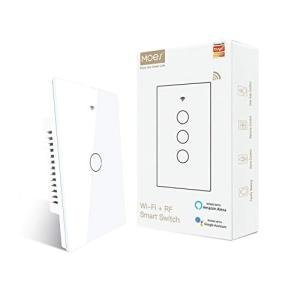
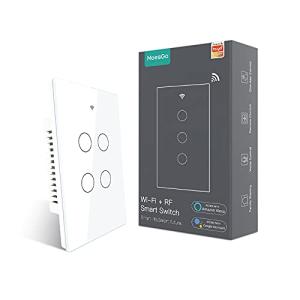
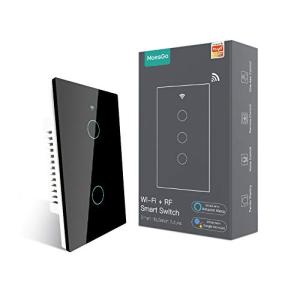
Materials also vary significantly; while the MoesGo 4-Gang Touch Switch offers a sleek tempered glass faceplate that resists scratches, it lacks the haptic confirmation of a traditional switch. Conversely, high-end systems invest in robust proprietary silicon and optimized antenna designs to ensure commands are executed with sub-30ms latency, avoiding the "popcorn effect" where lights turn on sequentially rather than simultaneously.
🏆 Top Recommendations
| Best For | Model Name | Key Feature | Why It Wins |
|---|---|---|---|
| Overall Reliability | Lutron Caseta Dimmer Kit | Clear Connect Type A | Does not require a neutral wire and avoids Wi-Fi interference entirely. |
| High Density | MoesGo 4-Gang Switch | 4 Circuits in 1 Gang | Controls four separate light zones from a single wall box slot. |
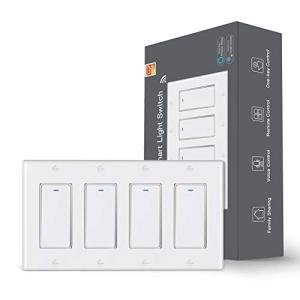
| Tactile Feel | Smilewolf M5 Switch | Physical Push Buttons | Provides real physical feedback, reducing accidental presses compared to touch screens. |
| Dual-Mesh Power | Insteon 8-Button Keypad | RF + Powerline | Uses electrical wiring to boost signals, ensuring coverage in large concrete homes. |
❓ Frequently Asked Questions
Do I really need a neutral wire?
For most Wi-Fi smart switches, yes. The neutral wire provides constant power to the smart radio even when the light is off. However, systems like the Lutron Caseta or specific Bluetooth models use a specialized leak-to-load design that can function without one, though they often require a bridge or a bypass capacitor.
Why do my LED lights flicker after installation?
Flickering usually occurs because the LED bulb does not draw enough power for the smart switch to remain powered, or the dimmer utilizes TRIAC chopping that is incompatible with the LED driver. Installing a load shunt (capacitor) or switching to dimmable-compatible bulbs usually resolves this.
What is the benefit of a dedicated hub or bridge?
A dedicated hub moves your smart switches off your home Wi-Fi network. This reduces congestion on your router and allows the switches to use lower frequencies that penetrate walls better, resulting in faster response times and higher reliability.