

PRODUCT REVIEW
In-Depth U.S. Market Review
The Synology DS223 2-Bay Diskless NAS System positions itself as an ideal choice for the home office and personal cloud user seeking reliability and a mature software ecosystem. It’s not just a storage box; it's a dedicated network application server designed to keep your data secure, backed up, and accessible from anywhere in the U.S. using Synology's proprietary DiskStation Manager (DSM) operating system.
This model occupies the sweet spot between the entry-level j series and the performance-focused + series. It's built for those who value data integrity and a user-friendly interface over raw, enterprise-level speed. Its core niche is providing a seamless private cloud experience for families and small professional users who are transitioning away from subscription-based cloud services.
Compared to the most basic 2-bay NAS options, you get significantly better software features, like Synology Drive for file syncing and Surveillance Station for camera management, which are features often absent or limited in budget alternatives. When you look at competing products, the Synology DS223 offers a highly polished and deeply integrated experience, sacrificing the easy upgradability of some competing brands for stability and a consistent user experience.
Technical Analysis
| Specification | Detail & U.S. Context | Analysis |
| CPU | Realtek RTD1619B Quad-Core (1.7 GHz) | Solid performance for basic file serving, media streaming, and Synology's core apps. Excellent for home use but not for heavy virtualization. |
| RAM | 2 GB DDR4 non-upgradeable | Sufficient for DSM and a handful of applications running concurrently. A key limiting factor for advanced users needing Docker or multiple VMs. |
| Drive Bays | 2 x 3.5" or 2.5" SATA HDD/SSD | Standard setup for RAID 1 (mirroring) or RAID 0 (striping), which is the primary configuration for home data redundancy in the U.S. market. |
| File System | Btrfs and EXT4 support | Btrfs is critical, offering advanced data protection features like snapshots for instant data recovery, which is a major value-add for home users. |
| Networking | 1 x 1GbE RJ-45 Port | Standard gigabit connection, perfectly adequate for typical home internet speeds and file transfer. Not suited for users with multi-gig networking at home. |
| USB Ports | 2 x USB 3.2 Gen 1 | Fast connection for external backups or migrating large volumes of data from a desktop PC or external drive. |
| Transcoding | Limited/Software-based | Not ideal for intensive, on-the-fly 4K media transcoding (e.g., Plex), but excellent for playing back pre-encoded media files locally. |
1. Core Processor and System Memory for Home Use
The Synology DS223 utilizes a Realtek RTD1619B Quad-Core processor clocked at 1.7 GHz. This CPU is power-efficient and offers ample processing power for basic NAS tasks, making it a great budget NAS choice for home use. The main task of file serving, managing backups, and running Synology's core apps like Photos and Drive is handled smoothly.
The system comes with 2 GB of DDR4 RAM, which is soldered and non-upgradeable. While 2 GB is sufficient for running the DiskStation Manager (DSM) operating system and a modest suite of services, it will become a bottleneck if you plan to run resource-intensive third-party applications or multiple demanding containers. This configuration highlights its focus on being a reliable, set-it-and-forget-it private cloud device rather than a power user's application server.
2. Data Integrity and File System Capabilities
A significant advantage of the DS223 is its support for the Btrfs file system, which moves it far beyond being a basic network storage device. Btrfs provides advanced features like self-healing for corrupted data, ensuring that your precious family photos and work files are protected against silent data corruption, a feature that brings enterprise-level peace of mind to the home user.
Crucially, Btrfs enables Snapshot Replication. This allows you to create point-in-time copies of your data quickly, letting you roll back files instantly if they are accidentally deleted or encrypted by ransomware. For the average U.S. consumer worried about digital security, this feature alone justifies the premium over cheaper, EXT4-only NAS units.
3. Physical Yapı ve Kurulum Kolaylığı
The physical build of the Synology DS223 is lightweight, tool-less, and designed for easy installation in a typical U.S. home or office environment. The chassis is mostly plastic but feels sturdy enough for stationary use on a desk or shelf. The disk bays are designed for easy, screw-less installation of 3.5-inch drives, significantly simplifying the setup process for first-time NAS owners.
The single 1GbE port is standard for this class and sufficient for almost all home scenarios unless you're regularly transferring multi-gigabyte video files. It runs very quietly, which is essential if you intend to keep it in a living area or home office. The overall footprint is small, making it easy to hide away in a closet or on a non-dedicated shelf.
User Profiles
1. The Family Data Curator
You are the designated technology manager for your family, needing a central, reliable place to store thousands of high-resolution family photos, videos, and important financial documents. You are tired of paying for cloud storage subscriptions and want complete control over your family's digital legacy.
-
Use Case: You are setting up automatic backups for three different family PCs and five smartphones, using Synology Photos to organize the media, and ensuring you can stream family videos instantly to your Smart TV.
-
The Fit: The Synology DS223 is a perfect fit because of the robust and intuitive DSM operating system and the powerful Synology Photos application. The Btrfs file system gives you the confidence of data protection with snapshots, letting you easily recover files without needing IT expertise, which is crucial for managing family data safely.
2. The Remote Work Power User
You primarily work from a home office, and while your data isn't massive , it is business-critical, requiring high-availability access and version control. You use cloud services but want a local, fast, and completely private sync solution that mirrors popular services like Dropbox.
-
Use Case: You use the DS223 with RAID 1 for real-time mirroring, running Synology Drive to sync your critical project folders between your laptop and desktop. You occasionally need to access large CAD files securely while traveling.
-
The Fit: The Synology Drive ecosystem makes the DS223 function exactly like a private Dropbox, but with faster local access and no ongoing subscription fees. The reliability of the Synology brand means you won't lose access during a crucial project, and the remote access setup is simple enough to manage without an IT department.
3. The Budget-Conscious Media Archivist
You are a hobbyist who collects and downloads 1080p and 4K movies and TV shows but doesn't need to transcode them on the fly—you just need a giant, centralized media library. Your primary goal is to replace your collection of bulky external hard drives with a sleek, consolidated solution.
-
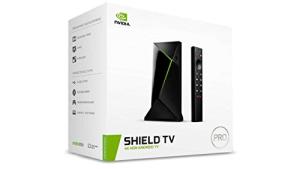
Use Case: You load the DS223 with two large hard drives, use a basic file share for your media library, and point media players like Plex or Kodi (running on a separate device like a Shield TV) to the NAS share.
-
The Fit: This NAS is an excellent budget NAS choice for media storage because it's quiet, energy-efficient, and offers plenty of storage capacity when paired with large disks. While the CPU isn't built for heavy transcoding, its primary function—acting as a fast and stable network file share—is handled perfectly, saving you money compared to an overpowered NAS.
"Complementary HomeTechCorner Category Recommendations"
| Recommended Products | Why This Category Is Useful Specifically for This Product | Short Usage Scenario |
| Nas Drives For Media | You need to physically purchase and install high-capacity drives to even use your new Synology NAS, making them a critical component. | Imagine you are transferring your old media library and realize you need two large, reliable drives specifically rated for 24/7 NAS operation to secure your data. |
| Uninterruptible Power Supplies Ups | NAS devices must never lose power unexpectedly, which can corrupt data. A UPS ensures a clean shutdown during an outage. | You hear the power blink during a thunderstorm; the UPS kicks in, giving your DS223 enough time to safely power itself down, preventing a potential RAID array failure. |
| Wi Fi 7 Mesh Systems | A reliable and fast home network ensures you get the best transfer speeds when accessing your files over Wi-Fi, especially for media streaming. | You’re streaming a large 4K movie to your bedroom TV and notice zero buffering because the high-performance mesh system provides a clean, fast path back to the Synology. |
| Security Cams | Synology’s Surveillance Station is a powerful feature, and you'll need IP cameras to take advantage of the private video management system. | You decide to stop paying the monthly subscription for your current camera and use the NAS to manage all motion-activated recordings, keeping everything private and local. |
| Smart Power Strips | To safely manage the power to your entire home office setup, including the NAS, monitor, and desktop, protecting them all from surges. | You plug your entire workstation, including the DS223, into a smart strip to monitor energy use and remotely ensure everything is fully powered down overnight. |