Setting up a home media hub transforms a simple movie collection into a professional-grade theater experience. Whether the goal is to stream high-definition 4K video to multiple rooms or securely back up years of family photos, choosing the right hardware is essential. This guide explores the most reliable servers and storage solutions available to help find the perfect fit for any home network.
Media Servers
Easily store and stream your favorite movies, music, and photos to any device in your home
Product List
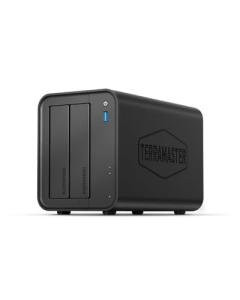
TERRAMASTER F2-425 NAS Solution
Terramaster
Product Review Score
4.25 out of 5 stars
120 reviews$249.99
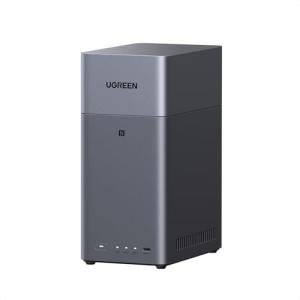
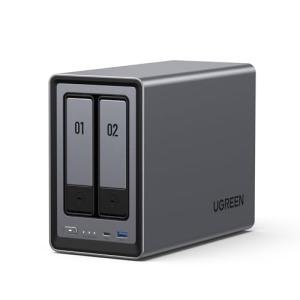
UGREEN 2-Bay NAS Storage
Ugreen
Product Review Score
4.46 out of 5 stars
202 reviews$209.99 $177.99
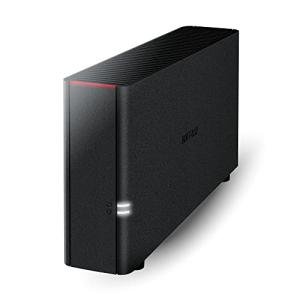
BUFFALO LinkStation 210 NAS
Buffalo
Product Review Score
4.77 out of 5 stars
210 reviews$159.99 $139.99
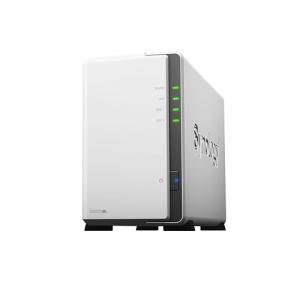
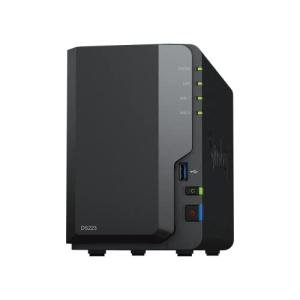
Synology DS223j 2-Bay NAS
Synology
Product Review Score
4.57 out of 5 stars
155 reviews$194.99 $165.99
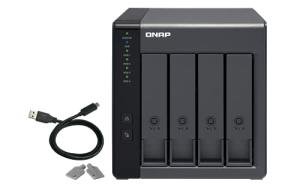
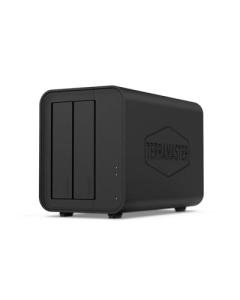
TERRAMASTER D2-320 RAID Enclosure
Terramaster
Product Review Score
4.54 out of 5 stars
162 reviews$129.99 $103.99
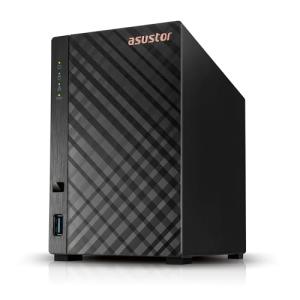
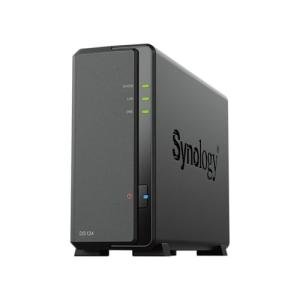
Synology DS124 1-Bay Storage
Synology
Product Review Score
4.92 out of 5 stars
190 reviews$179.99 $139.99
💡 Practical Usage Tips
- To prevent playback stuttering when streaming large 4K files, it is best to connect the server directly to a router using a physical Ethernet Cable rather than relying on Wi-Fi.
- Adding an NVMe Cache drive to compatible units can significantly speed up the time it takes to load movie posters and metadata in your media library.
- Regularly scheduling a Data Scrubbing task on your NAS helps identify and fix tiny errors in your files before they become a permanent problem.
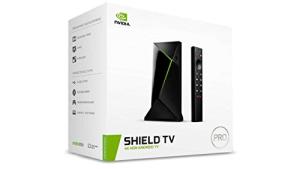
- For users running a Plex server on a streaming device, using a high-speed external USB drive as Adoptable Storage provides the necessary space for large database files.
✅ What to Look For & ⚠️ What to Avoid
Must-Haves:
- Look for a processor that supports Intel QuickSync, as this allows the server to change video formats on the fly without slowing down the entire system.
- Opt for a system with at least a 2.5GbE Port if you plan on moving large files frequently, as it is much faster than standard gigabit connections.
- Devices like the TERRAMASTER F4-424 offer an unlocked BIOS, which gives more advanced users the freedom to install their own preferred operating systems.
Red Flags:
- Avoid servers with less than 1GB of RAM if you intend to run multiple apps at once, as the system will likely become sluggish and unresponsive.
- Be cautious of single-bay units that do not offer RAID Protection, because if that one internal hard drive fails, all the data on it will be lost.
- Watch out for "closed" software systems that do not receive regular security updates, as these can leave personal photos and files vulnerable to network threats.
🛡️ Build Quality & Performance
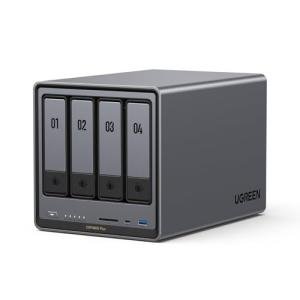
The physical construction of a media server plays a major role in how long the hardware lasts. Many premium models, such as the UGREEN DXP4800 Plus, utilize CNC-machined aluminum chassis. This material does more than just look sleek; it acts as a giant Heat Sink, pulling warmth away from the hard drives to keep them running cool. Better airflow designs often include magnetic dust filters, which are incredibly helpful for preventing debris from clogging up the internal fans over several years of 24/7 operation.
Performance is often a balance between raw power and quiet operation. While plastic enclosures are common in budget-friendly models, they sometimes struggle with vibrations from spinning mechanical drives. Higher-end units counter this by using rubberized Vibration Dampeners and sophisticated fan curves that stay nearly silent during a movie but ramp up only when the system is working hard to index new content. Choosing a unit with a sturdy frame ensures that the delicate internal electronics remain protected even in busy households.
🏆 Top Recommendations
| Best For | Model Name | Key Feature | Why It Wins |
|---|---|---|---|
| TV Streaming | NVIDIA SHIELD Pro | AI 4K Upscaling | Best-in-class video processing for a living room setup. |
| Power Users | UGREEN DXP4800 Plus | 10GbE Networking | Incredible speeds for professional video editing workflows. |
| Reliability | Synology DS223 | Btrfs File System | Advanced data protection keeps files safe from corruption. |
| Direct Access | QNAP TR-004 | Hardware RAID | Easy storage expansion without complex network setup. |
❓ Frequently Asked Questions
What is transcoding and do I need it?
Transcoding is the process where a server changes a video's file type or resolution so it can play on a specific device, like a smartphone. If you plan to watch your movies while away from home or on older tablets, a server with a Hardware Transcoder is a must-have feature.
Should I get a 2-bay or 4-bay server?
A 2-bay system is great for basic backups using RAID 1, which mirrors your data across two drives. However, a 4-bay system is often better for media collections because it allows for more storage space while still keeping your data safe if one drive happens to fail.
Can I use regular computer hard drives in a media server?
While regular drives will work, it is highly recommended to use NAS-Rated Drives. These are specifically designed to handle the heat and constant vibrations of running 24 hours a day inside a small server enclosure.