Upgrading to a Wi-Fi 7 mesh system represents the most significant jump in home networking in over a decade. These systems eliminate dead zones while providing the extreme speeds needed for high-definition streaming and lag-free gaming. By connecting multiple nodes, they create a seamless blanket of coverage that allows devices to move throughout a home without ever losing a connection.
Wi-Fi 7 Mesh Systems
Experience seamless internet connectivity throughout your home with the latest Wi-Fi 7 mesh technology
Product List
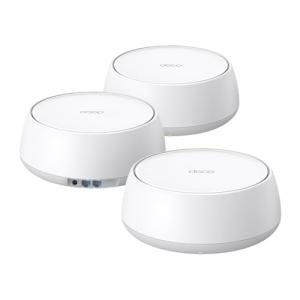
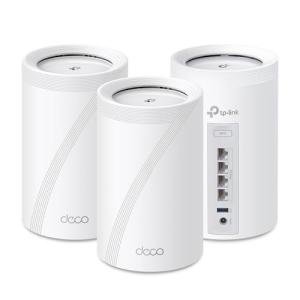
TP-Link Deco BE25 Mesh WiFi
Tp-Link
Product Review Score
4.27 out of 5 stars
150 reviews$269.99 $198.44
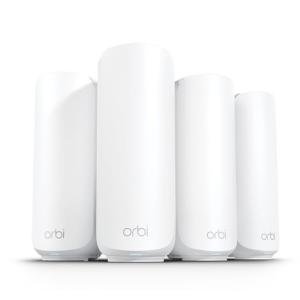
NETGEAR Orbi WiFi 7 Mesh
Netgear
Product Review Score
4.14 out of 5 stars
91 reviews$449.99 $369.99
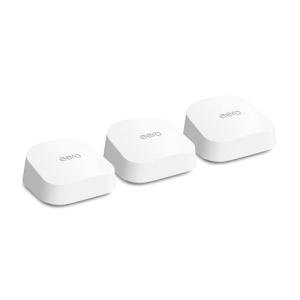
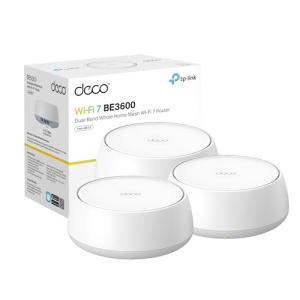
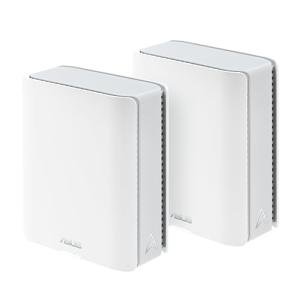
ASUS ZenWiFi Tri-Band System
Asus
Product Review Score
4.26 out of 5 stars
142 reviews$479.99 $299.99



💡 Practical Usage Tips
- Placing the primary node in a central, open location rather than inside a cabinet ensures that the signal can radiate freely without physical interference.
- Utilizing a wired ethernet connection between nodes, known as Wired Backhaul, will significantly improve the overall stability and speed of the entire network.
- Enabling the Multi-Link Operation (MLO) feature allows compatible smartphones and laptops to transmit data over multiple frequency bands at the same time for lower latency.
- Setting up a separate IoT Network for smart home devices helps keep the primary bandwidth clear for high-performance tasks like 4K streaming.
✅ What to Look For & ⚠️ What to Avoid
Must-Have Features:
- Look for systems with multiple 2.5 Gbps Ports or higher to ensure the hardware can actually handle the speeds provided by modern fiber internet.
- The inclusion of the 6GHz Band is essential for users living in crowded urban areas where the older 2.4GHz and 5GHz bands are heavily congested.
- Systems like the TP-Link Deco BE63 offer integrated smart home hubs, which simplify your setup by removing the need for extra bridges.
Red Flags to Avoid:
- Be cautious of "Wi-Fi 7" systems that only offer standard Gigabit ports, as these will artificially limit your network speed to 1000Mbps regardless of wireless capabilities.
- Avoid mesh kits that lack 320MHz Channel Support, as this wide bandwidth is one of the primary reasons to upgrade to the new standard.
- Some entry-level models skip the 6GHz radio entirely; while they use Wi-Fi 7 software protocols, they won't provide the same interference-free experience as true tri-band systems.
🛡️ Build Quality & Performance
Modern Wi-Fi 7 hardware is built to handle significant heat, which is a byproduct of processing massive amounts of data at high speeds. Many premium units, such as the eero Max 7, feature substantial internal heatsinks that make the devices feel heavy and sturdy. This thermal management is vital for preventing performance drops during long gaming sessions or large file downloads. The external designs have shifted toward vertical towers or "chimney" styles, which use natural airflow to keep the internal Chipset cool without the need for noisy fans.
The materials used are typically high-grade matte plastics that resist fingerprints and blend into home decor. Beyond the casing, the internal antenna arrays are strategically positioned to provide vertical signal coverage, making these systems much more effective for multi-story homes than older, flat routers. High-quality connectors and auto-sensing ports ensure that even physical cable swaps are handled smoothly by the system software.
🏆 Top Recommendations
| Best For | Model Name | Key Feature | Why It Wins |
|---|---|---|---|
| Maximum Speed | eero Max 7 | 10GbE Ports | Unrivaled wired and wireless throughput for pro users. |
| Best All-Rounder | Deco BE63 | Tri-Band 10Gbps | Excellent balance of port density and wireless range. |
| Best Value | Tenda BE3600 | 2.5Gbps WAN | Provides Wi-Fi 7 software benefits at an entry-level price. |
| Smart Home Pro | eero 7 Dual-Band | Zigbee/Thread | Acts as a central hub for Matter-based smart devices. |
❓ Frequently Asked Questions
Do I need new cables for Wi-Fi 7?
To take full advantage of speeds over 1Gbps, it is recommended to use at least Cat6 or Cat6a ethernet cables for connecting your nodes and modem.
Will my old Wi-Fi 5 or 6 devices still work?
Yes, all Wi-Fi 7 mesh systems are backward compatible, meaning your older phones, laptops, and smart home gadgets will connect without any issues.
What is the benefit of the 6GHz band?
The 6GHz band acts like a newly opened express lane on a highway; it is much less crowded than older frequencies, leading to faster speeds and fewer dropped connections.