Establishing a reliable home or office server requires a strategic balance between storage density and hardware endurance. High-capacity NAS drives and enclosures serve as the foundation for modern data management, offering the specialized firmware needed for 24/7 operation. Whether the goal is centralizing a media library or securing business backups, selecting the right combination of speed and reliability is essential for a stable network environment.
High-Capacity NAS Drives
Store all your important files safely and access them anytime from anywhere with these powerful NAS drives
Product List

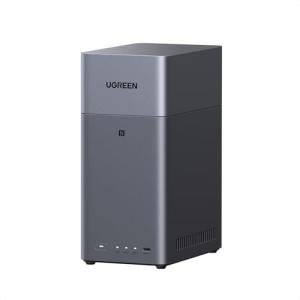
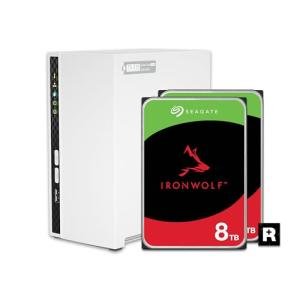
UGREEN 2-Bay NAS Storage
Ugreen
Product Review Score
4.91 out of 5 stars
224 reviews$209.99 $177.99
💡 Practical Usage Tips
- It is highly beneficial to prioritize drives with CMR (Conventional Magnetic Recording) technology because they maintain consistent write speeds during the long data-rebuild processes typical of multi-drive systems.
- Placing your NAS in a well-ventilated area is crucial since high-performance 7200 RPM drives generate significant heat that can lead to thermal throttling if air circulation is restricted.
- Utilizing an Uninterruptible Power Supply (UPS) alongside your storage unit prevents data corruption during sudden power outages by allowing the system to shut down gracefully.
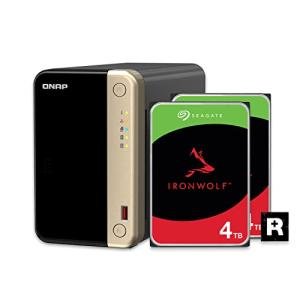
- Enabling automated health monitoring tools, such as IronWolf Health Management, allows for the early detection of mechanical issues before they result in actual data loss.
✅ What to Look For & ⚠️ What to Avoid
Must-Haves:
- Look for units with Rotational Vibration (RV) sensors, which help maintain performance in multi-bay enclosures by compensating for the vibrations of neighboring drives.
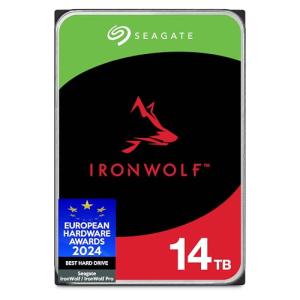
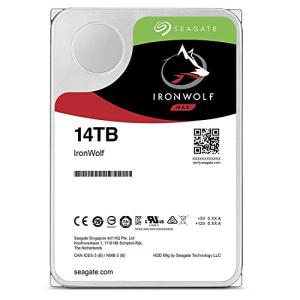
- Seek out helium-sealed designs like the Seagate IronWolf 14TB to enjoy lower power consumption and cooler operating temperatures.
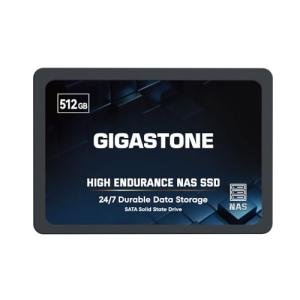
- High-endurance SSDs are a smart choice for NVMe Caching to significantly speed up file indexing and random access tasks without replacing your high-capacity mechanical drives.
Red Flags:
- Avoid using single-bay systems for critical data because they offer no RAID redundancy, meaning a single mechanical failure results in immediate and total data loss.
- Be cautious of soldered memory in high-performance enclosures, as this prevents you from upgrading the RAM later if your software needs grow.
- Steer clear of consumer-grade desktop drives that lack a 24/7 workload rating, as they often struggle with the heat and constant vibration found in a server chassis.
🛡️ Build Quality & Performance
The physical construction of modern storage solutions has evolved to handle the immense pressure of constant data access. Premium enclosures often utilize die-cast aluminum alloys, which act as a giant heat sink to pull warmth away from the internal components. Inside these units, the drives themselves are engineered with a focus on structural integrity. For instance, the Seagate IronWolf Pro 14TB features a sealed chassis that reduces friction, allowing the internal platters to spin with minimal resistance and improved longevity.
Performance is no longer just about raw Sustained Transfer Rates; it is now defined by how a system handles multiple users simultaneously. Modern 2.5GbE and 10GbE networking ports ensure that the hardware does not become a bottleneck when several devices are streaming or backing up data at once. High-quality firmware plays a silent but vital role here, managing error recovery so that the entire system remains responsive even when a specific sector requires extra attention.
🏆 Top Recommendations
| Best For | Model Name | Key Feature | Why It Wins |
|---|---|---|---|
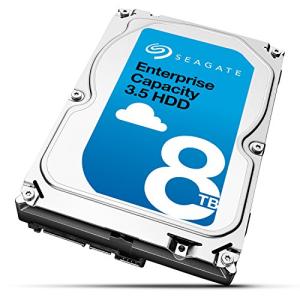
| Enterprise Reliability | Seagate Enterprise 8TB | 550TB/year Workload | Built for high-intensity data centers. |
| Power Users | UGREEN NASync DH4300+ | Intel i5-1235U CPU | Exceptional processing for virtualization. |
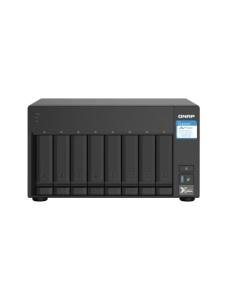
| Extreme Capacity | QNAP TS-832PX | 8-Bay Architecture | Massive storage density with 10GbE support. |
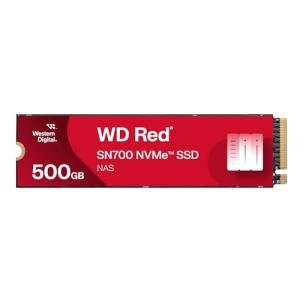
| Caching Speed | WD Red SN700 500GB | 3,430 MB/s Reads | Superior endurance for system acceleration. |
❓ Frequently Asked Questions
What is the difference between a NAS drive and a regular desktop drive?
NAS drives are specifically designed to run 24 hours a day and include firmware that manages vibrations from neighboring drives. Regular desktop drives are built for intermittent use and may fail prematurely if left running constantly in a server environment.
Does a 7200 RPM drive make a lot of noise?
Generally, 7200 RPM drives are louder than 5400 RPM models because they spin faster to provide better performance. This results in more audible "clicks" during data searches, making them better suited for closets or offices rather than a quiet bedroom.
Can I mix different drive sizes in the same NAS?
While most systems allow it, the total usable storage is often limited by the smallest drive in the group. It is usually best to use identical capacities to maximize your available space and ensure predictable performance across the entire array.
Would you like me to help you compare the energy consumption of these drives for a long-term cost analysis?