PRODUCT REVIEW
In-Depth U.S. Market Review
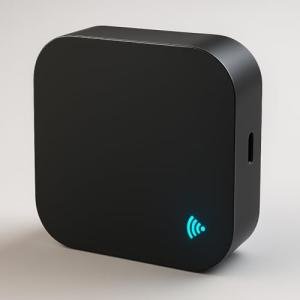
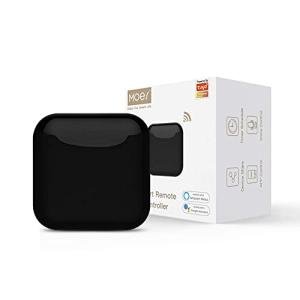
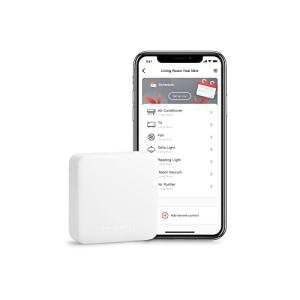
The SwitchBot Hub Mini Smart IR Remote for Home occupies a coveted space in the U.S. smart home market as a highly accessible and versatile infrared (IR) hub. Its primary role is to serve as a universal remote control emulator, translating modern Wi-Fi and Bluetooth signals into traditional IR signals for controlling non-smart appliances like TVs, set-top boxes, and air conditioners. It's particularly popular in the States due to its seamless integration with the wider SwitchBot ecosystem, which features physical automation devices like button-pressers.
What makes this an attractive choice for U.S. consumers is its dual functionality. Not only does it act as an IR remote hub, making it a budget-friendly option for smart home use, but it also functions as the central hub for other proprietary SwitchBot accessories via Bluetooth. Compared to standalone IR blasters, you get a much more comprehensive, holistic automation system when combining it with other SwitchBot products. It represents a simple, scalable entry point for home automation, especially for apartment dwellers or renters who can't modify wiring.
Technical Analysis
| Specification | Detail & U.S. Context | Analysis |
| Control Protocol | Wi-Fi 2.4GHz & Bluetooth Low Energy (BLE) | Dual-protocol support is essential: Wi-Fi for cloud/remote access, BLE for SwitchBot accessory communication. |
| Infrared (IR) Capability | 360° Omnidirectional IR Emitter | Excellent, wide-angle coverage suitable for large U.S. living rooms, consolidating multiple devices into one zone. |
| Smart Assistant Support | Works with Alexa, Google Assistant, Siri Shortcuts, IFTTT | Comprehensive integration with the most popular U.S. voice control and automation platforms. |
| Learning Function | Yes, One-Touch setup for common U.S. brands, plus DIY learning mode | Simplifies setup for popular brands like Samsung/LG, and ensures compatibility with older cable boxes. |
| Power Input | Standard Micro-USB (cable included) | Convenient power source, allowing it to be plugged into a nearby TV USB port or standard U.S. wall adapter. |
| "Scenes" & Automation | Create one-touch "scenes" for multi-device actions | Enables complex macros like "TV Time" to power on multiple appliances and set volume/input simultaneously. |
| Dimensions | Very compact, almost cube-shaped (2.17 in x 2.17 in) | Easy to hide in an entertainment center, maintaining a clean, modern U.S. aesthetic. |
1. Integration and Ecosystem Synergy
The core technical advantage of the SwitchBot Hub Mini Smart IR Remote for Home is its function as a central bridge for the entire SwitchBot line. While its Wi-Fi capabilities handle the smart integration with Alexa and Google, the built-in Bluetooth Low Energy (BLE) radio is dedicated to managing local SwitchBot devices like the curtain motors or the original SwitchBot bot. This makes it a crucial central hub for anyone looking to build a wider, non-invasive smart home.
This means that you, the user, aren't just getting an IR blaster; you're getting a communication hub that allows you to control a curtain motor in the bedroom remotely, or set up an automation where turning on the TV with a voice command also closes the blinds. This level of physical and IR automation synergy is a strong competitive selling point in the American market.
2. IR Learning and Control Versatility
The learning function on the Hub Mini is both user-friendly and highly effective for the U.S. appliance landscape. For common brands, you can use the One-Touch setup, which automatically loads pre-set codes. For that obscure VCR or a specific mini-split AC unit, the DIY mode lets the hub learn the commands directly from your existing remote, ensuring virtually anything that uses an IR signal can be controlled.
The 360° omnidirectional emitter is another key technical detail. This design ensures that the Hub Mini can sit centrally and reliably control devices spread across a typical living room's entertainment wall, minimizing the need for multiple repeaters or fussy aiming during setup. It offers stability and reliability critical for daily use in a busy U.S. household.
3. Power and Installation Simplicity
Powering the device is straightforward, utilizing a standard Micro-USB port. In many modern U.S. home setups, you can simply plug the Hub Mini into a USB port on the back of your TV or A/V receiver, keeping the cable management tidy. This not only reduces the need for an extra wall plug but also ensures the device powers on and off with the main entertainment system if desired, though most users keep it running for constant remote access.
Its small form factor allows for discreet placement, which is a major benefit for consumers seeking to integrate technology seamlessly without adding visual clutter. The simple setup process, guided by the clean SwitchBot app interface, appeals directly to the average U.S. consumer who wants quick, hassle-free smart functionality.
User Profiles
1. The Renter or Dorm Resident
You live in an apartment or dorm room where you are not permitted to modify existing wiring or install permanent fixtures. You still want the convenience of a smart home, especially for your older air conditioner and window blinds.
-
Use Case: You want to be able to tell Alexa to turn on your window AC unit and open the curtains first thing in the morning without ever getting out of bed.
-
The Fit: The SwitchBot Hub Mini is the perfect solution. It uses Wi-Fi and Bluetooth and requires no installation, making it completely non-invasive. Its capability to control AC via IR and integrate with SwitchBot Curtain Motors makes it the best portable, renter-friendly automation hub.
2. The Multi-System Automator
You enjoy building complex automation routines that involve both physical and digital control, and you value a single, cohesive app for managing all your devices. You already own a couple of other SwitchBot accessories.
-
Use Case: You want a single routine that, when you say "Gaming Time," turns on your TV (IR), switches the input (IR), turns on your gaming console (using a SwitchBot bot), and activates a smart lighting strip.
-
The Fit: This hub acts as the brain and translator for the whole operation. It bridges the physical action (bot) with the digital commands (IR), tying it all together under the clean SwitchBot ecosystem for powerful and reliable complex automation.
3. The Hands-Free Entertainment Enthusiast
You want maximum convenience in your U.S. living room, preferring to use voice commands or a smartphone app over hunting for the correct physical remote control among the sofa cushions.
-
Use Case: You are settled on the couch and want to lower the volume on the soundbar and change the channel on the cable box without having to physically find the two separate remotes.
-
The Fit: The SwitchBot Hub Mini excels at remote consolidation. It learns all your separate remote codes and maps them to single, easy-to-remember voice commands through Alexa or Google, providing the ultimate in lazy, hands-free entertainment control.
"Complementary HomeTechCorner Category Recommendations"
| Recommended Products | Why This Category Is Useful Specifically for This Product | Short Usage Scenario |
| Wireless Programmable Buttons | To give you a physical, tactile remote control for the scenes you set up in the SwitchBot app. | You stick a button by the front door that, with a single press on the way out, executes an "Away" scene, turning off the TV, AC, and lights. |
| Voice Assistants | The core way to interact with and activate the IR commands without using your smartphone is through a voice assistant. | You’re cooking dinner and can just call out, "Hey Google, turn up the living room fan," controlling it without touching a remote. |
| Smart Power Strips | To completely cut power to the entertainment devices after the SwitchBot hub has sent the "off" IR command, eliminating standby power. | When your "Good Night" routine runs, the Hub Mini turns off the TV, and then the smart power strip cuts power to the non-essential devices. |
| Smart Sensors | To allow environmental conditions to automatically trigger an IR command on a legacy appliance like an AC or humidifier. | Your contact sensor tells the hub the window is open, so it automatically sends the "AC Off" command to your window unit. |
| Environmental Sensors Temp Humidity | To enable the Hub Mini to act like a smart thermostat for a legacy AC unit. | The sensor detects the room temperature hit 75°F, so an automation tells the SwitchBot Hub Mini to blast the window AC. |