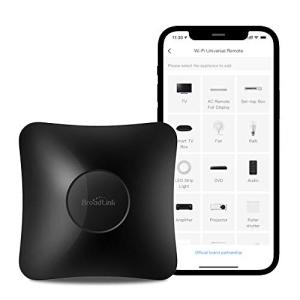
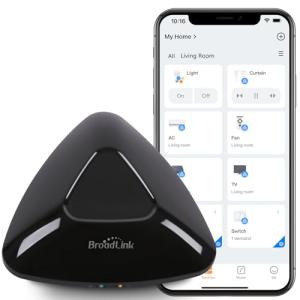
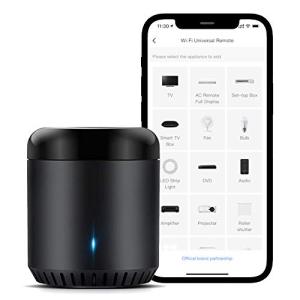
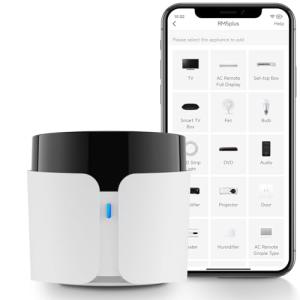
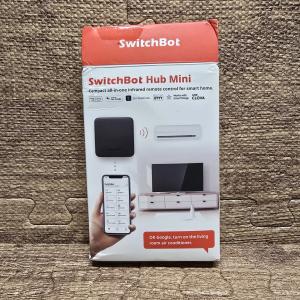
🔌 Choosing Your System: Key Features and Compatibility
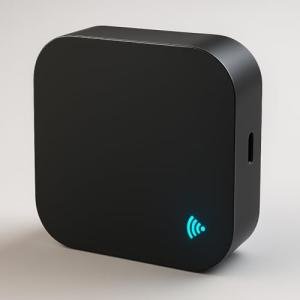
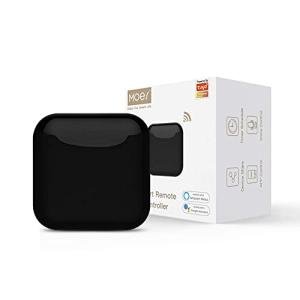
Selecting the right Ir/Rf Hubs requires you to consider your physical space and your control needs. Your decision should be based on the type of signals your current electronics use and the size of the area you need to cover.
Essential Variations
The primary variations are defined by the signal type they support:
-
IR-Only Hubs: These are typically more compact and affordable. They specialize in line-of-sight control for devices like TVs, Blu-ray players, and older stereo equipment. They are perfect for a single, contained entertainment center in a small apartment. Their main drawback is that you must place them within direct sight of the devices they control.
-
IR/RF Combo Hubs: These are the most comprehensive solution and what most US consumers should choose. They support both Infrared (IR) and various Radio Frequency (RF) standards (e.g., 315MHz, 433MHz). RF is vital for controlling devices that don't need a line of sight, such as motorized projector screens, certain smart blinds, or simple RF-controlled fans tucked behind cabinets. For a large home media room in Texas with hidden components, the RF capability of these Ir/Rf Hubs is non-negotiable for complete, seamless integration.
Compatibility Protocols
While the function of Ir/Rf Hubs is to manage non-Wi-Fi devices, the hub itself must connect to your modern smart home ecosystem.
-
Wi-Fi (802.11 n/ac/ax): This is the mandatory communication standard for the hub's connection to your home network and the internet. A strong Wi-Fi signal in the installation area is crucial for reliable Remote Access and real-time command execution.
-
API/Cloud Integration: The real power comes from the hub’s compatibility with major platforms like Amazon Alexa, Google Home, and Apple HomeKit (via Matter/Thread bridges). When researching Ir/Rf Hubs , ensure the model lists the specific smart assistant you rely on. The hub's cloud connection is what allows for 24/7 Monitoring and off-site control. You are sending a command to a cloud server, which then relays it to your local hub over Wi-Fi, and finally to your old TV via IR.
🛠️ Installation and Setup Walkthrough
Installing your new Ir/Rf Hubs is a straightforward process, but getting the placement right is the difference between occasional missed commands and perfectly reliable operation.
Pre-Installation
Before you unbox your hub, take two critical steps. First, ensure you have a strong, stable Wi-Fi signal where the hub will reside. A high-end router, common in densely populated apartment buildings in New York City, will help guarantee command delivery. Second, physically identify every appliance the hub needs to control and check if it uses IR (line of sight needed) or RF (no line of sight needed). For IR devices, you must position the hub with a clear view of the device’s sensor.
Installation Guide
-
Placement: Place the hub in a central location within the room, ideally elevated to maximize the reach of the IR signal. If using an IR/RF model, its central placement will also help with RF coverage across the room.
-
Power: Plug the hub into a reliable power source. Many Ir/Rf Hubs use a micro-USB or USB-C cable for power.
-
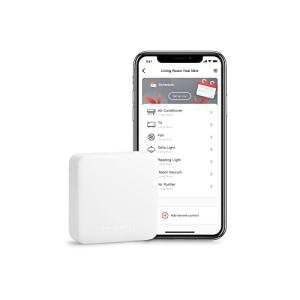
App Download & Connection: Download the manufacturer's companion app and follow the on-screen prompts to connect the device to your 2.4 GHz Wi-Fi network.
-
Device Pairing: Within the app, select "Add Device" and begin adding your IR/RF appliances (e.g., "Sony TV"). The hub will likely offer a database of codes to try first. If that fails, the app will prompt you to use the "Learn" function, where you point the original remote at the hub and press the necessary buttons.
Troubleshooting
-
Issue 1: Commands are slow or fail occasionally. Solution: This is almost always a Wi-Fi or line-of-sight problem. Move the hub closer to your router or remove any obstruction between the hub and the IR receiver on the appliance. Check the app for a signal strength indicator for the best position.
-
Issue 2: The hub successfully controls the TV but not the cable box. Solution: While both use IR, they might be using different brands of IR. You must ensure you have individually added and configured each component in the room within the Ir/Rf Hubs app.
-
Issue 3: RF-controlled devices (like a blind) only work sometimes. Solution: RF signals are less standardized. Ensure your hub supports the exact RF frequency and encoding type your device uses. If the hub has a learning function for RF, use it several times to train the hub for better reliability.
4. Advanced Automation and Maximizing Value
The true smart home experience is about automation, and your Ir/Rf Hubs is the key to bringing legacy electronics into that automated workflow. This is where you maximize your investment in convenience and Energy Efficiency .
Automation Scenarios
-
The "Home Theater" Scene: Create a single scene or routine in your smart home platform called "Movie Night." When activated, the automation should: a) Turn on the smart lighting (or dim the lights), b) Turn on your TV (via the hub), c) Turn on the AV receiver and set the input (via the hub), and d) Drop your RF-controlled projector screen (via the hub). This demonstrates the power of the Ir/Rf Hubs as a multi-device trigger.
-
Climate Control for Energy Efficiency : Pair the Ir/Rf Hubs with a smart environmental sensor. For a rental condo in Seattle that uses a simple mini-split AC, set an automation: "If the temperature sensor reads above 7 5 ∘ F and it is between 10 AM and 4 PM, send the 'Cooling 7 2 ∘ F ' command to the mini-split via the Ir/Rf Hubs." This provides dynamic, automated climate control and ensures Remote Access for quick overrides.
Longevity & Maintenance
For reliable performance and long-term security, never ignore firmware updates. Manufacturers frequently release updates to expand the library of recognized IR/RF codes, improve the speed of command delivery, and fix potential security vulnerabilities, which is critical for 24/7 Monitoring . The hubs are low-power devices, so simply keep them plugged into a surge protector to guard against electrical spikes. If your Wi-Fi SSID or password changes, you will need to reconnect the hub using the mobile app, just like any other Wi-Fi smart device. Treating your Ir/Rf Hubs as a central, critical node for your automation will ensure you continue to benefit from effortless control and efficiency.
============================================================
5. COMPLEMENTARY CATEGORY RECOMMENDATIONS
| Recommended Categories |
Why This Category Is Useful Specifically for This Product |
Short Usage Scenario |
| Voice Assistants |
Voice assistants are the primary control method for most users once the Ir/Rf Hubs has centralized control of legacy devices. |
Saying, "Alexa, turn on the TV" to execute a multi-device startup sequence via the hub. |
| Central Hubs |
A dedicated smart hub is necessary to create complex, multi-step automation routines that incorporate the Ir/Rf Hubs . |
Using a Z-Wave hub to link the Ir/Rf Hubs actions with Z-Wave smart switches in a single "I'm Home" scene. |
| Smart Sensors |
Sensors provide the environmental data (temperature, motion) needed to trigger automated, energy-efficient actions via the Ir/Rf Hubs . |
A temperature sensor triggering the Ir/Rf Hubs to activate a non-smart window AC unit for Energy Efficiency . |
| Universal Smart Remotes |
A physical smart remote can be taught all the commands centralized by the Ir/Rf Hubs for a tactile, backup control option. |
Quickly adjusting volume or changing channels without needing to pull out a phone or use a voice command. |
| Smart Power |
Smart plugs or power strips can be used to ensure an older IR/RF device is completely powered off, even if the Ir/Rf Hubs sends a 'power off' command. |
Using a smart plug with 24/7 Monitoring to fully cut power to a legacy stereo when it's not being actively used. |
| Streaming Devices |
Modern streaming devices often include voice commands that can be routed through the Ir/Rf Hubs to control an older TV's volume or input. |
Using a Fire TV Cube to send an Ir/Rf Hubs command to a projector to switch HDMI inputs. |
| Thermostats |
Smart thermostats can integrate with the Ir/Rf Hubs to provide comprehensive, scheduled climate control for non-networked HVAC systems. |
A learning thermostat setting a schedule that then instructs the Ir/Rf Hubs to adjust a ductless mini-split unit. |
6. CONCLUSION
The promise of a truly integrated smart home is not limited to new Wi-Fi products; it includes the valuable electronics you already own. By investing in high-quality Ir/Rf Hubs , you are not just buying a piece of hardware; you are purchasing seamless integration and total control. You gain reliable Remote Access for convenience, enable profound Energy Efficiency through automation, and establish a foundation for genuine 24/7 Monitoring of your entire entertainment and climate control ecosystem. Stop managing a stack of remotes and start commanding your home from your phone, your voice, or an automation rule. Your Ir/Rf Hubs is the essential, invisible hero of your modern smart living experience.