PRODUCT REVIEW
In-Depth U.S. Market Review
The Broadlink RM5plus Smart Home Infrared Remote Hub carves out a niche in the U.S. smart home ecosystem as a dedicated infrared (IR) blaster, aiming to bridge the gap between your legacy, non-smart appliances and modern voice/app control systems. This device is an incredibly cost-effective solution for anyone who owns traditional electronics that still rely on an old-school IR remote—think older TVs, soundbars, air conditioners, and cable boxes. It offers a path to integrate these items into a cohesive smart routine without replacing expensive hardware.
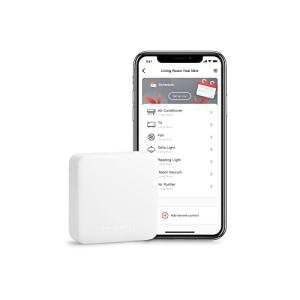
In the U.S. market, it competes primarily against products like the SwitchBot Hub Mini and various white-label generic IR controllers. Compared to some alternatives, the Broadlink RM5plus often provides more robust integration with high-profile U.S. voice assistants like Alexa and Google Home right out of the box, making it a powerful central hub for home entertainment control. It stands out as a budget-friendly option for smart home use, helping you consolidate multiple remote controls into a single smartphone app and voice command structure.
Technical Analysis
| Specification | Detail & U.S. Context | Analysis |
| Control Protocol | Wi-Fi 2.4GHz (802.11 b/g/n) | Standard U.S. home network compatibility; requires the more common 2.4GHz band for stability. |
| Infrared (IR) Range | Up to 15m (49 ft) range, 360° omnidirectional | Excellent coverage for most American living rooms and open floor plans, though line-of-sight can still be a factor. |
| Smart Integration | Works with Alexa, Google Assistant, IFTTT | Critical for U.S. adoption; allows voice control over TV power, volume, and AC settings. |
| Learning Function | Yes, allows user to "learn" commands from any existing IR remote | Essential feature for controlling obscure or niche U.S. brand appliances not in the built-in library. |
| Power Consumption | Max 1W (during use) | Extremely low standby power usage, aligning with consumer demand for efficient devices. |
| App Control | Broadlink App (iOS/Android) | The necessary interface for setup, scheduling, and custom macro creation (e.g., "Good Morning" routine). |
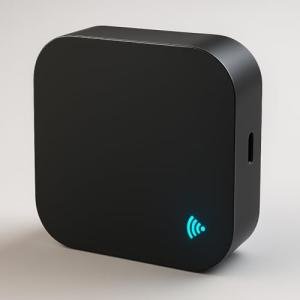
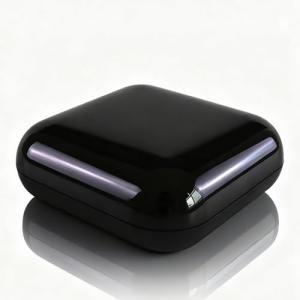
| Dimensions | Compact, hockey-puck design | Easy to conceal near the TV or entertainment center without cluttering the U.S. minimalist aesthetic. |
1. Remote Consolidation and IR Performance
The Broadlink RM5plus is designed to learn and mimic the signals from nearly any existing infrared remote. You simply point your old TV remote at the hub during the setup process, and the device captures the specific IR code for power, volume, or channel switching. This learning capability is what makes the product so versatile, especially for older or lesser-known U.S. electronics brands that might not be pre-loaded in the hub's database.
The hub features an omnidirectional 360-degree IR emitter. This is a significant design choice for home office use and common U.S. living room setups because it means the device doesn't have to be perfectly pointed at the target appliance. While it boasts a substantial range of up to 49 feet, remember that IR signals are still blocked by physical objects, so placing the hub centrally in your entertainment area is key to its reliability.
2. Network Stability and Setup Process
You connect the RM5plus to your home Wi-Fi network using the Broadlink companion app, which is a standard procedure across the smart home sector. It only operates on the 2.4GHz band, which is typical for small, always-on smart devices and ensures better range throughout larger U.S. homes compared to the 5GHz band. Be sure your phone is also on the 2.4GHz band during the initial pairing process for a smooth experience.
The Broadlink app is where you manage your learned remotes, set up timers, and create "scenes" or macro commands. For instance, you can program a single "Movie Time" scene to turn on the TV, switch to the correct input, turn on the soundbar, and dim the lights—all from one tap. This macro functionality is a core driver for smart home automation.
3. Voice Control and Smart Integration
The device’s true power lies in its deep integration with major U.S. smart assistant platforms. Once linked to your Amazon Alexa or Google Home account, you can use voice commands to control any IR device the hub has learned. This means you can say, "Alexa, turn on the bedroom AC," even if the air conditioner unit itself is decades old.
Beyond basic on/off and volume control, the hub also supports IFTTT (If This Then That), opening up even more complex automation possibilities. You could create an automated sequence where your smart thermostat hitting 78°F triggers the Broadlink RM5plus to turn on your window-mounted AC unit, giving you an advanced form of automation without buying a brand-new appliance.
User Profiles
1. The Budget Smart Home Starter
You are just beginning your smart home journey and don't want to spend hundreds of dollars replacing perfectly functional legacy gear. You have an older TV, a dedicated A/V receiver, and perhaps a window air conditioner that you wish you could control with your voice or smartphone.
-
Use Case: You want to consolidate four different remote controls into a single app and be able to ask your Google Nest speaker to change the volume on your stereo system.
-
The Fit: The Broadlink RM5plus Smart Home Infrared Remote Hub is perfect because it's a minimal investment that provides immediate, tangible smart functionality to your existing non-smart appliances. It's the cheapest, most efficient way to get your legacy devices speaking the modern language of your smart home.
2. The Universal Remote Simplifier
You have a complex entertainment center setup in your U.S. living room, complete with a TV, a Blu-ray player, a streaming box, and a surround sound system—each with its own remote. You are tired of juggling three to four different controllers just to watch a movie.
-
Use Case: You need to execute a single command, "Movie Mode," that powers on all three devices and sets them to the correct inputs and volume levels, simplifying the operation for every member of the family.
-
The Fit: This hub excels at creating those custom "scenes" or macros. It acts as a universal translator, absorbing all those separate IR signals and mapping them to a single button or voice command, dramatically cutting down on remote clutter and user frustration.
3. The Centralized AC/Climate Controller
You live in an older U.S. apartment or house that uses older mini-split or window-mounted air conditioning units that only have an IR remote, but you desperately want to schedule their operation or control them remotely while you're commuting home.
-
Use Case: You want to check the AC temperature in your living room and turn it on 30 minutes before you arrive home from work, all from your smartphone.
-
The Fit: Because air conditioners use IR remotes, the Broadlink RM5plus can perfectly learn and replicate the complex AC codes (power, mode, fan speed, temp). This feature alone is a huge value proposition in the U.S., turning a basic AC unit into a schedule-friendly smart climate control system.
"Complementary HomeTechCorner Category Recommendations"
| Recommended Products | Why This Category Is Useful Specifically for This Product | Short Usage Scenario |
| Voice Assistants | The RM5plus is activated by voice, making a dedicated assistant device necessary for hands-free control. | You are walking into your home with groceries, and you just yell, "Hey Google, turn on the TV and put on Netflix." |
| Dedicated Home Automation Controllers | To create complex, multi-step routines that involve both IR and Wi-Fi devices from a single trigger. | When you open your front door (via a smart lock), you want the AC to turn on and the TV to switch to a news channel automatically. |
| Smart Power Strips | To safely manage the power of the A/V gear that the Broadlink hub is controlling, adding energy monitoring. | You've finished watching TV for the night, and a single "Good Night" routine turns off the TV and cuts the standby power to the entire entertainment center. |
| Automation Tools | To provide a physical, tactile trigger for the macro scenes you create within the Broadlink app. | You stick a programmable button on your coffee table; pressing it once executes your "Gaming Setup" scene, turning on the console and setting the soundbar volume. |