PRODUCT REVIEW
In-Depth U.S. Market Review
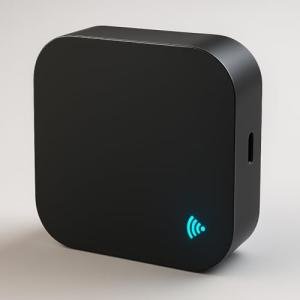
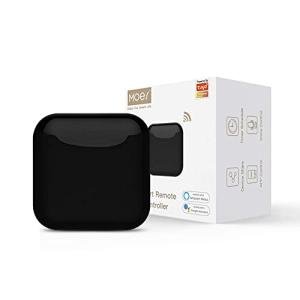
The Smart IR RF Blaster for Home Automation Control is a sophisticated device aimed at the more advanced U.S. smart home user. Unlike basic universal remotes or IR-only hubs, this blaster's core competitive advantage is its dual-control capability: handling both Infrared (IR) and Radio Frequency (RF) signals. This allows it to centralize not only your traditional AV equipment (TVs, stereos, AC units) but also an array of common RF-controlled devices, such as motorized window blinds, RF ceiling fans, and some older garage door openers.
This makes it an essential RF and IR universal remote hub for homeowners with diverse technology. While many smart hubs are limited to Wi-Fi and IR, the inclusion of RF control—particularly the common 315 MHz and 433 MHz frequencies—is critical for integrating a large segment of widely-used, non-smart home automation gear found in the U.S.
Compared to simpler hubs, this device offers a dramatically wider scope of control, transforming an ordinary home into a truly automated one. If you are looking for a single device to eliminate all your physical remotes, including the one for your electric fireplace or retractable screen, this dual-protocol blaster is one of the most comprehensive and best home automation controllers available at this price point.
Technical Analysis
| Specification | Detail & U.S. Context | Analysis |
| Control Type | Dual-Band: Infrared (IR) and Radio Frequency (RF). | Unlocks control over a much broader range of devices, including hidden RF-controlled appliances like fans and motorized screens. |
| RF Frequencies | Supports 315 MHz and 433 MHz (fixed codes). | These are the most common frequencies used for low-power RF remote controls in the U.S. for blinds, fans, and switches. |
| IR Coverage | 36 0 ∘ omnidirectional IR emission. | Ensures reliable control of all IR devices within a room without the need for perfect line-of-sight aiming. |
| Connectivity | 2.4 GHz Wi-Fi required. | Standard connectivity for smart devices, ensuring reliable app and voice control integration. |
| Learning Function | Advanced learning for both IR and RF fixed codes. | Essential for replicating the unique signals of your existing RF fan or blind remote, offering maximum device compatibility. |
| Voice Control | Compatibility with Amazon Alexa and Google Assistant. | Standard for the U.S. market, allowing users to consolidate control into a single voice interface. |
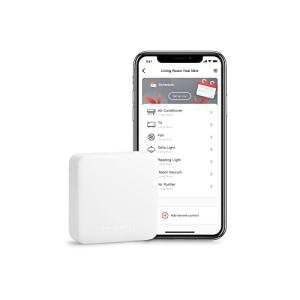
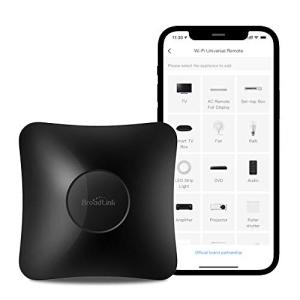
| Setup/App | Utilizes a standard, easy-to-use mobile application for setup and control. | Simplified interface guides the user through the process of capturing and assigning both IR and RF signals. |
1. Dual-Band RF and IR Control
The biggest technical advantage of this blaster is its ability to learn and transmit both IR and RF signals. This is essential for achieving true whole-room automation in a modern American home. You can place the unit centrally in your living room to control your IR-based TV and sound system.
Simultaneously, it can learn the fixed RF codes from your ceiling fan remote or the remote for your motorized projector screen. This means a single voice command can now control devices that were previously impossible to integrate into a smart home system, moving your automation from simple entertainment control to full environmental control.
2. Advanced RF Learning Process
RF learning can be tricky, but this hub simplifies the process for common fixed-code devices. You use the mobile app's dedicated RF learning mode, and as you press the button on your original RF remote, the hub captures the frequency and code pattern. Once saved, this RF signal can be assigned to a button in the app or a voice command.
It is important to note that it typically supports fixed code RF devices (the majority of consumer ceiling fans and blinds). Rolling code RF, commonly used in modern garage door openers for security, may not be compatible, but for most home convenience appliances, this feature is highly effective.
3. Seamless Smart Home Automation
The ability to control a wider array of devices translates directly into more powerful and comprehensive home automation routines. Since both the IR and RF devices are consolidated into one platform, you can create unified scenes with ease.
For example, a "Good Morning" routine can turn off the IR-controlled bedside lamp, open the RF-controlled window shades, and turn on the TV to the morning news (IR). This level of unified, multi-protocol scene creation is what truly distinguishes this from a basic IR blaster, making it a valuable smart IR RF blaster for an integrated home.
User Profiles
1. The Home Theater Builder
You have invested in a dedicated media room with a projector, a motorized screen, and IR-controlled AV equipment. You are tired of using three separate remotes just to start a movie.
-
Use Case: You need a single device that can control the IR power for the projector and sound system, as well as the RF signal for raising and lowering the projector screen.
-
The Fit: This dual-band blaster is the perfect home theater universal remote hub . You can create a "Movie Time" scene that lowers the RF screen and turns on all the IR components, all with one tap on your phone or a single voice command.
2. The Comfort and Climate Control Seeker
You have multiple ceiling fans, an electric fireplace, and a mini-split AC unit, all of which rely on small, easily-lost remotes. You prioritize being able to set the perfect, stable room environment.
-
Use Case: You need to consolidate the control for your RF-controlled ceiling fans and electric fireplace alongside your IR-controlled AC unit into a single, voice-controlled interface.
-
The Fit: The RF capabilities allow you to integrate your fans and fireplace, which are typically RF devices. This provides you with true, full-room environmental control, enabling you to adjust fan speed, temperature, and heating with your voice.
3. The Tech-Savvy Home Owner
You have various existing smart plugs and Wi-Fi lights but still have some non-smart appliances that you want to integrate. You are looking for a powerful controller that can link everything together.
-
Use Case: You want to create complex automation routines that involve your Wi-Fi smart devices and your newly integrated IR/RF appliances.
-
The Fit: By connecting this hub to your smart assistant platform (Alexa/Google), you can combine its IR/RF commands with your existing Wi-Fi devices. This makes it an essential home automation control center for maximizing the intelligence of your home ecosystem.
"Complementary HomeTechCorner Category Recommendations"
| Recommended Products | Why This Category Is Useful Specifically for This Product | Short Usage Scenario |
| Smart Blind Curtain Motors | The RF feature of the blaster makes it an ideal central controller for your existing RF-controlled motorized blinds and curtains. | You tell your smart speaker, "Good morning," and the blaster simultaneously raises the RF-controlled blackout shades and turns on the TV to the news. |
| Voice Assistants | You'll rely on your voice assistant to issue the commands that the blaster translates into IR and RF signals. | You're relaxing on the couch and say, "Set the fan to high," and the blaster immediately sends the correct RF code to your ceiling fan. |
| Multi Protocol Hubs Matter Thread | This hub handles the IR/RF legacy devices, while a Matter hub can handle your newer smart devices, working together for total home control. | You use your central Matter controller to trigger a "Leave Home" scene, which uses this blaster to turn off the RF garage lights and IR-controlled stereo system. |
| Energy Monitoring Smart Plugs | You can plug IR/RF controlled devices into a smart plug to track their power consumption. | After using the blaster to turn off the TV, you check the smart plug app to see the power usage drop to zero, confirming the device is not drawing standby power. |
| Universal Smart Remotes 283 | This hub pairs with a handheld smart remote to give you tactile control in addition to voice/app control over its learned IR/RF codes. | You use a handheld smart remote to manually activate the "Movie Scene," which then instructs the RF blaster to lower the screen and the IR blaster to turn on the projector. |