2. 🔌 Choosing Your System: Key Features and Compatibility
Choosing your Multi-Protocol Hubs (Matter/Thread) is a long-term decision that impacts every device you will ever buy. Focus on comprehensive protocol support and processing power.
Essential Variations
The market for Multi-Protocol Hubs (Matter/Thread) is defined by whether the hub is a dedicated box or integrated into another device:
-
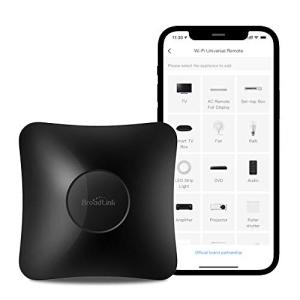
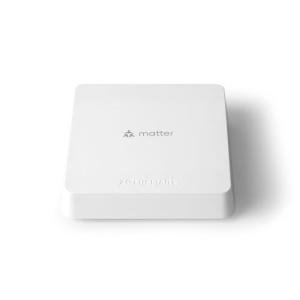
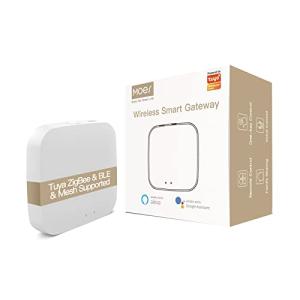
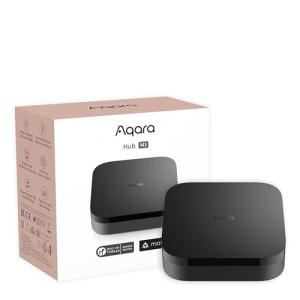
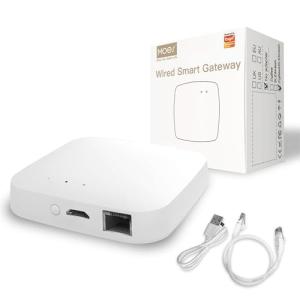
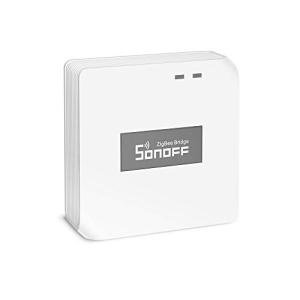
Dedicated Hub Box (Wired): These are standalone units prioritizing processing power and comprehensive radio support. They are perpetually plugged in and often feature Ethernet ports.
-
Pros: Most stable and fastest option. Best suited for large homes (e.g., a sprawling Victorian in Massachusetts) with hundreds of devices. Often includes Z-Wave and Zigbee alongside Matter/Thread for legacy device support.
-
Cons: An extra piece of visible hardware. Higher price point.
-
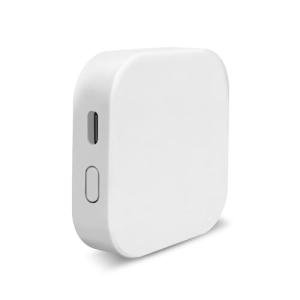
Integrated Hubs (e.g., Smart Speakers, Wi-Fi Routers): These hubs are discreetly built into other devices you already need.
-
Pros: Minimal footprint and lower cost. They can act as Thread Border Routers in multiple locations, strengthening the mesh network.
-
Cons: Processor resources are shared with the primary function (audio or Wi-Fi routing), which can sometimes affect speed during heavy load periods, impacting fast 24/7 Monitoring response times.
Compatibility Protocols
For a Multi-Protocol Hubs (Matter/Thread) to succeed, it must support four distinct communication types effectively:
-
Matter (Application Layer): This is the mandatory software standard for interoperability. Ensure the hub is certified as a Matter Controller to connect and manage Matter-enabled devices from any brand.
-
Thread (Network Layer): The hub must act as a Thread Border Router . This is vital. It creates the low-latency, self-healing mesh network for low-power devices, ensuring commands from your mobile Remote Access app reach the device instantly and without relying on Wi-Fi for every sensor.
-
Legacy Protocols (Zigbee/Z-Wave): If you already own older smart devices (especially security sensors or lighting), selecting a Multi-Protocol Hubs (Matter/Thread) that also includes these radios is essential for backward compatibility and saving you the cost of replacing functional equipment.
-
Ethernet: Always choose a hub with an Ethernet port if possible. Hardwiring the brain of your network guarantees the most stable connection to the internet, which is crucial for handling complex, cloud-based tasks and maintaining a stable Remote Access link while you are away from home.
3. 🛠️ Installation and Setup Walkthrough
Setting up your Multi-Protocol Hubs (Matter/Thread) requires careful thought about network planning, as its stability dictates the performance of your entire smart home.
Pre-Installation
Identify the most central, unobstructed location in your home. The Thread Border Router function works best when centrally located to maximize range to battery-powered sensors throughout a split-level home in Oregon. Ensure a strong, preferably hardwired, connection to your primary router or network switch. Before powering up, update the firmware on all devices you intend to connect to Matter/Thread, as this is often required for the initial pairing process.
Installation Guide
-
Placement and Connectivity: Place the hub centrally. If using Ethernet, connect it directly to your router. If using Wi-Fi, ensure it's close to a strong signal source. Plug the hub into continuous power.
-
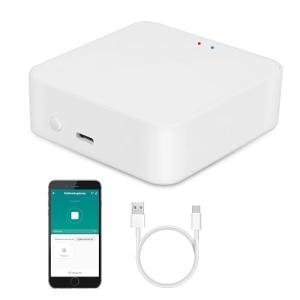
App Setup: Download the hub's companion app. The app will detect the hub and guide you through account linking and basic network setup.
-
Protocol Activation: Navigate to the hub settings and confirm that the Matter, Thread, and any legacy protocols (Zigbee/Z-Wave) are enabled and active.
-
Pairing and Provisioning: Begin pairing your Matter/Thread devices. The hub will assign them to the low-latency mesh network. This process is simplified by Matter's design, often requiring just a QR code scan.
-
Test Reliability: Test device responsiveness. Note how quickly a light switches on when commanded. The instantaneous response confirms that the Multi-Protocol Hubs (Matter/Thread) is operating in fast, local mode.
Troubleshooting
4. Advanced Automation and Maximizing Value
The local, interoperable capabilities of Multi-Protocol Hubs (Matter/Thread) enable highly reliable, cross-brand automation scenarios.
Automation Scenarios
-
Unified 24/7 Monitoring Response: You can link a Matter-enabled contact sensor on your garage door (made by Brand A) directly to a Thread-enabled light bulb in your hallway (made by Brand B). When the sensor detects opening, the Multi-Protocol Hubs (Matter/Thread) locally and instantly executes a routine that flashes the light bulb and sends a high-priority push notification. This rapid, cross-protocol reaction is the gold standard for security monitoring.
-
Optimized Energy Efficiency Shutdown: Create a Geofencing routine where, upon detecting the last person leaving a multi-story home in Florida, the hub initiates a local shutdown sequence. This sequence turns off all lights and non-essential smart plugs (Matter/Thread devices) and signals the Wi-Fi thermostat to set back the temperature by 5 degrees, ensuring comprehensive power savings and providing fast Remote Access status confirmation.
-
Proactive Climate Control: Program a scenario where a Thread-enabled room temperature sensor reports rising heat to the hub. The Multi-Protocol Hubs (Matter/Thread) then automatically signals a Matter-enabled smart window shade to close and simultaneously sends a Remote Access command to a Wi-Fi-enabled air purifier to ramp up to high, maintaining optimal comfort and efficiency locally.
Longevity & Maintenance
Longevity for Multi-Protocol Hubs (Matter/Thread) is tied to its software and stability. Firmware updates are mandatory and frequent in this evolving category, often including crucial security patches and expanded Matter compatibility. Treat the hub as the core of your network: avoid moving it unnecessarily, and ensure it has continuous power. For optimal Energy Efficiency of battery devices, check the hub's network map periodically to confirm low-power sensors are connected via the Thread mesh, not relying on battery-draining Wi-Fi.
5. COMPLEMENTARY CATEGORY RECOMMENDATIONS
| Recommended Categories |
Why This Category Is Useful Specifically for This Product |
Short Usage Scenario |
| Smart Sensors |
Sensors provide the primary input (motion, contact, temp) for the Multi-Protocol Hubs (Matter/Thread) to coordinate routines and 24/7 Monitoring . |
A Thread contact sensor on a window signals the hub to run a "Security Alert" scene. |
| Smart Lighting |
Matter/Thread facilitates extremely fast, reliable, and localized control of smart bulbs and switches across different brands. |
The hub instantly controls a group of mixed-brand lights via the fast Thread mesh network. |
| Central Hubs |
This category is the essence of the Multi-Protocol Hubs (Matter/Thread) , serving as the core bridge for all devices. |
The hub locally controls a Z-Wave lock and a Matter light bulb simultaneously during a routine. |
| Networking Gear |
A stable, high-bandwidth network is the foundation for the hub's functionality and its Remote Access to the cloud. |
Hardwire the hub to a Wi-Fi 7 mesh router via Ethernet for unbreakable internet connectivity. |
| Home Security |
The hub is the coordinator for all locks and alarm components, enabling fast, localized 24/7 Monitoring response. |
The hub instantly unlocks the doors and turns on lights when a smoke alarm is triggered. |
| Thermostats |
Matter and Thread allow the hub to integrate and communicate with climate control devices from any supporting manufacturer. |
The hub adjusts the smart thermostat based on temperature data received from a remote Thread sensor. |
| Smart Power |
Hub-managed plugs ensure precise power cutoff for non-essential devices, greatly enhancing overall Energy Efficiency . |
The hub automatically shuts off smart plugs for charging devices when the "Good Night" scene is activated. |
| Smart Home Control |
The hub's ability to unify systems simplifies user interaction via voice or apps, providing reliable Remote Access . |
Use the hub’s main app interface to view and manage all devices, regardless of their brand or protocol. |
6. CONCLUSION
Choosing a Multi-Protocol Hubs (Matter/Thread) is the critical investment that future-proofs your smart home. You are no longer purchasing a gadget, but the infrastructure for reliable, cross-brand automation. With this knowledge of Matter/Thread stability, Remote Access benefits, and the ability to finely tune routines for 24/7 Monitoring and Energy Efficiency , you are ready to build a truly seamless and unified smart home. Secure your system's core reliability today.