PRODUCT REVIEW
In-Depth U.S. Market Review
The MOES Smart Home Universal Remote with Voice Control is a crucial piece of equipment for U.S. smart home enthusiasts who want to modernize their collection of "dumb" electronic devices. Functioning as a high-performance IR blaster for smart home integration , its primary role is to gather all your Infrared (IR) remote signals—from your air conditioner and television to your old stereo system—and make them accessible through a single mobile app and voice control. It sits firmly in the "smart home convenience" niche, aiming to eliminate coffee table clutter and enhance daily routines with automation.
This hub is designed to be highly competitive in the U.S. market by leveraging the popularity of the Tuya/Smart Life platform, which provides robust compatibility with existing smart plugs, sensors, and lighting systems. Compared to simple, handheld universal remotes, this hub offers the significant advantage of remote access and scheduling , allowing you to control your AC or TV even when you are away from home.
For households committed to Amazon Alexa or Google Assistant, this hub represents one of the most cost-effective ways to extend voice control to legacy electronics. While it does not feature RF control like some premium hubs, its pure IR focus and strong software integration make it a top choice for a simplified, app-controlled home automation experience.
Technical Analysis
| Specification | Detail & U.S. Context | Analysis |
| Control Type | Infrared (IR) only, 360° omnidirectional coverage. | Ensures reliable control of all IR devices within a room without precise aiming, simplifying the user experience. |
| App Platform | Tuya Smart / Smart Life App. | A widely recognized and integrated platform in the U.S., offering a unified control experience across various manufacturers' devices. |
| Voice Compatibility | Amazon Alexa, Google Assistant. | Standard integration for seamless hands-free control, aligning with the voice assistant adoption rate in American households. |
| IR Database | Extensive pre-set codes for U.S. and global TV, AC, and fan brands. | Reduces setup time significantly, making it easy for the average consumer to get their devices connected quickly. |
| Custom Learning | Capable of learning and saving unique IR codes from any original remote. | Vital feature for older, less-common, or specialty devices that may not be included in the factory database. |
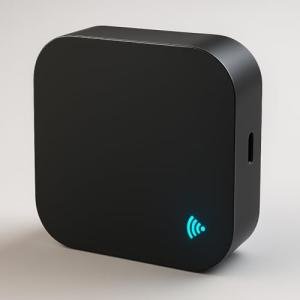
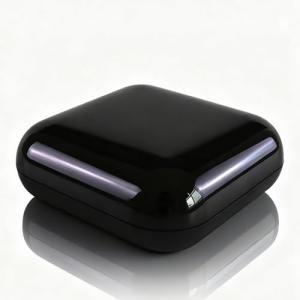
| Size/Aesthetics | Compact, black, dome-shaped design. | Allows for discreet placement on a shelf or entertainment center without being an eyesore, fitting modern interior design sensibilities. |
| Automation | Supports Timer, Schedule, and Scene/Routine creation. | Transforms single-function IR remotes into components of a complex, time-based, or event-driven home automation system. |
1. Software Integration and Unified Control
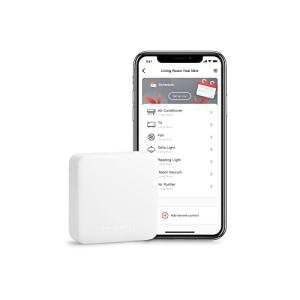
The choice to run this device on the Smart Life/Tuya platform is a strategic one, offering users a high degree of flexibility. This platform acts as the brain, allowing you to not only control the IR devices but also create complex automation routines that involve other Wi-Fi devices in the ecosystem.
For example, you can use the app to trigger a "Goodbye" routine: the hub turns off the TV, a Smart Life-compatible smart lock engages, and the lighting is deactivated. This unified control panel approach in the mobile application is a significant selling point, providing a consistent and powerful user interface.
2. Broad IR Device Compatibility
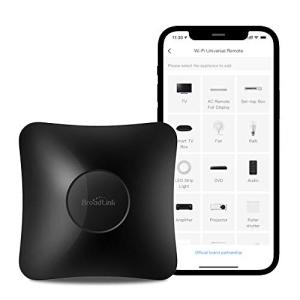
For a low-cost universal remote hub, the breadth of device support is excellent. The massive internal database means you are highly likely to find a profile for your common devices like a Samsung TV, a VIZIO soundbar, or a Carrier air conditioner. This simplifies the initial setup down to a few taps in the app.
If your device is more obscure, the manual learning function comes into play. You simply press the buttons on your old remote while pointing at the hub, and it captures the signal. This ensures that even vintage or non-mainstream equipment can be given new life with voice and app control.
3. Voice and Scene Automation
Voice control is seamlessly implemented. By linking the MOES hub skill to your Alexa or Google account, you unlock powerful, hands-free operation. You can control specific functions, such as changing the temperature by two degrees, without needing to pick up your phone or a remote.
Furthermore, the "Scene" functionality ties everything together. A "Game Time" scene could turn on your console (if it's connected to a smart plug), set the TV input (via the IR hub), and activate your mood lighting. These complex, multi-device actions are triggered by a single voice command, truly defining the smart home remote hub experience.
User Profiles
1. The Voice-Activated Home Owner
You have smart speakers everywhere and prefer to use verbal commands for everything. You are constantly misplacing the four or five remotes needed to run your entertainment center.
-
Use Case: You need to centralize the control of your TV, AV receiver, and window AC unit so you can control them all with simple voice commands through your existing Alexa or Google Home devices.
-
The Fit: The deep integration with major voice assistants is perfect for you. You can literally tell your room to "turn on the TV and blast the AC," eliminating the remote clutter and giving you reliable hands-free operation.
2. The Budget-Conscious Renter
You live in an apartment or rental property and cannot install permanent smart wiring like in-wall switches or complex HVAC systems. You want a smart home experience that is non-invasive and easy to move.
-
Use Case: You need a portable, plug-and-play solution that can bring Wi-Fi control to your landlord's AC unit and the basic fan you use in the bedroom.
-
The Fit: This compact, USB-powered hub requires no permanent installation. Its focus on IR makes it the ideal smart IR remote for renters , allowing you to fully automate your climate and entertainment devices without modifying the property.
3. The Energy Optimizer
You are conscientious about energy consumption, especially from high-draw appliances like AC units and old televisions. You want the ability to monitor and schedule power usage for maximum savings.
-
Use Case: You need to ensure the AC is never left running when you are out of the house and want it to turn off automatically at night.
-
The Fit: The scheduling and remote access via the app turn this hub into an excellent energy management tool . You can check the status of your AC while at work and create a routine that ensures it shuts off exactly when you fall asleep, minimizing wasted electricity.
"Complementary HomeTechCorner Category Recommendations"
| Recommended Products | Why This Category Is Useful Specifically for This Product | Short Usage Scenario |
| Wireless Programmable Buttons | A wireless button allows you to instantly trigger complex scenes and routines that control the IR devices managed by the hub. | You press the small button by your door on the way out, triggering a routine that uses the hub to turn off the fan and TV, and locks your smart door lock. |
| Voice Assistants | This hub relies entirely on a voice assistant to translate your speech into the IR commands for your devices. | You're cooking in the kitchen and call out, "Set the living room TV to channel 7," and the voice assistant relays the command perfectly through the hub. |
| Smart Lighting | You can create coordinated scenes where the hub controls the TV while your smart bulbs handle the room's ambiance. | Your "Movie Scene" turns on the IR-controlled surround sound system (via the hub) and simultaneously dims all your smart lighting to a warm yellow glow. |
| Energy Monitoring Smart Plugs | Plugging IR-controlled devices into a smart plug allows you to track their energy usage and provide a true power cutoff. | After using the remote hub to turn off the old stereo, you check the smart plug app to ensure the standby power draw is truly zero, giving you peace of mind about energy waste. |
| Smart Sensors | Sensors (like motion or door) can be used as triggers for the automation routines you set up on the hub. | The door contact sensor detects you've walked into your office, and the hub instantly turns on the fan and the desk lamp (if IR-controlled) without you lifting a finger. |