PRODUCT REVIEW
In-Depth U.S. Market Review
The Seagate 1TB Portable External Hard Drive - Black occupies the entry-level, highly popular budget storage segment in the U.S. market. This drive is the quintessential, no-frills, reliable workhorse. Its primary role is to serve as basic, affordable, and incredibly portable backup or expansion storage for everyday users, students, and small business travelers. It’s defined by its simplicity—a single USB cable is all you need.
It competes intensely on price and portability against smaller-capacity, faster Solid State Drives (SSDs), offering a significantly lower cost per gigabyte. Compared to other 1TB portable hard drives, the Seagate model offers a consistently proven reliability record and universal compatibility that most consumers trust. If you need a simple, durable physical backup of essential files or extra space for your laptop without breaking the bank, this drive is a great, highly accessible choice.
Technical Analysis
| Specification | Detail & U.S. Context | Analysis |
| Capacity | 1TB (Terabytes) | Ideal entry-level capacity for general backups, student files, or storing a moderate-sized photo/video library. Suitable for the average U.S. household or student. |
| Interface | USB 3.0 (Backwards compatible with USB 2.0) | Provides fast data transfer speeds necessary for large backups (up to 5Gbps theoretical). The common standard for modern devices. |
| Form Factor | 2.5-inch Portable Hard Disk Drive (HDD) | Ultra-compact and lightweight. Doesn't require a separate power adapter, drawing all power directly from the USB port ( bus-powered ). |
| Compatibility | Windows and Mac (Requires formatting for Mac) | Ships pre-formatted for Windows (NTFS), but is easily reformatted for macOS. Universal compatibility is key for multi-OS U.S. households. |
| Software | Optional Seagate Backup Software | Offers simple, scheduled backup functionality, which is a great added value for novice users who want to set-and-forget their file safety. |
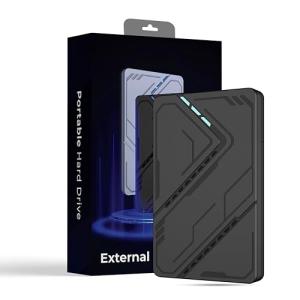
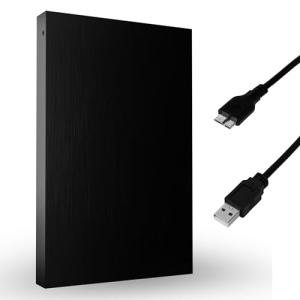
| Design | Slim, Textured Black Finish | Durable, fingerprint-resistant plastic casing that can easily withstand the typical bumps and jostles of being carried in a laptop bag. |
1. Portable Design and Power Efficiency
The Seagate 1TB Portable External Hard Drive is designed for maximum portability and convenience. Its 2.5-inch form factor makes it significantly smaller and lighter than traditional desktop hard drives, easily fitting into a pocket, purse, or laptop sleeve. This design is perfect for students or commuters in the U.S. who need to transport large project files between home and school or work.
A major convenience factor is its bus-powered operation . It requires only the included USB cable for both data transfer and power, drawing minimal energy from the connected device. You never have to worry about finding an extra wall outlet or carrying a bulky power brick, making on-the-go use seamless.
2. Plug-and-Play Simplicity
For a device aimed at the mass market, ease of use is paramount, and this drive delivers true plug-and-play simplicity. It ships pre-formatted for use with Windows computers, meaning you can plug it into a PC and start dragging and dropping files immediately. You don't need to install any drivers or complicated software to get started.
For Mac users, the setup is slightly more involved, requiring a quick reformatting process using macOS's Disk Utility. However, the drive’s inherent compatibility means it can be used across almost any desktop or laptop operating system once prepared, offering valuable flexibility for mixed tech environments.
3. Data Transfer Speeds and Reliability
While this is an HDD, the USB 3.0 interface ensures that file transfers are fast enough for most typical use cases, like backing up documents or watching a 4K movie directly from the drive. You can expect significantly faster speeds than older USB 2.0 drives, minimizing the wait time for initial large backups.
You should remember that the internal mechanical components are slower than an SSD, but this technology is time-tested for long-term data archival. For non-essential backups and basic file storage, the proven reliability and cost-effectiveness of this type of hard disk make the Seagate 1TB Portable External Hard Drive a smart, affordable storage choice.
User Profiles
1. The College Student
You need a reliable, affordable place to back up your term papers, research materials, and creative projects. Your budget is tight, and your primary concerns are ensuring file safety outside of your laptop and having a lightweight drive you can easily carry in your backpack.
-
Use Case: You finish a 50GB video project for a class and need to move it from your laptop’s nearly full drive to an external device. You plug in the Seagate 1TB Portable External Hard Drive , drag the file over in minutes via USB 3.0, and tuck the slim drive safely into your pencil case.
-
The Fit: The 1TB capacity is more than enough for years of academic work, and the drive’s low cost makes it an ideal budget choice. Its durable, compact, bus-powered design is perfect for daily travel across campus and back.
2. The Simple Backup Enthusiast
You are a general U.S. consumer who understands the importance of keeping an offline, physical backup of critical data like family photos, tax documents, and phone backups. You dislike subscription fees and need the simplest possible method for file archival.
-
Use Case: Once a month, you plug the drive into your home desktop and run a simple file-syncing process for your "Documents" and "Pictures" folders. You then disconnect it and store the Seagate 1TB Portable External Hard Drive in a safe deposit box or a fireproof safe, creating a true, secure offline copy.
-
The Fit: The drive's plug-and-play simplicity and optional backup software are perfect for non-technical users. The 1TB size is sufficient for most personal archival needs, providing peace of mind and data redundancy without the complexity or cost of a cloud service.
3. The Multi-System Traveler
You travel frequently for work or leisure and use different operating systems—perhaps a Mac laptop for creative work and a Windows PC at your home base. You need a simple, single, reliable drive to move common project files between these different environments.
-
Use Case: You are editing photos on your Mac during a flight, and later that day you need to review the raw files on your Windows-based hotel workstation. The drive, having been formatted correctly, is recognized instantly by both systems, allowing seamless file sharing between incompatible machines.
-
The Fit: The drive’s universal compatibility (once correctly formatted) and its requirement for only a single USB cable make it the ideal, minimal-fuss travel companion. The slim design takes up almost no room in a carry-on bag.
"Complementary HomeTechCorner Category Recommendations"
| Recommended Products | Why This Category Is Useful Specifically for This Product | Short Usage Scenario |
| Laptop Stands | Elevates your laptop to improve airflow and access to ports, making it easier to connect your portable drive. | You prop your laptop on a stand for better ergonomics, making the USB 3.0 port easily accessible for connecting your external Seagate drive during a backup. |
| Usb C Hubs | Provides necessary ports for modern, thin laptops that may lack standard USB-A ports, which this drive uses. | You plug your USB-A drive into a small USB-C hub, which is connected to your ultra-thin laptop, ensuring you can access your files despite the lack of native legacy ports. |
| Uninterruptible Power Supplies Ups | Protects the computer and the portable hard drive from sudden power loss during a critical backup or transfer. | The power in your apartment goes out mid-transfer; the UPS keeps your PC running just long enough to safely unmount the drive and prevent file corruption. |
| High Capacity Nas Drives | Provides the next logical step up for file storage once your portable 1TB drive is full or your needs grow beyond simple portability. | You realize you need a shared central archive for the whole family; you use the 1TB drive to temporarily hold files while setting up a large-capacity NAS. |