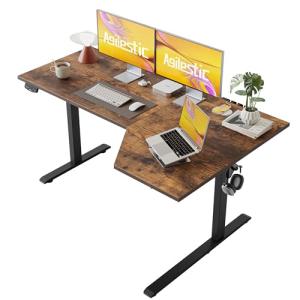
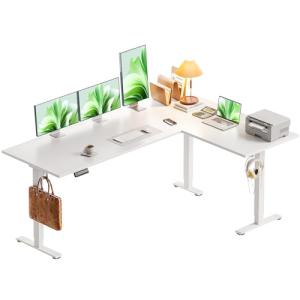
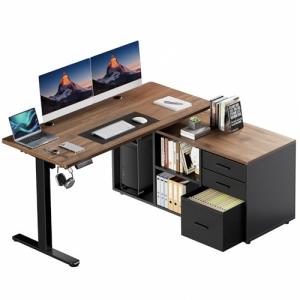
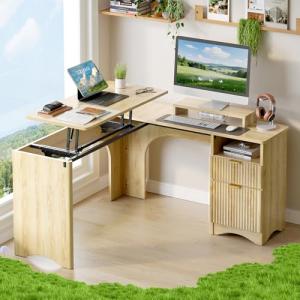
2. 🔌 Choosing Your System: Key Features and Compatibility
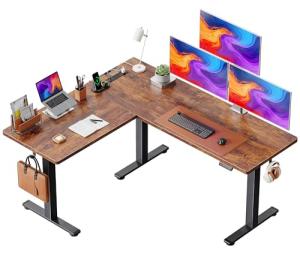
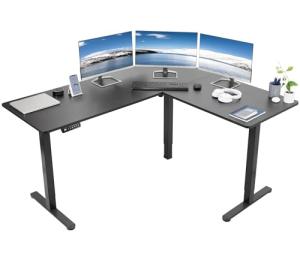
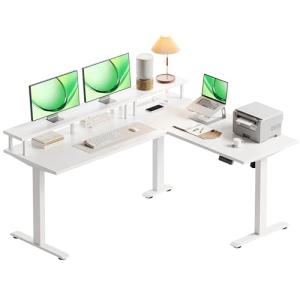
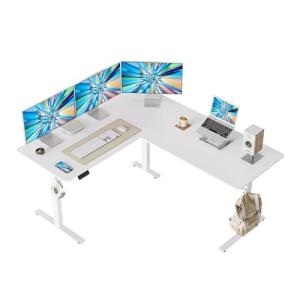
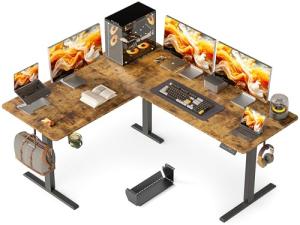
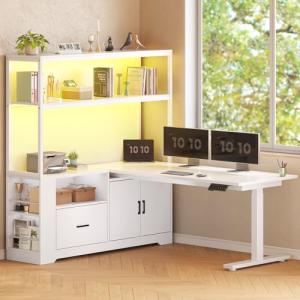
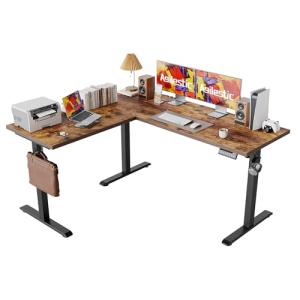
When selecting your L-Shaped Standing Desks , you must verify the motor count for stability, confirm the frame dimensions fit your corner space, and choose smart features that integrate well with your computing equipment.
Essential Variations and Motor Systems
L-Shaped Standing Desks are defined by the sophistication of their lift system, which affects stability and speed:
-
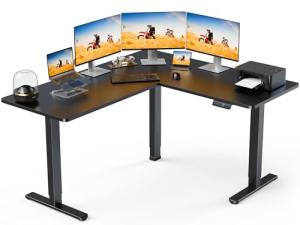
Three-Leg/Three-Motor Systems (Maximum Stability):
-
Pros: This is the most stable and reliable configuration, using three synchronized motors—one for each column—to handle the massive, distributed load of the L-shaped desktop. This setup minimizes vibration at full standing height and provides the highest weight capacity.
-
Cons: Most expensive and requires the most precise assembly. Requires plugging three separate motor cables into the central control box.
-
US Lifestyle Context: Necessary for professionals like architects or engineers in a large home office who run multiple heavy monitors, servers, and require guaranteed stability for precision work.
-
Two-Leg/Three-Section Systems (Shared Motor):
-
Pros: A slightly more cost-effective design where two main legs handle the primary weight, and the corner section is supported by synchronized crossbars. Faster and easier to assemble than three-leg systems.
-
Cons: Lower weight capacity than true triple-motor desks and may exhibit slight wobble if the load is unevenly distributed across the L-shape.
-
US Lifestyle Context: Suitable for users primarily using one monitor and lighter equipment, prioritizing a balance between large surface area and budget in a secondary office or craft room.
-
Frame Adjustability:
-
Pros: Look for frames with adjustable telescoping side lengths (e.g., 60x60 inches or 72x48 inches) to customize the fit into specific US office spaces. The frame must also offer three-stage legs for maximum height range (low sitting to high standing) for optimal ergonomics.
-
Cons: Frames with excessive adjustability can sometimes compromise long-term mechanical stability if not frequently checked for tightness.
Compatibility Protocols
The smart features on L-Shaped Standing Desks are designed to integrate the physical action of the desk with the digital needs of the computer user, ensuring high performance and Energy Efficiency .
-
Integrated Keypad/Memory: The control panel must include 4+ memory presets, allowing different users or different tasks (e.g., monitor adjustment) to have their own height settings. The ability to lock the keypad is a crucial security feature against accidental movement.
-
App/Bluetooth Control: Desks offering a Bluetooth connection allow for Remote Access control and programming via a smartphone app. This enables advanced features like scheduled height changes and posture reminders.
-
Power Draw Monitoring: Premium desks feature low-standby power draw circuitry to minimize the phantom load of the motors and control box. The desk's consumption status is a key part of smart office Energy Efficiency .
3. 🛠️ Installation and Setup Walkthrough
Installing L-Shaped Standing Desks is a multi-step mechanical task that requires ample space and meticulous attention to synchronizing the multiple lifting columns.
Pre-Installation Preparations
-
Clear Workspace: Dedicate a large area, preferably with padding, to assemble the massive frame upside down. This is the largest and most complex piece of furniture you will likely assemble.
-
Motor Synchronization: Before attaching the desktop, confirm the electronic synchronization (a reset routine often done by holding the down button) is complete. This ensures all three legs move uniformly, preventing binding and motor failure.
-
Cable Management Plan: Since three legs and two desktop sections create extensive wiring, plan your cable routes carefully. You will need cable trays and ties (often supplied) to manage all the computer, monitor, and motor cables during the transition.
Installation Guide (Typical Triple-Motor L-Desk)
-
Assemble the Frame: Assemble the three leg columns and crossbar sections according to the manual's L-shape diagram (right or left orientation). Attach the feet securely.
-
Mount Desktop: Securely fasten the large desktop sections to the frame using the manufacturer's screws. Ensure the corner piece is perfectly aligned with both wings.
-
Cable Connections: Connect the motor cables and the keypad cable to the central control box(es). Secure all motor wires tightly with tie-downs, ensuring zero slack that could cause snagging during the vertical movement.
-
Flip and Calibrate: With assistance, carefully flip the assembled L-Shaped Standing Desks upright. Plug into a surge protector. Run the final calibration routine to set the minimum and maximum height limits, which is necessary for safe operation and 24/7 Monitoring .
-
Set Presets: Program your sitting (e.g., 28.5 inches) and standing (e.g., 43.0 inches) heights into the memory bank.
Troubleshooting Common Issues
-
Issue 1: Motors Become Unsynchronized and Desk Binds.
-
Issue 2: Excessive Wobble at Maximum Height.
-
Resolution: Ensure the crossbars are rigidly tightened. For L-desks, the stability often relies on the rigidity of the corner connection. If the floor is carpeted, use furniture coasters under the feet to minimize floor movement.
-
Issue 3: Remote Access Fails to Move the Desk.
-
Resolution: The Bluetooth connection or the proprietary gateway is offline, compromising the desk's 24/7 Monitoring . Check the Wi-Fi signal in the office. If the power source is controlled by a Smart Wall Outlet , verify the outlet is not accidentally turned off.
4. Advanced Automation and Maximizing Value
The size and dedicated nature of L-Shaped Standing Desks allow for sophisticated automations that support intense productivity and resource management.
Powerful Automation Scenarios
-
Automated Focus Scene: When you activate a specific scene on your smart home controller, the L-Shaped Standing Desks moves to your standing height preset. This action simultaneously triggers the overhead office Smart Lighting to switch to a bright, cool white color and turns off all notifications on your smartphone, establishing an immediate, focused work environment.
-
Energy Efficiency and Unattended Shutdown: You integrate a Motion/Presence Sensor near the corner of the desk. If the sensor detects no movement for 90 minutes, the desk sends an alert via Remote Access . After 120 minutes, a smart power strip (plugged into the desk) automatically cuts power to all peripherals, eliminating phantom load and maximizing Energy Efficiency .
-
Scheduled Health Breaks: You program the app to send a gentle vibration alert to your smart watch every 45 minutes. If you ignore the alert, the L-Shaped Standing Desks automatically begins a slow transition to the opposing height (sit to stand or vice versa), enforcing posture changes while utilizing smart controls for health 24/7 Monitoring .
Longevity & Maintenance
L-Shaped Standing Desks are built for commercial-grade use. To maximize their longevity, avoid sudden, uneven loads. Lubricate the telescoping feet with a silicone-based spray annually. Check the screws on the largest joints, as they may loosen slightly over time due to the motor vibration. Keep the motor controller firmware updated; updates often improve synchronization, anti-collision safety, and power management efficiency. This continuous care ensures reliable, long-term 24/7 Monitoring and movement capability.
5. COMPLEMENTARY CATEGORY RECOMMENDATIONS (MANDATORY TABLE)
| Recommended Categories |
Why This Category Is Useful Specifically for This Product |
Short Usage Scenario |
| Smart Power Strips |
Essential for powering the numerous peripherals used on the large desktop and automating power cuts to boost Energy Efficiency . |
The smart power strip cuts power to the three monitors and two docking stations after work hours. |
| Motion Presence Sensors |
Detects user activity, providing the critical input trigger for the desk's auto-shutoff routine. |
The sensor detects the user leaving the office, prompting the desk to initiate its auto-shutdown routine. |
| Monitor Arms Stands |
High-capacity monitor arms are needed to handle the multiple large monitors used on L-desks and maintain ergonomic height during transitions. |
The user adjusts the L-Shaped Standing Desks to standing height, and the monitor arms keep the screens perfectly centered. |
| Smart Lighting |
Lighting is integrated with the desk status, changing ambiance (color/brightness) based on sitting or standing posture. |
Moving to the standing height automatically switches the overhead smart light to a bright, focused white. |
| Voice Assistants |
Voice control provides the easiest, hands-free method to initiate desk movement and check height status. |
Commanding, "Hey Assistant, set the desk to Sit Position," triggers the motorized adjustment. |
| Smart Displays |
Displays offer a central, visual interface for managing desk height presets and viewing usage statistics. |
Checking the smart display shows the time spent standing today, aiding health 24/7 Monitoring . |
| Power Backup Solutions |
A UPS protects the computer and monitors, ensuring they remain powered during the brief power dips that occur during desk movement. |
The UPS ensures the work computer remains on during the brief power drain of the three motors moving simultaneously. |
| Smart Wall Outlets |
These provide the power source and can be remotely controlled to ensure power is cut when the office is unused. |
Plugging the desk into a Smart Wall Outlets allows for scheduled power cycling via Remote Access . |
L-Shaped Standing Desks are the ultimate solution for high-performance home offices, combining massive surface area with effortless, motorized ergonomic control. They provide the necessary space for multi-tasking, ensure stability with superior motor systems, and offer smart features that deliver continuous 24/7 Monitoring of your health habits and energy usage. By choosing one of these highly integrated systems, you gain seamless Remote Access management and maximum Energy Efficiency . Upgrade your productivity—install an L-Shaped Standing Desks today and transform your work.