Transforming a standard home into a connected environment often starts at the power source, where adding intelligence to electrical sockets allows for automation of lamps, fans, and heaters. Whether through a simple plug-in adapter or a permanent in-wall replacement, these devices bridge the gap between vintage appliances and modern voice assistants. Selecting the right hardware requires navigating a mix of connectivity protocols, safety certifications, and physical dimensions to ensure seamless integration with existing home decor.
Smart Wall Outlets
Easily upgrade your home with smart wall outlets that give you control and convenience right at your fingertips
Product List
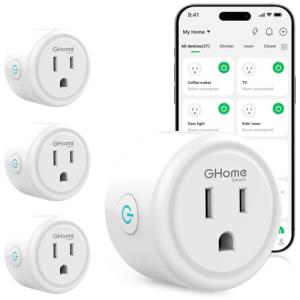
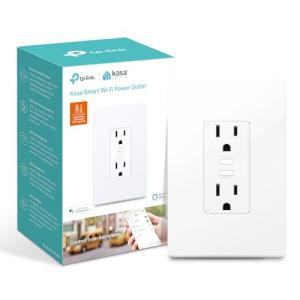
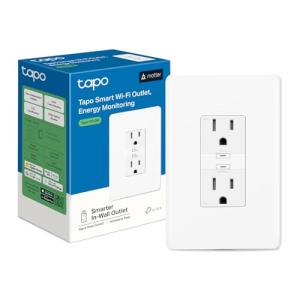
TP-Link Tapo Energy Smart Plug
Tapo
Product Review Score
4.48 out of 5 stars
162 reviews$29.99 $19.99
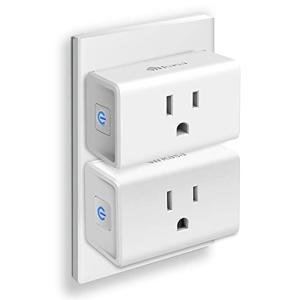
Kasa Wi-Fi Mini Plugs 2-Pack
Kasa Smart
Product Review Score
4.57 out of 5 stars
218 reviews$16.99 $13.99
💡 Practical Usage Tips
- Network environments must be configured to broadcast a dedicated 2.4GHz Wi-Fi signal because the vast majority of smart plugs do not support the faster but shorter-range 5GHz bands.
- Users intending to automate air conditioners or dehumidifiers should verify that the plug’s mechanical relay is rated for inductive loads to prevent internal contact pitting or welding.
- Installation of in-wall units usually requires a deep junction box of at least 2.5 inches to accommodate the internal radio antenna and necessary wire nuts without overcrowding.
- Placing smart plugs inside metal enclosures or behind heavy furniture can create a Faraday cage effect, significantly degrading the signal strength and response time.
✅ What to Look For & ⚠️ What to Avoid
MUST-HAVES:
- Prioritize models that include an integrated shunt resistor if the goal is to monitor real-time energy consumption and electrical costs, as seen in the TP-Link Tapo Smart Plug.
- Look for "Mini" form factors or vertically oriented designs that preserve access to the second outlet on a standard duplex wall plate.
- Ensure the device supports local polling or local API execution to maintain automation schedules even when the internet connection is disrupted.
RED FLAGS:
- Avoid devices with shared logical controls for USB ports, as this prevents you from toggling individual charging cables on or off independently.
- Be cautious of in-wall units that do not specify the required depth of the junction box, as this often leads to installation failures in older homes with shallow wiring boxes.
- Skip surge protectors with low Joule ratings (under 600J) if the intention is to protect expensive sensitive electronics from voltage spikes.
🛡️ Build Quality & Performance
The durability of a smart outlet is largely determined by the quality of its internal switching components and the safety of its external housing. Premium devices utilize a fire-retardant PC shell (polycarbonate) that is ultrasonically welded to prevent accidental disassembly or exposure to live circuits. This thermal resistance is critical for devices that may operate continuously behind furniture or curtains.
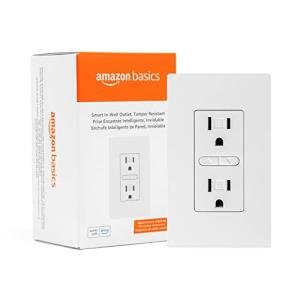
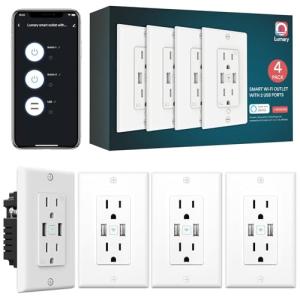
Performance varies significantly based on the internal chipset and antenna design. Devices utilizing a PCB trace antenna generally require a strong Wi-Fi signal, whereas those with more robust internal architectures can maintain connections through thicker walls. For permanent installations, the Amazon Basics In-Wall Outlet offers a flush-mount aesthetic that eliminates the bulk of external adapters, though it requires precise wiring of the Line, Load, and Neutral conductors.
🏆 Top Recommendations
| Best For | Model Name | Key Feature | Why It Wins |
|---|---|---|---|
| Energy Monitoring | TP-Link Tapo P110 | High-Precision Shunt | Offers granular data on wattage usage with +/- 1% accuracy. |
| Permanent Install | Amazon Basics In-Wall | Flush Mount Design | Replaces the entire receptacle for a clean, integrated look. |
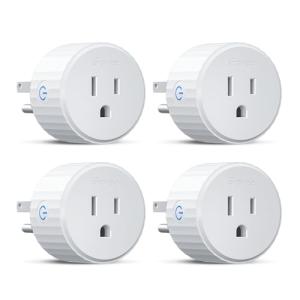
| Compact Spaces | Kasa Mini (EP10) | 1.5" Chassis Width | Small footprint ensures the adjacent wall outlet remains usable. |
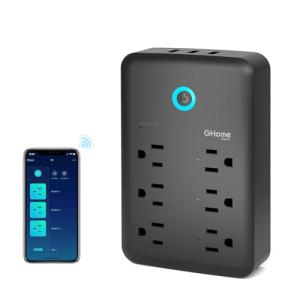
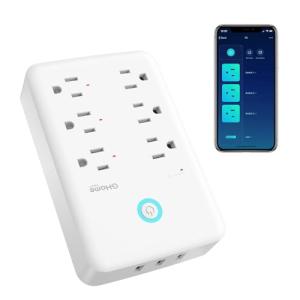
| Port Density | Ghome Extender | 3 AC + 3 USB | Expands a single wall socket into a multi-device charging station. |
❓ Frequently Asked Questions
Do smart plugs require a dedicated hub to work?
Most modern smart plugs, including the GHome and Kasa models, connect directly to your router via Wi-Fi and do not require an external hub, though some advanced protocols like Zigbee or Z-Wave would require one.
Can I use these outlets for a portable air conditioner?
You must check the amperage rating; most standard smart plugs are rated for 15A resistive loads, but heavy motors (inductive loads) can damage the internal relay, so it is safer to use heavy-duty plugs specifically rated for appliances.
Will a smart plug block the other outlet on my wall?
This depends on the physical design; "Mini" models like the Kasa EP10 are engineered specifically to leave the second socket open, while older or bulkier rectangular models might obstruct both sockets.