PRODUCT REVIEW
In-Depth U.S. Market Review
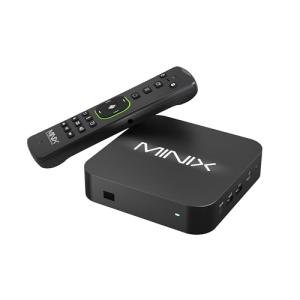
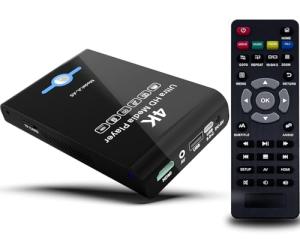
The Smart 4K Media Player for Regular TVs is a generic-branded device aimed squarely at the extreme budget sector of the U.S. streaming market . This player is essentially a low-cost, unbranded Android TV Box alternative that promises 4K streaming capabilities for consumers whose primary concern is the lowest possible price point. It targets the user who needs basic 4K functionality without the bells, whistles, or ecosystem lock-in of the major brands.
This product exists in a highly saturated area dominated by private-label and international imports. Its competitive edge is strictly its price-to-feature ratio, often delivering 4K support at an HD-only price point from major U.S. competitors. It provides access to the Google Play Store (often via a custom interface) and supports a wide variety of codecs, making it a viable home theater backup device .
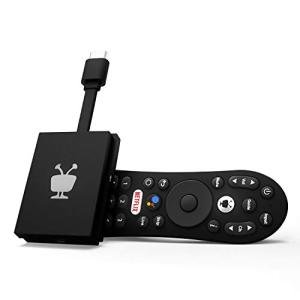
Compared to a certified Android TV product like the TiVo Stream 4K, you get less guaranteed stability, a more difficult setup process, and often inferior software updates. However, you retain a far more open platform that allows for advanced configuration and a wide range of sideloaded apps. You are effectively trading software polish and reliability for a significant cost saving and greater control.
Technical Analysis
| Specification | Detail & U.S. Context | Analysis |
| Streaming Resolution | 4K Ultra HD (often via HDMI 2.0) | The key selling feature, allowing UHD streaming. Actual high-bitrate performance may be variable depending on the network. |
| Operating System | Custom/Generic Android OS | A modified version of Android that provides access to the Google Play Store but is typically less optimized than a certified Android TV experience. |
| Connectivity | Basic Wi-Fi (often 2.4 GHz only) and Ethernet | The inclusion of an Ethernet port is a necessary feature for many U.S. users to stabilize unreliable budget Wi-Fi performance. |
| Internal Storage/RAM | Typically 1-2GB RAM, 8-16GB Storage | Low RAM will lead to app slowdown and multitasking issues; storage is minimal but often expandable via external ports. |
| Ports | HDMI, USB 2.0/3.0, Micro-SD Card Slot | This high level of physical I/O flexibility (USB for drives/peripherals) is a major advantage over most major streaming sticks. |
| Remote Control | Basic IR Remote, often with "Air Mouse" | Functional but unrefined. Lacks the premium feel and dedicated voice buttons of top-tier brands, requiring line-of-sight. |
| App Support | Google Play Store access (via custom interface) | Access to major U.S. apps, but app certification (like for high-quality Netflix streams) is often questionable or non-existent. |
1. 4K Video Performance and Decoder Quality
The primary function of this Smart 4K Media Player is to decode UHD video, and technically, it supports 4K resolution output. This is a critical feature for a product marketed in the U.S. where 4K TVs are now the standard. However, the quality of the internal decoder chip and the network optimization often determine the final viewing experience.
Performance may vary widely depending on the bitrate of the content and the specific streaming app. While it can handle 4K, it is often not certified by major providers like Netflix or Prime Video for their highest quality streams. This means you might be limited to a lower-quality 4K or even HD on these services, which is a major caveat for the discerning viewer.
Where this box shines is often with local media playback. If you are playing high-resolution files from an attached USB drive or over a local network, the raw processing power can be quite capable. This makes it a strong local media player choice for users with a private content library.
2. Open Android Environment and Customization
Running on an open, non-certified Android OS gives you significant freedom over the software experience. You are not locked into the restrictive app guidelines of the major brands, allowing you to install niche applications, VPNs, or utility software that are not available on official app stores.
This level of customization, however, comes at the cost of ease of use. The interface is often less intuitive, and you may encounter stability issues, crashes, or apps that aren't properly scaled for a TV screen. You should only consider this player if you are comfortable troubleshooting and configuring a more complex software environment.
The ability to sideload apps is the biggest draw for the tech-savvy segment of the U.S. market. For regional or specialized streaming services not available on major platforms, or for using specific media server client software, the open Android environment is highly versatile.
3. Essential Ports and Connectivity
The physical connectivity is one area where this unbranded box often outperforms its stick-shaped competitors. You typically get multiple USB ports (often a mix of 2.0 and 3.0), which are crucial for attaching external hard drives, keyboards, webcams, or game controllers.
For the American home, the inclusion of a dedicated Ethernet port is a significant plus. Since the integrated Wi-Fi is often basic (sometimes 2.4 GHz only), a wired connection provides a guaranteed, stable pipe for high-bitrate 4K streaming, eliminating common buffering issues related to Wi-Fi congestion.
The device usually supports an HDMI connection and often includes legacy ports like an AV or Optical Audio Out. This makes it highly compatible with both modern and older sound systems, giving you flexibility when integrating it into an existing home theater setup.
User Profiles
1. The Ultra-Budget 4K Seeker
You want 4K playback capabilities, but you have an extremely tight budget and refuse to pay the premium for an Apple, Google, or certified TiVo player. You are willing to deal with a slightly clunkier interface to save money.
-
Use Case: You are primarily streaming major U.S. services but are okay with some occasional app restarts or interface sluggishness, prioritizing the absolute lowest cost for UHD streaming.
-
The Fit: This generic player provides 4K output at a price point that is hard to beat. It is the perfect choice if raw cost saving outweighs seamless user experience and premium codec support.
2. The Local Media Collector
Your primary use case is not streaming subscription services but playing high-definition, multi-gigabyte files from your own external hard drives and media library. You need physical I/O and strong codec support.
-
Use Case: You plug a large, powered external hard drive directly into the box's USB 3.0 port and use a pre-installed media client to browse and play your downloaded content collection.
-
The Fit: The multiple USB ports, external storage support, and strong local media decoding capabilities make it an excellent, low-cost dedicated player for personal media collections, bypassing the cloud entirely.
3. The Custom App Power User
You are technically proficient and need a non-restrictive platform to install specific, niche applications that are not available on the official Amazon or Roku app stores. You want full Android freedom.
-
Use Case: You need to install an obscure, regional app that requires an APK sideload, or you want to run a specific web browser optimized for your streaming habits. You are comfortable managing the system settings.
-
The Fit: The open, uncertified Android OS environment gives you the freedom to customize the system with any app you want, offering maximum software control for the American power user.
"Complementary HomeTechCorner Category Recommendations"
| Recommended Products | Why This Category Is Useful Specifically for This Product | Short Usage Scenario |
| Uninterruptible Power Supplies Ups | To protect the often-delicate, generic internal electronics and prevent data corruption that can occur on uncertified Android systems during a power outage. | A flicker of power goes out, but your UPS keeps the box running, letting you safely exit the app and power down the system without risking a corrupted firmware. |
| Smart Ethernet Switches | To utilize the Ethernet port for maximum stability and speed by integrating it into a complex wired network setup in a home office or media room. | You plug the box into a smart Ethernet switch, ensuring it gets a prioritized, stable connection for high-bitrate streaming over your crowded home Wi-Fi. |
| Ergonomic Mice Keyboards | To make navigation and text entry on the less optimized Android interface much easier than relying on the basic, often clunky, stock remote. | You want to search for a specific show; instead of pecking letters with the remote, you quickly type the title using a compact wireless keyboard connected via USB. |
| External Hard Drives For Media Libraries | To immediately take advantage of the USB ports for massive, local content storage, turning the player into a standalone home media center. | You load up a high-capacity external drive with your entire 4K movie collection, plug it in, and now you have a permanent, local video library accessible instantly. |