Establishing a reliable home or office network requires more than just standard cables; it demands intelligent hardware capable of directing traffic efficiently. Smart Ethernet switches offer a middle ground between basic plug-and-play devices and complex enterprise systems, providing essential management tools like traffic prioritization and network segmentation to ensure every connected device performs at its absolute peak.
Smart Ethernet Switches
Discover reliable connectivity for all your devices with smart ethernet switches that make networking a breeze
Product List
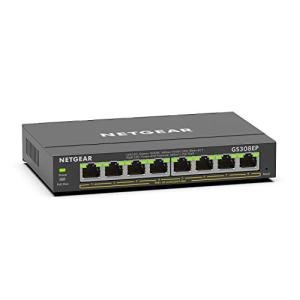
NETGEAR 8-Port Gigabit Switch
Netgear
Product Review Score
4.3 out of 5 stars
182 reviews$99.99 $54.01
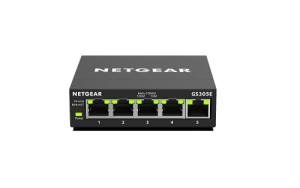
NETGEAR 5-Port Smart Switch
Netgear
Product Review Score
4.13 out of 5 stars
46 reviews$29.99 $17.99
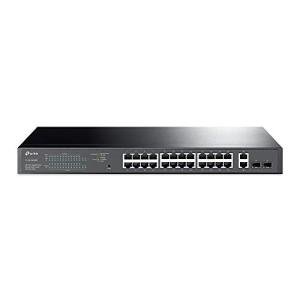
TP-Link 28-Port PoE Switch
Tp-Link
Product Review Score
4.47 out of 5 stars
179 reviews$249.99 $185.23
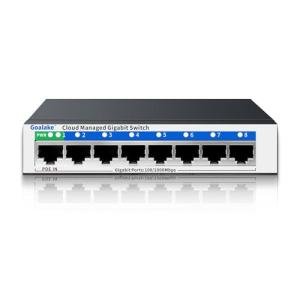
Smart 8-Port Ethernet Switch
Goalake
Product Review Score
4.31 out of 5 stars
32 reviews$15.99 $12.59

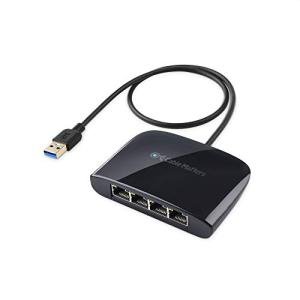
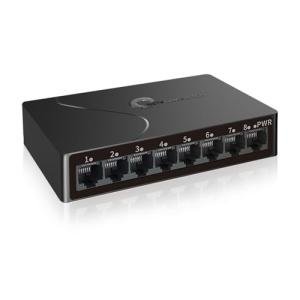
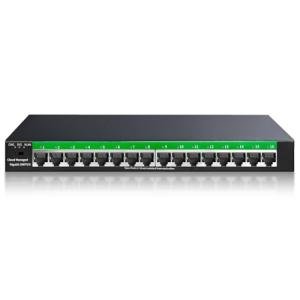
STEAMEMO 16-Port Ethernet Switch
Steamemo
Product Review Score
4.47 out of 5 stars
92 reviews$39.99
💡 Practical Usage Tips
- Updating the firmware immediately after unboxing is highly recommended to resolve potential DHCP conflicts and ensure the web interface operates smoothly.
- Setting a unique static IP address for the management interface prevents connectivity loss if the main router restarts or changes the network map.
- Utilizing VLAN tagging allows for the isolation of smart home gadgets from primary computers, adding a much-needed layer of digital security.
- Placing high-power switches in well-ventilated areas is essential, as internal temperatures can rise significantly when multiple ports are drawing maximum power simultaneously.
✅ What to Look For & ⚠️ What to Avoid
Must-Haves:
- High-power delivery budgets, such as the 123W found in the Netgear GS108PP, are vital for powering multiple security cameras or access points.
- A Fanless Design ensures the device operates in total silence, making it perfect for office desks or media centers.
- Support for IGMP Snooping is a key feature that prevents video streaming traffic from overwhelming other devices on the network.
Red Flags:
- Plastic housings should generally be avoided in favor of metal, as they lack the thermal properties needed to dissipate heat during heavy data loads.
- Beware of switches that require mandatory cloud registrations or proprietary software for basic configuration, as these can compromise privacy and long-term usability.
- Low switching fabrics can create internal bottlenecks, so it is important to ensure the backplane capacity matches the total potential speed of all ports combined.
🛡️ Build Quality & Performance
The physical construction of a smart switch is often the first indicator of its long-term reliability. Most professional-grade units utilize a Zinc-Alloy or high-gauge steel casing. This isn't just for a premium feel; these metal enclosures act as a massive heat sink. Because many of these devices are designed for Passive Cooling, the metal body is the only thing preventing the internal processors from overheating during peak usage.
When it comes to performance, stability is the primary goal. Models like the Netgear GS105E are frequently chosen for their ability to maintain "wire-speed" throughput, meaning they don't slow down the data as it passes through the switch. Quality components also include better Packet Buffers, which help manage tiny bursts of data traffic to prevent dropped connections or lag during intensive tasks like online gaming or high-definition video conferencing.
🏆 Top Recommendations
| Best For | Model Name | Key Feature | Why It Wins |
|---|---|---|---|
| Surveillance | Netgear GS108PP | 123W PoE Budget | High power for many cameras. |
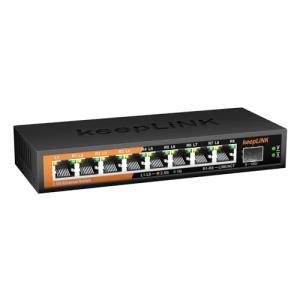
| Future-Proofing | keepLiNK 2.5G | 2.5Gbps Speeds | Massive bandwidth for modern NAS. |
| Large Offices | TP-Link TL-SG1428PE | 28-Port Density | Fits standard 19-inch racks. |
| Value/Labs | Steamemo 8-Port | VLAN & Mirroring | Pro features at a budget price. |
❓ Frequently Asked Questions
What is the difference between a "Smart" switch and an "Unmanaged" switch?
An unmanaged switch is a simple splitter that requires no setup, whereas a smart switch includes a web-based interface that allows users to monitor traffic, set up virtual networks, and prioritize specific devices like VOIP phones or gaming consoles.
Does a smart switch need a fan to stay cool?
Most compact smart switches use passive cooling and metal cases to stay silent. However, larger units with high Power over Ethernet budgets often require internal fans to manage the significant heat generated by the power controllers.
Can these switches be used with a standard home router?
Yes, these switches are designed to expand the number of ports on a standard router. They sit "downstream" from the router and can manage the local traffic between the devices connected to them without needing any special configuration from the ISP-provided equipment.