Transforming a standard television into a modern entertainment powerhouse depends entirely on choosing the right hardware. Smart media players bridge the gap between basic screens and high-end home theaters by providing access to streaming apps, local file storage, and advanced voice controls. Finding the perfect balance between processing speed, video resolution, and software reliability ensures a smooth, frustration-free viewing experience for years to come.
Smart Media Players
Enjoy seamless streaming and easy access to your favorite shows and music at home
Product List
💡 Practical Usage Tips
- Connecting a wired Ethernet cable is the most effective way to prevent buffering when watching high-definition 4K content.
- Clearing the application cache regularly helps maintain snappy menu navigation and prevents the system from slowing down over time.
- Switching the USB ports to compatibility mode on advanced devices can resolve interference issues with wireless remotes or keyboards.
- Using a high-quality, external power supply instead of the basic one included in the box can often fix unexpected rebooting or crashing problems.
✅ What to Look For & ⚠️ What to Avoid
Must-Haves:
- Look for official Widevine L1 certification to ensure that popular streaming services like Netflix and Disney+ actually play in full high-definition.
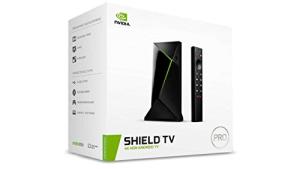
- Devices with active cooling, such as the NVIDIA SHIELD Pro, stay much more stable during long movie marathons because they don't overheat.
- Choosing a player with Wi-Fi 6 support ensures the hardware can keep up with modern high-speed internet routers for a lag-free experience.
Red Flags:
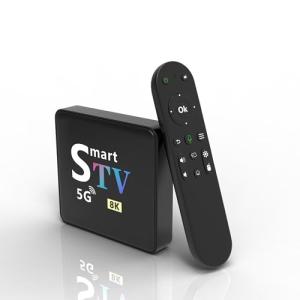
- Avoid unbranded players that lack Google Play Protect certification, as these units often have security flaws and won't receive software updates.
- Be cautious of "ghost storage" claims where the advertised space might be available but the quality of the memory causes files to disappear or corrupt.
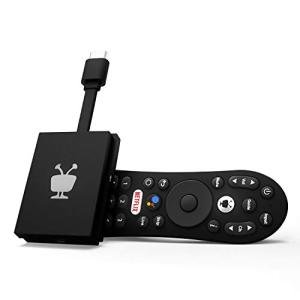
- Stay away from ultra-compact sticks if they lack proper ventilation, as the small size often leads to thermal throttling and sluggish performance.
🛡️ Build Quality & Performance
The physical design of a media player is just as important as the chips inside. Premium devices often feature Aluminum housings that act as natural cooling surfaces, pulling heat away from sensitive internal parts. This solid construction not only feels more durable but also prevents the system from slowing down when the action on screen gets intense. In contrast, cheaper plastic models can trap heat, leading to freezes and a shorter lifespan for the hardware.
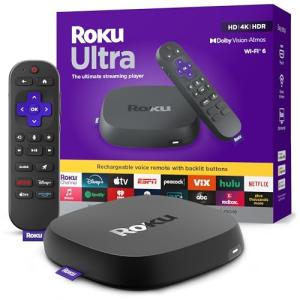
Performance is also heavily influenced by how the device connects to the rest of a home theater. A sturdy HDMI 2.1 port ensures that the highest quality video and audio signals reach the television without dropping out. The Roku Ultra 4K is a prime example of a well-built unit that uses a larger chassis to maintain a cool operating temperature while providing dedicated physical ports for a stable network connection.
🏆 Top Recommendations
| Best For | Model Name | Key Feature | Why It Wins |
|---|---|---|---|
| Power Users | NVIDIA SHIELD Pro | AI Upscaling | Top-tier processing and local server capabilities. |
| Reliable Streaming | Roku Ultra 4K | Wi-Fi 6 & Ethernet | Excellent thermal management and easy interface. |
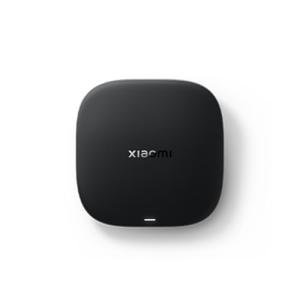
| Budget 4K | Xiaomi TV Box S | AV1 Decoding | Modern codec support at an affordable price point. |
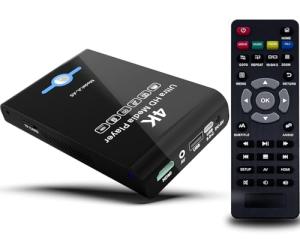
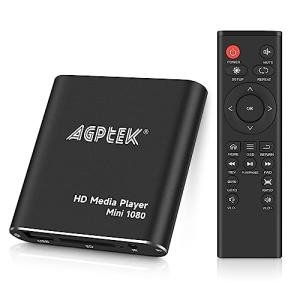
| Local Storage | Jlznlc HDD Combo | SATA Drive Bay | Perfect for massive offline movie collections. |
❓ Frequently Asked Questions
What is Widevine L1 and why does it matter?
Think of it as a digital "key" that streaming services require. Without this certification, apps like Netflix will limit the video quality to standard definition, even if the player and television are both 4K capable.
Do I really need a player with 8GB of RAM?
For standard streaming, 2GB is usually enough. However, higher memory is very helpful if planning to run complex home automation software or using the device as a media server for the whole house.
Can these devices play files from an external hard drive?
Most players with a USB port can play local files, but it is important to check the drive format. Many older or simpler players only recognize drives formatted in "FAT32" or "MBR," which can limit the size of the files stored on them.