💡 Practical Usage Tips
- Strategic placement is vital, so sensors should be located at the lowest point of the floor near high-risk appliances like washing machines and water heaters.
- Since battery levels can fluctuate in cold environments, it is recommended to perform manual tests on devices located in basements or unheated utility rooms every six months.
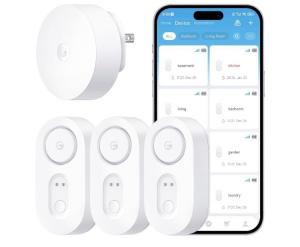
- For smart systems utilizing a gateway, ensure the central hub is plugged into a central outlet free from metal obstructions to maintain a strong signal link with the sensors.
✅ What to Look For & ⚠️ What to Avoid
The Must-Haves
- Look for gold-plated probes on the sensor contacts, as this material resists oxidation and ensures the circuit completes reliably even after years of waiting.
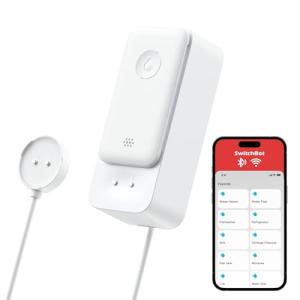
- Prioritize devices with dual-sensing capabilities, such as the SwitchBot Water Leak Detector, which can detect pooling water on the floor and drips from above simultaneously.
- Systems using sub-GHz frequencies (like 433MHz or 900MHz) are preferable because they penetrate concrete walls and floors much better than standard WiFi signals.
Red Flags to Avoid
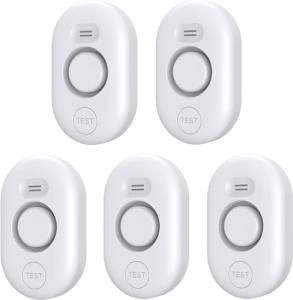
- Avoid smart sensors that lack a local audible alarm, as internet outages render them completely silent during an emergency.
- Be cautious of devices without IP ratings (Ingress Protection), as non-sealed units may short-circuit and fail instantly if they become fully submerged during a flood.
- Steer clear of systems that rely solely on cloud servers for alerts without offering any local network execution or offline functionality.
🛡️ Build Quality & Performance
The durability of a leak detector is defined by its ability to survive the very environment it is monitoring. High-quality units often feature an ultrasonically welded chassis, which creates a watertight seal to protect the internal batteries and circuit boards from moisture damage. This is particularly important for sensors placed in basements or near sump pumps where water levels can rise rapidly.
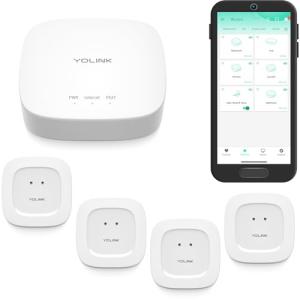
Furthermore, the choice of communication protocol impacts long-term performance. Devices operating on standard 2.4GHz WiFi often struggle with battery life due to high power consumption. In contrast, hardware like the YoLink Water Leak Detector Kit utilizes LoRa modulation, allowing it to communicate through dense structural materials like concrete while maintaining battery life for up to five years.
🏆 Top Recommendations
| Best For |
Model Name |
Key Feature |
Why It Wins |
| Long Range |
YoLink Kit |
LoRa Technology |
Penetrates concrete & walls up to 0.25 miles. |
| Smart Home |
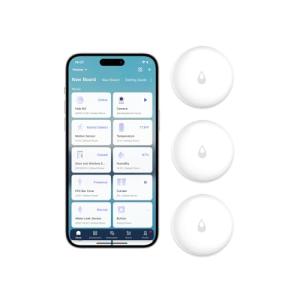
Aqara Sensors |
Zigbee 3.0 |
Seamless integration with existing mesh networks. |
| Standalone |
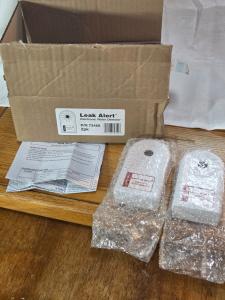
Zircon Leak Alert |
Floating Design |
Fully analog reliability with no internet needed. |
| Tapo Users |
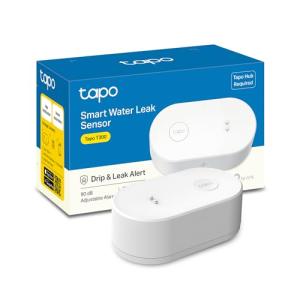
TP-Link Tapo T300 |
Sub-GHz RF |
Separate local alarm works even if WiFi fails. |
❓ Frequently Asked Questions
Do I really need a hub for these sensors?
For most smart sensors, yes. Protocols like Zigbee and LoRa require a dedicated hub to bridge the signal to your internet connection. This setup is generally more reliable and uses less battery power than sensors that connect directly to WiFi.
What happens if the internet goes down?
It depends on the model. Analog devices like the Zircon and local-alarm units like the Tapo T300 will still sound a loud siren to alert anyone in the house. However, you will not receive push notifications on your phone until the internet connection is restored.
How long do the batteries typically last?
Battery life varies by technology. Sensors using LoRa or sub-GHz frequencies can often last 1 to 3 years on standard AAA or coin cell batteries. Devices connecting directly to WiFi usually consume power much faster and may need battery replacements every 6 to 12 months.