2. 🔌 Choosing Your System: Key Features and Compatibility
Selecting the right pair of Speaker Stands requires careful consideration of the specific speaker model you own, the environment of your room, and the desired aesthetic integration into your modern life.
Essential Variations and Form Factors
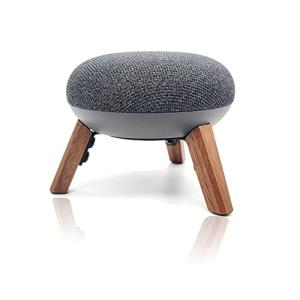
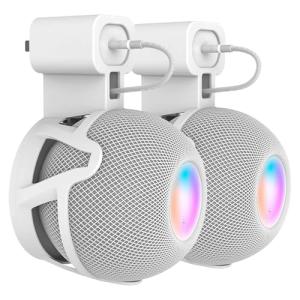
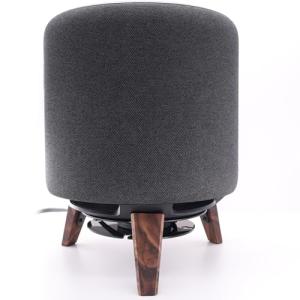
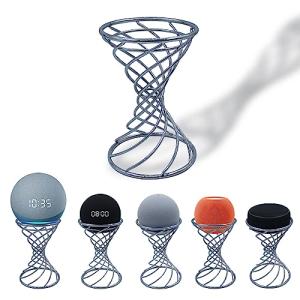
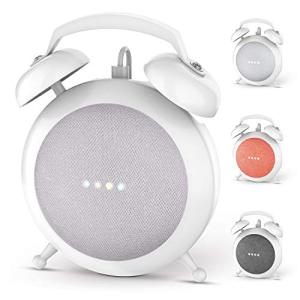
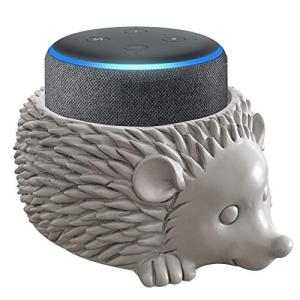
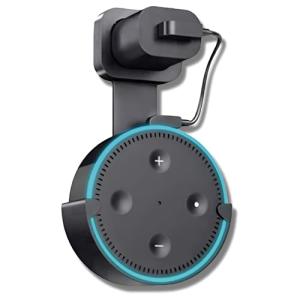
Speaker Stands are built in three primary forms, each catering to different types of audio setups commonly found in US homes:
-
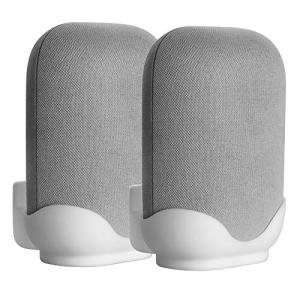
Dedicated, Fixed-Height Stands:
-
Pros: These are engineered for specific speaker models (like smart high-fidelity wireless speakers or small bookshelf speakers). They offer maximum stability and often integrate the speaker's power cable internally. The fixed height is usually set by the manufacturer to the ideal listening level for a standard couch, ensuring consistent acoustic performance.
-
Cons: Lack of height adjustability means they might not be perfect for non-standard seating (e.g., bar stools or low floor cushions). Compatibility is limited to the speaker model they were designed for.
-
US Lifestyle Context: Ideal for a seamless surround sound setup in a dedicated media room in a New England home, where a clean, fixed, and aesthetically matched look is paramount.
-
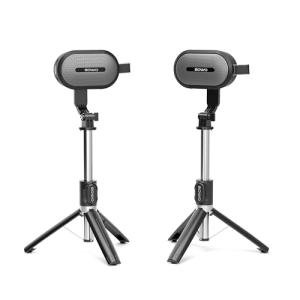
Adjustable-Height Tripod/Post Stands:
-
Pros: These Speaker Stands feature a telescoping post or pole, allowing you to fine-tune the speaker height to match your specific ear level, whether you are seated in a home office chair or lying on a sofa. This allows for optimal audio imaging and flexibility across different seating arrangements.
-
Cons: They can sometimes be less stable at their maximum extension compared to fixed stands. The internal cable management is often less seamless, making wire routing more visible.
-
US Lifestyle Context: Excellent for a multipurpose living space in a densely populated apartment building where the furniture arrangement frequently changes, or where you want to ensure the smart speaker is positioned for best voice command pickup via Remote Access .
-
Acoustic Isolation Stands (Desktop/Short Pedestal):
-
Pros: These are short, heavy stands designed to sit on top of furniture, an entertainment center, or a desk. Their primary function is not height but acoustic isolation, using dense material or specialized pads to decouple the speaker from the surface below. They are critical for high-end passive speakers or smart soundbars.
-
Cons: They do not solve the problem of low speaker height, but they do solve the problem of vibration. They provide limited cable management, usually only a small channel or clip.
-
US Lifestyle Context: Crucial for a home recording studio in Nashville where audio purity is critical, ensuring your audio monitors provide truthful sound output free from desk resonance.
Compatibility Protocols
While Speaker Stands themselves do not have communication protocols, they are essential complements to smart devices that do. Their design is integrated to support these protocols:
-
Cable Management Integration: Look for channels or hollow tubes large enough to handle thick power cords or, for passive speakers, multi-gauge speaker wire. This ensures a clean installation that doesn't impede Energy Efficiency by crushing wires or blocking ventilation.
-
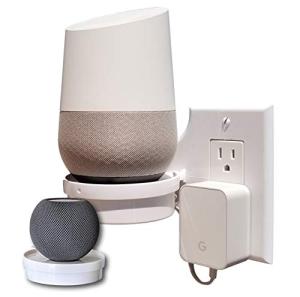
Speaker-Specific Design: Many stands for Wi-Fi/Bluetooth speakers (which include a power cable) incorporate a base or top plate that perfectly fits the speaker's footprint, often hiding the power brick within the stand's base or post. This ensures continuous, reliable power for 24/7 Monitoring functions and network access.
-
Smart Device Access: Ensure the design of the Speaker Stands does not cover or block any crucial features of the smart speaker, such as voice assistant microphones or control buttons, which are needed for easy Remote Access and everyday operation.
3. 🛠️ Installation and Setup Walkthrough
Installing Speaker Stands is a simple mechanical process, but precise height adjustment and stability testing are essential for optimal audio performance and safety in your home.
Pre-Installation Preparations
-
Measure Ear Level: Determine the ideal speaker height. Sit in your primary listening chair (or couch) and measure the distance from the floor to your ear. The speaker’s acoustic center (usually the tweeter) should align with this height for the best sound imaging.
-
Component Check: Ensure all hardware is present: base plate, main post, top plate, screws, and isolation accessories (spikes or rubber feet). Many Speaker Stands are shipped disassembled.
-
Tools: Have a basic screwdriver or Allen wrench (often provided) ready. If you are using carpet spikes, prepare floor protector discs if you have hardwood or tile floors.
Installation Guide (Typical Fixed-Post Stand)
-
Assemble the Base: Attach the main support post securely to the base plate using the provided screws. Ensure all bolts are hand-tightened or secured with the provided tool to prevent wobble.
-
Route the Cable: Before securing the top plate, feed the speaker's power or audio cable through the designated channel in the post. This prevents unsightly dangling wires that clutter the area and allows for easier cleaning.
-
Attach Speaker: Secure the top plate to the post. Depending on the speaker, you may secure the speaker directly to the top plate using a screw, or you may simply rest the speaker on isolation pads placed on the top plate.
-
Final Positioning: Place the assembled Speaker Stands in their optimal location, equidistant from the listener. Tilt or angle the speakers slightly inward (toe-in) toward the main listening position for best stereo imaging.
Troubleshooting Common Issues
-
Issue 1: Stand Wobbles or is Unstable.
-
Resolution: This is a safety and performance risk. Ensure all screws and connections on the Speaker Stands are firmly tightened. If the floor is uneven (common in older US homes), use the adjustable spikes (if included) to level the stand, ensuring all four contact points are firm against the floor.
-
Issue 2: Humming or Excessive Bass Resonance.
-
Resolution: The stand is transferring vibration to the speaker. Ensure the speaker is resting on isolation pads (rubber, foam, or silicone), not directly on the metal or wood of the stand. If using spikes, ensure they are tightly engaged with the floor or spike cups.
-
Issue 3: Wires Don't Fit Through the Post.
-
Resolution: The wire channel is too narrow for your cable's gauge or large connector. Avoid forcing the cable, as this can damage the wire and compromise Energy Efficiency . You may need to replace the cable with a thinner gauge or accept external cable clips for the portion that runs down the post.
4. Advanced Automation and Maximizing Value
While Speaker Stands are passive, their role in facilitating a seamless setup directly impacts the success of your smart audio automations, whether for security, comfort, or efficient power usage.
Powerful Automation Scenarios
-
Voice Assistant Optimization: The precise positioning achieved by the Speaker Stands ensures the smart speaker is at the ideal height for clear voice command pickup. This guarantees that your voice command to activate the "Away Mode" (which turns off lights and adjusts the thermostat for Energy Efficiency ) is reliably heard and executed, providing reliable Remote Access preparation.
-
Sound Imaging for Security Alerts: In a home where the smart speaker acts as a security system siren and announcement device (for 24/7 Monitoring alerts), the acoustic optimization of the Speaker Stands ensures that critical alerts are delivered clearly and directionally. For example, an announcement of "Front door contact sensor open!" is heard instantly and clearly over background music.
-
Preventing Accidental Damage (Safety Focus): A stand’s stability prevents the kind of catastrophic tip-over that could damage the speaker and the associated power supply. By ensuring stability through a wide base and spikes, the stands protect the speaker's internal electronics, which are necessary for maintaining network access and 24/7 Monitoring capabilities.
Longevity & Maintenance
Speaker Stands require minimal maintenance but benefit from occasional attention. Periodically check the stand for tightness, especially after moving it for cleaning, to prevent unwanted vibration. If the stand is hollow, consider filling the central column with sand or specialized damping material. This simple step adds mass and density, drastically improving acoustic isolation and ensuring the stand performs reliably for decades. Dust the isolation pads and the top plate regularly to prevent fine particles from compromising the acoustic seal.
5. COMPLEMENTARY CATEGORY RECOMMENDATIONS (MANDATORY TABLE)
| Recommended Categories |
Why This Category Is Useful Specifically for This Product |
Short Usage Scenario |
| High Fidelity Smart Speakers |
Speaker Stands are essential for optimizing the acoustic output of high-end smart speakers, ensuring their premium audio quality is delivered accurately to the listener's ear. |
Elevating a premium smart speaker to the ideal height for cinematic sound staging. |
| Smart Speaker Accessories |
These stands offer integrated cable management and specialized mounting points, which are often necessary to securely fit and power speaker accessories like battery bases. |
Using the stand’s hollow column to conceal the power brick and cable running to the speaker base. |
| Smart Wall Outlets |
The stands' ability to hide power cables is optimized when paired with in-wall smart outlets, allowing for a clean look and easy control of the speaker's power via Remote Access . |
Plugging the speaker into a nearby smart outlet that is seamlessly concealed behind the stand's placement. |
| Multi Room Audio |
Stands ensure uniform, optimized speaker height across multiple rooms, which is critical for balancing volume and acoustic fidelity in a whole-house system. |
Placing identical Speaker Stands in the kitchen and dining room to ensure consistent audio height for multi-room playback. |
| Voice Assistants |
Proper height and positioning facilitated by the stands ensure the voice assistant's far-field microphones have optimal clarity for command reception. |
The assistant reliably hears your "Arm Security" command from across the living room due to the stand's optimized height. |
| Central Hubs |
If the speaker doubles as a smart hub, the stand ensures the hub's network antenna has an unobstructed, ideal position for 24/7 Monitoring and connectivity. |
The stand lifts the hub-speaker off the floor, improving its Z-Wave signal reach to sensors on the second floor. |
| https://hometechcorner.com/categories/acoustics |
Stands are the first step in managing room acoustics, isolating the speaker before additional room treatments are applied. |
Placing the speaker on the stand and adding acoustic panels to the rear wall to further improve sound quality. |
| Energy Monitoring Smart Plugs |
Stands support smart power management by organizing the power cable so the speaker can be plugged into a monitoring plug without clutter, aiding Energy Efficiency tracking. |
Organizing the speaker cable cleanly so it can be plugged into a monitoring plug to check its standby power consumption. |
Speaker Stands are not just furniture; they are the essential performance enhancers for your home audio setup. By providing critical acoustic isolation, precise height positioning, and integrated cable management, they unlock the full fidelity of your smart speakers, maximizing both your listening pleasure and your home's aesthetic. This simple investment guarantees that your voice commands are heard clearly and that your smart speaker system operates at its peak for robust 24/7 Monitoring and Remote Access . Elevate your audio experience and your home's integration today with a quality set of Speaker Stands .