Modern note-taking has evolved far beyond simple pen and paper, bridging the gap between tactile writing and digital convenience. Whether recording lecture notes, sketching designs, or organizing meeting minutes, smart notepads offer a seamless way to archive and search handwritten data. This guide explores the diverse technologies available to help professionals and students find their ideal digital companion.
Smart Notepads
Stay organized and unlock your creativity with these easy-to-use smart notepads
Product List
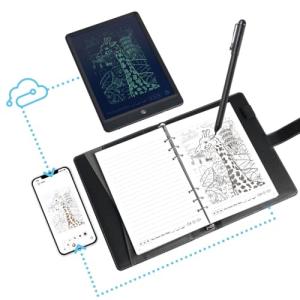
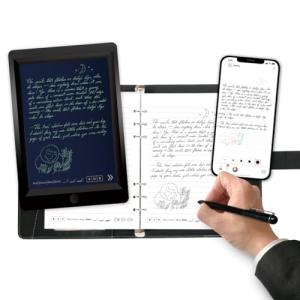
Ophaya Smart Pen & Notebook
Ophaya
Product Review Score
4.37 out of 5 stars
22 reviews$116.99 $94.00
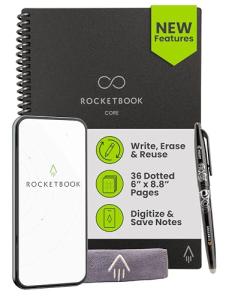
Rocketbook Core Black Notebook
Rocketbook
Product Review Score
4.13 out of 5 stars
151 reviews$34.99
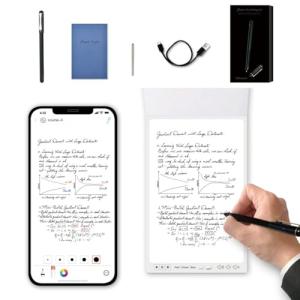
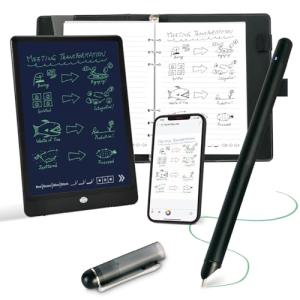
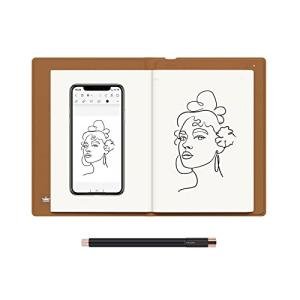
Ophayapen Digital Smart Pen
Ophayapen
Product Review Score
4.5 out of 5 stars
145 reviews$118.89 $105.81
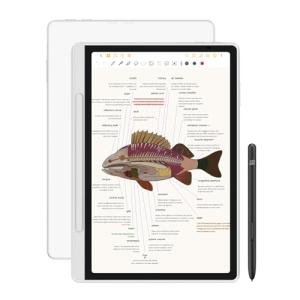
XPPen Magic Digital Notepad
Xp-Pen
Product Review Score
4.85 out of 5 stars
93 reviews$399.99 $259.99
💡 Practical Usage Tips
- Storing notes in the pen's internal memory allows for sketching on the go even when a smartphone is not immediately connected.
- Keeping the INFRARED SENSOR clear of dust or ink debris ensures that every stroke is captured accurately without gaps in the digital file.
- Utilizing specialized apps for OPTICAL CHARACTER RECOGNITION can transform messy handwriting into searchable, editable text documents for easier organization.
- Using the recommended ink refills prevents damage to the specialized paper and maintains the erasable properties of reusable notebook surfaces.
✅ What to Look For & ⚠️ What to Avoid
Must-Haves:
- High levels of PRESSURE SENSITIVITY, such as those found in the Ophayapen Smart Sync Pen, provide a more natural and expressive writing experience.
- Reliable BLUETOOTH 5.0 connectivity ensures a stable link between the writing instrument and mobile devices for real-time synchronization.
- A battery-free stylus uses ELECTROMAGNETIC RESONANCE technology to eliminate the need for frequent charging of the pen itself.
Red Flags:
- Be cautious of systems that require expensive proprietary paper for every single page, as this significantly increases the long-term cost of ownership.
- Avoid devices that lack offline storage, as they may lose data if the Bluetooth connection drops during a busy meeting or class.
- Watch out for screens without ANTI-GLARE coatings, as they can cause significant eye strain and make writing under bright lights difficult.
🛡️ Build Quality & Performance
The durability of smart notepads varies significantly based on their underlying technology. Passive systems, like the Rocketbook Core, utilize a sturdy polyester composite that withstands repeated erasing and heavy daily use without the risk of electronic failure. These notebooks are excellent for those who prioritize a lightweight, worry-free physical form factor.
In contrast, active digital tablets and hybrid sets focus on internal hardware sophistication. High-end models often feature etched glass surfaces that mimic the friction of real paper while housing powerful processors and significant RAM to handle complex drawing and multitasking. While these devices offer incredible precision, they require more careful handling to protect the sensitive DIGITIZER layers and internal circuitry.
🏆 Top Recommendations
| Best For | Model Name | Key Feature | Why It Wins |
|---|---|---|---|
| Eco-Friendly Use | Rocketbook Core | Reusable Pages | Infinite reuse with zero electronic components. |
| Artists & Designers | XPPen Magic Pad | 16K Pressure Levels | Professional-grade sensitivity and color display. |
| Hybrid Writing | HUION Note | EMR Digitizer | Combines real ink on paper with digital capture. |
❓ Frequently Asked Questions
Do smart pens require special paper?
Many smart pens use an infrared camera to track location, which requires a specific dot-grid pattern printed on the paper to function. However, hybrid tablets with built-in sensors can often work with standard paper placed on top of the device.
Can handwritten notes be turned into typed text?
Yes, most smart notepad systems include a software layer that performs handwriting recognition, allowing users to export their notes as editable text files or searchable PDFs.
How long does the battery typically last?
Active smart pens and hybrid tablets generally offer between 8 and 18 hours of continuous use, while passive notebooks like the Rocketbook require no power at all.