2. 🔌 Choosing Your System: Key Features and Compatibility
When selecting your Pet Cams & Treats , you must choose based on the level of interaction you desire (treats vs. laser), the camera's field of view, and the Wi-Fi stability necessary for uninterrupted streaming.
Essential Variations and Interaction Focus
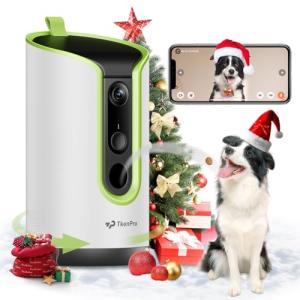
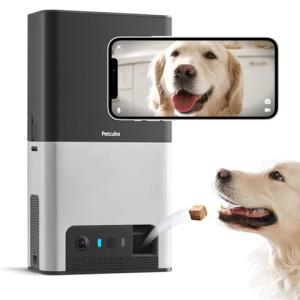
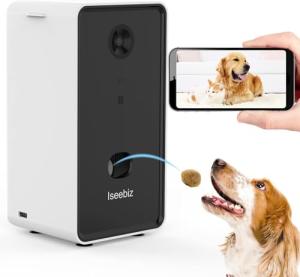
Pet Cams & Treats primarily come in variations based on their built-in interactive features:
-
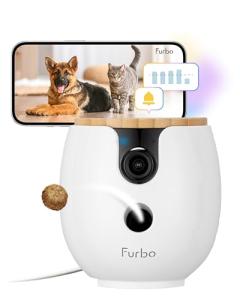
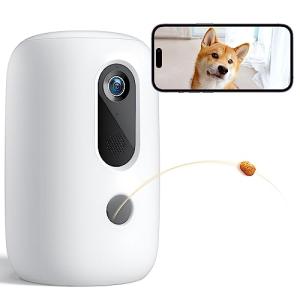
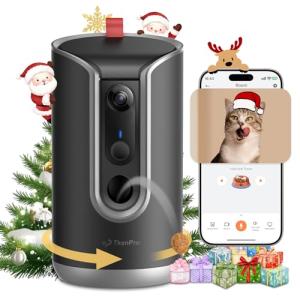
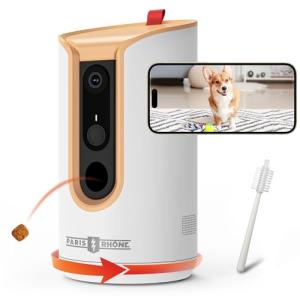
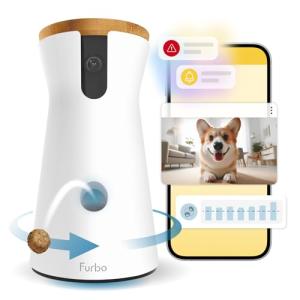
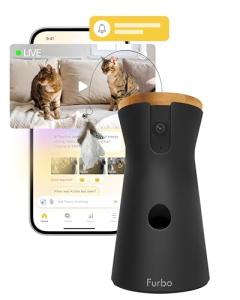
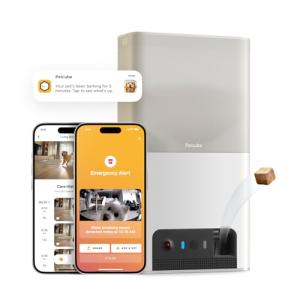
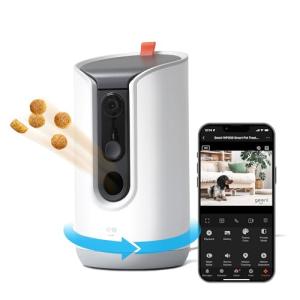
Treat Dispensing Cams:
-
Pros: These cams are the most interactive, allowing you to reward your pet instantly for good behavior (or distract them from bad behavior). They feature a large internal hopper for treats and typically offer robust two-way audio and high-resolution video. This provides the most hands-on Remote Access interaction.
-
Cons: Requires consistent refilling of the treat hopper. The dispensing mechanism can sometimes jam if the treats are too large or crumbly.
-
US Lifestyle Context: Ideal for owners of puppies or dogs in a Florida home with severe separation anxiety, allowing for positive reinforcement training even while the owner is away at work.
-
Play/Laser Cams:
-
Pros: These Pet Cams & Treats units include a remotely controllable laser pointer or spinning toy mechanism. They are great for owners of cats or high-energy dogs, allowing for exercise and distraction. They are simpler and often more discreet than treat dispensers.
-
Cons: Less useful for training reinforcement compared to a food reward. The mechanical parts (laser/toy) are potential failure points.
-
US Lifestyle Context: Perfect for a cat owner in a high-rise apartment in New York City who wants to give their indoor cat mental stimulation during the workday.
-
Basic Monitoring Cams (Audio Only Interaction):
-
Pros: These models focus on the essential security features (video, motion detection, two-way audio) without the mechanics of treats. They are typically smaller, more affordable, and quieter than dispenser units. They are sufficient for basic 24/7 Monitoring and quick verbal check-ins.
-
Cons: Does not offer a physical reward or distraction mechanism.
-
US Lifestyle Context: Suitable for monitoring older or calmer pets where the primary concern is just checking on their comfort level and ensuring they are safe.
Compatibility Protocols
Pet Cams & Treats require a stable, high-bandwidth Wi-Fi connection to handle continuous video streaming and instantaneous treat commands for reliable Remote Access and interaction.
-
Wi-Fi Connectivity: All models rely on Wi-Fi (usually 2.4 GHz for distance) to transmit high-definition video and receive commands. Since they are often placed in the center of a room, they need a strong signal path to prevent video lag or connection drops, which would disrupt the ability to dispense a treat instantly.
-
Low-Power Sleep Modes: To achieve Energy Efficiency , the camera usually defaults to a low-power "sleep" mode and only wakes fully when motion or audio is detected. This smart power management minimizes unnecessary video upload and electricity consumption.
-
Smart Ecosystem Integration: Integration with smart platforms (Alexa, Google) is key. This allows the cam to be triggered by other events (like a smart lock unlocking) or to use voice commands to check the treat level or activate the play feature.
3. 🛠️ Installation and Setup Walkthrough
Installing Pet Cams & Treats is typically straightforward, involving a plug-in setup and strategic placement to capture the pet's entire play area while remaining within easy reach of a power outlet.
Pre-Installation Preparations
-
Wi-Fi Check: Test the Wi-Fi signal strength at the intended installation location. Video streaming and two-way audio require strong connectivity. If the signal is weak, install a Wi-Fi mesh node nearby.
-
Treat Loading: Fill the hopper with dry, appropriately sized treats that are compatible with the dispenser mechanism. Check the manual for maximum treat size to prevent jamming.
-
Placement: Place the unit on a low, stable surface (like a sturdy floor or low table) where the camera can view the pet's main resting area, but where the pet cannot easily knock the unit over or physically access the dispenser mechanism directly.
Installation Guide (Typical Plug-in Treat Dispenser)
-
Power Up: Plug the Pet Cams & Treats unit into a non-switched wall outlet. Ensure the outlet is easily accessible but the cord is secured away from the pet.
-
App Pairing: Download the manufacturer's app. Follow the prompts, which usually involve scanning a QR code on the unit or pressing a pairing button. Connect the cam to your home Wi-Fi network.
-
Motion Zone Configuration: In the app, define the motion detection zone to cover the pet’s area and exclude high-traffic household paths (like a distant hallway) to minimize false alerts and conserve power, contributing to Energy Efficiency .
-
Test Interaction: Use the two-way audio feature and the treat dispensing function via Remote Access . Verify that the treat launches successfully and that the video stream is clear and responsive for reliable 24/7 Monitoring .
Troubleshooting Common Issues
-
Issue 1: Dispenser Jams Repeatedly.
-
Resolution: The treats are likely too large, too soft, or too oily for the dispensing mechanism. Switch to a smaller, dry, hard kibble or treat type recommended by the manufacturer. Jamming stresses the motor, reducing its lifespan.
-
Issue 2: The Camera Often Goes Offline.
-
Issue 3: Remote Access Treat Command is Delayed.
4. Advanced Automation and Maximizing Value
Integrating Pet Cams & Treats with other smart home devices allows you to address pet anxiety, destructive behavior, and routine management efficiently.
Powerful Automation Scenarios
-
Anxiety Intervention Routine: The camera detects excessive barking (audio detection). An automation triggers the Pet Cams & Treats to dispense one treat and play a pre-recorded message in your voice ("Be a good boy!"). This immediate, targeted intervention reduces anxiety and minimizes noise disturbance, providing 24/7 Monitoring and intervention via Remote Access .
-
Climate Comfort Check: An Environmental Sensor in the room detects the temperature has exceeded 8 0 ∘ F (a concern for pets). An automation sends a critical alert to your phone and triggers the Smart Wall Switch controlling the ceiling fan to turn on. This ensures your pet's environment is safe and comfortable, contributing to overall Energy Efficiency .
-
Scheduled Power Management (Energy Efficiency): You use a smart plug to power the Pet Cams & Treats unit. An automation is set to turn off the smart plug at 1 AM and turn it back on at 6 AM, minimizing standby phantom load during deep sleep hours. This small routine maximizes the system's long-term power saving Energy Efficiency .
Longevity & Maintenance
Pet Cams & Treats require more maintenance than typical security cameras due to the mechanical dispensing. Regularly clean the treat hopper and dispensing chute to prevent residue buildup and jamming. Keep the firmware updated; updates often include security patches and improved motion/audio detection algorithms. Ensure the unit is always plugged into a reliable power source, as continuous power is needed to run the motors and maintain the constant 24/7 Monitoring and Remote Access connection.
5. COMPLEMENTARY CATEGORY RECOMMENDATIONS
| Recommended Categories |
Why This Category Is Useful Specifically for This Product |
Short Usage Scenario |
| Indoor Security Cams Ptz Static |
These cameras share the same core video functionality, and the pet cam can be integrated into the wider home security system's 24/7 Monitoring . |
The pet cam detects an intruder and triggers a separate, dedicated security cam to record. |
| Smart Power |
Smart plugs and wall outlets ensure the cam receives reliable power and can be scheduled to minimize phantom load, maximizing Energy Efficiency . |
The pet cam is plugged into a Smart Wall Outlet for scheduled power cycling to save energy. |
| Environmental Sensors Temp Humidity |
These sensors provide critical data on pet comfort (heat/humidity), allowing the pet cam to trigger climate control automations. |
The sensor detects high heat, and the pet cam triggers the fan to turn on. |
| Voice Assistants |
Voice assistants are used to ask about the pet's status or command the cam to dispense a treat hands-free. |
You command, "Hey Assistant, give [Pet's Name] a treat," while you are busy in the kitchen. |
| Smart Wall Switches |
Used to automate climate control devices (like ceiling fans or exhaust fans) based on temperature alerts from the cam's built-in sensor. |
The cam detects the room is too hot and triggers the Smart Wall Switch for the ceiling fan. |
| Central Hubs |
The hub integrates the cam's motion/audio triggers with other protocol devices (e.g., Z-Wave smart lights). |
The central hub links the cam's barking alert to a calming light routine. |
| Smart Pet Trackers |
Used to locate a pet wearing a tracker via the cam's feed, especially if the pet has left their designated area. |
The Smart Pet Trackers shows the pet is near the cam, and you use Remote Access to view them. |
| Smart Home Control |
Broad automation tools use the cam's motion/audio alerts as input to trigger complex security or arrival routines. |
The cam detects the pet's activity, confirming they are home and triggering the "Pet Alone" routine. |
Pet Cams & Treats are the modern solution to pet ownership anxiety, bridging the distance between you and your companion with interactive, verifiable technology. They provide crucial, reliable 24/7 Monitoring of your pet's well-being, allow for instant, hands-on interaction via Remote Access , and support long-term savings through system Energy Efficiency . Choose a high-quality Pet Cams & Treats system today and transform your time away from home into connected engagement and peace of mind.