2. 🔌 Choosing Your System: Key Features and Compatibility
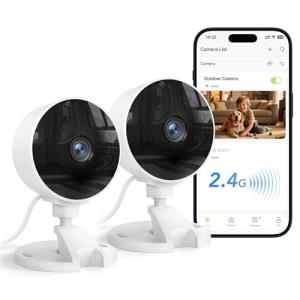
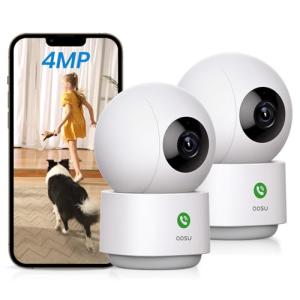
When selecting your ideal Indoor Security Cameras , you must decide on the form factor, the range of coverage (static vs. panoramic), and the method of power delivery that best suits your home layout.
Essential Variations and Coverage Focus
Indoor Security Cameras come in three main functional variations, designed for different security applications in a typical US residence:
-
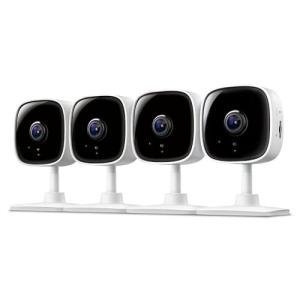
Static (Fixed-View) Cameras:
-
Pros: These small, discreet cameras are mounted on a wall, shelf, or desk and offer a fixed, wide field of view (typically 120–150 degrees). They are the most affordable and easiest to install, providing reliable coverage of a key entryway, a single room, or a valuables cabinet. Their simplicity means high reliability for continuous 24/7 Monitoring .
-
Cons: The view is limited to the camera's front-facing angle; anything outside that range is missed.
-
US Lifestyle Context: Ideal for monitoring the main entry door or a baby's crib in a small apartment or home, providing immediate, focused visual alerts via Remote Access .
-
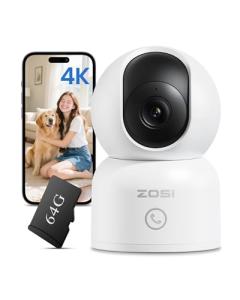
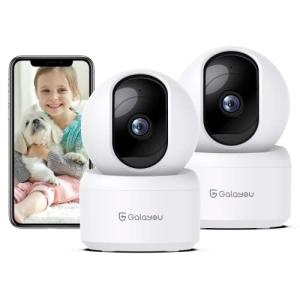
Pan-Tilt-Zoom (PTZ) Cameras:
-
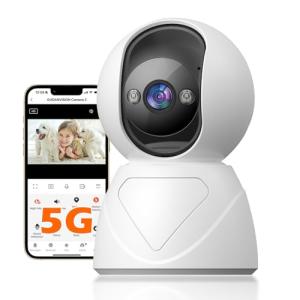
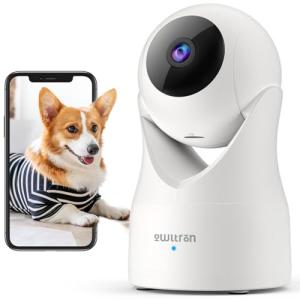
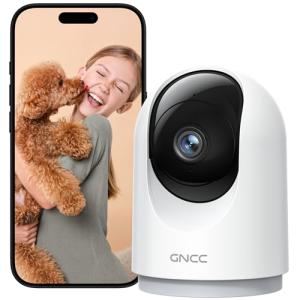
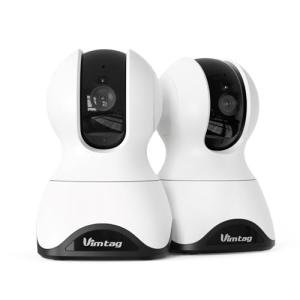
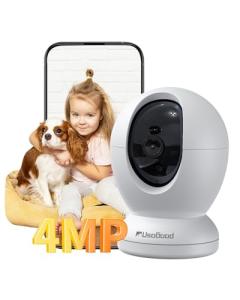
Pros: These advanced Indoor Security Cameras allow you to remotely adjust the camera's lens position (pan horizontally, tilt vertically) using the smartphone app. This single camera can monitor an entire large room, a warehouse-style loft, or a vast open-concept living space in a contemporary home.
-
Cons: They require constant power and often suffer from "blind spots" during the crucial time when the lens is moving. PTZ functions increase the price significantly.
-
US Lifestyle Context: Essential for monitoring a large open-plan living room in a modern home in Denver, where a wide, sweeping view is necessary to monitor activity across multiple seating and dining areas.
-
Covert/Niche Cameras:
-
Pros: These Indoor Security Cameras are designed to be extremely small or disguised (e.g., built into a clock or USB charger). They are perfect for discreet monitoring of nannies, service providers, or sensitive areas like safes, providing peace of mind without alerting occupants to the monitoring presence.
-
Cons: Video quality is often lower, and advanced features like smart human detection or two-way audio may be absent due to the form factor constraints.
-
US Lifestyle Context: Useful for quietly monitoring a home office or secure area in a professional's townhome, ensuring 24/7 Monitoring is active when outside help is working unsupervised.
Compatibility Protocols
A reliable power source and network connection are critical for Indoor Security Cameras , as they rely on continuous data upload for security recording.
-
Power Source (Plug-in/Wired): The vast majority of Indoor Security Cameras are plug-in powered (Wired). This constant power supply ensures the camera is always awake, recording, and uploading data instantly, which is vital for high-resolution video and continuous 24/7 Monitoring . Battery-powered cameras exist but are usually reserved for temporary use due to frequent recharging.
-
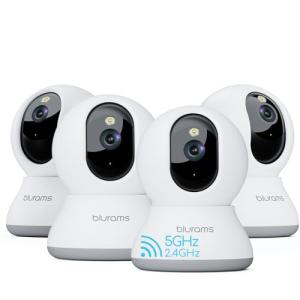
Wi-Fi Connectivity: Cameras require strong Wi-Fi (often supporting both 2.4 GHz and 5 GHz bands). Cameras placed far from the router will struggle to upload video, causing lag and delayed alerts, which compromises Remote Access .
-
Storage Options: Choose between Cloud Storage (easy access via Remote Access , requires a subscription) and Local Storage (microSD card/NVR, no subscription, best data privacy). Local storage is often more Energy Efficiency as it minimizes external data transfer.
3. 🛠️ Installation and Setup Walkthrough
Installing Indoor Security Cameras is generally a simple process. Since most are plug-in, the focus shifts from wiring to strategic placement and network optimization.
Pre-Installation Preparations
-
Wi-Fi Check: Test your Wi-Fi upload speed. A speed of at least 3-5 Mbps per camera is generally required for high-definition cloud recording. If your speed is low, video quality or quantity must be adjusted, impacting Energy Efficiency (as more retries occur) and reliability.
-
Minimize False Alarms: Determine the camera placement carefully to avoid pointing directly at windows, vents, or reflective surfaces, as these cause false motion alerts and unnecessary video processing.
-
Choose Power Source: Select a plug that is not controlled by a wall switch. Using a switch will power off the camera, disrupting 24/7 Monitoring entirely. A Smart Wall Outlet is ideal as it provides reliable power while allowing remote control.
Installation Guide (Typical Plug-in Camera)
-
Placement and Mounting: Place the camera on a high shelf or mount it in a corner. Use the camera's app to view the live feed and adjust the angle to maximize coverage while minimizing background motion (like a distant street view).
-
Power Up: Plug the camera into the chosen outlet. Wait for the status light to indicate readiness.
-
App Pairing: Open the camera app. Follow the instructions, which usually involve scanning a QR code on the camera or physically pressing a pairing button. Connect the camera to your Wi-Fi network.
-
Configure Motion Zones: In the app settings, draw digital boundaries around areas you want the camera to ignore (e.g., a curtain that moves in a draft). This enhances the accuracy of Remote Access alerts and saves power by recording only relevant events.
Troubleshooting Common Issues
-
Issue 1: Constant False Motion Alerts.
-
Issue 2: Video Feed is Choppy or Delayed.
-
Issue 3: Camera Fails to Record When Security System is Armed.
-
Resolution: The camera is likely unplugged or connected to a switched outlet. Ensure the camera has constant power. If using a smart plug, verify the plug itself is not scheduled to be turned off during the security window, as this compromises your Remote Access to footage.
4. Advanced Automation and Maximizing Value
The integration of Indoor Security Cameras with other smart devices is critical for advanced automations that deter intruders, enhance safety, and maintain resource efficiency.
Powerful Automation Scenarios
-
Layered Security Verification (24/7 Monitoring): You set an automation: "If the Contact Sensor on the back window opens AND the Indoor Security Cameras in the living room detects motion," then the system sends a critical alert and immediately flashes the smart lights (controlled by a Smart Wall Switch ). This layered verification prevents false alarms and provides immediate video proof via Remote Access .
-
Automated Privacy and Energy Efficiency: The camera includes a privacy shutter. You set an automation: "If the system is Disarmed AND geo-fencing detects a family member is home," then the camera's privacy shutter closes and video recording stops. This saves power on unnecessary video processing and upload, contributing to Energy Efficiency and respecting privacy simultaneously.
-
Two-Way Pet Check: While you are away in another US city, you receive a motion alert from the camera showing your dog running around. You use the two-way audio feature via Remote Access to calm your pet or issue a command, providing assurance and 24/7 Monitoring of your pet's well-being.
Longevity & Maintenance
Indoor Security Cameras are designed for continuous operation but benefit from consistent care. Regularly install firmware updates via the app; updates frequently include security patches, improved motion detection logic, and enhanced Energy Efficiency algorithms. If your camera is battery-powered (rare, but available), manage the charge cycles carefully to maximize battery health. For plug-in cameras, ensure the camera's vents are free of dust to prevent overheating, which reduces the lifespan of the internal components and the reliability of 24/7 Monitoring .
5. COMPLEMENTARY CATEGORY RECOMMENDATIONS
| Recommended Categories |
Why This Category Is Useful Specifically for This Product |
Short Usage Scenario |
| Alarm Systems |
The cameras provide essential video verification and visual evidence when an intrusion is first detected by the primary alarm sensors. |
A breach triggers the alarm siren, and the cameras begin high-resolution recording for 24/7 Monitoring . |
| Smart Displays |
Displays are the most convenient way to pull up the live camera feed for quick viewing and two-way talk within the home. |
You ask your smart display, "Show me the living room camera," and the feed appears instantly. |
| Smart Sensors |
External sensors (contact, glass break) are used to trigger the cameras to record, focusing storage only on confirmed security events. |
The contact sensor on the back door opens, forcing the nearest camera to start recording. |
| Smart Lighting |
Lights are used for deterrence and to improve video clarity at night, automatically turning on when the camera detects motion. |
The camera detects motion, and the associated Smart Dimmer fades the light up to 100%. |
| Smart Wall Outlets |
These ensure the plug-in camera receives reliable, continuous power and can be remotely cut off for privacy or energy conservation. |
Using the smart outlet's Remote Access to cut power to the camera during a family gathering. |
| Networking Gear |
A robust Wi-Fi mesh network is essential for handling the high data upload required for continuous video recording and reliable 24/7 Monitoring . |
The mesh Wi-Fi system ensures the camera can upload 1080p video without lag or freezing. |
| Central Hubs |
The hub links the camera's motion detection to devices using different protocols (e.g., Z-Wave smart locks) for coordinated automations. |
The camera detects an unknown person, and the hub locks the smart deadbolt. |
| Power Storage |
A UPS ensures the camera and its dedicated router/hub remain powered during short outages, guaranteeing uninterrupted 24/7 Monitoring and Remote Access . |
The camera continues to record the intrusion even after the home loses grid power, thanks to the UPS. |
Indoor Security Cameras are the foundation of intelligent internal awareness, providing reliable visual verification and communication when you are away. They offer continuous, high-definition 24/7 Monitoring , giving you instant peace of mind via Remote Access , and can be intelligently configured to support your Energy Efficiency goals. Choose a plug-in indoor camera solution today to gain complete, visual control over your home's interior security and comfort.