2. 🔌 Choosing Your System: Key Features and Compatibility
When selecting your Outdoor Security Cameras , your decision hinges on the power source you can reliably install, the level of resolution needed, and the specific field of view required for your property's layout.
Essential Variations and Power Methods
Outdoor Security Cameras come in three main power configurations, each suited for different installation goals:
-
Wired (Continuous Power) Cameras:
-
Pros: These cameras connect directly to a power source (AC outlet or existing floodlight wiring), guaranteeing continuous power. This allows for high-resolution 24/7 continuous video recording (not just event clips), the fastest response times, and the ability to power integrated floodlights. This setup provides the most reliable 24/7 Monitoring .
-
Cons: Installation requires access to an exterior outlet or electrical box, often necessitating the skills of an electrician.
-
US Lifestyle Context: Ideal for securing a back entrance or driveway in a high-end home in Florida, where reliable, always-on recording is necessary for maximum security.
-
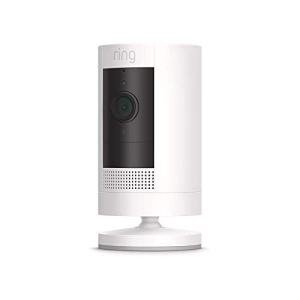
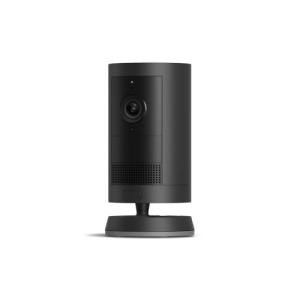
Wireless (Battery-Powered) Cameras:
-
Pros: These Outdoor Security Cameras are the easiest to install, requiring no wiring whatsoever. They are mounted using a simple bracket and run on internal, rechargeable batteries. This portability allows for flexible placement, essential for monitoring temporary areas or areas far from an outdoor outlet.
-
Cons: Battery life must be managed (usually recharged every few months), and they generally conserve power by only recording short clips during motion events, potentially missing crucial context.
-
US Lifestyle Context: Perfect for monitoring the side yard or a remote shed on a large suburban property where running wires is impractical, offering simple Remote Access monitoring with minimal effort.
-
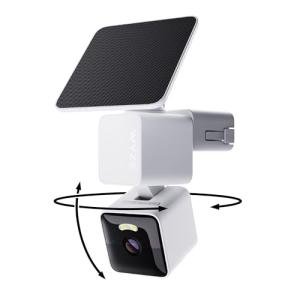
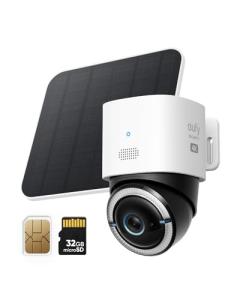
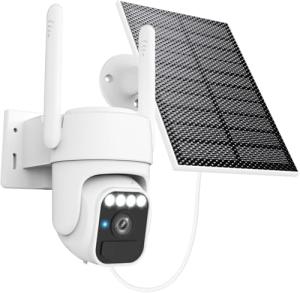
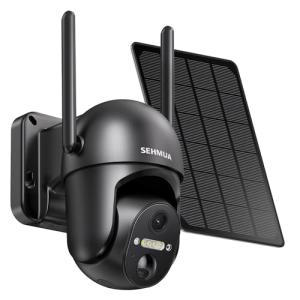
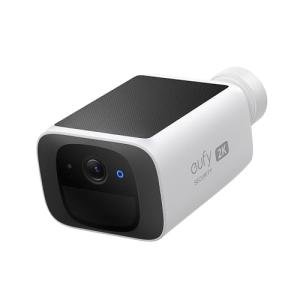
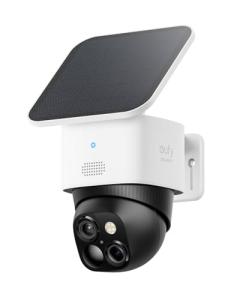
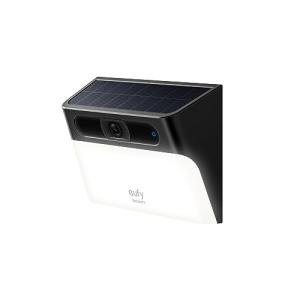
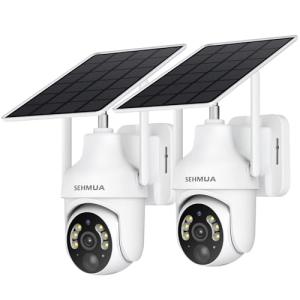
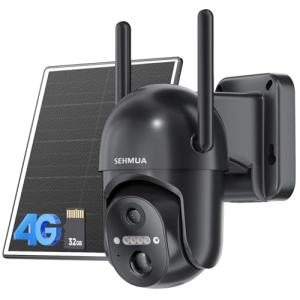
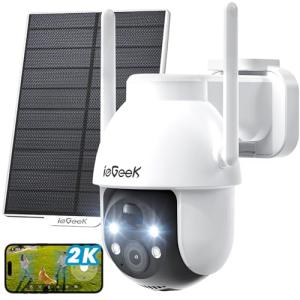
Solar-Powered Cameras:
-
Pros: These cameras are typically battery-powered but include a dedicated external solar panel. The panel constantly trickle-charges the unit, drastically extending battery life and improving Energy Efficiency . They offer the best solution for remote locations with no power.
-
Cons: Requires placement where the camera receives sufficient direct sunlight, limiting installation options on heavily shaded properties.
-
US Lifestyle Context: A powerful solution for monitoring a distant gate or barn on a large ranch in Texas, providing self-sustaining security where traditional wiring is impossible.
Compatibility Protocols
For seamless operation and coordination with other smart devices, your Outdoor Security Cameras must maintain a strong wireless link, often challenged by distance and exterior walls.
-
Wi-Fi Connectivity: The primary communication method. Ensure your cameras support a strong, stable 2.4 GHz network for range. For high-resolution cameras, 5 GHz support is beneficial for speed, but its range is shorter. A weak signal will lead to lag and missed events, jeopardizing 24/7 Monitoring .
-
Ecosystem Integration (Matter/Z-Wave/Zigbee): Although most cameras use Wi-Fi, their integration relies on compatibility with your central hub (Alexa, Google, etc.). Cameras supporting Matter will simplify future integration with smart lighting and security systems, allowing for coordinated deterrence routines and ensuring reliable Remote Access .
-
Cloud vs. Local Storage: Choose a storage method. Cloud storage offers easy Remote Access retrieval but requires subscription fees. Local storage (microSD card) eliminates fees but requires physical access for data retrieval and doesn't protect footage if the camera is stolen.
3. 🛠️ Installation and Setup Walkthrough
Installing Outdoor Security Cameras requires a focus on weatherproofing, network stability, and optimizing the field of view to capture the most critical zones of your property.
Pre-Installation Preparations
-
Wi-Fi Mapping: Determine the exact mounting spot and test the Wi-Fi signal using your phone. Since cameras require high bandwidth for video upload, a poor signal will compromise performance. Install a weatherproof mesh network extension near the installation point if necessary.
-
Power Route: If wired, locate the nearest external junction box or power source. If battery, ensure the unit is fully charged before mounting.
-
Optimize View: Decide what the camera needs to see (e.g., the driveway, a side window). Angle the camera to capture the highest-risk area while minimizing movement from public roads or tree branches, which cause false alerts and waste battery power.
Installation Guide (Typical Battery-Powered Mount)
-
Mounting: Secure the camera bracket to the wall or eave using the provided screws and anchors. Position the camera height (8-10 feet is ideal) to capture faces while remaining difficult to reach.
-
App Pairing: Power on the camera (insert battery or plug in). Use the manufacturer’s app to connect the camera to your Wi-Fi network and confirm Remote Access .
-
Motion Zone Configuration: In the app, carefully draw the motion zones you want to monitor, excluding public walkways or neighbor’s property. For battery cameras, precision here is vital for maximizing Energy Efficiency and battery life.
-
Final Test: Use the live view function via Remote Access to confirm video quality and night vision are working. Arm the camera and test the motion detection by walking into the zone to confirm instant alert notification.
Troubleshooting Common Issues
-
Issue 1: False Alerts from Environment (Trees/Shadows).
-
Issue 2: Poor Night Vision Quality.
-
Issue 3: Camera Drops Offline Periodically.
4. Advanced Automation and Maximizing Value
The integration of Outdoor Security Cameras with smart lighting and security systems provides powerful deterrence and immediate response capabilities, enhancing overall home intelligence.
Powerful Automation Scenarios
-
Coordinated Deterrence: At 11 PM, an automation arms the system. If one of the Outdoor Security Cameras detects an unrecognized person, the system triggers the camera's integrated spotlight (if available) and simultaneously flashes external smart lights via a Smart Wall Switch . This multi-modal response is highly effective and instantly sends a high-priority alert via Remote Access .
-
Temporary Monitoring: You are working on a project in the backyard and need a temporary camera. You move a battery-powered camera to the corner of the yard. You set up a temporary alert zone to provide 24/7 Monitoring of tools and equipment while you are busy elsewhere, and you manage the footage via Remote Access on your phone.
-
Minimizing Event Clips (Energy Efficiency): You utilize the advanced feature that integrates the camera with a Video Doorbell . If the doorbell records an event, the camera is instructed to stop recording immediately to prevent redundant video storage and upload, conserving power and bandwidth and maximizing Energy Efficiency .
Longevity & Maintenance
Outdoor Security Cameras are exposed to the elements, so maintenance is critical for longevity. Physically clean the camera lens every two months to remove dirt, dust, and spiderwebs, which severely degrade video quality and compromise 24/7 Monitoring . For battery cameras, manage charging proactively to maximize battery life. Always install the latest firmware updates immediately; these updates often include critical security patches and optimized power management algorithms that improve Energy Efficiency and performance in extreme temperatures.
5. COMPLEMENTARY CATEGORY RECOMMENDATIONS
| Recommended Categories |
Why This Category Is Useful Specifically for This Product |
Short Usage Scenario |
| Outdoor Lighting |
Integrated with Outdoor Security Cameras , lighting provides crucial visual deterrence and brightens the scene for better color night video clarity. |
The camera detects motion, triggering a nearby smart spotlight to turn on instantly. |
| Networking Gear |
A robust Wi-Fi mesh network is essential for handling the high bandwidth needed for video streaming and uploading footage for reliable Remote Access . |
Installing a mesh node near the garage ensures the camera has a stable signal for 4K video uploads. |
| Smart Power |
Used for managing power delivery, such as scheduling a Smart Outdoor Plug to power a camera or accessory during specific hours for Energy Efficiency . |
The battery camera is plugged into a dedicated outdoor smart outlet for scheduled charging cycles. |
| Alarm Systems |
The cameras provide vital visual verification of any intruder detected by the base alarm system sensors. |
An alarm trigger prompts the camera to begin high-speed recording and sends the live feed to your phone. |
| Video Doorbells |
The doorbell provides critical front-door coverage and acts as a central motion sensor that can trigger Outdoor Security Cameras for side yard coverage. |
Motion at the doorbell triggers the driveway camera to start recording simultaneously for layered 24/7 Monitoring . |
| Smart Wall Switches |
Allows the cameras' motion detection to turn on exterior hardwired lights that are controlled by smart switches. |
The camera detects a car, and the motion triggers the smart switch for the porch lights. |
| Central Hubs |
The hub integrates the camera's motion event triggers with devices outside the manufacturer's ecosystem (e.g., Z-Wave smart locks). |
The hub uses the camera's person detection to lock all Z-Wave smart locks immediately. |
| Power Backup Solutions |
A UPS ensures the home's router stays powered during an outage, maintaining the network connection necessary for the cameras to send alerts and footage via Remote Access . |
Power fails, but the cameras remain online via the UPS to capture the event and provide 24/7 Monitoring . |
Outdoor Security Cameras are the essential eyes of your property's perimeter defense. They offer robust, weather-ready 24/7 Monitoring , giving you indisputable visual evidence and instant alerts via Remote Access . By choosing the right power option (wired, battery, or solar), you can achieve reliable security while optimizing for Energy Efficiency . Secure your entire property with a network of Outdoor Security Cameras today and enjoy comprehensive, intelligent protection.