PRODUCT REVIEW: MOES WiFi Smart IR Remote Controller for Home
In-Depth U.S. Market Review
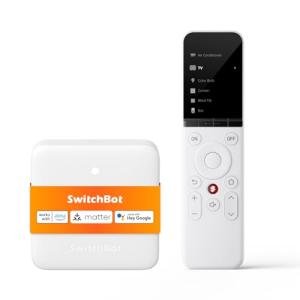
The MOES WiFi Smart IR Remote Controller for Home is a fascinating piece of bridging technology that targets the rapidly growing U.S. smart home market. Unlike a traditional handheld remote, this product is a fixed, central hub that transforms all your old, non-smart, Infrared (IR) controlled devices (like TVs, air conditioners, and old stereo systems) into Wi-Fi-enabled, voice-controllable gadgets.
It is positioned as a highly cost-effective central hubs or smart home control device for extending smart functionality. By integrating with major U.S. voice platforms like Amazon Alexa and Google Home, it allows you to literally speak commands to legacy equipment. This eliminates the need to buy costly smart appliances or dozens of specialized smart plugs.
Compared to a handheld universal remote like the SofaBaton, the MOES Smart IR is not for casual couch control; it's a permanent automation device. Its strength is in integrating appliances you thought were technologically obsolete into a modern smart home ecosystem. It is the perfect home office use accessory for adding voice control to a legacy TV or window A/C unit.
Technical Analysis
| Specification | Detail & U.S. Context | Analysis |
| Connectivity | Wi-Fi (2.4 GHz) and 360° Infrared (IR) Blasting | Connects to your home network via 2.4 GHz Wi-Fi and broadcasts a powerful, omni-directional IR signal to control devices across a wide radius. |
| Control Integration | Amazon Alexa & Google Home Compatibility | Allows for hands-free, natural language voice control of all paired IR devices through any integrated smart speaker or app. |
| IR Database | Extensive Built-in Code Library with Learning Function | Contains codes for thousands of U.S. and international appliance brands, with the ability to learn codes for niche or older devices not in the database. |
| App Control | Smart Life/Tuya App for Setup, Scheduling, and Scenes | Provides a user-friendly, centralized platform for device management, creating automation schedules, and grouping devices together. |
| Functionality | Converts Dumb IR Devices into Smart Devices | Its core purpose is to allow users to control legacy equipment (TVs, A/C, fans) via Wi-Fi and the internet from anywhere. |
| Power/Form Factor | USB Powered (Adapter not included), Small Dome Shape | Requires a simple 5V/1A USB power source, making it discreet and easy to place on a shelf or media console. |
1. Wi-Fi Bridge and 360° IR Coverage
The MOES Smart IR Remote Controller functions as a permanent Wi-Fi-to-IR bridge. It connects to your home's 2.4 GHz Wi-Fi network and receives commands from the cloud (via the Smart Life/Tuya app or voice assistants). It then translates these into potent, 360-degree Infrared signals.
The omni-directional nature of the IR blaster is critical for room-wide coverage. You can place the small dome on a central table, and it can control your TV on one wall and your window air conditioner on the opposite wall, all without worrying about precise aiming.
2. Voice and App Integration for Legacy Devices
The true value proposition is the ability to enable voice control for devices that were never intended to be "smart." Once a device is added to the MOES, you can tell your smart speaker, "Alexa, turn on the bedroom TV," or "Hey Google, set the living room A/C to 72 degrees."
This capability is managed through the highly popular Tuya/Smart Life ecosystem app, which is a major platform for budget-friendly smart devices in the U.S. You can also set up schedules and timers (e.g., automatically turn off the TV at 11 PM) directly within the app.
3. IR Learning and Smart Automation
While the large, pre-loaded code database covers most common U.S. brands (Samsung, Sony, LG, etc.), the device includes a crucial IR learning function . This means you can point any functional original remote at the MOES device, and it will capture and memorize the unique IR code for any specific button.
This allows for custom commands for even niche devices like old-school projector screens or complex fan units. By integrating these custom commands into the Smart Life app, you can include your legacy devices in powerful, automated automation-tools or scenes that run automatically.
User Profiles
1. The Legacy Appliance Automator
You own several older, non-smart devices—a high-quality stereo receiver, an older plasma TV, and a powerful fan—that you have no intention of replacing. You want to integrate these reliable items into your modern smart home ecosystem.
-
Use Case: You walk into the living room and want to instantly turn on the fan, the stereo, and the TV with a single voice command, without having to find three different handheld remotes.
-
The Fit: The MOES is perfectly suited to you. It acts as a universal translator, receiving your voice commands via your smart speaker and broadcasting the necessary IR codes to all your legacy devices, making them feel instantly smart and part of your automation system.
2. The Smart Home Budget Extender
You are building a smart home system but want to minimize costs by avoiding expensive Wi-Fi-enabled appliances. You want maximum smart functionality for the lowest possible investment.
-
Use Case: You just bought a cheap but powerful window air conditioner that only comes with a basic IR remote. Instead of spending hundreds on a smart A/C unit, you want to be able to control the cheap unit remotely via your phone or Google Assistant.
-
The Fit: The MOES allows you to control the basic A/C unit from your phone while you're commuting home, letting you pre-cool the house. It's the most cost-effective way to add powerful remote and voice control to any IR-enabled appliance.
3. The Discreet Home Designer
You prefer a clean, uncluttered aesthetic in your home and dislike having multiple remotes, hubs, or bulky cables visible on your media console. You value a single, small, and powerful control point.
-
Use Case: You need a single, small device placed near your entertainment center that can handle all the control signals for your TV and media components without needing to be aimed or having multiple remotes lying around.
-
The Fit: The MOES's small, dome-shaped design and its powerful, 360° IR coverage allow it to be discreetly placed on a shelf. Since the control is handled by your phone or voice assistant, the clutter of handheld remotes is completely eliminated.
"Complementary HomeTechCorner Category Recommendations"
| Recommended Products | Why This Category Is Useful Specifically for This Product | Short Usage Scenario |
| Voice Assistants | The MOES enables voice control for legacy devices, and a dedicated voice assistant is required to unlock this capability fully. | You walk into the room with your MOES-controlled fan and say, "Alexa, turn the fan on high and turn the TV to the news channel." |
| Wireless Programmable Buttons | While voice is great, a programmable button provides a physical, quick-press backup to trigger a complex MOES-controlled scene. | You don't want to wake anyone; you press a wireless button by your door that executes a MOES-controlled macro to turn off the TV, dim the stereo, and set the fan to low speed. |
| Smart Displays | A smart display provides a visual confirmation and touch control interface for the MOES-enabled devices, which is great for guests. | You look at your smart display and see a list of MOES-controlled devices, tapping the one labeled "Projector" to turn it on before you sit down. |
| Environmental Sensors Temp Humidity | To truly automate your A/C, fan, or heater controlled by the MOES, you need real-time environmental data. | The environmental sensor detects the room is above 78°F, which triggers a Smart Life automation to send the "A/C On" IR command via the MOES controller. |
| Smart Power | The MOES can turn the TV on via IR, but pairing it with a smart plug for the TV ensures you can also truly cut standby power via Wi-Fi. | You give the "Turn off all media" voice command; the MOES sends the IR off signal to the TV, and simultaneously, the smart plug cuts the power entirely to the whole system. |