PRODUCT REVIEW
In-Depth U.S. Market Review
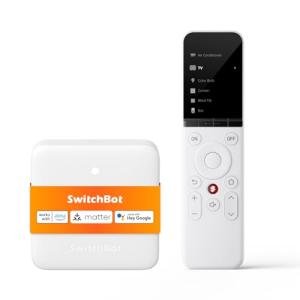
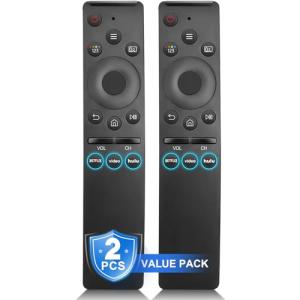
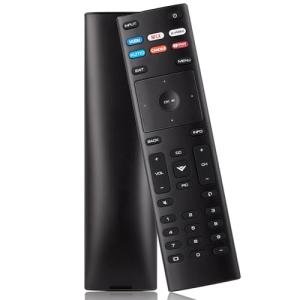
The Universal Remote for Smart TVs and Devices addresses a common frustration point in the modern U.S. home: the sheer number of specialized remotes cluttering the coffee table. This product is a broad-spectrum universal smart remote designed to consolidate control over various A/V equipment, particularly cable/satellite boxes, TVs, soundbars, and older IR-controlled streaming devices. It operates primarily on Infrared (IR) technology and often includes pre-programmed codes for thousands of U.S.-market devices, making setup straightforward for the average non-tech-savvy user.
In its competitive space, this remote offers a simple, tactile solution. Compared to more complex, app-based universal remotes or smart remotes that require a hub, you get immediate, physical button control without needing Wi-Fi or smartphone integration for daily use. It's a reliable, no-frills option that focuses on ease of use and broad compatibility, making it the perfect replacement remote when the original one gets lost or broken.
Technical Analysis
| Specification | Detail & U.S. Context | Analysis |
| Technology | Universal Infrared (IR) signaling. The core technology for most legacy A/V components, including cable boxes and older TVs. | IR is highly reliable and doesn't require Wi-Fi, making it a dependable solution for older or non-smart components common in U.S. homes. |
| Compatibility | Pre-programmed codes for thousands of U.S. brands, including Sony, Samsung, Vizio, Comcast, and DirecTV. | Ensures that the remote will work with the vast majority of installed A/V equipment, which is critical for a "universal" remote's success in the U.S. |
| Setup Method | Code entry (user manually enters a brand-specific code) and/or Auto Code Search. Simple, non-Internet-dependent setup. | The simple code entry method is user-friendly and doesn't require a smartphone, appealing to users who prefer traditional setup methods. |
| Device Control | Typically controls 4 to 8 distinct devices (TV, AUX/Soundbar, Cable/Sat Box, Media Player). | The ability to control multiple distinct devices makes it a true consolidation tool, clearing up coffee table clutter immediately. |
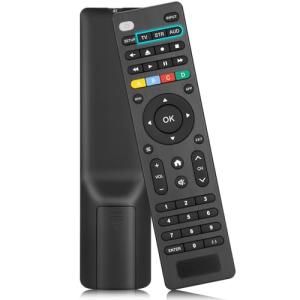
| Ergonomics | Standard remote form factor with familiar layout (volume/channel rockers, directional pad, number keys). | A familiar layout is essential for quick adoption and ease of use, making the transition seamless for users moving away from their original remotes. |
| Learning Function | Many models include a basic IR learning function to copy codes from an existing remote. | The learning function ensures compatibility with obscure devices or custom functions that may not be covered by the pre-programmed code library. |
1. Universal Infrared (IR) Connectivity
The core of the Universal Remote for Smart TVs and Devices lies in its reliance on Universal Infrared (IR) technology. This is the decades-old, reliable method of control that uses light signals to command A/V devices. This remote is designed to emit the specific, proprietary IR codes for almost every major U.S. television, cable box, soundbar, and streaming device brand.
The benefit of IR is its simplicity and reliability; it doesn't need batteries to be charged often or a stable Wi-Fi network. You simply point and click, making it the most dependable solution for basic functions like power, volume, and channel changing.
2. Extensive U.S. Code Library and Setup
This remote's major selling point is its comprehensive library of pre-programmed codes, covering the vast ecosystem of U.S. consumer electronics. This includes codes for major TV manufacturers and all the primary cable and satellite providers (e.g., Spectrum, Xfinity, Dish Network).
Setup is usually accomplished by either entering a specific 3- or 4-digit code found in a manual or by using an automatic search function. This quick, non-internet-dependent setup is highly valued by consumers who simply want to get back to watching TV without dealing with complex app pairings or hub configurations.
3. Tactile Design and Device Consolidation
While smart remotes move toward touchscreens, this universal remote maintains the essential, tactile button design that users are comfortable with. It features dedicated, physical buttons for all primary functions, including a full number pad, which is crucial for cable/satellite users.
Furthermore, the remote offers dedicated buttons to switch between controlled devices (e.g., TV, Cable, Soundbar). This consolidation is the primary function, allowing you to use one remote to turn on the TV, switch to the cable box, and control the soundbar volume, replacing three separate controllers.
User Profiles
1. The Clutter-Averse Traditionalist
You appreciate modern technology but despise the multiple remotes required for your TV, soundbar, and streaming stick. You want a single, physical controller with real, responsive buttons that works instantly without having to open an app or deal with voice commands.
-
Use Case: Sitting down to watch a movie, you pick up this single remote, press the "Power All" macro (if available), and then seamlessly use the TV button for input switching and the Soundbar button for volume control.
-
The Fit: This Universal Remote for Smart TVs and Devices is perfect because it consolidates control into a single, familiar device with all the tactile feedback you prefer. It's the ultimate solution for "one remote to rule them all," reducing coffee table clutter immediately.
2. The Older User/Caregiver
You or a family member struggle with the small buttons and complex, multi-step menus of modern, minimalist remotes. You need a device with large, clearly labeled buttons and a straightforward, reliable connection that doesn't rely on a perfect Wi-Fi signal or software updates.
-
Use Case: Effortlessly changing channels on the cable box using the large number pad and volume rockers without needing glasses, providing a frustration-free entertainment experience.
-
The Fit: The traditional design, physical number keys, and large buttons are a major accessibility advantage. Its simple IR technology guarantees a reliable connection, making it an excellent replacement or secondary remote for simplified A/V operation.
3. The Secondary Room User
You have a secondary TV in a bedroom, basement, or garage gym where you only need basic control over the TV and a streaming device. You lost the original manufacturer remote and just need a cheap, quick replacement that is guaranteed to work with whatever older equipment you have there.
-
Use Case: Finishing a workout in the garage, you pick up the remote, easily turn off the older TV and attached DVD player (using the learning function), and head back inside without fussing with original manufacturer controls.
-
The Fit: The broad code compatibility and low price point make it a perfect, low-investment solution for controlling a secondary setup. Its ability to learn custom codes ensures it can handle even the most obscure or non-standard device in your secondary entertainment space.
"Complementary HomeTechCorner Category Recommendations"
| Recommended Products | Why This Category Is Useful Specifically for This Product | Short Usage Scenario |
| Ir Rf Hubs | A hub can extend the remote's capability to RF and Wi-Fi devices (like smart lights or concealed sound systems), allowing true whole-room control. | You want to dim the lights when the movie starts; you press the "Movie Time" button on your universal remote, and the IR signal hits the hub, which then sends a Wi-Fi command to your smart lights. |
| Smart Power | A smart plug/strip can be used to automatically power down non-smart devices (like a vintage stereo or a lamp) when the TV is powered off via the universal remote. | You turn the TV off with the universal remote; a smart plug detects the TV power state and automatically powers down the floor lamp and charging station for the night. |
| Streaming Devices | This remote is ideal for controlling popular IR-enabled streaming sticks/boxes, allowing the user to consolidate all entertainment functions into one controller. | You seamlessly switch from watching a cable channel to navigating your streaming stick's menu using the exact same physical buttons on the consolidated remote. |
| Smart Speaker Covers | You need a place to store your new consolidated remote; a cover or tray that attaches to a smart speaker base keeps it easily accessible and prevents it from getting lost in the couch cushions. | You finish watching a show; you place the universal remote into the custom-designed holder next to your smart speaker, ensuring it's always in its dedicated spot. |