💡 Practical Usage Tips
- Isolate your IoT network frequency. Most smart power strips utilize older 2.4GHz Wi-Fi radios, so creating a dedicated SSID on your router prevents connection failures caused by modern band-steering features.
- Implement static IP reservations. Assigning a permanent local IP address to your power strip through your router's admin panel significantly reduces "No Response" errors during firmware updates or power outages.
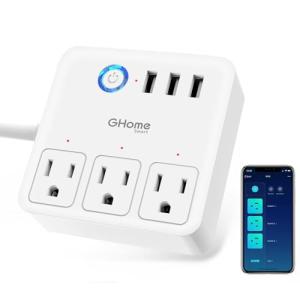
- Audit the USB control logic. Be aware that on the vast majority of these devices, the USB ports are controlled as a single group rather than individually, meaning you cannot toggle one USB device without affecting the others.
- Respect the amperage limits. Although a strip may be rated for 15A total, continuous high loads from heaters or laser printers can cause thermal fatigue in the internal bus bars, so these devices are best reserved for entertainment centers and office peripherals.
✅ What to Look For & ⚠️ What to Avoid
Must-Have Features
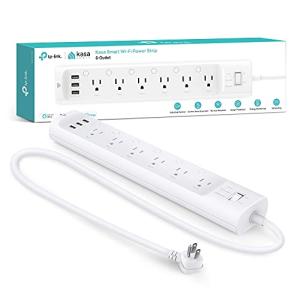
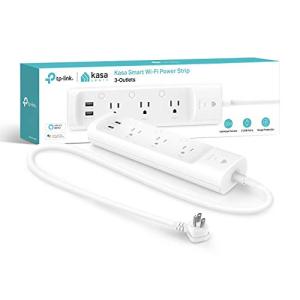
- Individual Outlet Monitoring: Premium units like the Kasa Smart Plug Power Strip with USB and Surge Protection include current-sensing chips for each socket, allowing for precise tracking of energy usage per appliance.
- High Quality Relays: Look for devices specifying recognized relay brands (like Songle) or "high-inrush" capabilities, which ensures the switch won't weld shut during a spark.
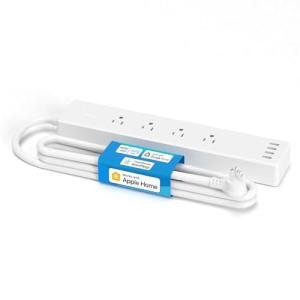
- Local Control Support: Hardware that supports HomeKit or local polling allows your automation to continue functioning even when the internet service provider goes down.
- Flame-Retardant Housing: A chassis rated as UL 94-V0 polycarbonate is essential for fire safety, as it self-extinguishes if an internal electrical fault occurs.
Red Flags
- Low Surge Ratings: Avoid units with surge protection ratings below 500 Joules if you plan to connect expensive computers or televisions, as they offer minimal defense against lightning or grid spikes.
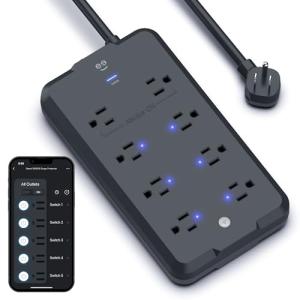
- Thin Internal Wiring: Budget devices often use thin-gauge internal bus bars that generate dangerous levels of heat when the total load exceeds 10-12 Amps.
- Cloud-Only Dependencies: Devices that rely entirely on remote servers often suffer from latency (lag) and can become completely unresponsive "zombies" if the manufacturer's cloud service experiences an outage.
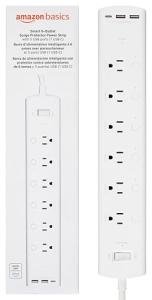
- Shared USB Power: Be cautious of strips with low aggregate USB output (e.g., 2.1A shared across 3 ports), as charging multiple devices simultaneously will result in extremely slow speeds.
🛡️ Build Quality & Performance
The physical construction of a smart power strip dictates its safety and longevity more than its software features. Entry-level units often utilize generic plastic housings and standard Metal Oxide Varistors (MOVs) that provide only basic protection against voltage transients. In contrast, higher-tier models incorporate reinforced PCB layouts with physical isolation between the high-voltage AC lines and the low-voltage logic chips. This separation is critical for preventing electrical noise from corrupting the Wi-Fi signal and ensures that a power surge does not easily jump to the sensitive microcontroller.
Relay quality is another significant differentiator. Budget options frequently use generic relays that may stick or fail after repeated cycling of high-load devices. Premium alternatives, such as the Eve Energy Strip - Smart Triple Outlet with Metering, utilize an aluminum chassis for better heat dissipation and high-quality internal components designed to withstand the initial current rush of powerful electronics. This attention to materials science results in a device that not only stays connected to the network more reliably but also poses a significantly lower fire risk over years of continuous operation.
🏆 Top Recommendations
| Best For |
Model Name |
Key Feature |
Why It Wins |
| Professional Use |
Kasa HS300 Surge Protection |
Per-Outlet Metering |
Offers granular energy tracking and high surge rating (1710J). |
| Apple / Privacy |
Eve Energy Strip |
Local HomeKit Support |
Aluminum build with zero cloud dependency for maximum privacy. |
| Value & Stability |
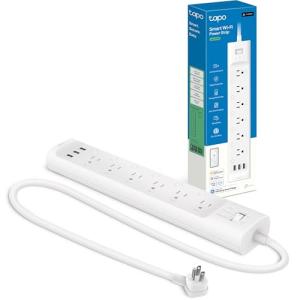
Tapo Smart Wi-Fi Strip |
Reinforced PCB |
Uses high-quality Songle relays for better longevity. |
| Analog Safety |
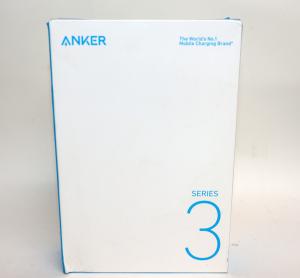
Anker Surge Protector 332 |
High-Purity Copper |
A reliable, non-smart option prioritizing fire safety and USB-C. |
❓ Frequently Asked Questions
Can I control the USB ports individually?
In most consumer smart strips, the answer is no. Manufacturers typically wire the USB bank to a single internal switch to save on component costs, meaning you can turn the entire block of USB ports on or off, but you cannot control them one by one like the AC outlets.
Does the smart schedule work if the Wi-Fi goes down?
This depends heavily on the specific device architecture. Units with local execution capabilities (like those using HomeKit or Matter) store schedules on the device itself and will continue to operate. However, many budget Tuya-based strips rely on cloud server commands, meaning schedules may fail if the internet connection is interrupted.
Is 900 Joules enough surge protection?
For standard office peripherals like monitors or lamps, 900 Joules is generally sufficient. However, for high-value electronics such as gaming PCs or 4K televisions, industry standards recommend a rating of at least 1500 to 2000 Joules to provide an adequate buffer against significant electrical spikes.