🔌 Choosing Your System: Key Features and Compatibility
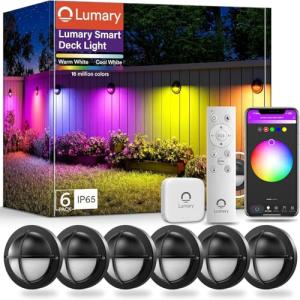
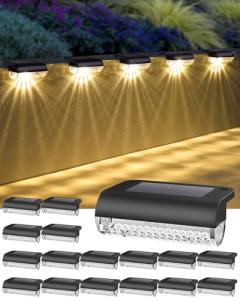
When you decide to install Smart Deck/Patio Lighting , you will generally encounter two primary variations: low-voltage integrated systems and plug-and-play Wi-Fi systems.
-
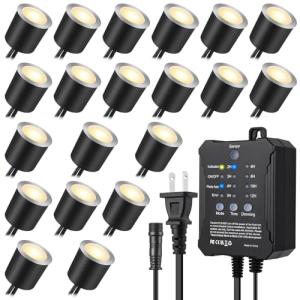
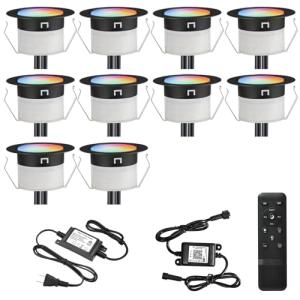
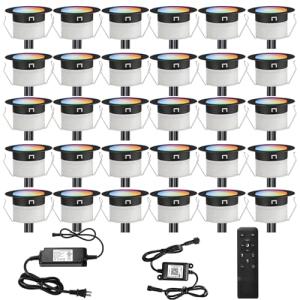
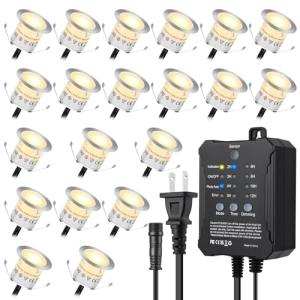
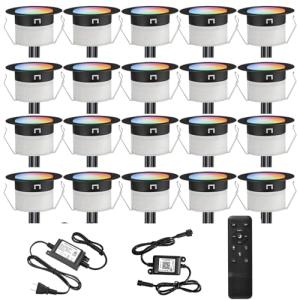
Low-Voltage Integrated Systems (Hardwired Look): These systems typically operate on a 12V or 24V power supply, which is connected to a smart hub or controller box. The advantage is a seamless, professional look with lights concealed in your deck stairs, railings, or along pathways. The pros are superior reliability, higher light output options, and centralized control. The main con is that installation is more involved, often requiring a transformer and a dedicated low-voltage wire run, which may be a consideration for a homeowner in a high-wind zone like the Oklahoma plains where every component needs to be permanently secured.
-
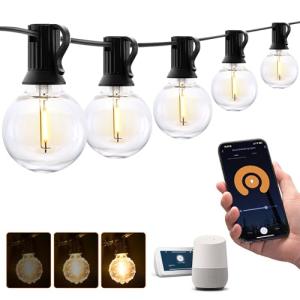
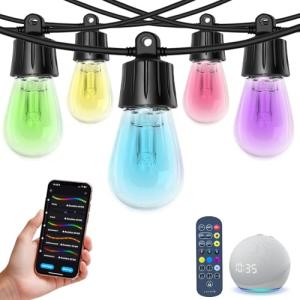
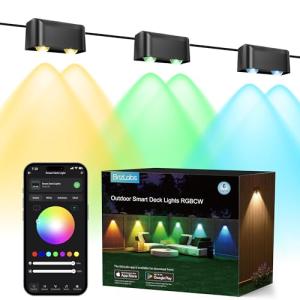
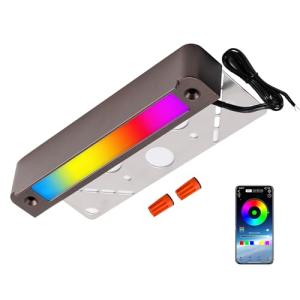
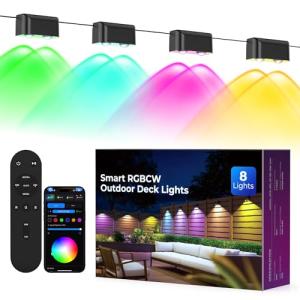
Plug-and-Play Wi-Fi Systems (String Lights, Spotlights, and Floods): These are the simplest to install, often plugging directly into an Outdoor Smart Plugs or a weather-rated standard outlet. They rely on your home's existing Wi-Fi network and are perfect for temporary holiday setups or string lights over a pergola. The pros are incredibly easy installation and portability. The cons can include potential Wi-Fi signal dropouts if your router is far from the patio, and a slightly less integrated, "clean" look compared to the hardwired variants.
To ensure your new Smart Deck/Patio Lighting integrates flawlessly into your existing home ecosystem, you must check the compatibility protocols. Most systems use one of the following:
-
Wi-Fi: This is the most common and easiest to set up, as it doesn't require a separate hub. The downside is that too many Wi-Fi devices can congest your network, potentially slowing down other devices like your streaming video.
-
Zigbee or Z-Wave: These require a central smart home hub (like a Samsung SmartThings or an Amazon Echo with a built-in hub) but create a robust mesh network. This is often more reliable for large decks or yards where signals need to travel farther, resulting in better 24/7 Monitoring and faster response times for your automations.
-
Thread/Matter: These are the newest standards designed for seamless compatibility across brands. Choosing a Thread or Matter-compatible system future-proofs your investment, ensuring your Smart Deck/Patio Lighting will work with any major smart home platform you choose down the road.
🛠️ Installation and Setup Walkthrough
Before you begin the physical installation of your Smart Deck/Patio Lighting , preparation is key. First, use a speed test app to confirm you have a strong Wi-Fi signal where your lights will be installed—especially if you're using a Wi-Fi-based system. If the signal is weak, you may need a Wi-Fi extender or a dedicated outdoor access point. For low-voltage systems, ensure your circuit breaker is off and you have selected a safe, dry location for your transformer box, typically attached to the side of your house.
Installation Guide for Plug-and-Play Fixtures
-
Mount the Fixtures: Securely attach your spotlights or string light guide wires to your deck railings, fascia, or pergola. Use the provided mounting brackets and stainless steel screws to prevent rust.
-
Connect Power: Plug the control unit or the first light string into your outdoor, weather-rated outlet or an Outdoor Smart Plug . Do not turn on the power yet.
-
Download the App: Install the manufacturer's dedicated app on your smartphone (e.g., Apple iOS or Google Android). Create your account.
-
Pair the Lights: Power on the system. The lights should enter a pairing mode (often indicated by flashing blue or white). In the app, select "Add Device" and follow the on-screen prompts to connect to your home Wi-Fi network. Name your new Smart Deck/Patio Lighting system something clear, like "Back Deck Lights."
-
Initial Testing: Use the app to cycle through colors and brightness levels to confirm complete control and range of function.
Troubleshooting Common Issues
-
Issue: Lights are Unresponsive (No Remote Access).
-
Issue: Lights Flash Intermittently.
-
Fix: For low-voltage systems, this often indicates a loose wire connection or a voltage drop due to too many lights on one line. Inspect all wire splices for a secure, waterproof connection. If it’s a plug-and-play system, this might signal a weak Wi-Fi signal; reposition your router or add a range extender.
-
Issue: App Can Control Lights, but Voice Assistant Cannot.
-
Fix: Your light system and your voice assistant (e.g., Alexa or Google Assistant) haven't been linked. Go into the voice assistant's app, search for the manufacturer's "Skill" or "Service," and log in with your light system credentials. This re-establishes your essential Remote Access for hands-free control.
4. Advanced Automation and Maximizing Value
Once your Smart Deck/Patio Lighting is installed, the real value lies in advanced automation. You are moving beyond simple on/off control into true smart living.
-
Scenario 1: Security and Deterrence. If your Outdoor Security Cams (or an integrated outdoor motion sensor) detects motion in your backyard after 11 PM, trigger the Smart Deck/Patio Lighting to immediately flash a bright blue and white sequence for 60 seconds. This is significantly more effective than a standard floodlight, instantly drawing attention to an intrusion and leveraging your 24/7 Monitoring capabilities. This level of responsiveness is ideal for homes on the outskirts of metropolitan areas like Dallas, where security is a high priority.
-
Scenario 2: Ambiance and Sunset Integration. Set a routine to turn on the deck lights 15 minutes before local sunset (using astronomical clock data). Program the lights to come on at 30% brightness with a warm white color. If your smart home system confirms your back door is unlocked (signaling you are home), change the color to a soft, welcoming amber. This ensures you never walk out to a dark patio and maximizes Energy Efficiency by only using light when it’s genuinely needed.
-
Scenario 3: The Party Mode Trigger. Install a small Wireless Programmable Button next to your patio door. A double-tap of this button could trigger a routine that turns off your interior kitchen lights, raises your motorized outdoor shades, and sets the Smart Deck/Patio Lighting to a preset "Party" color cycle, all in one swift action.
For longevity, regularly check the manufacturer’s app for firmware updates. Firmware updates often improve stability, patch security vulnerabilities, and enhance Energy Efficiency . For battery-powered fixtures, optimize battery life by only scheduling the lights to come on at night and ensuring motion-triggered lights only stay on for 1-5 minutes. Finally, periodically wipe down the fixture lenses with a non-abrasive cloth to remove dirt and mineral deposits, ensuring the light output stays at peak performance. Your Smart Deck/Patio Lighting system is a long-term asset, and proper maintenance ensures continuous, seamless integration into your modern lifestyle.
5. COMPLEMENTARY CATEGORY RECOMMENDATIONS
| Recommended Categories |
Why This Category Is Useful Specifically for This Product |
Short Usage Scenario |
| Outdoor Smart Plugs |
Allows you to integrate non-smart items (like fountains or fans) into your smart lighting automation for a unified outdoor space. |
Use the plug to turn on your outdoor fan when your deck lights turn on at sunset. |
| Motion Presence Sensors |
Provides the input needed to create advanced security and convenience automations that trigger your lighting. |
Automatically turn deck lights to 100% brightness only when a sensor detects presence on the patio. |
| Outdoor Security Cams Wired Solar |
Pairs with your lighting to create a powerful visual deterrent; the lights can illuminate the area for the camera and act as a flashing warning. |
If a camera detects a person, trigger your deck lights to flash a warning and start recording high-definition video. |
| Multi Protocol Hubs Matter Thread |
Centralizes control and ensures your lighting can communicate reliably with devices from different brands for complex, lag-free routines. |
Connect Wi-Fi lights, Zigbee sensors, and Thread speakers to one hub for a seamless, cross-platform outdoor party scene. |
| Outdoor Audio Systems |
Creates the full entertainment experience, allowing you to synchronize your outdoor music and your color-changing lighting for immersive party scenes. |
Set a "Movie Night" routine where the speaker volume drops and the lighting fades to a soft blue glow. |
| Smart Dimmers 193 |
Provides physical, in-wall control over the main power source for your lighting transformer, ensuring local manual override is always available. |
Use the wall dimmer to manually adjust the intensity of all deck lights without reaching for your phone. |
| Wireless Programmable Buttons |
Gives you an easy, immediate, physical control option for triggering complex scenes and automations without pulling out a phone or yelling a voice command. |
A single press of a button near the grill launches a "Cooking Mode" lighting scene with bright, white light over the food prep area. |
With your new Smart Deck/Patio Lighting system, you are no longer limited by the constraints of the past. You have embraced genuine Remote Access , maximized Energy Efficiency , and integrated robust 24/7 Monitoring into your exterior space. Your backyard is now a fully realized smart environment, capable of setting the perfect ambiance for a quiet evening or creating a high-alert security zone—all at your command. Feel confident that you have made the right choice, securing a dynamic, reliable, and intelligent lighting solution that truly expands your smart home footprint.