Modern smart environments often resemble a technological Tower of Babel, with various gadgets speaking different languages such as Zigbee, Z-Wave, or Bluetooth. A high-quality Smart Bridge Device acts as the essential translator in the center of this chaos, unifying disparate protocols into a single, cohesive system. Whether the goal is unifying lighting controls or managing complex security automations, choosing the right hub is the most critical step in building a responsive and reliable network.
Smart Bridge Devices
Connect your smart home devices effortlessly and enjoy seamless automation
Product List
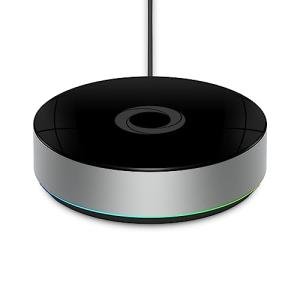
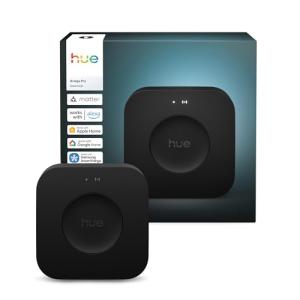
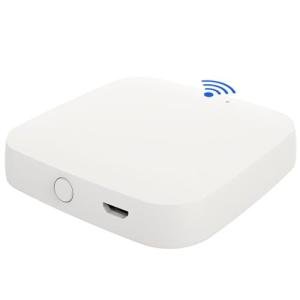
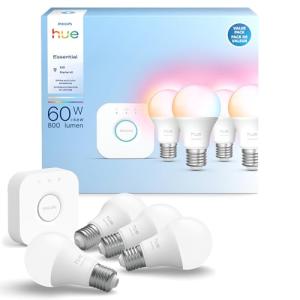
Philips Hue Smart Lighting Kit
Philips Hue
Product Review Score
4.52 out of 5 stars
177 reviews$99.99
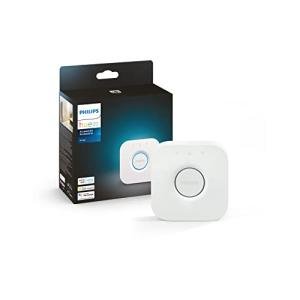
Philips Hue Smart Lighting Hub
Philips Hue
Product Review Score
4.17 out of 5 stars
203 reviews$65.99 $49.99
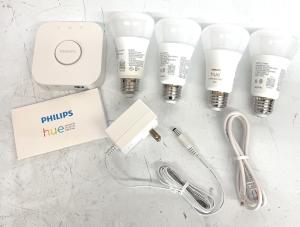
Philips Hue Smart Light Kit
Philips Hue
Product Review Score
4.96 out of 5 stars
118 reviews$124.95
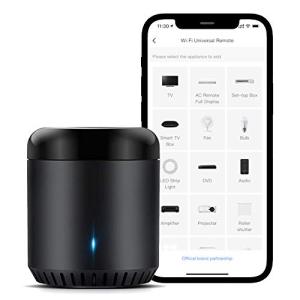
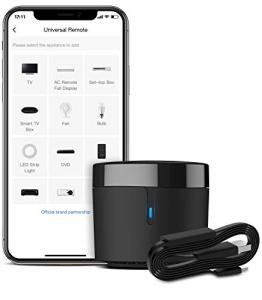
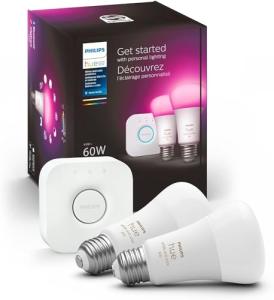
Philips Hue Smart Bulb Kit
Philips Hue
Product Review Score
4.47 out of 5 stars
119 reviews$142.99 $74.95
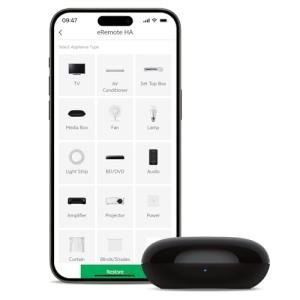
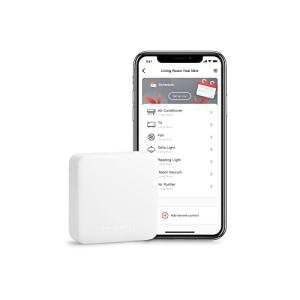
SwitchBot Mini Smart Hub
Switchbot
Product Review Score
4.83 out of 5 stars
75 reviews$39.00 $26.59
💡 Practical Usage Tips
- Placing the central hub in an open, elevated location is vital because RF signals are easily attenuated by metal appliances, aquariums, or dense concrete walls.
- Users should separate their smart home bridge from the main Wi-Fi router by at least three feet to prevent Cross-talk interference on the crowded 2.4GHz spectrum.
- Assigning a static IP address to the bridge within the router's settings helps maintain a consistent connection for third-party integrations and Local API access.
- For infrared blasters, maintaining a clear line of sight to the target appliance is mandatory since these signals cannot penetrate cabinet doors or furniture.
✅ What to Look For & ⚠️ What to Avoid
Must-Have Features:
- A device with Local Processing capabilities ensures that automations continue to run instantly even when the internet connection is lost.
- Hardwired Ethernet ports provide a much more stable network backhaul compared to hubs that rely solely on Wi-Fi connectivity.
- Support for the new Matter Protocol is essential for future-proofing a setup, as seen in the updated Philips Hue Bridge Pro.
- High-gain antennas or the ability to attach external ones can significantly improve the range of the Mesh Network.
Red Flags & Deal-Breakers:
- Hubs that are entirely Cloud-Dependent often introduce frustrating latency, causing delays between pressing a button and the light actually turning on.
- Proprietary radio frequencies that do not interact with standard Zigbee or Z-Wave devices can lock the user into a single brand's expensive ecosystem.
- Devices lacking a dedicated power supply that rely on low-amperage USB ports may suffer from instability during high-traffic network events.
- Subscription models for basic functionality, such as adding more than five devices, can unexpectedly increase the long-term cost of ownership.
🛡️ Build Quality & Performance
The physical construction of a bridge often dictates its long-term reliability and thermal management. Entry-level consumer hubs typically utilize lightweight polycarbonate shells which, while compact, offer minimal shielding against Electromagnetic Interference (EMI). As these devices operate 24/7, heat dissipation becomes a factor; tightly packed internal components in plastic housings can suffer from heat soak, potentially degrading the lifespan of the internal radio modules over time.
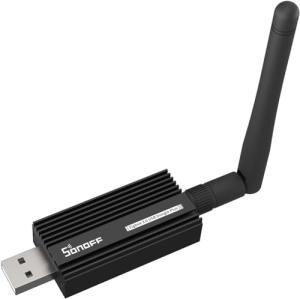
Conversely, enthusiast-grade hardware often prioritizes function over sleek aesthetics. Devices designed for advanced users frequently feature aluminum alloy casings which act as passive heatsinks and provide superior EMI protection. For example, the SONOFF Zigbee 3.0 USB Dongle Plus utilizes a rugged metal housing and an external antenna port, signaling a design philosophy focused on signal integrity and continuous operation rather than blending into living room decor.
🏆 Top Recommendations
| Best For | Model Name | Key Feature | Why It Wins |
|---|---|---|---|
| Versatility | Homey Bridge | Multi-Protocol (Zigbee, Z-Wave, IR) | It connects almost any device regardless of brand or protocol. |
| Lighting | Philips Hue Bridge Pro | Local Processing | It offers rock-solid reliability and instant response times for lights. |
| Advanced/DIY | SONOFF Zigbee 3.0 Dongle | +20dBm Signal Gain | The external antenna provides massive range for large homes. |
| Legacy IR | BroadLink RM4 Mini | HTS2 Sensor Support | It controls old TVs and AC units while monitoring room temperature. |
❓ Frequently Asked Questions
What is the difference between a Hub and a Bridge?
While often used interchangeably, a Bridge typically connects a specific protocol (like Zigbee) to your network, whereas a Hub often centralizes logic and automation for many different device types.
Does Matter replace the need for these devices?
Not entirely; while Matter allows devices to talk to each other, you still need a Thread Border Router or a Matter Controller to manage the network and connect it to the internet.
Why do some bridges require an Ethernet connection?
An Ethernet Backhaul reduces latency and frees up Wi-Fi airtime, ensuring that commands sent to smart bulbs or locks are executed instantly without wireless interference.
Can one bridge control every device in a home?
Generally no; while multi-protocol devices like the Homey Bridge come close, proprietary ecosystems often require their own specific Gateway to translate encrypted signals.