🗺️ The Component Breakdown: Analyzing Product Types for Ergonomic Tools
Building a complete ergonomic environment requires targeting key points of contact: the eyes (monitor), the wrists (keyboard/mouse), and the feet/legs (standing/sitting). We analyze five specialized product types to show you exactly how to construct this layered system.
Upper Body Alignment: Eyes and Wrists
The monitor and keyboard interfaces are the most frequent source of strain. These tools fix those common issues.
-
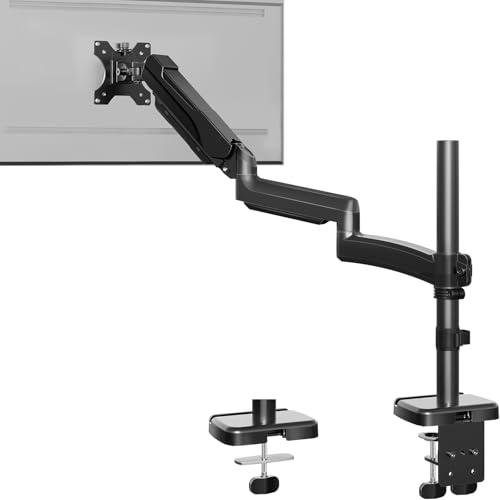
Ergonomic Monitor Arms: These fully articulating arms replace standard monitor stands, allowing you to adjust screen height, depth, and angle with fluid precision. The primary ergonomic goal is to position the top of your monitor screen exactly at or slightly below eye level, which reduces neck strain. An Ergonomic Monitor Arm is essential for maintaining Seamless Control over your visual alignment, regardless of whether you are sitting or standing.
-
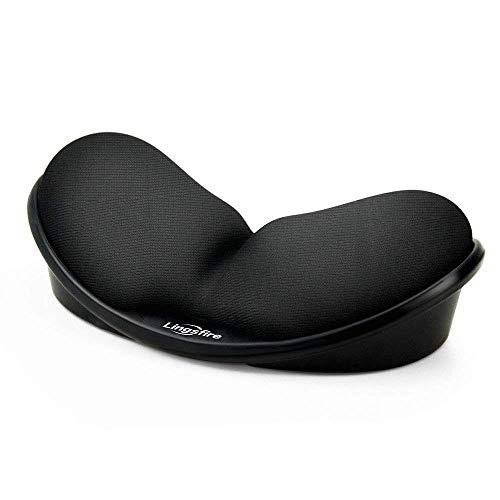
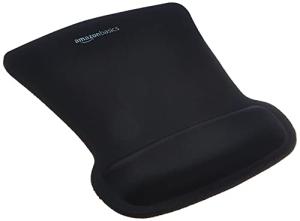
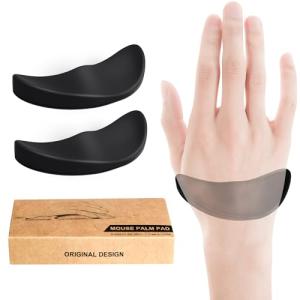
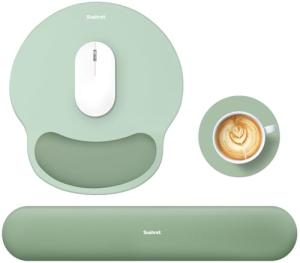
Wrist Rests (for Keyboard/Mouse): Simple yet vital, Wrist Rests maintain a straight line from your elbow through your wrist to your fingers. Proper support prevents pressure on the median nerve (reducing carpal tunnel risk) and minimizes tendon strain. They are a low-cost, high-impact component of your Ergonomic Tools setup, guaranteeing continuous, targeted Enhanced Comfort during heavy typing or mousing tasks.
Lower Body and Dynamic Movement: Circulation and Posture
These components manage how you interact with the floor and the desk surface, crucial for circulation and avoiding static fatigue.
-
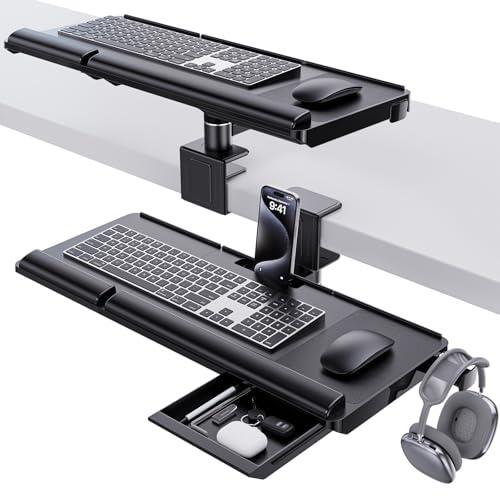
Keyboard Trays (Under-Desk Mounts): By mounting your keyboard and mouse below the desk surface, a Keyboard Tray allows your elbows to naturally rest at a 90-to-110-degree angle while typing. This is the gold standard for proper typing posture, relieving stress on the shoulders and neck. It is a fundamental element of Ergonomic Tools , providing Seamless Control over your typing depth and height.
-
Anti-Fatigue Mats: Designed for users with standing desks, Anti-Fatigue Mats provide a cushioned surface that encourages micro-movements, slightly shifting your weight and posture throughout the day. This reduces strain on your feet, knees, hips, and back, which translates directly to greater stamina and Enhanced Comfort during long standing sessions. These are critical Ergonomic Tools for dynamic work.
Universal Portability and Flexibility
For the hybrid worker, you need a solution that brings ergonomic alignment to any location.
-
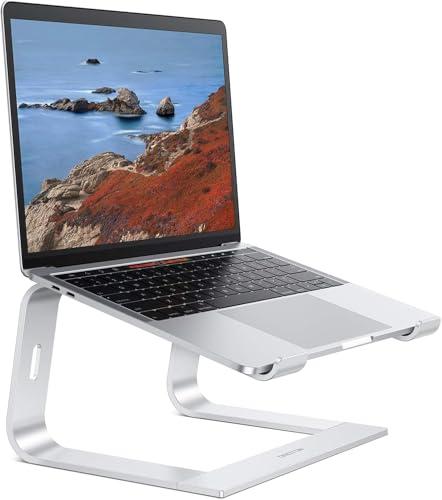
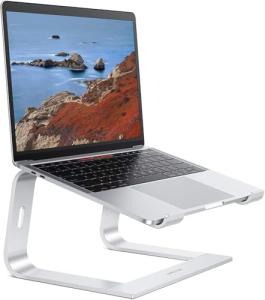
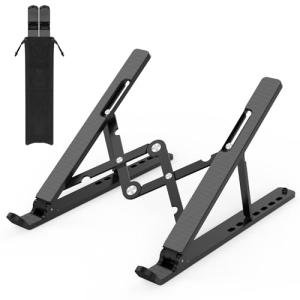
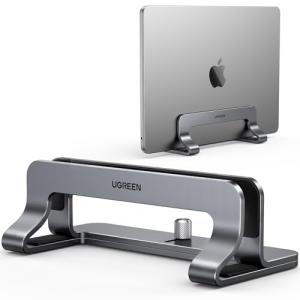
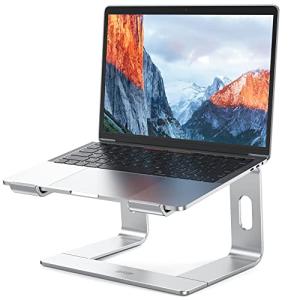
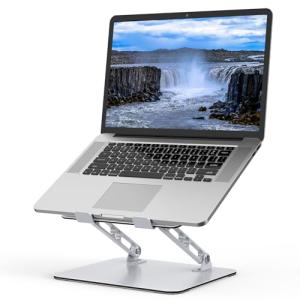
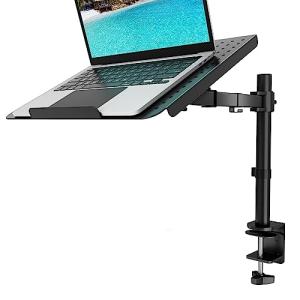
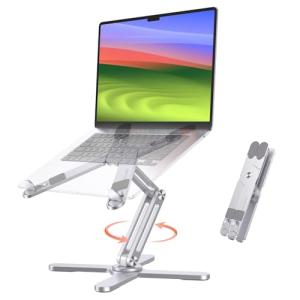
Laptop Stands: When you use a laptop without external peripherals, the screen is too low, forcing you to crane your neck. A Laptop Stand elevates the screen to proper eye level. While it may require an external keyboard/mouse for optimal use, it is the fundamental Ergonomic Tools required for pain-free use of a laptop at home or while traveling. This provides portable Enhanced Comfort wherever your work takes you.
Your complete system should layer components based on contact point: Achieve perfect visual alignment with an Ergonomic Monitor Arm and/or a Laptop Stand . Ensure correct typing posture using a Keyboard Tray and Wrist Rests . Finally, for sit-stand desks, stand on an Anti-Fatigue Mat . This combination provides total Seamless Control over your physical workspace and is the essence of effective Ergonomic Tools .
3. 🧪 Key Technical Standards and Advanced Use Cases
While most Ergonomic Tools are mechanical, the relevant technical standards relate to durability and universal compatibility. Look for VESA Compliance on Ergonomic Monitor Arms ; this ensures your arm will universally fit any standard monitor mounting pattern. For materials, look for high-density foam/gel in Anti-Fatigue Mats and Wrist Rests , as these materials provide sustained support rather than collapsing over time.
The true "Advanced Use Case" lies in the integration of these tools with smart furniture and monitoring technology. Consider this micro-scenario: Optimizing the Home Office Environment for Activity and Health.
You can link the position of your Ergonomic Monitor Arm to a specialized smart sensor (e.g., a simple contact sensor on a height-adjustable desk or an integrated pressure sensor in a chair). When the arm is moved to the high (standing) position, it triggers a time limit. If you remain standing for over two hours, the system can send a subtle alert via your voice assistant to remind you to sit. This process uses subtle Secure Monitoring of your physical position to actively encourage healthy, dynamic posture changes, turning simple Ergonomic Tools into a proactive health system that maintains Seamless Control over your body's rhythm.
This constant, yet passive, Secure Monitoring of your sit/stand transitions provides long-term data for your health tracking, offering valuable insight into when you are most productive and when physical fatigue begins to set in, enhancing your overall Enhanced Comfort .
4. Lifestyle Guide
Your choice of Ergonomic Tools should align with your work style—whether you are fixed at a desk, always moving, or constantly on the go. Here are three distinct archetypes and the perfect system tailored for each.
🧘 The Simplicity-Seeking User (The "Fixed Desk Worker")
You spend most of your eight-hour workday seated at a single location. Your primary focus is on eliminating neck, shoulder, and wrist pain from long, sustained periods of typing and screen viewing. You seek all-day, fundamental Enhanced Comfort .
-
The Fit: You need fixed, high-impact adjustment tools that, once set, require almost no further interaction. You are focused on the primary contact points.
-
Recommendation: An Ergonomic Monitor Arm combined with a high-quality set of Wrist Rests . The monitor arm ensures perfect sight lines, and the wrist rests maintain healthy wrist posture while typing and mousing. This combination of Ergonomic Tools tackles the most common sources of strain for the desk-bound professional.
🚀 The Performance-Focused User (The "Dynamic Sit/Stand Pro")
Your workday is constantly in motion—you transition between sitting and standing every 30-60 minutes. You require every physical component to be instantly adjustable and your lower body needs support during long standing sessions. You demand total Seamless Control over dynamic posture.
-
The Fit: Your system must maximize the vertical and horizontal movement capabilities of your desk while providing specialized support for standing activities.
-
Recommendation: An Ergonomic Monitor Arm (for instant height changes) combined with a Keyboard Tray (for optimal seated angles) and an Anti-Fatigue Mat (for comfortable standing). This comprehensive set of Ergonomic Tools ensures every position is optimized for speed and long-term Enhanced Comfort .
💼 The Budget-Expansion User (The "Hybrid Mobile Worker")
You frequently use a laptop at various locations—a home office desk, the kitchen table, or a co-working space. Your budget is constrained, but you need to achieve basic ergonomic alignment wherever you open your computer. You prioritize portable Enhanced Comfort .
-
The Fit: You need compact, highly portable tools that can be deployed instantly to fix the most egregious ergonomic errors (bad neck angle).
-
Recommendation: A Laptop Stand combined with a set of portable Wrist Rests . The Laptop Stand fixes the poor screen height problem, and the wrist rests ensure you can type safely, even using the laptop's built-in keyboard. This affordable and mobile combination of Ergonomic Tools provides foundational safety and Seamless Control over your work posture, regardless of your location.
5. COMPLEMENTARY CATEGORY RECOMMENDATIONS
| Recommended Categories |
Why This Category Is Useful Specifically for This Product |
Short Usage Scenario |
| Connectivity Office |
Electric standing desks rely on Ergonomic Tools like Monitor Arms and Anti-Fatigue Mats to complete the functional sit-stand cycle, ensuring the proper use of the furniture. |
Raising your electric desk to the standing height and stepping onto your Anti-Fatigue Mat for supported dynamic work. |
| Monitors Displays |
Ergonomic Monitor Arms are necessary to correctly position monitors at eye level, ensuring visual health and Enhanced Comfort . |
Using an Ergonomic Monitor Arm to mount your 4K business monitor to the exact height required for your sitting eye level. |
| Office Seating |
The height and depth of your chair must be perfectly coordinated with Ergonomic Tools like Keyboard Trays to maintain optimal elbow and knee angles. |
Adjusting your office chair height so your forearms are level with your Keyboard Tray for a perfect 90-degree typing angle. |
| Peripherals |
Ergonomic mice and keyboards are best paired with Wrist Rests and Keyboard Trays to maximize the Enhanced Comfort and injury prevention of the input devices. |
Positioning your ergonomic vertical mouse next to a precisely shaped Wrist Rest to maintain neutral wrist alignment. |
| Smart Sensors |
Sensors (contact or motion) can be used to provide Secure Monitoring of your physical activity and prompt you to use your Ergonomic Tools dynamically. |
Placing a sensor on your standing desk to remind you to move off the Anti-Fatigue Mat and sit down after a long standing session. |
| Power Storage |
Laptop Stands often create space to organize USB-C hubs and battery packs, integrating charging and ergonomics for Seamless Control over portable power. |
Using your Laptop Stand to create a stable base for your portable monitor and a hub, managing all cables neatly. |
| Office Lighting |
Proper lighting helps prevent neck strain by ensuring you don't need to lean in to see details, complementing the visual alignment achieved by Ergonomic Monitor Arms . |
Adjusting a desk lamp to illuminate physical documents on the desk without creating glare on the monitor, protecting your eyes and maintaining Enhanced Comfort . |
| Productivity Tools |
Keyboard Trays can provide a dedicated, accessible surface for small productivity tools like smart planners or pens, keeping the main desk clear for core tasks. |
Keeping your smart notepad easily accessible on the surface of your Keyboard Tray while you type notes during a meeting. |
Committing to high-quality Ergonomic Tools is investing in your ability to maintain productivity and health across years of demanding digital work. By meticulously layering components like Ergonomic Monitor Arms , Keyboard Trays , and Anti-Fatigue Mats , you achieve a level of Seamless Control and physical Enhanced Comfort that generic setups cannot match. View these Ergonomic Tools as the ultimate Secure Monitoring system for your body, ensuring you remain fit and focused for every task.