💡 Practical Usage Tips
- Always prioritize kits that include a dedicated external power supply, as running high-torque motors directly from a USB connection can cause voltage drops that reset the microcontroller.
- When working with wireless projects, ensure your chosen board utilizes the ESP32 chipset instead of older 8-bit architectures to handle encryption and data transmission smoothly.
- Utilize the expansion shields provided in these kits to manage complex wiring, which reduces the risk of accidental short circuits common with loose breadboard connections.
✅ What to Look For & ⚠️ What to Avoid
Must-Haves
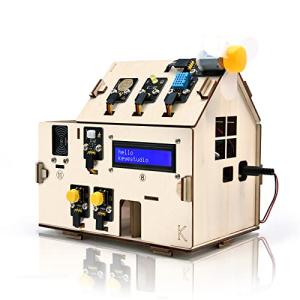
- Look for a dual-core processor if you plan to integrate Wi-Fi or Bluetooth connectivity, as found in the Keyestudio ESP32 Smart Home Starter Kit.
- Ensure the kit offers a high number of digital I/O pins if you intend to run multiple sensors and actuators simultaneously without multiplexing.
- Verify that the kit supports standard open-source libraries, which significantly reduces the time required to write code for basic functions like reading temperature or moving a servo.
Red Flags
- Be cautious of kits that rely solely on laser-cut acrylic for structural components, as this material can be brittle and prone to cracking under the stress of assembly.
- Avoid controllers that lack a regulated power rail if you plan to use PWM for motor control, as electrical noise can interfere with sensor readings.
- Watch out for systems that do not allow for local control protocols like MQTT, as this forces a dependency on external cloud servers for operation.
🛡️ Build Quality & Performance
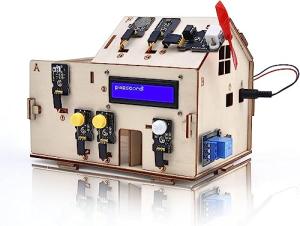
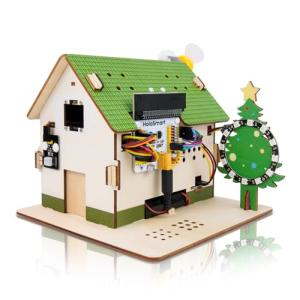
The durability of entry-level automation kits varies significantly depending on the intended use case. Kits designed for pure prototyping often feature bare circuit boards with high-quality solder masking and clear silk-screen labeling, which aids in correct component placement. However, "smart home" simulation kits often include a physical chassis. While wood components offer a sturdy and organic feel, they are susceptible to humidity, whereas acrylic offers a modern look but requires careful handling to prevent fractures during the assembly process.
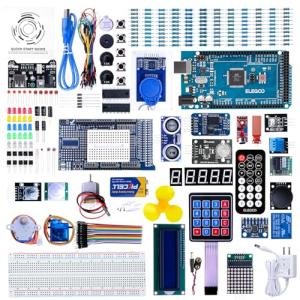
Performance is largely dictated by the central processing unit. Basic 8-bit chips are sufficient for learning logic and simple inputs, but they struggle with multitasking. For users requiring robust performance for extensive sensor arrays, the ELEGOO Mega R3 Ultimate Arduino Starter Kit offers superior input/output capacity and stable clock speeds, making it a reliable choice for larger, more complex installations that go beyond simple educational demonstrations.
🏆 Top Recommendations
| Best For |
Model Name |
Key Feature |
Why It Wins |
| Prototyping |
Elegoo Mega R3 |
54 Digital I/O Pins |
Offers massive expandability for complex projects with many sensors. |
| IoT Projects |
Keyestudio ESP32 |
Dual-Core Wi-Fi/BT |
Handles secure wireless data transmission better than 8-bit alternatives. |
| Local Control |
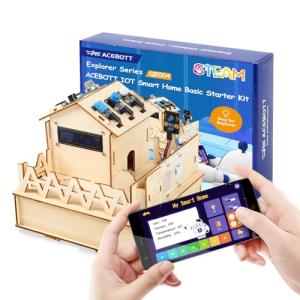
Acebott ESP32 |
Local Web Server |
Perfect for privacy-focused users avoiding external cloud dependencies. |
| STEM Education |
HOLASMART Microbit |
Block-Based Logic |
Simplifies the learning curve for younger students or absolute beginners. |
❓ Frequently Asked Questions
Do I need to know how to solder to use these kits?
Generally, no. Most entry-level kits utilize breadboards, jumper wires, or specialized shield headers that allow you to connect components securely without any permanent soldering.
Can these kits connect to my home Wi-Fi?
It depends on the chipset. Kits based on the ESP32 architecture connect natively to Wi-Fi, while standard Arduino Uno or Mega based kits usually require an additional external module to access wireless networks.
Why does my board reset when the motors start moving?
This is usually a power issue. Motors draw a significant amount of current when they start up, which can drain the power available to the processor; using the included external power adapter usually solves this problem.