Modern internet speeds have evolved rapidly, making a reliable DOCSIS 3.1 modem an essential foundation for any home network. These devices act as the bridge between a service provider and a personal router, ensuring that high-speed data arrives without lag or interruptions. This guide explores the best hardware options to maximize performance and future-proof a digital setup.
DOCSIS 3.1+ Modems
Experience lightning-fast internet speeds and seamless connectivity with our top-rated DOCSIS 3.1+ modems designed for your home network
Product List
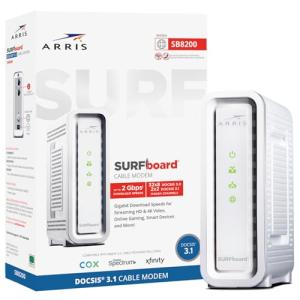
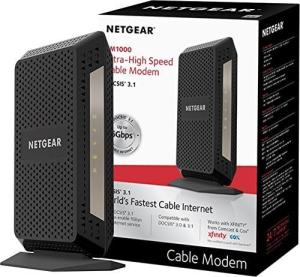
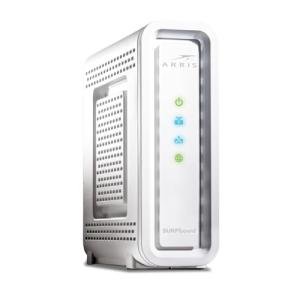
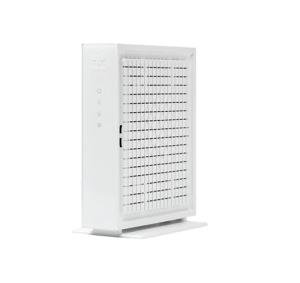
ARRIS SB6190 Gigabit Modem
Commscope
Product Review Score
4.63 out of 5 stars
199 reviews$25.99 $22.08
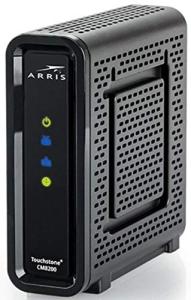
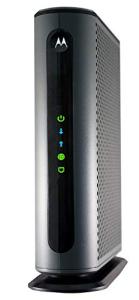
Motorola Gigabit Cable Modem
Motorola
Product Review Score
4.98 out of 5 stars
28 reviews$199.99 $160.00
💡 Practical Usage Tips
- It is vital to place the modem in a well-ventilated area because these high-performance units generate significant heat during heavy data transfers.
- Always connect the modem directly to the primary cable line entering the home to avoid signal degradation caused by unnecessary splitters.
- Users should perform a full power cycle by unplugging the device for sixty seconds whenever the internet service provider updates the local network speeds.
- Check the service provider's certified device list before purchasing to ensure the hardware is fully compatible with specific regional speed tiers.
✅ What to Look For & ⚠️ What to Avoid
MUST-HAVES:
- Look for a Broadcom BCM3390 chipset because it offers superior stability and lower latency compared to older silicon designs.
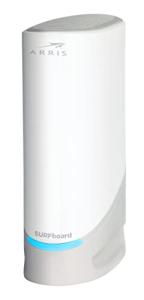
- Models with a 2.5 Gbps Ethernet port, such as the Arris Surfboard S33, are ideal for those who subscribe to multi-gigabit internet plans.
- Ensure the device supports OFDM/OFDMA channels, which are the technical backbone of the DOCSIS 3.1 standard and help manage network congestion.
RED FLAGS:
- Avoid modems utilizing the Intel Puma 6 chipset, as this hardware is known for causing intermittent lag spikes and packet loss during gaming or video calls.
- Be wary of "All-in-One" modem-router combos if modularity is a priority, as the entire unit must be replaced if either the modem standard or the Wi-Fi technology becomes outdated.
- Steer clear of units that lack sufficient ventilation holes, as thermal throttling can significantly reduce internet speeds during periods of high demand.
🛡️ Build Quality & Performance
The physical construction of modern modems often dictates their long-term reliability. Leading manufacturers have moved toward vertical tower designs that take advantage of natural airflow. This orientation allows heat to rise and escape through vented panels, protecting the sensitive internal processors. For instance, the Motorola MB8600 features a rugged chassis with a substantial internal heat sink, which helps maintain steady performance even when the network is under a heavy load.
Performance is not just about raw speed but also about the quality of the connection. High-quality builds focus on reducing Jitter and Bufferbloat, ensuring that data packets arrive in a consistent stream. This consistency is particularly important for activities like online gaming and high-definition video conferencing, where even a split-second delay can be disruptive. Selecting a modem with a proven track record for signal "cleanliness" ensures a much smoother online experience.
🏆 Top Recommendations
| Best For | Model Name | Key Feature | Why It Wins |
|---|---|---|---|
| Ultra-High Speed | Arris S33 | 2.5 Gbps Port | Compact and future-proof. |
| Stable Latency | Netgear CM1000 | Broadcom Chipset | Excellent jitter resistance. |
| Wired Expansion | Motorola MB8600 | 4 LAN Ports | Supports Link Aggregation. |
| Value Multi-Gig | Hitron CODA56 | Puma 7 Silicon | Affordable 2.5G handoff. |
❓ Frequently Asked Questions
Will a DOCSIS 3.1 modem work with an older 3.0 connection?
Yes, these modems are backward compatible and will work on older networks, often providing a more stable connection even if the maximum speeds are not yet available in the area.
Does a modem provide Wi-Fi on its own?
Most dedicated modems are "bridge" devices, meaning they do not have built-in Wi-Fi. A separate wireless router must be connected to the modem's Ethernet port to broadcast a signal throughout the home.
What is Link Aggregation?
Link Aggregation allows the use of two Ethernet ports simultaneously to combine their speeds. This is useful for internet plans faster than 1Gbps if the modem does not have a single 2.5Gbps port.