🛰️ PRODUCT REVIEW: Wyze Smart Sprinkler Timer with WiFi Control
In-Depth U.S. Market Review
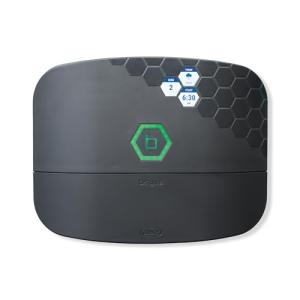
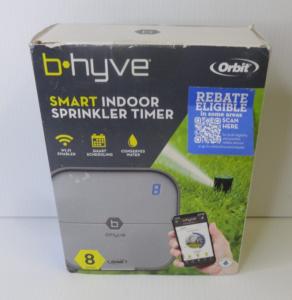
The Wyze Smart Sprinkler Timer with WiFi Control enters the U.S. market squarely as a budget smart sprinkler controller with a compelling value proposition. Wyze is a brand known for disrupting the smart home space by offering high-tech features—especially those tied to its excellent app experience—at an incredibly low price. This 8-zone controller targets the cost-conscious homeowner who wants reliable, connected irrigation without the premium price tag of established brands.
Its niche is providing a fully featured 8-zone controller at an entry-level price point, making smart irrigation accessible to a much broader audience of DIYers and small- to medium-yard homeowners. It leverages Wyze's mature, unified app ecosystem, which is a major benefit for existing Wyze users who want to manage their cameras, lights, and irrigation from a single platform.
Compared to high-end systems, the Wyze Smart Sprinkler Timer may rely on less sophisticated weather modeling and fewer third-party integrations (like HomeKit). However, for the overwhelming majority of U.S. residential users, it provides more than enough smart watering features for rain delays, seasonal adjustments, and remote control, all within a familiar, easy-to-use app. It’s an ideal product for a smart home garden setup on a budget.
Technical Analysis
| Specification | Detail & U.S. Context | Analysis |
| Zone Capacity | 8 Zones, accommodating most standard suburban lawn layouts and providing ample room for future garden expansion. | A sweet spot for residential use. Ensures versatility for managing distinct watering needs across different parts of the yard. |
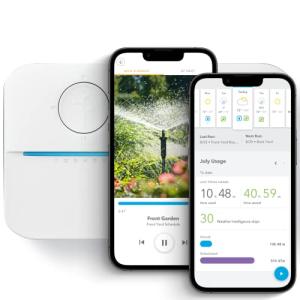
| Wyze Ecosystem | Operates entirely within the unified Wyze app, sharing a consistent interface with Wyze cameras, locks, and lighting products. | A huge advantage for existing Wyze users. Simplifies the smart home experience by eliminating the need for a separate irrigation app. |
| Weather Integration | Uses local weather data to calculate rain skips, wind skips, and freeze skips. Also supports automatic Seasonal Adjustments. | Provides essential smart features for water conservation and protection against equipment damage, making it a truly smart device. |
| Wiring and Power | Standard 24V AC power input (with included transformer) and clearly labeled, simple wire terminals for easy, DIY zone installation. | Designed to be a direct, simple replacement for nearly any existing U.S. irrigation timer, minimizing installation complexity. |
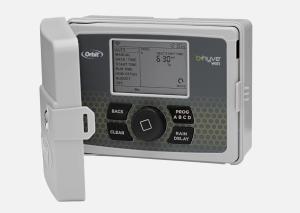
| Control Interface | Minimalist physical interface, relying almost entirely on the mobile app for scheduling. Features a simple, modern look for garage or utility room mounting. | Keeps the hardware cost low and the design clean. The app provides a richer, more intuitive scheduling experience than physical buttons. |
| Advanced Scheduling | Supports fixed-schedule watering, but also allows for Smart Schedules where the system automatically calculates the optimum run time based on weather. | Gives the user the choice between reliable, fixed timing and intelligent, adaptive watering cycles, appealing to both conservative and tech-forward users. |
1. Seamless Integration within the Wyze App
The strongest technical asset of the Wyze Smart Sprinkler Timer with WiFi Control is its position within the vast Wyze ecosystem. If you already use Wyze cameras or smart plugs, this controller slots right in, leveraging a stable cloud infrastructure and a unified user experience.
This unified app management means you can quickly check your sprinkler status right next to your security camera feed or use the same voice assistant commands you use for your other Wyze devices. The convenience of a single app for most home devices is a significant technical advantage.
2. Core Smart Watering Functionality
The Wyze controller delivers essential, reliable smart watering. It connects to the internet to monitor local weather conditions for rain, wind, and freezing temperatures. The Freeze Skip feature, in particular, prevents unnecessary watering and protects your pipes in cold-weather states.
The Smart Schedule feature goes beyond simple fixed-time watering by factoring in various conditions to decide on the optimum run time, ensuring you are not overwatering during cooler, humid days. This is the core water-saving technology that justifies the "smart" designation.
3. Simplicity in Hardware and Installation
True to the Wyze brand, the hardware is designed to be as simple and cost-effective as possible. The unit is compact and mounts easily in a garage or utility room. The wiring process is color-coded and clearly labeled, significantly reducing the chance of error for the first-time installer.
The unit’s reliability and focus on core features, rather than complex auxiliary ports, make it a robust and dependable choice for the average homeowner looking for a straightforward, inexpensive irrigation upgrade.
User Profiles
1. The Wyze Ecosystem User
You already own multiple Wyze products, from cameras to smart plugs, and prioritize the convenience of a single app and unified interface for all your smart devices.
-
Use Case: You need an 8-zone controller that you can manage directly alongside your security system. You want to quickly check the watering status without having to open a completely separate app with a different login and interface.
-
The Fit: The Wyze Smart Sprinkler Timer is the perfect addition. The seamless integration into the familiar Wyze app and the established cloud infrastructure provide the convenience and reliability you demand from your integrated smart home.
2. The Budget-Conscious Upgrader
You have an outdated, manual controller and a standard 6-zone lawn. You know you're wasting water but cannot justify the high price tag of the premium smart controllers.
-
Use Case: You need a reliable, 8-zone smart timer that can provide essential rain delays and seasonal adjustments to save money on your water bill. You want the remote control feature without spending over $100 for the hardware.
-
The Fit: Wyze offers the best feature-to-price ratio in the smart irrigation market. It provides all the necessary water-saving features and remote accessibility without forcing you to buy into an expensive, feature-overloaded system you don't need.
3. The New Renter with a Small Yard
You are renting a property with an existing wired irrigation system. You want to set up an efficient, modern watering schedule that you can easily take with you when you move, without spending heavily on hardware you'll leave behind.
-
Use Case: You need a controller that is incredibly easy to install and uninstall. You want to ensure the landlord's landscaping stays healthy without you manually adjusting a dial every time it rains.
-
The Fit: The Wyze controller's low cost and ease of installation make it a highly disposable and portable piece of hardware. The app's simplicity ensures you can set up a basic, smart schedule and then monitor it without any fuss.
"Complementary HomeTechCorner Category Recommendations"
| Recommended Products | Why This Category Is Useful Specifically for This Product | Short Usage Scenario |
| Indoor Security Cams Ptz Static | Wyze is known for its cameras, and one can be used to monitor the output of the sprinkler system for leaks or misaligned heads. | You set a Wyze Cam to monitor Zone 4; the Wyze app notifies you of a leak based on unusual movement, allowing you to pause the sprinkler timer remotely. |
| Smart Power Strips | A smart power strip with surge protection can ensure the Wyze controller is protected from electrical issues and can be remotely power-cycled if the Wi-Fi connection hangs. | You can't connect to the Wyze Sprinkler Timer; you remotely cycle the power to the unit using the Wyze smart power strip until it reconnects without having to go to the garage. |
| Wireless Programmable Buttons | A simple button can be used to trigger a favorite scene in the Wyze app, like a 5-minute manual "touch-up" cycle on the front lawn. | As you are leaving for the morning, you press a dedicated Wyze button near the garage to activate a quick, pre-set 'test run' zone on the Wyze Sprinkler Timer. |
| Networking Gear | Because Wyze relies heavily on 2.4 GHz Wi-Fi, a robust mesh system or a dedicated repeater is essential for garage or outdoor installations. | The Wyze app is reporting connection issues; you install a simple Wi-Fi extender in the garage to ensure the sprinkler timer maintains a constant, stable link for weather data. |
| Smart Lighting | You can link the Wyze Sprinkler Timer to Wyze smart lights, creating an automation that illuminates the yard when a scheduled watering event is running. | The evening watering starts; the Wyze controller triggers your Wyze outdoor floodlights to turn on at 20% brightness, making it easy to see if any heads are spraying incorrectly. |