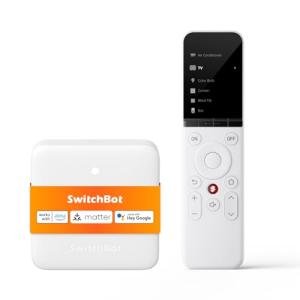
PRODUCT REVIEW: SofaBaton U2 Smart Universal Remote Control
In-Depth U.S. Market Review
The SofaBaton U2 Smart Universal Remote Control is a top-tier contender in the U.S. market for consolidating A/V device control. It is perfectly pitched for the consumer who has migrated from simple, all-in-one TVs to multi-component setups—a TV, a soundbar or receiver, and one or two streaming devices. This model is a popular choice because it drastically simplifies the process of setting up a universal remote by leveraging a powerful smartphone app and a comprehensive, cloud-based code library.
Its market appeal is rooted in its ability to offer the advanced "Activity" (macro) control found in much more expensive systems, but at a mid-range price point. It aims to completely eliminate the common "remote pile" on the coffee table. The USB-C rechargeable battery is a significant modern convenience that adds to the device's overall value and user-friendly positioning as a powerful budget universal remote choice .
Compared to traditional universal remotes that rely on frustrating manual code entry, the U2's app-driven approach is a usability breakthrough. While it primarily relies on line-of-sight IR (with some Bluetooth capability), it manages up to 15 devices and provides full customization of button assignments, making it an excellent solution for the majority of U.S. living rooms.
Technical Analysis
| Specification | Detail & U.S. Context | Analysis |
| Connectivity | Infrared (IR) Blasting, IR Learning, and Bluetooth (BT) | Utilizes a robust combination to communicate with virtually all existing A/V equipment and pair with popular BT-enabled streaming boxes. |
| Device Capacity | Control over 15 Distinct A/V Components | Sufficient capacity for complex home theater setups, supporting all major entertainment elements in the typical American home. |
| Setup Interface | Dedicated Smartphone App (for iOS and Android) | The app simplifies device discovery and code input, eliminating the need for tedious on-screen or manual code programming. |
| Custom Actions | One-Touch "Activity" (Macro) Programming | Allows users to create multi-step commands (e.g., turn on TV, switch input, power on soundbar) on a single button press. |
| Fixed Control | Lock Volume/Channel to Specific Devices | A critical feature that lets you dedicate the volume controls to your soundbar/receiver, regardless of which device is currently being controlled. |
| Rechargeable Battery | Built-in Lithium with USB-C Charging | High-value, modern convenience that removes the hassle and cost of constantly purchasing and replacing disposable AA/AAA batteries. |
1. Simplified App-Based Device Integration
The main technical benefit of the SofaBaton U2 is how easily it integrates multiple devices. Instead of cycling through dozens of codes, the companion app allows you to search for your TV, soundbar, or Blu-ray player by manufacturer and model name. The remote is then provisioned with the correct codes directly, often in seconds.
This process is further enhanced by the IR Learning capability. If you have an older or lesser-known device not in the database, you can simply point the original remote at the U2 to teach it the specific commands—ensuring truly universal control for up to 15 devices.
2. Power of the Custom Activity Macro
The Activity feature is what elevates the U2 from a simple universal remote to a core component of your entertainment system. You can define a sequence of events—a macro—that is triggered by a single button press. For example, "Start Streaming" can execute three power-on commands and two input-switching commands across three different devices.
The app provides a clear, guided interface for setting up these complex sequences, making high-end automation features accessible to the casual user. This makes operating a multi-component system simple and reduces the chance of input errors.
3. Ergonomics and Modern Power Solution
The physical design of the U2 is comfortable, fitting well in the hand, and featuring a logical, full button layout that is easy to memorize. This makes it a great choice for home office use or primary living rooms alike.
The switch to a USB-C rechargeable battery is a major factor in its user appeal. It's a key convenience that ensures the remote is always ready to go and saves money on battery purchases over the product's lifespan. You just plug it into the same kind of charger you use for your phone or tablet for a quick top-up.
User Profiles
1. The Home Entertainment Juggler
You own a slightly older but quality A/V receiver, a 4K Smart TV, and a couple of different game consoles and streaming boxes. You have multiple people in the house who need to operate the system, and they often get confused.
-
Use Case: Your kids want to play Xbox, your partner wants to watch Hulu on the Apple TV, and you need a consistent way to control the volume on the complex A/V receiver, regardless of which component is active.
-
The Fit: The U2's Activity feature simplifies control by creating distinct modes like "Watch TV" and "Play Xbox." The locked volume control ensures the receiver's volume is always accessible, making it foolproof for the entire family.
2. The Tech-Conscious Traveler
While not primarily a travel remote, you appreciate its portability and ability to quickly set up in temporary locations (like a vacation rental or RV) where you bring your own media devices.
-
Use Case: You are staying in a vacation rental with a mediocre, old TV and a complex sound system. You brought your own Roku stick and want one remote to control the TV's power, the Roku's interface, and the rental's soundbar.
-
The Fit: The easy, app-based setup allows you to quickly program the U2 for the rental's specific equipment, and the rechargeable battery means you don't have to carry spare batteries, making it the best portable remote for travel .
3. The Minimalist Desk Setup User
You are setting up a clean, multi-monitor or media-focused home office where you use a TV as a monitor and have a dedicated sound system. You want to control all of it from a single, modern device.
-
Use Case: When you switch from work to a movie, you need to quickly power down your work PC and power up the TV and external speakers using a single controller, keeping your desk clutter-free.
-
The Fit: The U2's single-device consolidation is perfect for the minimalist. Its Activity feature lets you switch context effortlessly, and the USB-C charging ensures there are no ugly battery doors or replacement hassles.
"Complementary HomeTechCorner Category Recommendations"
| Recommended Products | Why This Category Is Useful Specifically for This Product | Short Usage Scenario |
| Smart Displays | The U2 controls the viewing experience, but a secondary smart display can provide glanceable info and hands-free control of your smart home. | You’re deep into a movie controlled by the U2, and you ask your smart display to quietly check the cooking time on your smart oven without touching the remote. |
| Usb C Hubs | The USB-C charging on the U2 is a major convenience; a dedicated hub on your media console keeps all your chargeable accessories organized. | You see the remote needs a charge, so you simply place it on the dedicated charging pad or plug it into the high-speed USB-C hub built into your media center. |
| Smart Power Strips | A single remote controlling up to 15 devices deserves a single, organized, and protected power source for all those components. | You can program an "All Off" macro on the U2 that is followed by the main power switch on the smart power strip to ensure all your devices truly turn off. |
| Universal Smart Remotes 283 | While the U2 is excellent for A/V, you might want a simpler, wall-mounted button to execute common U2 Activities for quick-touch control. | Your partner wants to listen to music; instead of using the U2, they just press a wireless programmable button on the wall that executes the "Play Music" Activity. |
| Cable Management For Entertainment Centers | Controlling all your devices is great, but hiding the associated wires ensures the final aesthetic is as clean as the control experience. | After setting up the final Activity on the U2, you use the afternoon to loop and secure all the cables between your TV, receiver, and soundbar for a professional look. |