🔌 Choosing Your System: Key Features and Compatibility
Essential Variations
When selecting your device, you will encounter two main structural variations and one critical size difference. Understanding these will ensure your chosen Smart / Wi-Fi Air Fryers fits your US lifestyle perfectly.
-
Basket vs. Oven Style:
-
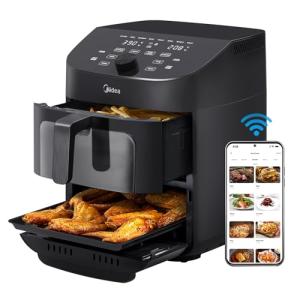
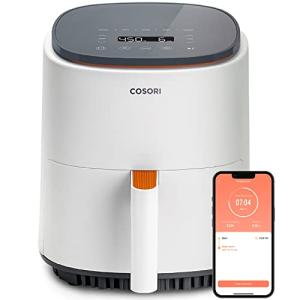
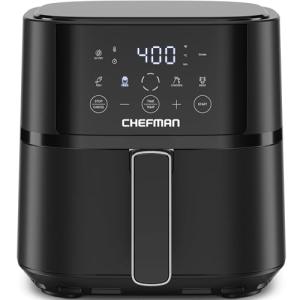
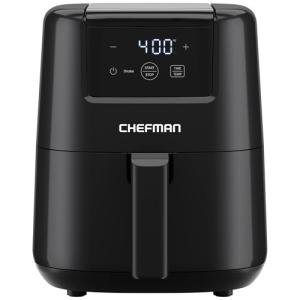
Basket Style: The most common. It features a pull-out drawer (basket) where food is placed. Pros: Excellent for shaking and turning food for even crisping, more compact footprint. Cons: Limited capacity, making it challenging for large families.
-
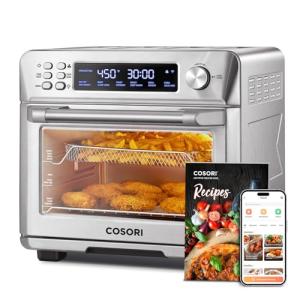
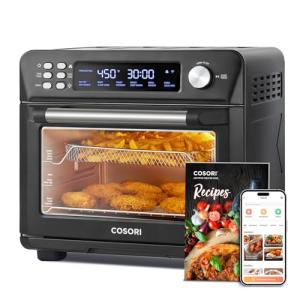
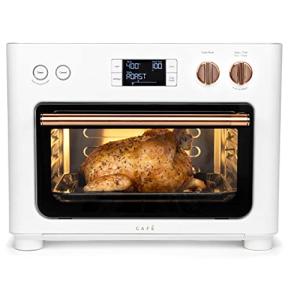
Oven Style (Toaster Oven Hybrids): Features a drop-down door and multiple racks. Pros: Higher capacity (great for a family in a suburban Texas home hosting a small party), can handle multiple dishes at once, often includes more functions like toasting or rotisserie. Cons: Larger, takes up more counter space.
-
Single vs. Dual Zone:
-
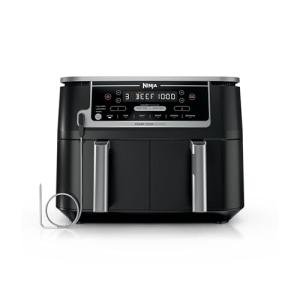
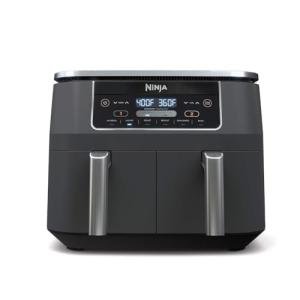
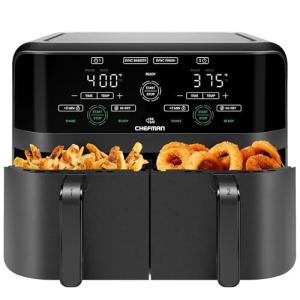
Dual Zone: Highly prized for its ability to sync two different foods, with different cook times and temperatures, to finish simultaneously. This is the ultimate time-saver for a busy professional couple in a high-rise Chicago apartment. Pros: Unmatched cooking efficiency and coordination. Cons: Higher price point, slightly larger than a single-zone unit.
Choosing a larger Dual Zone Smart / Wi-Fi Air Fryers provides better flexibility and allows for greater Energy Efficiency by consolidating your cooking needs.
Compatibility Protocols
The term "Smart" is defined by its ability to integrate, and your Smart / Wi-Fi Air Fryers is no exception. For seamless operation, you need robust connectivity.
-
Wi-Fi (2.4 GHz): This is the mandatory, primary standard for all Smart / Wi-Fi Air Fryers . The 2.4 GHz band is preferred because its longer wavelength is better at penetrating walls and distance, which is critical if your kitchen is far from your router. Always ensure you have a strong, consistent signal in your installation location.
-
Matter/Thread: While not yet universally adopted, newer premium models are beginning to support the Matter standard over a Thread network. This is the future of smart home integration, guaranteeing seamless setup and local control (even if the internet is down) with systems like Apple Home, Google Home, and Amazon Alexa.
-
Voice Assistant Integration: Look for explicit support for the voice assistant ecosystem you already use (Alexa, Google Assistant). This allows for hands-free control, such as "Alexa, start the air fryer preheat," which is invaluable when your hands are covered in food prep. The convenience of Remote Access is amplified by voice commands.
🛠️ Installation and Setup Walkthrough
Pre-Installation
Your prep work is minimal but crucial to ensure reliable 24/7 Monitoring and control.
-
Check Your Wi-Fi Signal: Before unboxing, use your smartphone to check the Wi-Fi signal strength on the exact counter space where the air fryer will live. You need a reliable connection to support Remote Access and firmware updates. If the signal is poor, consider a Wi-Fi mesh extender.
-
Confirm Power: Air fryers draw significant power. Ensure the outlet you plan to use is not shared with other high-power appliances (like a microwave or toaster) to avoid tripping a circuit breaker.
-
Clear Space: Due to the intense heat and exhaust, position your Smart / Wi-Fi Air Fryers with at least six inches of clear space around the back and sides. Do not place it directly underneath wooden cabinets that could be damaged by heat or steam.
Installation Guide
Setting up your Smart / Wi-Fi Air Fryers is straightforward, bridging the physical and digital worlds.
-
Physical Placement: Place the air fryer on a stable, heat-resistant surface, ensuring adequate ventilation space as discussed above.
-
Power On and Wi-Fi Mode: Plug the unit in. The digital display will typically prompt you to enter setup mode. If not, consult the manual for the "pairing" button sequence.
-
App Download and Account: Download the manufacturer's dedicated smart app (e.g., Cosori, Ninja, Instant Pot app). Create an account, which is necessary for the cloud-based Remote Access features.
-
Pairing: In the app, select "Add Device," choose your model, and follow the on-screen prompts. You will connect the air fryer to your home’s 2.4 GHz Wi-Fi network by entering your password. The app will confirm successful pairing and confirm your ability to perform 24/7 Monitoring .
-
Initial Run: Perform a quick test run (often called a "burn-in") as per the manufacturer's instructions. This validates the connection and prepares the cooking chamber for food.
Troubleshooting
Even the best smart tech can hit minor snags. Here are three common issues for Smart / Wi-Fi Air Fryers and their quick fixes.
4. Advanced Automation and Maximizing Value
Maximizing the utility of your Smart / Wi-Fi Air Fryers involves moving beyond simple Remote Access to true home automation. This is where your investment truly pays off.
Automation Scenarios
-
The "Work Commute" Dinner Prep: Imagine you are leaving your office in a downtown New York high-rise. You can use your smart home routine to trigger the cooking process. Create a geo-fencing automation: "When the user's phone is 15 minutes away from home, trigger Smart / Wi-Fi Air Fryers to start preheating for 400°F." By the time you walk in the door, your appliance is ready for the food you prepped that morning, eliminating idle preheat time and optimizing Energy Efficiency .
-
The Hands-Free Sensor Prompt: For the ultimate hands-free experience, integrate a multi-protocol hub with an environmental sensor. Set a rule: "If the adjacent Smart / Wi-Fi Air Fryers reaches a temperature of 250°F and the kitchen Air Purifier is off, trigger the Air Purifier to run on medium speed." This ensures clean air quality automatically, preventing your unit's exhaust from lingering throughout your open-concept Florida home.
-
The Delayed Cook Start: You want a batch of air-fried wings ready exactly at 7:00 PM. Use the scheduling feature in your smart appliance app. By utilizing the app’s internal clock and 24/7 Monitoring capabilities, you can load the food at 4:00 PM and schedule the start time for 6:30 PM. This is far more practical and reliable than relying on an external smart plug.
Longevity & Maintenance
Protecting your investment in a Smart / Wi-Fi Air Fryers requires a focus on both physical and digital upkeep.
-
Firmware Updates: Always allow and install firmware updates immediately. These updates are vital for security, new features (like digital recipes), and improving Energy Efficiency . Your Remote Access and stability rely on the software being current.
-
Basket Cleaning: Regular, thorough cleaning of the basket and tray is non-negotiable. Burnt-on grease or food particles not only create smoke but also impact the unit’s performance and energy use. Most components are dishwasher safe.
-
Cloud Service Stability: Occasionally, cloud services that enable 24/7 Monitoring can experience outages. If your app is not connecting, confirm if the issue is local (your Wi-Fi) or external (the manufacturer's server) before troubleshooting the unit itself.
5. COMPLEMENTARY CATEGORY RECOMMENDATIONS
| Recommended Categories |
Why This Category Is Useful Specifically for This Product |
Short Usage Scenario |
| Voice Assistants |
Provides hands-free control, making it safer and more convenient to control a hot appliance while cooking. |
"Hey Google, start the Smart Air Fryer chicken recipe." |
| Smart Displays |
Offers a visual interface to see the remaining cooking time without needing to pull out your phone or go to the kitchen. |
Monitor the Smart / Wi-Fi Air Fryers cook timer from a display on your desk in the next room. |
| Networking Gear |
A strong, reliable Wi-Fi mesh network is essential for the continuous, uninterrupted Remote Access and 24/7 Monitoring features. |
Upgrade to a Wi-Fi 6 mesh system to ensure a stable connection in the far corners of your kitchen. |
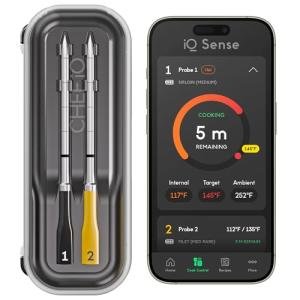
| Smart Meat Thermometers |
Allows for precise internal temperature monitoring, linking the final safety data directly to your air fryer's cooking process via its smart app. |
Insert the smart thermometer, start the cook remotely, and get an alert when the internal temperature hits 16 5 ∘ F . |
| Air Purifiers |
The air fryer can sometimes produce smoke or cooking odors; a linked smart air purifier can automatically activate to maintain air quality. |
Automatically turn on the air purifier's high setting when the Smart / Wi-Fi Air Fryers begins cooking at 40 0 ∘ F . |
| Central Hubs |
A dedicated hub, especially one supporting Matter, can consolidate control and enable complex, multi-device automations. |
Use a hub to create a single "Dinner Time" scene that starts the air fryer, dims the kitchen lights, and plays a podcast. |
| Energy Monitoring Smart Plugs |
Allows you to measure the exact power consumption of your Smart / Wi-Fi Air Fryers , confirming its Energy Efficiency for different recipes. |
Track daily energy usage to compare the cost of using the air fryer versus your full-sized oven. |
6. CONCLUSION
The Smart / Wi-Fi Air Fryers is more than just another kitchen gadget; it is a true smart appliance that delivers convenience, precision, and greater Energy Efficiency to your daily routine. By embracing Remote Access and utilizing its 24/7 Monitoring capabilities, you are no longer tethered to your kitchen. You gain the confidence that your meal preparation is being handled reliably, whether you are across the room or across town. Choose the right size and features, establish a strong Wi-Fi connection, and start exploring the powerful automation possibilities. Your upgrade to smart cooking is an investment in a simpler, faster, and more delicious modern lifestyle.