🗺️ The Component Breakdown: Analyzing Product Types for Office Seating
Building an effective ergonomic workstation requires a strategic selection of seating components tailored to your body and your work style. Within the Office Seating segment, we break down five specialized product types to show you exactly how to construct a supportive and high-performance system.
Primary Support: The Core Chair
The main chair is the single most important factor in your workspace setup. Your choice here dictates the level of support and adjustability you will experience daily.
-
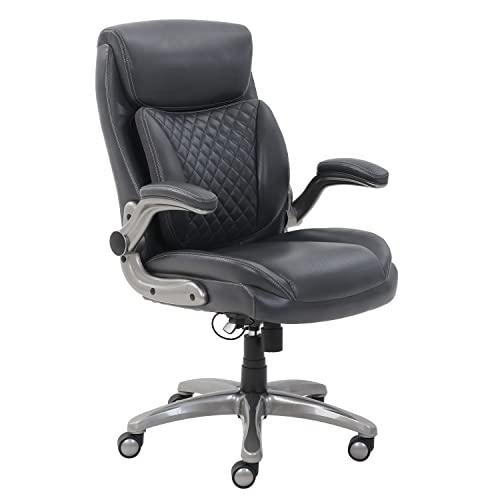
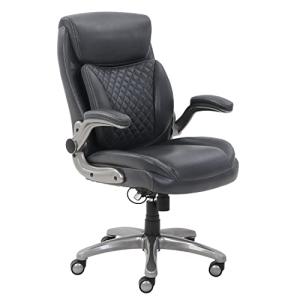
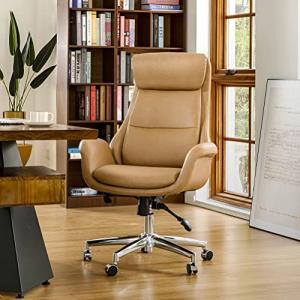
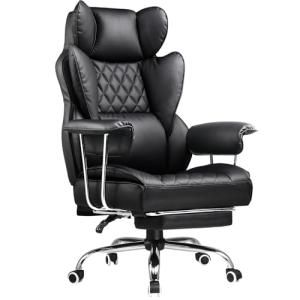
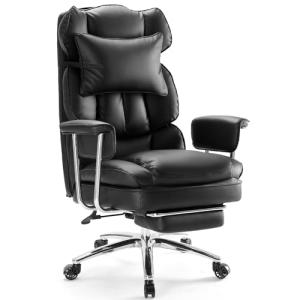
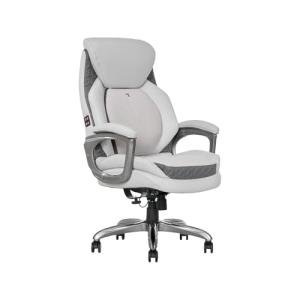
Ergonomic Executive Chairs: These chairs represent the pinnacle of Office Seating . They typically offer the deepest cushioning, highest back support (often including headrests), and the most robust adjustment mechanisms (lumbar tension, tilt lock, adjustable armrests). They are ideal for users spending extensive, unbroken time seated, ensuring premium Enhanced Comfort throughout long working days.
-
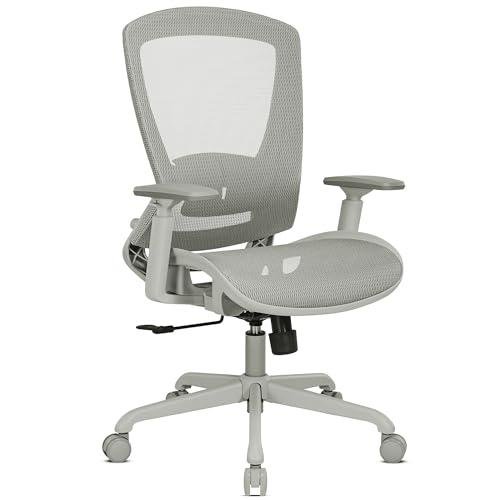
Mesh Office Chairs: Offering a distinct advantage over heavily padded chairs, mesh provides superior breathability, a critical factor for maintaining Enhanced Comfort during warmer months or in environments without centralized air conditioning. Mesh chairs conform dynamically to your body's shape and still offer robust ergonomic features, including adjustable lumbar support, making them a superb option for achieving effective Seamless Control over your workspace climate and posture.
Dynamic Movement: Breaking the Mold
Modern ergonomics dictates that you should not be fixed in a single position. These components introduce necessary motion and flexibility.
-
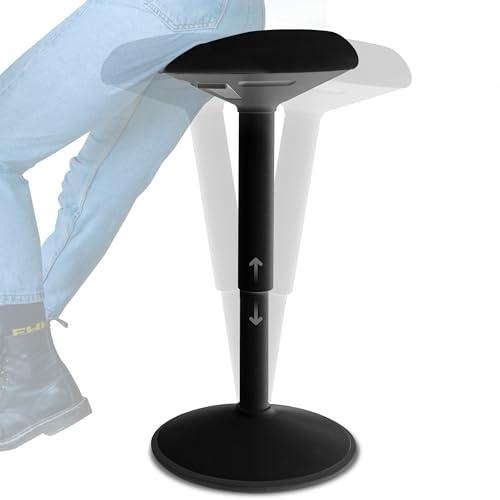
Standing Desk Stools: These specialized seating options are designed specifically for use with a standing desk. They facilitate 'perching,' which allows you to rest while still engaging your core and maintaining an open hip angle. This provides a dynamic alternative to sitting, encouraging micro-movements and reducing static fatigue. They are essential for users seeking true Seamless Control over their sit-stand routine, ensuring that your Office Seating supports movement, not just stillness.
Precision Tuning: Optimizing the Details
The success of your seating setup often lies in the details—the components that provide the final, custom fit.
-
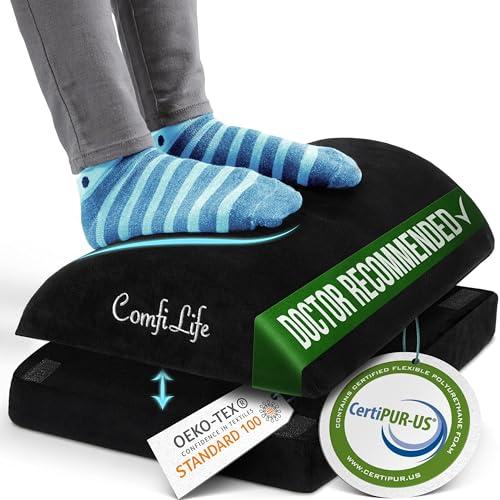
Ergonomic Foot Rests: Often overlooked, proper foot placement is crucial for aligning your hips and lower back, a cornerstone of Enhanced Comfort . A good foot rest ensures your feet are flat, or slightly elevated, even if you are shorter or use a higher desk setting. This simple addition can significantly reduce pressure behind the knees and improve circulation, acting as a low-cost, high-impact piece of Office Seating equipment.
-
Chair Component Parts (Custom Casters/Arms): Don't be limited by a chair's factory settings. Component parts allow you to customize your Office Seating for your specific needs. For example, replacing standard plastic casters with specialized soft-roll casters protects hardwood floors, while upgraded armrests can precisely match your keyboard tray height. This technical customization ensures you achieve Seamless Control and perfect body alignment.
You should layer your Office Seating system logically: Select your primary support—an Ergonomic Executive Chair for maximum support, or a Mesh Office Chair for climate control. If you use a standing desk, introduce the Standing Desk Stool to maintain dynamic movement. Finally, use Ergonomic Foot Rests and specialized Chair Component Parts (like specific casters) to fine-tune the height, arm placement, and floor protection. This creates a unified, layered system that provides superior Enhanced Comfort and supports a demanding work routine.
🧪 Key Technical Standards and Advanced Use Cases
While Office Seating is not typically "smart" in the electronic sense (it does not use Wi-Fi 6 or Z-Wave), the essential technical standard here is BIFMA Certification . The Business and Institutional Furniture Manufacturers Association (BIFMA) sets rigorous performance and safety standards for office furniture. When you purchase seating with BIFMA certification, you are assured that the chair's structural integrity, stability, and durability meet commercial-grade expectations—a vital technical standard for your home office investment.
The real 'Advanced Use Case' for Office Seating lies in its synergistic integration with other high-tech office gear, specifically for sophisticated automation focused on movement. Consider this scenario: Optimizing the Home Office Environment for a hybrid work schedule.
You can combine a movement-aware product (like a Standing Desk Stool ) with a Smart Desk (from a complementary category) using a custom rule. When you sit on the stool, the desk height automatically lowers to your pre-set seated height (a feature of Seamless Control ). If you remain in the seated position for over 45 minutes, a reminder can be subtly activated. This reminder, enabled by the stool or chair's subtle pressure sensors (a type of Secure Monitoring of your activity), can trigger a lighting change (e.g., a warm color shift) via an automation rule, encouraging you to stand. This is using your Office Seating not just for passive comfort, but as an active component in your productivity routine, ensuring continuous Enhanced Comfort through programmed movement breaks.
This integration transforms your simple chair into a critical data point. For the user focused on long-term health, this constant, passive Secure Monitoring of seated time is invaluable for maintaining posture and preventing sedentary fatigue, which is a key element of modern ergonomic design.
4. Lifestyle Guide
The right Office Seating configuration is defined by your personal work style and physical requirements. Here are three distinct archetypes and the perfect seating system tailored for each.
🧘 The Simplicity-Seeking User (The "All-Day Focus")
Your goal is deep, distraction-free concentration. You prioritize sustained comfort over constant movement and spend most of your workday focused at your desk. You need reliable, set-and-forget Enhanced Comfort .
-
The Fit: You require maximum adjustability that, once tuned, holds that perfect position. You need a stable, robust foundation that minimizes distractions from shifting or inadequate support.
-
Recommendation: An Ergonomic Executive Chair paired with an Ergonomic Foot Rest . The executive chair provides the necessary high-back support and deep adjustment mechanisms for perfect posture in the seated position. The foot rest ensures stable lower-body alignment, completing a highly supportive and comfortable fixed-sitting environment, making this the ideal Office Seating combination for long, focused hours.
🚀 The Performance-Focused User (The "Dynamic Workday")
Your schedule is highly varied, involving frequent transitions between sitting, standing, and quick huddle calls. You are tech-savvy and actively utilize a motorized standing desk, demanding Seamless Control over your environment and body position throughout the day.
-
The Fit: You need a network of seating options that facilitates seamless transitions and dynamic posture changes. You value components that support micro-movements and specialized accessories that maximize utility across multiple positions.
-
Recommendation: A Mesh Office Chair (for breathability and dynamic support) paired with a Standing Desk Stool . The mesh chair handles your primary seated time with cool comfort, while the stool provides the necessary mid-point perch for active standing breaks. This combination of Office Seating ensures you remain active, supported, and responsive to your dynamic schedule.
💼 The Budget-Expansion User (The "Custom Build")
You are upgrading a standard office chair or working within specific physical constraints (e.g., a short desk height or a delicate floor surface). Your focus is on targeted ergonomic improvements and achieving maximum Enhanced Comfort from an existing framework without buying a brand-new top-tier chair.
-
The Fit: You need components that can be integrated or swapped out to address specific pain points, maximizing the utility of your current setup. You are looking for modular, high-impact fixes.
-
Recommendation: Focus on Chair Component Parts (like upgraded casters or arms) combined with an Ergonomic Foot Rest . Replacing low-quality components is the most cost-effective way to improve mobility and durability. The foot rest offers immediate, targeted ergonomic improvement to your lower body, providing a huge boost in Enhanced Comfort for minimal investment in specialized Office Seating .
5. COMPLEMENTARY CATEGORY RECOMMENDATIONS
| Recommended Categories |
Why This Category Is Useful Specifically for This Product |
Short Usage Scenario |
| Connectivity Office |
This category, especially electric desks, integrates perfectly with Office Seating by allowing you to automate height changes based on your preferred sitting or standing stool level. |
Using a standing desk stool and programming the electric desk to automatically rise or lower when you switch between your ergonomic chair and the stool. |
| Ergonomic Tools |
Tools like wrist rests and monitor arms directly influence the final alignment of your body's contact points relative to your Office Seating height and position. |
Adjusting your ergonomic monitor arm height precisely so your eye level is correct when sitting in your new executive chair. |
| Smart Sensors |
Specialized sensors can be used for the Secure Monitoring of seated time, triggering reminders to stand or adjust posture based on prolonged inactivity. |
Placing a pressure or presence sensor under the chair cushion to track seated time and trigger a subtle alert after 45 minutes to stand up. |
| Smart Home Control |
Central hubs and voice assistants can integrate with smart lighting or climate control to adjust your environment based on the time you spend in your Office Seating . |
Using your dedicated control panel to activate a "Focus Mode" scene once you sit down in your Mesh Office Chair in the morning. |
| Lighting Climate |
Proper lighting and temperature are critical to your focus and Enhanced Comfort while seated for extended periods, and can be automated based on your activity. |
Automating the smart lighting to shift to a high-concentration cool white when you sit down for work. |
| Peripherals |
Ergonomic mice and keyboards must be correctly positioned relative to the height and armrests of your Office Seating to prevent wrist and shoulder strain. |
Ensuring the height of your ergonomic keyboard is perfectly level with your new chair's adjustable armrests to maintain proper elbow angle. |
You have the power to transform your daily work experience. By viewing Office Seating as a critical ergonomic system rather than just furniture, you are making a commitment to sustained productivity and long-term health. Choosing the right chair, stool, and accessory combination guarantees the Enhanced Comfort and Seamless Control necessary to master your workday, ensuring your professional setup supports your body as powerfully as your tech supports your tasks.