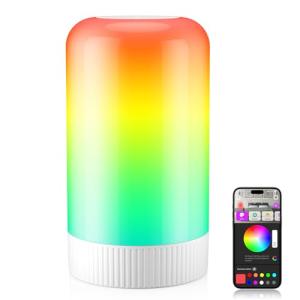
🗺️ The Component Breakdown: Analyzing Product Types for Office Lighting
Building a fully optimized Office Lighting system requires addressing three distinct layers of illumination: ambient, task, and professional video presentation.
Ambient and General Illumination: Setting the Scene
These fixtures provide the base level of light necessary to fill the room and reduce harsh contrast, which is a major contributor to eye fatigue.
-
Office Floor Lamps: These provide excellent ambient, indirect lighting, often bouncing light off the ceiling or walls to create a soft, even background illumination. Smart Office Floor Lamps typically offer full dimming and color temperature control, allowing you to set a bright, cool white light for morning tasks or a warm, relaxed tone for evening reading, providing superior Enhanced Comfort .
-
Task Lighting (Under Cabinet/Shelving): While broad lighting is good, targeted Task Lighting placed beneath shelves or cabinets is essential for illuminating documents or physical work areas without creating shadows. These often consist of smart light strips or slim fixtures that offer direct, localized light where you need it most, ensuring precision for physical tasks and achieving Seamless Control over specific work zones.
Targeted Focus and Ergonomics: The Desktop Essentials
The lighting directly around your monitor and desk is the most critical for ergonomic safety and focus.
-
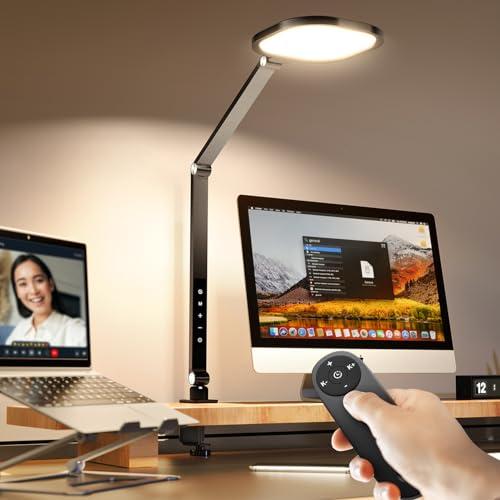
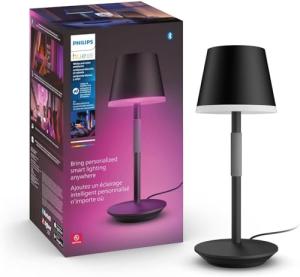
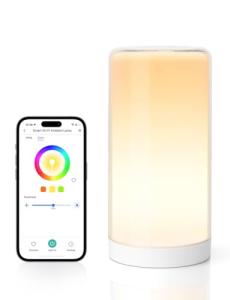
Smart Desk Lamps: These fixtures offer highly directional light, perfect for illuminating physical paperwork, reading material, or detailed manual tasks. A Smart Desk Lamp offers fine-tuned control over brightness and color temperature, often with motion sensors or proximity features that conserve energy when you step away, providing intelligent Seamless Control over your immediate workspace.
-
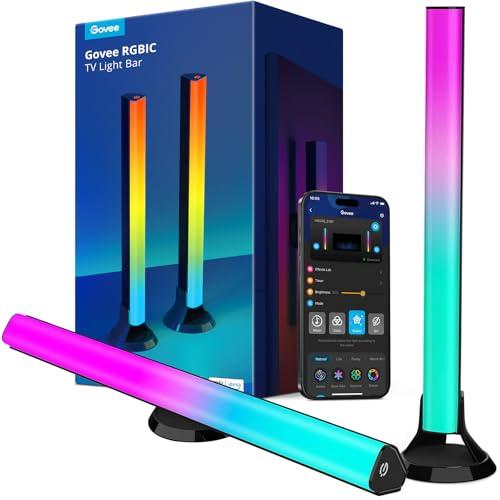
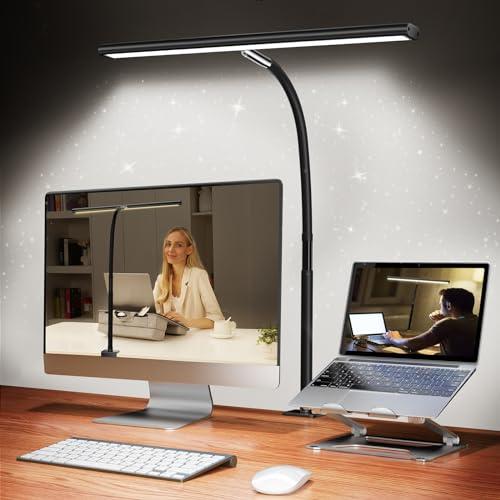
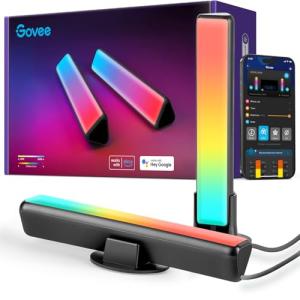
Smart Monitor Light Bars: These highly specialized Office Lighting products mount directly atop your computer monitor. Crucially, they project light downward onto the desk and forward onto your face, but never onto the screen itself. This eliminates screen glare while providing necessary illumination, drastically reducing eye strain and maximizing Enhanced Comfort during long hours of screen time.
Communication Quality: Your Digital Persona
In the remote work world, your lighting quality is as important as your camera resolution.
-
Video Call Smart Lighting: These are dedicated light sources designed to provide soft, flattering, and consistent front-facing illumination specifically for video conferencing. Often employing diffusers and adjustable color temperature, they eliminate harsh shadows and ensure you look clear and professional on camera. This specialized Office Lighting is essential for maintaining your professional presence and providing visual Seamless Control over your virtual meetings.
You should layer your Office Lighting system in sequence: Start with an Office Floor Lamp for soft ambient light. Next, use a Smart Monitor Light Bar to eliminate screen glare and illuminate the keyboard area. Add a Smart Desk Lamp or Task Lighting for specific physical work. Finally, use dedicated Video Call Smart Lighting only when you need to be on camera. This multi-layered approach ensures optimal Enhanced Comfort for every stage of your workday.
3. 🧪 Key Technical Standards and Advanced Use Cases
The smart aspect of Office Lighting relies heavily on seamless communication standards like Wi-Fi, Bluetooth Mesh, or Matter/Thread . The ability of all your light sources to communicate and sync is critical for creating unified scenes and automations. Additionally, two photometric standards are essential for the niche: CRI (Color Rendering Index) , which measures a light's ability to accurately reveal object colors (you want CRI 90+ for accuracy); and Lux/Lumens , ensuring your chosen light source provides sufficient brightness for your specific task, reducing strain and improving Enhanced Comfort .
Consider an advanced use case: Optimizing the Home Office Environment for Circadian Health.
You can leverage the color temperature (Kelvin) control of your Office Lighting to synchronize your workspace illumination with your body's natural clock. This sophisticated automation, running through a central hub, changes the lighting dynamically throughout the day. For example, the system automatically sets all lights—the Office Floor Lamp and the Smart Desk Lamp —to a cool, high-energy 5000K at 9:00 AM, shifts to a neutral 3500K by 3:00 PM, and transitions to a warm, relaxing 2700K by 6:00 PM to prepare your body for rest. This provides genuine, long-term Enhanced Comfort through programmed Seamless Control .
A secondary use case involves using Office Lighting for subtle Secure Monitoring . Integrating a motion sensor (from a complementary category) with your lighting system can verify when the office is vacant. If the lights automatically turn off and then turn back on without detection, it could signal unauthorized entry or a sensor failure, giving you a passive layer of Secure Monitoring for the space.
4. Lifestyle Guide
Your personal professional requirements dictate the complexity and focus of your Office Lighting system. Here are three distinct archetypes and the perfect system tailored for each.
🧘 The Simplicity-Seeking User (The "Focus-First Minimalist")
You need a clear, focused environment free of glare. Your work is almost entirely screen-based, and your primary goal is to minimize eye strain and maximize the comfort of prolonged screen usage. You prioritize ergonomic Enhanced Comfort .
-
The Fit: You need highly specialized, single-purpose lighting that addresses the monitor-glare issue without requiring complex ceiling wiring or multiple lamps.
-
Recommendation: A Smart Monitor Light Bar combined with a basic Office Floor Lamp . The Monitor Light Bar provides targeted, glare-free illumination to the desktop. The Floor Lamp provides soft, necessary ambient light, reducing contrast without creating reflections. This combination of Office Lighting is highly effective, streamlined, and low-effort to manage, providing daily Enhanced Comfort .
🚀 The Performance-Focused User (The "Hybrid Content Creator")
Your workday shifts rapidly between detailed document work, graphic design, and high-stakes video meetings with clients or a remote team. You require precise color accuracy, a flawless on-camera appearance, and complex, dynamic scene control. You demand total Seamless Control .
-
The Fit: You need layered, color-accurate lighting from multiple sources that can be instantly activated via pre-set scenes for optimal communication and professional output.
-
Recommendation: Video Call Smart Lighting combined with a Smart Monitor Light Bar and a Smart Desk Lamp . The Monitor Bar handles the screen work. When a call starts, the Video Call lighting activates, and the Smart Desk Lamp changes its color temperature to match the professional tone, giving you perfect Seamless Control over your entire visual presentation.
💼 The Budget-Expansion User (The "Multifunctional Space")
Your home office doubles as a guest room or secondary space, and you need to layer lighting for both task work and general room use. Your budget requires maximizing utility across all fixtures. You need lighting that supports Secure Monitoring of the space when not in use.
-
The Fit: You need lighting products that perform well for desk work but are also aesthetically suitable for a living area and can be automated based on room presence.
-
Recommendation: A Smart Desk Lamp (for focused task work) combined with Task Lighting (under shelving/cabinets). The Smart Desk Lamp is portable and provides necessary task illumination. The under-cabinet Task Lighting serves as both accent light for the living space and indirect work light, providing cost-effective utility and supporting presence-based automation for simple Secure Monitoring of the room activity.
5. COMPLEMENTARY CATEGORY RECOMMENDATIONS
| Recommended Categories |
Why This Category Is Useful Specifically for This Product |
Short Usage Scenario |
| Connectivity Office |
Electric standing desks integrate with Office Lighting by allowing you to tie light scenes to desk presets, ensuring optimal Enhanced Comfort whether sitting or standing. |
Programming your lights to switch to "Standing Mode" (higher ambient light) when you raise your electric desk to the standing preset. |
| Monitors Displays |
Smart Monitor Light Bars are mounted directly onto monitors, and their placement must be calibrated to the display's height and position for optimal glare reduction. |
Adjusting your Smart Monitor Light Bar to ensure zero light spillage onto your Ultrawide Monitor's screen surface. |
| Smart Home Control |
Central hubs and voice assistants are essential for executing complex, multi-fixture lighting scenes, giving you instant Seamless Control over your ambiance. |
Using a single voice command to activate the "Deep Focus" scene, setting your Office Floor Lamp to 30% brightness and your Smart Desk Lamp to 5000K white light. |
| Automation Tools |
Wireless programmable buttons offer physical triggers to instantly switch complex Office Lighting scenes without needing to use an app or voice command. |
Hitting a button mounted under your desk to immediately activate your "Video Call" scene, turning on your Video Call Smart Lighting. |
| Smart Sensors |
Motion or presence sensors detect if the room is occupied, allowing your Office Lighting to turn off automatically, saving energy and providing subtle Secure Monitoring . |
Lights automatically turning off 10 minutes after a room presence sensor detects you have left the office space. |
| Peripherals |
Peripherals like 4K webcams directly benefit from Video Call Smart Lighting , ensuring your image quality is professional and consistent. |
Using your Video Call Smart Lighting to eliminate shadows cast by your monitor during a recorded webinar presentation. |
| Privacy Security |
Integrating lighting with security systems allows lights to flash (strobing effect) if an unauthorized access event is detected, aiding in visual Secure Monitoring . |
All Office Floor Lamps flashing red if the perimeter alarm system is triggered during the night. |
| Lighting Climate |
Integrating Office Lighting with general smart bulbs and climate controls allows you to create synchronized whole-house scenes for waking or unwinding, contributing to Enhanced Comfort . |
Scheduling a "Wake Up" scene where your bedroom lights slowly brighten and your Office Floor Lamp comes on five minutes before your workday starts. |
Committing to high-performance Office Lighting is a strategy for sustained focus and long-term health. By integrating Smart Monitor Light Bars for ergonomic safety and Video Call Smart Lighting for professional presentation, you gain unparalleled Seamless Control over your environment. This dedication to quality Office Lighting ensures maximum Enhanced Comfort , while the integration capabilities add a layer of passive Secure Monitoring to your professional sanctuary.