2. 🔌 Choosing Your System: Key Features and Compatibility
When selecting your Smart Keyless Locks , your decision will hinge on the type of keyless entry method (keypad vs. mobile-only), the necessary security features, and how the lock will communicate with the rest of your smart home.
Essential Variations and Entry Methods
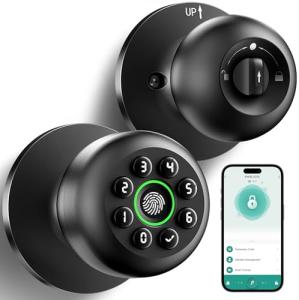
Smart Keyless Locks come in three main design styles, each offering different access methods for diverse US lifestyles:
-
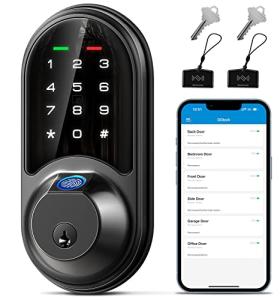
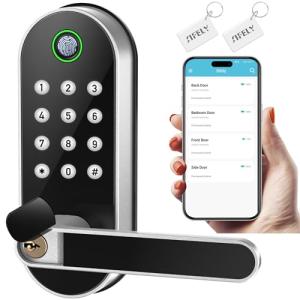
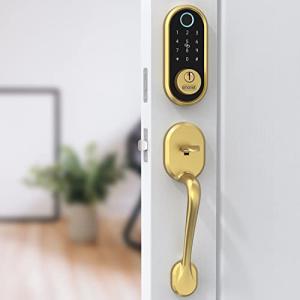
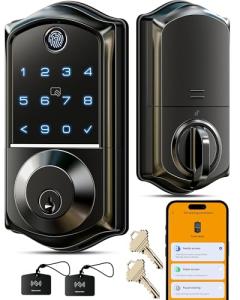
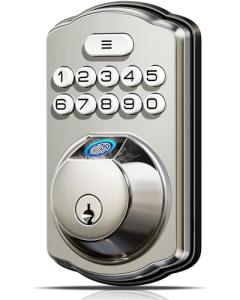
Keypad/Touchscreen Locks (Code Entry):
-
Pros: These are the most common and robust design, featuring an exterior keypad for code entry and usually a physical key slot for manual override (a critical backup). They are extremely reliable and are the fastest method for general household and visitor access.
-
Cons: The exterior keypad must be weather-rated, and codes must be kept secret. The key override, while a backup, reintroduces a physical key vulnerability if not managed correctly.
-
US Lifestyle Context: Ideal for a family home in suburban Seattle where multiple family members and delivery drivers require code-based access, offering quick, simple entry and verifiable 24/7 Monitoring of who uses the codes.
-
Conversion Kits (Interior-Only Smart Lock):
-
Pros: These Smart Keyless Locks replace only the interior thumbturn of your existing deadbolt. They retain the exterior key cylinder while adding smart features (auto-lock, Remote Access ). They are the easiest to install, requiring no changes to the external door face, often making them renter-friendly.
-
Cons: They do not offer keyless entry from the outside (you still need a key or phone). They offer slightly less overall security than a full deadbolt replacement.
-
US Lifestyle Context: Excellent for apartment dwellers in San Francisco who cannot change the exterior hardware but want auto-lock convenience and mobile Remote Access control.
-
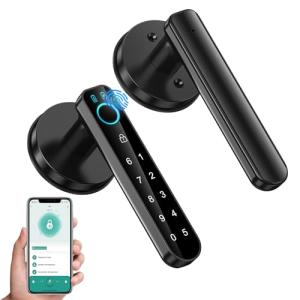
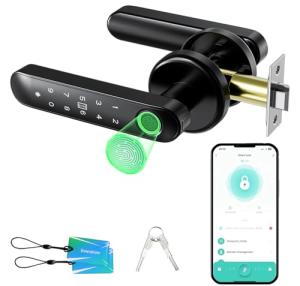
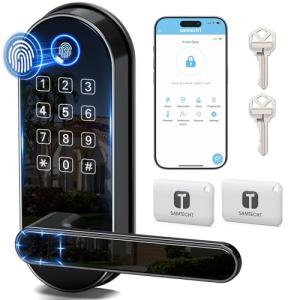
Biometric/High-Security Locks:
-
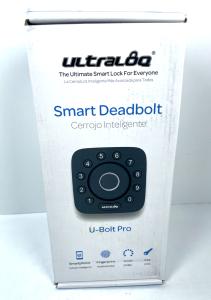
Pros: These advanced locks offer biometric authentication (fingerprint scanning) or specialized key fobs in addition to the keypad. They provide the highest level of tamper resistance and often include sensors for forced-entry detection, maximizing security features and 24/7 Monitoring .
-
Cons: Fingerprint sensors can be unreliable in extreme cold or wet weather. They are the most expensive option.
-
US Lifestyle Context: Suited for securing a sensitive area like a dedicated home office or gun safe in a Texas residence, where maximum security and highly restricted access are required.
Compatibility Protocols
A smart lock's wireless protocol determines its reliability, battery life, and ability to integrate into your central smart home ecosystem.
-
Z-Wave and Zigbee: These mesh networking protocols are the industry standards for Smart Keyless Locks . They are optimized for low-power operation, maximizing battery life (which directly relates to Energy Efficiency for battery-powered devices) and creating a reliable, fast network connection back to a central hub. This ensures quick lock/unlock actions and consistent status updates.
-
Wi-Fi: Wi-Fi locks connect directly to your router without a separate hub, simplifying installation and Remote Access . However, their powerful Wi-Fi radio draws more battery power, requiring battery changes more frequently than Z-Wave/Zigbee locks.
-
Thread and Matter: The newest, most reliable option. Smart Keyless Locks supporting Matter promise instant setup and guaranteed cross-platform compatibility, making them the best long-term choice for integrated security and 24/7 Monitoring .
3. 🛠️ Installation and Setup Walkthrough
Installing Smart Keyless Locks is typically a simple replacement of your existing deadbolt. It is a straightforward DIY task that generally requires only a screwdriver and the willingness to follow simple instructions.
Pre-Installation Preparations
-
Door Compatibility: Ensure your existing deadbolt is a standard US deadbolt (single-cylinder) and that your door is pre-drilled with the correct cross bore (2-1/8 inches) and backset (2-3/8 or 2-3/4 inches). This is standard for most modern American homes.
-
Battery Check: Purchase high-quality alkaline or lithium batteries (never rechargeable ones unless specified by the manufacturer) as these are critical for the lock's performance and long-term Energy Efficiency .
-
App Activation: Download the manufacturer's smartphone app and create your account. This streamlines the digital setup process after the hardware is physically installed.
Installation Guide (Typical Deadbolt Replacement)
-
Remove Old Deadbolt: Unscrew the internal and external components of your old lock, including the latch and strike plate.
-
Install New Latch: Insert the new smart lock latch mechanism into the door edge. Ensure it is oriented correctly (most are adjustable for different backsets).
-
Mount Exterior Keypad: Slide the keypad portion of the Smart Keyless Locks onto the exterior door face. Feed the internal cable through the cross bore.
-
Install Interior Components: Connect the cable to the interior thumbturn assembly and secure the mounting plate. Attach the battery pack and the interior cover.
-
Digital Setup: Follow the app instructions to connect the lock to your Wi-Fi or hub. Calibrate the lock (often by opening and closing the bolt manually during setup) and set your master user code. Confirm you can lock/unlock via Remote Access .
Troubleshooting Common Issues
-
Issue 1: Lock Motor Struggles to Turn the Bolt.
-
Resolution: The door jamb and the bolt hole are likely misaligned. Remove the strike plate and slightly enlarge the hole in the door frame. The bolt must move smoothly without any resistance; otherwise, the motor drains the battery rapidly, killing your Energy Efficiency .
-
Issue 2: Battery Life is Too Short (Under 3 Months).
-
Issue 3: Remote Access is Delayed or Fails.
4. Advanced Automation and Maximizing Value
The value of Smart Keyless Locks is magnified when integrated with other security and convenience devices, turning the simple act of locking the door into a whole-home routine.
Powerful Automation Scenarios
-
Geo-Fencing and Auto-Lock (24/7 Monitoring): You set up a geo-fence around your New York home. When your phone leaves the perimeter, and a Contact Sensor confirms the door is closed, the lock automatically engages the deadbolt after two minutes. This ensures your home is always secured and provides continuous 24/7 Monitoring without manual effort.
-
Guest Access and Energy Efficiency: You provide a unique, time-limited code to a maintenance worker via Remote Access . When the worker enters the code, the lock triggers an automation that temporarily disables the thermostat's setback schedule and turns on necessary interior lights (controlled by a Smart Wall Switch ). When the code is used for exit, the automation resets the thermostat to Energy Efficiency mode.
-
Video Verification: When the door is unlocked using a temporary code, the Smart Keyless Locks triggers an adjacent Video Doorbell or security camera to start recording. This logs visual proof of who entered and when, providing layered security evidence that you can view via Remote Access .
Longevity & Maintenance
To ensure your Smart Keyless Locks deliver years of reliable service and maintained Energy Efficiency , focus on battery health and physical upkeep. Use a high-quality lubricant (like graphite powder) on the deadbolt latch annually to ensure the motor operates smoothly, minimizing battery strain. Always install firmware updates immediately, as these often contain security patches and improved battery management algorithms. Proactively replace batteries when the low battery warning is first received in your app, maintaining the integrity of your 24/7 Monitoring system.
5. COMPLEMENTARY CATEGORY RECOMMENDATIONS
| Recommended Categories |
Why This Category Is Useful Specifically for This Product |
Short Usage Scenario |
| Video Doorbells |
Provides visual verification of visitors before you grant entry or speak to them via the lock's Remote Access . |
You view the FedEx driver on the doorbell feed and unlock the Smart Keyless Locks remotely. |
| Central Hubs |
Required for Z-Wave/Zigbee locks to connect to the internet, enabling Remote Access control and cross-protocol automations. |
The hub allows you to lock the door via the app while you are traveling overseas. |
| Alarm Systems |
The lock status (locked/unlocked) is integrated into the alarm system's arming process, providing a secure perimeter and 24/7 Monitoring . |
Arming the alarm system automatically locks the deadbolt if it is currently unlocked. |
| Smart Displays |
Displays serve as a quick, centralized control point for locking/unlocking and checking the lock status inside the home. |
You tap the smart display screen to confirm the front door Smart Keyless Locks is secured. |
| Smart Sensors |
Contact Sensors confirm the door is physically closed before the lock attempts to engage, preventing damage and battery drain (a key Energy Efficiency measure). |
A contact sensor confirms the door is closed, allowing the lock to auto-lock successfully. |
| Smart Lighting |
The lock status can trigger a welcoming or security light scene, enhancing convenience and visibility. |
Unlocking the door with a code triggers the entryway smart light to turn on to 50%. |
| Voice Assistants |
Voice assistants allow for hands-free locking/checking status, enhancing convenience when leaving or arriving home. |
You ask your smart speaker, "Lock the front door," as you walk into the garage. |
| Smart Wall Controllers |
Wall-mounted panels provide a dedicated, secure interface for locking and managing user codes inside the home. |
You use the wall controller to temporarily set a four-hour access code for the plumber. |
Smart Keyless Locks are the foundational component for a modern, secure, and flexible smart home. They eliminate key vulnerabilities, provide auditable entry logs via 24/7 Monitoring , and grant you unparalleled control through Remote Access . By upgrading your entry points, you achieve superior security and even boost your home’s Energy Efficiency through reliable auto-locking routines. Choose the perfect Smart Keyless Locks today and embrace truly keyless confidence.