💡 Practical Usage Tips
- Most control panels require a neutral wire for power, so it is essential to verify the existing wiring in the wall box before purchasing.
- Since these devices often contain processors that generate heat, they should not be installed in the same electrical box as high-wattage dimmers to prevent thermal throttling.
- Users should ensure their router separates the 2.4GHz and 5GHz bands, as many panels only support the older 2.4GHz radio standard for better wall penetration.
- When planning a deployment, deep junction boxes are recommended because the rear chassis of smart panels is significantly bulkier than a standard light switch.
✅ What to Look For & ⚠️ What to Avoid
Must-Haves
- An IPS panel is critical for wall-mounted displays because it ensures the screen remains readable from the side, unlike cheaper screens that fade when viewed at an angle.
- Look for units that act as a Zigbee 3.0 coordinator, which allows the panel to manage local sensors even if the internet connection goes down.
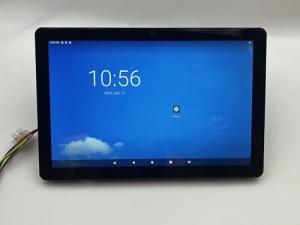
- A larger screen size, such as the one found on the 10" Smart Touch Panel, is highly beneficial if the primary goal is monitoring multiple security camera feeds simultaneously.
Red Flags
- Avoid devices utilizing older TN-panel technology, as the poor viewing angles make it difficult to read the temperature or status from across the room.
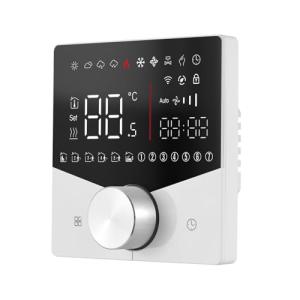
- Be cautious of panels with 16A rated relays if the intention is to control heavy electric heating, as they often lack sufficient thermal dissipation for sustained loads.
- Hardware relying solely on cloud logic without local processing can become unresponsive during internet outages, turning a smart switch into a non-functional decoration.
🛡️ Build Quality & Performance
The physical construction of a control panel dictates both its longevity and its daily user experience. High-end units typically employ a capacitive multi-touch glass interface that mimics the feel of a modern smartphone, offering responsiveness without the need for heavy pressure. However, thermal management is a recurring challenge in this form factor; densely packed components inside a plastic chassis can lead to heat buildup, especially when the screen brightness is maxed out.
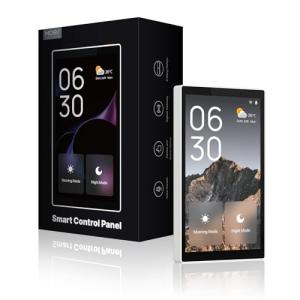
Audio quality is another area where performance varies significantly. While many panels include a speaker, they are generally designed for simple notification chimes rather than music playback. For example, the MOES Smart Home Touchscreen Panel integrates a microphone tuned for voice commands, but its audio output is functional rather than high-fidelity. Buyers should prioritize screen quality and touch latency over audio specs, as the primary function is visual control rather than media consumption.
❓ Frequently Asked Questions
Can I install third-party apps like Spotify or Netflix on these panels?
Generally, no. Most of these devices run a restricted version of Android or Linux that launches a proprietary Tuya-based architecture, preventing the installation of standard Google Play Store applications.
Do these panels work if my internet goes down?
It depends on the specific model and protocol. Panels acting as a Zigbee 3.0 coordinator can often control local Zigbee sub-devices without internet, but Wi-Fi based features and voice assistants will typically fail without a connection.
What is the "neutral wire" requirement?
Unlike a simple light switch that only interrupts the live wire, these smart panels are computers that need constant power to operate the screen and radios. Therefore, a neutral wire is required to complete the circuit and power the device independently of the light load.