2. 🔌 Choosing Your System: Key Features and Compatibility
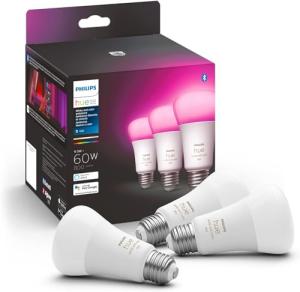
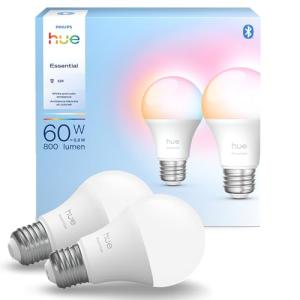
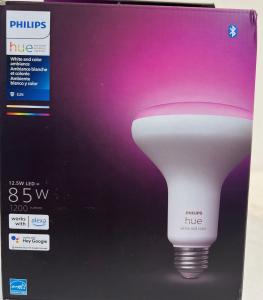
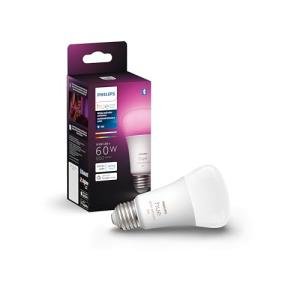
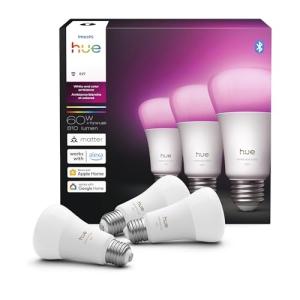
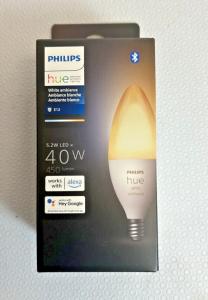
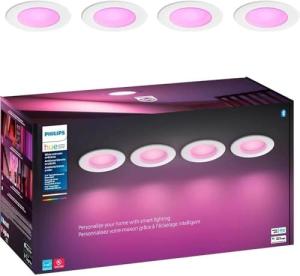
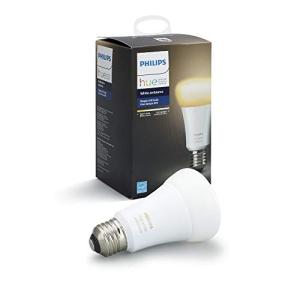
When selecting your Color/White Ambiance Bulbs , you must choose the appropriate wireless protocol (hub-required vs. hub-less Wi-Fi), the fixture base size (A19, BR30, GU10), and verify the maximum brightness (lumens) for your room size.
Essential Variations and Control Methods
Color/White Ambiance Bulbs are categorized primarily by the communication protocol they use, which dictates setup complexity and reliability:
-
Hub-Required Bulbs (Zigbee/Thread):
-
Pros: These bulbs (common in systems like Philips Hue) communicate via Zigbee or Thread protocols, connecting to a central bridge/hub. This creates a dedicated mesh network for lighting, which is highly reliable, fast, and stable, reducing reliance on Wi-Fi for daily commands. They are extremely Energy Efficiency in standby mode.
-
Cons: Requires the initial purchase and setup of a dedicated bridge/hub.
-
US Lifestyle Context: Ideal for large homes in the Midwest where stability and multi-room synchronization are critical for reliable ambiance control.
-
Hub-Less Bulbs (Wi-Fi):
-
Pros: These Color/White Ambiance Bulbs connect directly to your home Wi-Fi network without a separate hub. This simplifies installation and reduces hardware clutter. They are the most affordable option for a basic smart lighting setup.
-
Cons: Relies heavily on the strength of your Wi-Fi signal; if the signal is weak, latency (delay) occurs, and connection drops can compromise 24/7 Monitoring . They can add congestion to your router.
-
US Lifestyle Context: Suitable for smaller homes or apartments where the primary goal is simple Remote Access and voice control without added complexity.
-
Bulb Type and Brightness:
-
Pros: Ensure you select the correct fixture type (A19 for standard lamps, BR30 for recessed cans, GU10 for track lighting). Choose a brightness of 800+ lumens for general room lighting; higher lumens are available for high-ceiling rooms.
-
Cons: Bulbs with higher lumen output consume more power, slightly reducing the unit's Energy Efficiency compared to low-lumen bulbs.
Compatibility Protocols
For seamless smart integration, Color/White Ambiance Bulbs must be compatible with your chosen ecosystem and work with physical switches.
-
Matter/Thread: The newest and most valuable protocol. Matter certification ensures your bulbs can communicate directly with any Matter-compatible hub (Apple, Google, Alexa), guaranteeing future compatibility and enhancing the robustness of your smart home network.
-
Compatibility (Alexa/Google/HomeKit): Check for explicit compatibility with Voice Assistants platforms, as this provides the easiest interface for daily light adjustment and scene activation.
-
Physical Switch Management: Since Color/White Ambiance Bulbs are powered continuously, flipping a traditional wall switch off cuts power, rendering the bulb "dumb." Many systems offer smart wall switches (like the Smart Wall Switches category) that maintain constant power to the fixture while providing a digital button for control.
3. 🛠️ Installation and Setup Walkthrough
Installing Color/White Ambiance Bulbs is as easy as changing a lightbulb, but the digital setup is essential for enabling automation and remote control features.
Pre-Installation Preparations
-
Fixture Compatibility: Ensure your lamp or fixture is compatible with the bulb size (A19, E26 base). Confirm the fixture is not controlled by a physical dimmer, as this can damage the smart bulb's electronics.
-
App Ready: Download the manufacturer's mobile app and complete the user account setup.
-
Hub Power (If Required): If using a Zigbee system, ensure the bridge/hub is plugged in and connected to the home network.
Installation Guide (Typical Wi-Fi Bulb)
-
Install Bulb: Screw the Color/White Ambiance Bulbs securely into the fixture. Turn the physical light switch/lamp switch to the "On" position, ensuring the bulb receives constant power.
-
Network Connect: Open the app. The app will detect the new bulb (often requiring the bulb to blink first). Connect the bulb to your Wi-Fi network or smart hub.
-
Color Calibration: Use the color wheel in the app to test color accuracy and set the default white tone (e.g., 4000K Neutral White).
-
Test Remote Access: Test the voice control ("Alexa, turn on the kitchen lights") and use your smartphone app via Remote Access to confirm you can change the brightness and color from outside the house.
-
24/7 Monitoring Schedule: Set up a routine for timed dimming/shutdown or link the bulb to a security sensor.
Troubleshooting Common Issues
-
Issue 1: Bulb Goes Offline Frequently.
-
Issue 2: Physical Switch Turns Off Smart Control.
-
Issue 3: Inconsistent Color/Brightness (Energy Efficiency concern).
4. Advanced Automation and Maximizing Value
The personalization offered by Color/White Ambiance Bulbs is key to automations that manage comfort, ambiance, and security with high efficiency.
Powerful Automation Scenarios
-
Vacation Security Routine: You set up a routine via Remote Access that randomly turns various Color/White Ambiance Bulbs on and off in different rooms of your home each evening. This "Occupancy Simulation" routine provides highly effective visual security 24/7 Monitoring deterrence, mimicking a living presence.
-
Circadian Lighting and Energy Efficiency: The bulbs are scheduled to shift color temperature automatically—starting with cool blue light (5000K) in the morning for alertness and gradually transitioning to warm amber light (2700K) after sunset. This natural lighting cycle supports sleep health and ensures the bulbs run on optimal, low-power settings.
-
Emergency Alert (Visual): An Alarm System Sensors (like a smoke detector) triggers. An automation flashes all internal Color/White Ambiance Bulbs to a bright, pulsing red color. This provides a multi-modal, visual warning to occupants, enhancing safety and supporting the auditory alarm system.
Longevity & Maintenance
Color/White Ambiance Bulbs have a long lifespan (15,000+ hours). To maximize their longevity and Energy Efficiency , avoid using them in enclosed fixtures, which trap heat and shorten their life. Always ensure the physical switch remains "on." Regularly install firmware updates; updates often include security patches and improved radio stability, which enhances Remote Access reliability.
5. COMPLEMENTARY CATEGORY RECOMMENDATIONS
| Recommended Categories |
Why This Category Is Useful Specifically for This Product |
Short Usage Scenario |
| Voice Assistants |
Voice control is the primary interface for triggering color changes, dimming, and custom scenes. |
Commanding, "Alexa, set the living room lights to cyan," controls the bulbs instantly. |
| Smart Wall Switches |
Essential for providing constant power to the smart bulbs while still allowing physical wall control over the light scene. |
The Smart Wall Switches is used to cycle through the bulbs' pre-set color scenes. |
| Smart Dimmers |
Used to control the brightness of the bulbs via a wall interface, complementing the app's Remote Access dimming capability. |
Dimming the bulbs using the wall-mounted smart dimmer dial. |
| Smart Sensors |
Motion and contact sensors provide the crucial input to automate the bulbs' on/off status and maximize Energy Efficiency . |
The Motion/Presence Sensors detects entry, turning on the bulbs automatically. |
| Central Hubs |
A hub (Zigbee/Matter) creates a reliable, fast mesh network for the bulbs, ensuring instantaneous control and large-scale synchronization. |
The central hub links all 15 Color/White Ambiance Bulbs to a single security routine. |
| Alarm Systems |
The bulbs are used as visual indicators, flashing or turning red/blue during a security event for enhanced deterrence and 24/7 Monitoring . |
A security breach triggers the bulbs to flash red to alert neighbors. |
| Smart Displays |
Displays provide a visual control hub and interface for selecting complex color scenes and scheduling routines. |
Tapping the smart display screen to activate the "Vibrant Sunset" color scene. |
| Shades Blinds |
Automating the blinds ensures the smart lighting compensates immediately for natural light changes. |
Closing the smart blinds triggers the Color/White Ambiance Bulbs to turn on automatically. |
Color/White Ambiance Bulbs are the simplest yet most effective way to infuse intelligence, personalization, and security into your home lighting. They provide dynamic, customizable illumination, support seamless Remote Access control, and guarantee long-term savings through sophisticated Energy Efficiency . By choosing these smart LEDs, you unlock automated comfort and reliable security 24/7 Monitoring . Upgrade your light sockets to the intelligent control of Color/White Ambiance Bulbs today.