Ultrawide monitors have transformed the way people interact with digital workspaces and gaming environments. By expanding the horizontal field of view, these displays offer a seamless alternative to cluttered multi-monitor setups. Whether for high-speed competitive gaming or complex data management, choosing the right panel involves balancing screen curvature, pixel density, and structural reliability to ensure a long-lasting investment.
Ultrawide Monitors
Experience immersive viewing and boost your productivity with our range of ultrawide monitors
Product List
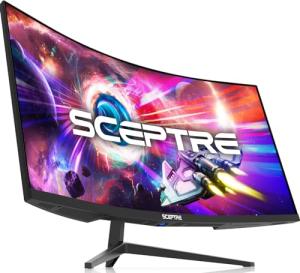
Sceptre 34-Inch Curved Monitor
Sceptre
Product Review Score
4.82 out of 5 stars
196 reviews$269.97 $187.97

INNOCN 49" Curved Monitor
Innocn
Product Review Score
4.22 out of 5 stars
104 reviews$794.98 $599.99
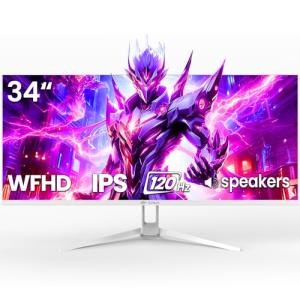
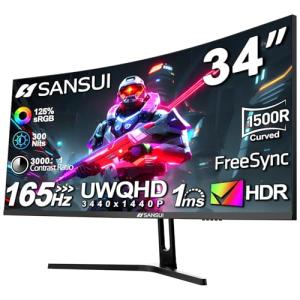
SANSUI 34" Curved Gaming Monitor
Sansui
Product Review Score
4.94 out of 5 stars
171 reviews$269.99
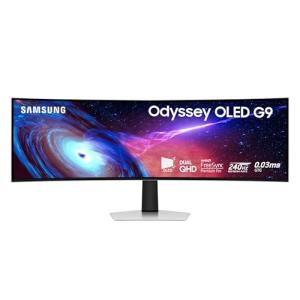
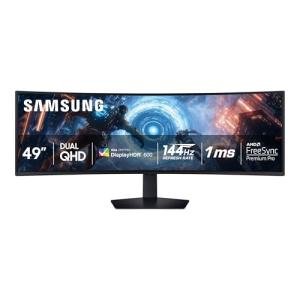
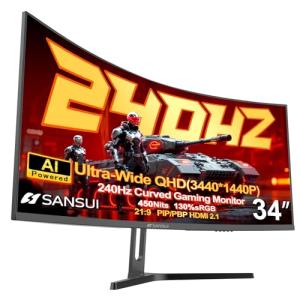
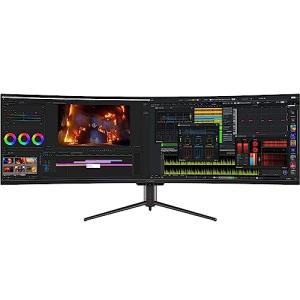
INNOCN 49” Curved Gaming Monitor
Innocn
Product Review Score
4.98 out of 5 stars
43 reviews$749.99 $549.98
💡 Practical Usage Tips
- Using a high-quality DisplayPort 1.4 or HDMI 2.1 cable is essential to ensure the monitor reaches its maximum advertised refresh rate without signal drops.
- Adjusting the "Deep Sleep" settings in the on-screen menu can often prevent frustrating handshake delays when waking the computer from standby.
- For massive 49-inch displays, placing the monitor on a deep desk of at least 30 inches helps maintain a comfortable viewing distance and reduces neck strain.
- In environments with shifting temperatures, allowing the monitor to warm up slightly can prevent the "clicking" sounds caused by the plastic housing expanding.
✅ What to Look For & ⚠️ What to Avoid
Essential Features:
- Integrated KVM switches are incredibly helpful for users who need to control two different computers with a single mouse and keyboard.
- Higher vertical resolutions, such as WQHD (1440p), provide much sharper text and more detail than standard 1080p models.
- Modern OLED panels, like the one found in the Samsung Odyssey OLED G9, offer near-instant response times that virtually eliminate motion blur.
Common Red Flags:
- Be cautious of extreme 1000R curvature on budget models, as the mechanical tension can sometimes lead to the screen edges peeling away over time.
- Low-cost VA panels often suffer from "dark-level smearing," which makes fast-moving dark objects look blurry or trailed.
- Avoid relying on stock tilt-only stands for heavy ultrawide frames, as they often lack the height adjustment needed for proper ergonomics and may wobble easily.
🛡️ Build Quality & Performance
The structural integrity of an ultrawide monitor is just as important as the pixels on the screen. High-end models often utilize reinforced internal frames and heavy-duty hinges to support the massive weight of the curved glass. For instance, the ASUS TUF 34” Gaming Monitor is specifically designed with a rigid chassis to prevent the screen from tilting forward or sagging after months of use.
Performance is often a reflection of thermal management. Large displays generate significant heat, especially when running at high brightness or using Mini-LED backlighting. Well-built units feature ample ventilation and external power bricks to keep heat away from the sensitive internal logic boards. This design choice helps prevent "thermal fatigue," ensuring the display remains stable during long gaming sessions or intense workdays.
🏆 Top Recommendations
| Best For | Model Name | Key Feature | Why It Wins |
|---|---|---|---|
| Pro Gaming | LG 34-inch UltraGear | 240Hz Refresh | Incredible speed and low latency. |
| Total Immersion | Samsung 57" Neo G9 | Dual-UHD Resolution | Massive scale and peak brightness. |
| Office Productivity | Philips 34" with Webcam | 100W USB-C Dock | Built-in webcam and laptop charging. |
| Smart Home | LG 34" Smart Monitor | webOS Streaming | Works as a TV without a computer. |
❓ Frequently Asked Questions
What is the difference between 1000R and 1800R curvature?
The number refers to the radius of the curve in millimeters. A 1000R curve is much tighter and more "aggressive," wrapping around the field of view more closely, while an 1800R curve is more subtle and flatter.
Does an ultrawide monitor require a powerful graphics card?
Yes, because these screens have many more pixels than a standard monitor, the computer's graphics card has to work harder to maintain smooth performance, especially in gaming or high-resolution video editing.
Can I use an ultrawide monitor with a laptop?
Most modern laptops can connect via HDMI or DisplayPort, but models featuring USB-C Power Delivery are the most convenient because they charge the laptop and send video through a single cable.