Upgrading a home's entry point with a smart deadbolt offers a blend of enhanced security and modern convenience, eliminating the need for traditional keys in favor of codes, fingerprints, or smartphone apps. These devices replace the existing internal thumb-turn and external cylinder, integrating advanced encryption and motorized locking mechanisms directly into the door's architecture. Choosing the right model requires balancing connectivity protocols, physical durability, and power efficiency to ensure seamless daily operation.
Smart Deadbolt Replacements
Upgrade your home's security with easy-to-use smart deadbolt replacements that keep your family safe
Product List
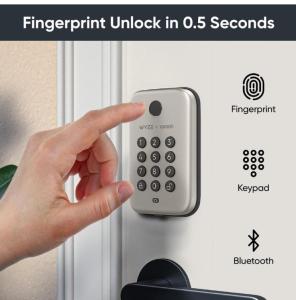
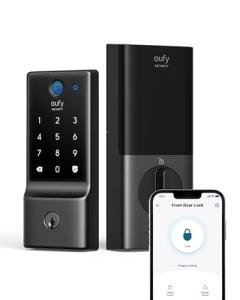
Eufy Smart Fingerprint Lock
Eufy Security
Product Review Score
4.33 out of 5 stars
205 reviews$169.99 $89.99
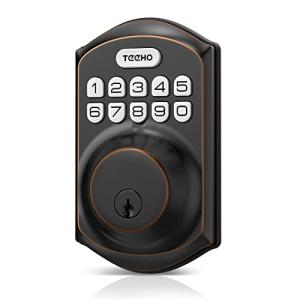
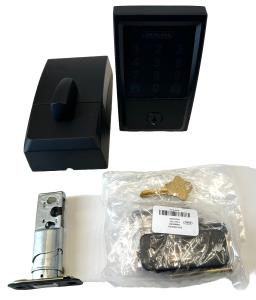
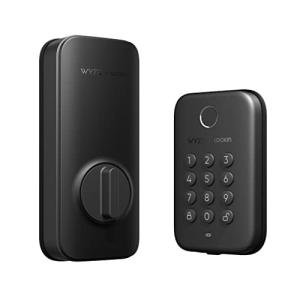
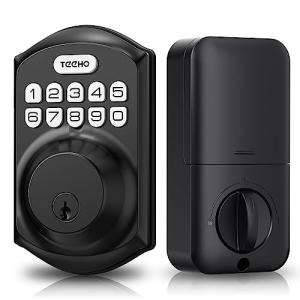
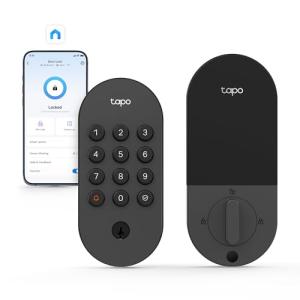
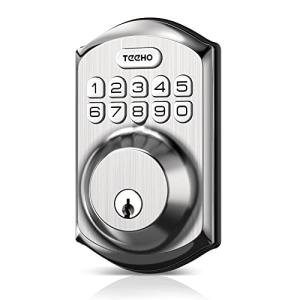
TEEHO Smart Keyless Door Lock
Teeho
Product Review Score
4.92 out of 5 stars
153 reviews$56.99 $33.99
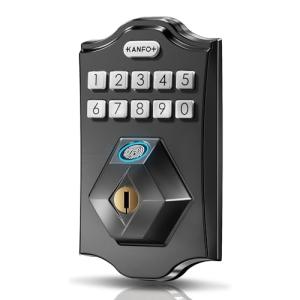

TEEHO Smart Fingerprint Lock
Teeho
Product Review Score
4.31 out of 5 stars
86 reviews$69.99 $43.69
💡 Practical Usage Tips
- Ensuring the deadbolt moves freely without friction is critical, as resistance causes the DC motor to draw excess current and drastically reduces battery life.
- Users should prioritize lithium batteries for outdoor installations because they perform significantly better than alkaline cells in freezing temperatures.
- It is advisable to keep a physical key available outside the home, as electronic failures or dead batteries can render the digital keypad inoperable.
- When using a capacitive sensor for biometrics, registering the same finger multiple times at different angles can improve the recognition success rate.
✅ What to Look For & ⚠️ What to Avoid
Must-Have Features
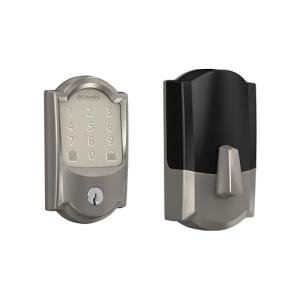
- Look for hardware with an ANSI/BHMA Grade 1 rating, like the Schlage Encode, to ensure maximum resistance against forced entry attempts.
- Devices should include AES-128 encryption to protect local and cloud data transmission from unauthorized interception.
- Integrated 2.4GHz Wi-Fi is essential for users who want remote access without purchasing and setting up a separate bridge or gateway.
Red Flags & Deal Breakers
- Avoid locks that rely solely on Bluetooth 4.2 without a gateway if you require instant notifications or remote unlocking capabilities.
- Be cautious of biometric scanners that lack a high IP weather rating, as moisture can lead to corrosion and consistent false rejections.
- Plastic internal gears are a significant weak point and are likely to strip if the door frame shifts due to seasonal temperature changes.
🛡️ Build Quality & Performance
The durability of a smart deadbolt is largely defined by the materials used in its chassis and the torque capability of its internal motor. Premium models typically utilize a Zinc Alloy construction which provides substantial weight and impact resistance, ensuring the lock can withstand physical tampering. In contrast, budget-friendly options often rely on plastic composites for the interior escutcheon, which may degrade or crack under UV exposure or heavy usage over time.
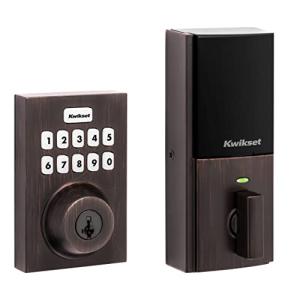
Motor performance is equally critical, particularly for homes with weather stripping that creates resistance during locking. High-end units feature high-torque DC motors capable of pushing the bolt through minor misalignments. For instance, the Kwikset Home Connect 620 includes torque-sensing technology that protects the gears by shutting down if the obstruction is too great. This prevents the mechanical stripping often seen in cheaper units that use small brushed motors and plastic reduction gears.
[Image showing the difference between a solenoid-driven clutch and a gear-driven motor in smart locks]Biometric performance varies significantly based on the sensor technology employed. While capacitive sensors offer rapid unlocking, they are sensitive to moisture and oils. Users in humid climates or those with dry skin may experience higher False Rejection Rates compared to standard keypad entry.
🏆 Top Recommendations
| Best For | Model Name | Key Feature | Why It Wins |
|---|---|---|---|
| Maximum Security | Schlage Encode Smart WiFi | ANSI Grade 1 Rating | Offers the highest level of physical resistance and built-in Wi-Fi. |
| Biometric Entry | Eufy Security Fingerprint | Local AES-128 Storage | Fast recognition speed with secure local data processing. |
| Smart Home Hubs | Kwikset Home Connect 620 | Z-Wave 700 Series | Excellent battery life and integration with local hubs like Home Assistant. |
| Budget Friendly | TEEHO TE001 | Simple Keypad Access | Reliable offline performance at an accessible price point. |
❓ Frequently Asked Questions
What happens if the batteries die while I am outside?
Most smart locks include a physical key override that functions exactly like a traditional deadbolt. Some keyless models, like the Kanfox KS2, feature an external USB-C port that allows users to power the lock temporarily using a power bank to gain entry.
Is Wi-Fi or Z-Wave better for battery life?
Z-Wave is generally superior for battery efficiency because it uses low-power signals to communicate with a hub. Wi-Fi locks must communicate directly with the router, which consumes significantly more power, especially if the signal strength is weak or the router is far away.
Can I install these locks myself?
Yes, most smart deadbolt replacements are designed for DIY installation and fit into standard door bores. However, installation requires a screwdriver and precise alignment of the bolt to ensure the motor does not bind.
Do I need a subscription to use the app features?
Typically, the basic functions such as remote unlocking, activity logs, and code management are free. However, some manufacturers may charge for cloud storage of video clips if the lock includes a camera, or for advanced integration features.