Choosing a programmable Wi-Fi thermostat is one of the most effective ways to modernize a home while lowering monthly energy costs. These devices act as the brain of a heating and cooling system, allowing for precise control through smartphones and voice assistants. Whether the goal is advanced scheduling or simple remote access, finding the right hardware ensures long-term comfort and system reliability.
Programmable Wi-Fi Thermostats
Take control of your home's temperature with smart, energy-saving technology
Product List
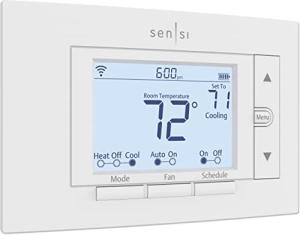
Sensi Wi-Fi Smart Thermostat
Emerson
Product Review Score
4.84 out of 5 stars
115 reviews$187.08 $155.90
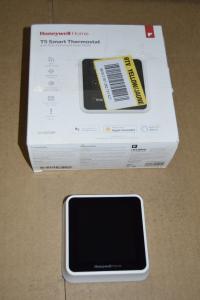
Honeywell T5 Smart Thermostat
Honeywell Home
Product Review Score
4.26 out of 5 stars
142 reviews$27.99
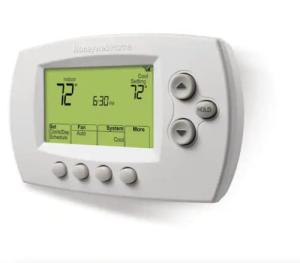
Honeywell Wi-Fi 7-Day Thermostat
Honeywell Home
Product Review Score
4.62 out of 5 stars
229 reviews$119.99 $79.95
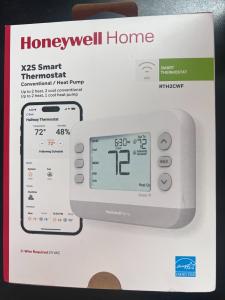
Honeywell WiFi Smart Thermostat
Honeywell Home
Product Review Score
4.98 out of 5 stars
37 reviews$40.00
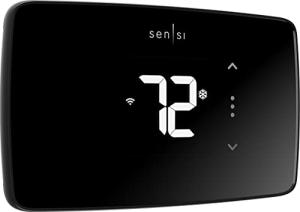
Sensi Lite Wi-Fi Thermostat
Emerson
Product Review Score
4.93 out of 5 stars
8 reviews$69.99 $63.97
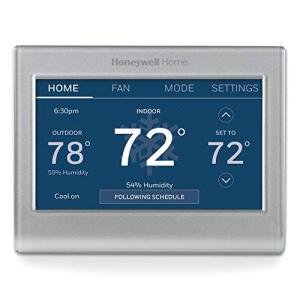
Honeywell Wi-Fi Color Thermostat
Honeywell Home
Product Review Score
4.29 out of 5 stars
109 reviews
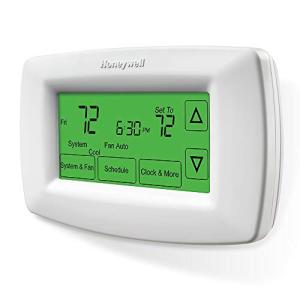
Smart Touchscreen Thermostat
Honeywell Home
Product Review Score
4.37 out of 5 stars
113 reviews$81.00 $61.88
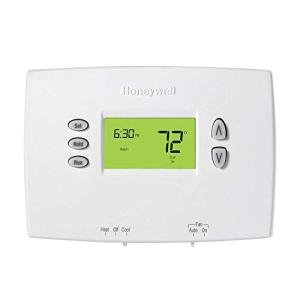
Honeywell Smart LCD Thermostat
Honeywell
Product Review Score
4.95 out of 5 stars
118 reviews$56.99 $49.87
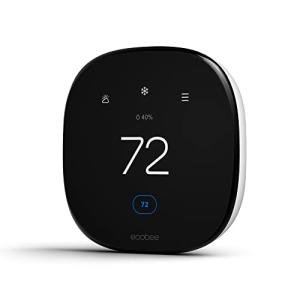
Smart WiFi Heating Thermostat
Ecobee
Product Review Score
4.6 out of 5 stars
20 reviews$199.99 $149.99
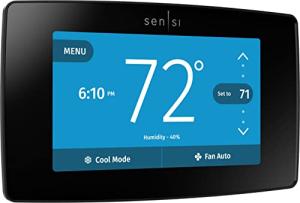
Sensi Touch Wi-Fi Thermostat
Emerson
Product Review Score
4.7 out of 5 stars
116 reviews$119.99 $109.95
💡 Practical Usage Tips
- Check for a C-Wire (Common Wire) behind the existing thermostat baseplate before purchasing, as most Wi-Fi models require this dedicated power source to keep the screen and wireless radio active.
- Connect the device to a 2.4GHz network band rather than 5GHz, as the lower frequency provides better wall penetration and a more stable connection for smart home hardware.
- Utilize Geofencing technology to automatically lower the heat or air conditioning when the last registered smartphone leaves the house, ensuring energy isn't wasted on an empty home.
- Label each wire with tape during the DIY installation process to avoid wiring errors that could potentially damage the HVAC control board.
✅ What to Look For & ⚠️ What to Avoid
MUST-HAVES:
- Look for Energy Star Certification to ensure the device has been tested for efficiency and may qualify for local utility rebates.
- Prioritize models like the ecobee Smart Thermostat Enhanced if the home has hot or cold spots, as it supports remote sensors to balance the temperature across different rooms.
- Choose a thermostat with App-Based Scheduling so changes can be made from a bed or office without having to physically stand at the wall unit.
RED FLAGS:
- Avoid "Power-Stealing" models if the home uses an older heating system, as these can cause the furnace to click on and off rapidly, leading to mechanical wear.
- Be cautious of devices that only offer a Resistive Touchscreen, which requires firm pressure and can feel less responsive than the capacitive glass screens found on modern smartphones.
- Steer clear of thermostats that mandate selling energy-usage data to third parties if data privacy is a primary concern for the household.
🛡️ Build Quality & Performance
Modern thermostat construction has evolved from simple plastic boxes to sophisticated interfaces that serve as a focal point in the home. High-end models often utilize Capacitive Glass fronts, providing a sleek look and a highly responsive touch experience. These materials are not only more durable but also easier to clean than older plastic overlays. Internally, the use of high-quality mechanical relays ensures that the switching between heating and cooling stages happens reliably for many years.
Performance is often determined by the internal Wi-Fi chipset and how it handles network traffic. For instance, the Sensi Smart Thermostat ST55 focuses on a utilitarian build with physical buttons, which many find more reliable because it avoids the input lag sometimes found in budget touchscreens. Units that offer local control through platforms like HomeKit tend to perform better during internet outages, as they do not rely solely on external cloud servers to execute basic temperature commands.
🏆 Top Recommendations
| Best For | Model Name | Key Feature | Why It Wins |
|---|---|---|---|
| Large Homes | ecobee Enhanced | Dual-Band Wi-Fi | Supports remote room sensors to eliminate cold spots. |
| Privacy Seekers | Sensi ST55 | Data Privacy | Transparent policy with no resale of energy usage data. |
| Visual Appeal | Honeywell Color | Color Display | High-resolution screen with customizable themes. |
| No Internet | Honeywell RTH7600D | Battery Backup | Works without Wi-Fi for total offline reliability. |
❓ Frequently Asked Questions
What is a C-wire and do I really need one?
A C-wire, or common wire, provides a continuous stream of 24V power to your thermostat. While some models use batteries or power-stealing methods, most Wi-Fi thermostats require a C-wire to keep the screen lit and maintain a constant connection to your internet router.
Can I install a smart thermostat myself?
Yes, most units are designed for DIY installation and come with detailed guides and labeled wire tags. However, if your current system uses high-voltage thick wires (like baseboard heating) or if you are uncomfortable working with low-voltage electrical wiring, hiring a professional is recommended.
Will a Wi-Fi thermostat work if my internet goes down?
If the internet fails, the thermostat will continue to operate as a traditional controller using its last programmed schedule. You will lose the ability to control it via your phone or voice assistant until the connection is restored, but your home will remain at the set temperature.