Transforming a standard television into a high-end entertainment hub requires the right hardware to bridge the gap between streaming apps and the display. Premium streaming boxes offer the processing power and specialized components needed for smooth 4K playback and immersive audio. This guide explores the best options available to ensure a seamless, high-quality cinematic experience in any environment.
Premium Streaming Boxes
Get ready to elevate your home entertainment with the best streaming options available
Product List


💡 Practical Usage Tips
- Connecting a device via a physical Gigabit Ethernet cable is always preferable to using Wi-Fi when streaming high-bitrate 4K content to prevent buffering.
- If the streaming box feels warm to the touch, ensuring there is plenty of open space around the vents will help prevent the system from slowing down due to heat.
- Using the included wall power adapter rather than a TV's USB port ensures the device receives a steady flow of electricity for consistent performance.
- Manually checking the display settings on both the television and the streaming player can help synchronize HDR formats for the best possible picture quality.
✅ What to Look For & ⚠️ What to Avoid
Must-Haves for a Premium Experience:
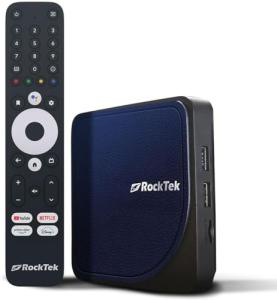
- A dedicated chipset, such as the one found in the RockTek G2, is essential for maintaining high-quality audio and video synchronization.
- Look for AV1 Decoding support, as this modern compression standard allows for high-quality video streaming while using less internet bandwidth.
- Sufficient internal memory, typically 4GB of RAM or more, keeps the user interface snappy and responsive when switching between multiple apps.
Red Flags to Watch Out For:
- Devices that lack official Widevine L1 certification may be unable to play movies in full high definition on popular streaming platforms.
- Hardware with very small, enclosed plastic cases often suffers from Thermal Throttling, which causes the video to stutter after the device has been running for a while.
- Remotes that rely purely on infrared signals require a clear line-of-sight, meaning the box cannot be hidden behind the TV or inside a cabinet.
🛡️ Build Quality & Performance
The physical construction of a streaming player often dictates its long-term reliability. Premium models tend to use slightly larger chassis that allow for better air circulation, preventing the internal components from overheating during intense movie marathons. A well-built player feels substantial and stays in place even when connected to heavy, high-speed cables. For example, the Roku Premiere is designed with a low-profile footprint, though its lightweight nature means it benefits from being securely positioned to avoid being pulled by the HDMI lead.
Performance isn't just about speed; it is about the stability of the connection. High-end devices utilize advanced Wi-Fi 6 antennas or specialized automotive-grade components to maintain a steady stream of data. In contrast, entry-level or specialized mobile hubs may experience signal drops if the internal antenna is too small or if the device is placed in an area with lots of interference.
🏆 Top Recommendations
| Best For | Model Name | Key Feature | Why It Wins |
|---|---|---|---|
| Power Users | RockTek G2 | Amlogic S905X4-K | Superior audio-visual processing. |
| Home Theater | Roku Premiere | 4K HDR10 | Stable, easy-to-use interface. |
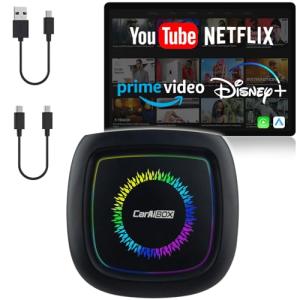
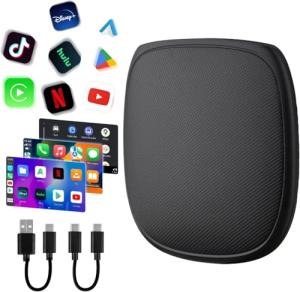
| Travel/Vehicles | Magic Box 3.0 Pro | Wireless CarPlay | Integrates streaming into car displays. |
| Spanish Content | Roku Express HD | VIX Premium | Great value for HD-focused setups. |
❓ Frequently Asked Questions
Does a streaming box work on any TV?
Most modern streaming devices work with any television that has an HDMI Port. However, to see 4K resolution, the TV itself must also support 4K video.
What is the benefit of a "Pro" or "Max" model?
These versions usually come with more internal storage for apps and faster processors, which helps the device stay fast as apps get updated over time.
Can these devices be used in a car?
Specialized devices like the Magic Box 3.0 series are designed specifically for vehicle use, allowing users to run apps on their car's dashboard screen via a USB connection.