Finding a reliable internet connection in every corner of a home can be a challenge, especially when thick walls or distance weaken a Wi-Fi signal. Powerline adapters offer a clever solution by using a home's existing electrical wiring to transmit data. This technology turns standard wall outlets into high-speed network ports, providing a stable alternative to running long Ethernet cables through the house.
Powerline Adapters
Boost your internet speed throughout your home with easy-to-use powerline adapters
Product List
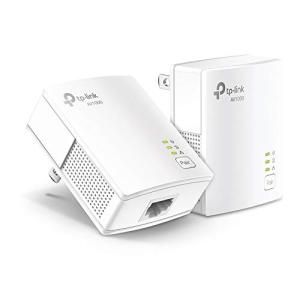
TP-Link Powerline Adapter Kit
Tp-Link
Product Review Score
4.11 out of 5 stars
64 reviews$49.99 $42.48
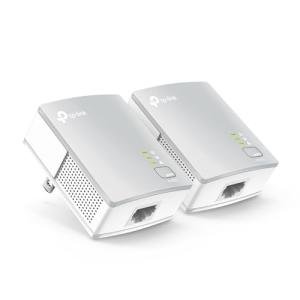
TP-Link AV600 Powerline Adapter
Tp-Link
Product Review Score
4.28 out of 5 stars
230 reviews$39.99 $29.73
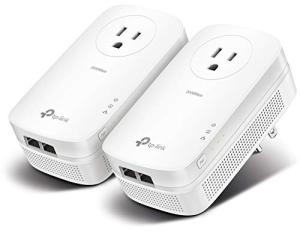
TP-Link AV2000 Powerline Adapter
Tp-Link
Product Review Score
4.62 out of 5 stars
99 reviews$99.99 $71.99
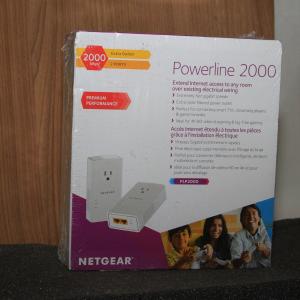
NETGEAR 2000 Mbps Powerline Kit
Netgear
Product Review Score
4.73 out of 5 stars
69 reviews$75.25 $45.15
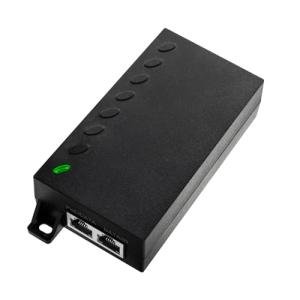
60W PoE++ Injector for Devices
Thepoestore
Product Review Score
4.21 out of 5 stars
117 reviews$35.99
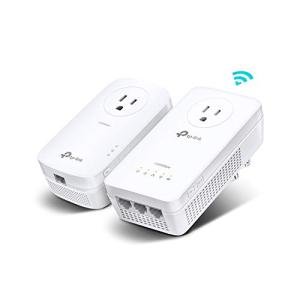
TP-Link Powerline WiFi Extender
Tp-Link
Product Review Score
4.43 out of 5 stars
128 reviews$119.99 $99.99
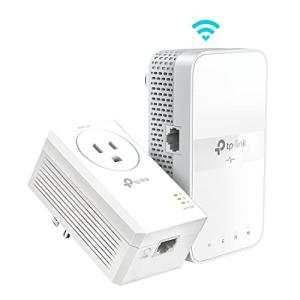
TP-Link WiFi Extender Kit
Tp-Link
Product Review Score
4.64 out of 5 stars
126 reviews$99.99 $72.99
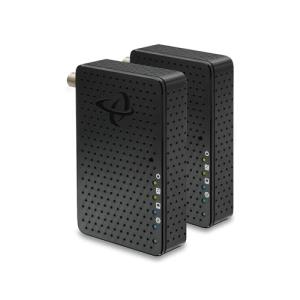
Hitron MoCA 2.5 Adapter Duo
Hitron
Product Review Score
4.39 out of 5 stars
177 reviews$159.99 $113.99
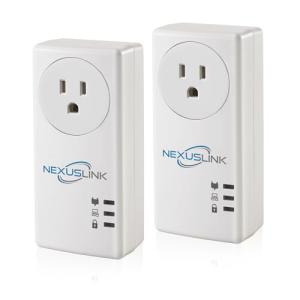
NexusLink Powerline Adapter 1200Mbps
Nexuslink
Product Review Score
4.78 out of 5 stars
204 reviews$56.68
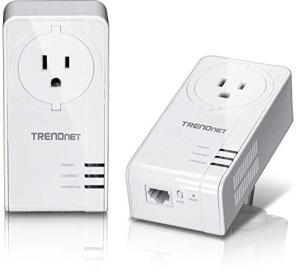
TRENDnet 1300Mbps Powerline Kit
Trendnet
Product Review Score
4.81 out of 5 stars
128 reviews$77.99
💡 Practical Usage Tips
- Always plug the adapter directly into a wall outlet rather than a power strip or surge protector to ensure the data signal remains strong and uninterrupted.
- If the wall outlet is already in use, choosing a model with a built-in AC Passthrough allows other appliances to be powered without degrading the network performance.
- For the best speeds, try to keep both adapters on the same electrical circuit, as crossing between different breakers in the panel can significantly reduce the connection speed.
- In modern homes with AFCI Breakers, it is helpful to test different outlets if the connection seems unstable, as these safety switches can sometimes interfere with the data frequencies.
✅ What to Look For & ⚠️ What to Avoid
Must-Have Features:
- Look for Gigabit Ethernet ports to ensure the physical connection can handle high-speed internet plans without becoming a bottleneck.
- Models featuring MIMO Technology, such as the TP-Link AV2000, are ideal because they use the ground wire to create multiple data paths for better stability.
- Integrated noise filters are essential for cleaning up electrical interference from nearby devices like phone chargers or vacuum cleaners.
Common Red Flags:
- Avoid "Fast Ethernet" ports on older models that limit your maximum speed to only 100 Mbps, regardless of how fast your internet service is.
- Be cautious of ultra-compact designs that lack proper ventilation, as high-performance Chipsets can generate heat and may slow down during heavy use to stay cool.
- Watch out for compatibility issues, as units using the G.hn Standard generally will not communicate with those using the HomePlug AV2 standard.
🛡️ Build Quality & Performance
The physical construction of a powerline adapter plays a major role in its long-term reliability. Premium models often feature a sturdier chassis designed to act as a heat sink, which is vital when the device is handling 4K streaming or heavy gaming sessions. High-quality internal components, such as specialized Capacitors, help the device withstand the thermal cycles of being plugged in 24/7.
While most units are made of durable plastics, the design of the plug itself is important for accessibility. Some "Nano" models are shaped to stay out of the way of the second outlet in a standard wall plate. For those who need maximum throughput, the NETGEAR 2000 Mbps Adapter provides a robust build with dual ports, making it a heavy-duty choice for demanding home offices.
🏆 Top Recommendations
| Best For | Model Name | Key Feature | Why It Wins |
|---|---|---|---|
| High Performance | TP-Link AV2000 | 2x2 MIMO Beamforming | Uses multiple paths to maximize speed. |
| Noisy Environments | NexusLink 1200 | G.hn Wave 2 Tech | Resists electrical interference better. |
| Value & Balance | TP-Link AV1000 | Gigabit Port & Passthrough | Reliable speed without excess heat. |
| Coaxial Setup | Hitron MoCA 2.5 | 2.5 Gbps Throughput | Superior stability using TV wiring. |
❓ Frequently Asked Questions
Do powerline adapters work in power strips?
It is generally not recommended to use power strips because the surge protection components inside them act as filters that block the high-frequency network signal, leading to very slow speeds or no connection at all.
Will different brands of adapters work together?
Most adapters using the same HomePlug AV2 standard will work together, regardless of the brand. However, they will not be compatible with units using the G.hn protocol.
How much speed will actually reach the computer?
Real-world speeds are typically about 20% to 50% of the number printed on the box. This is due to the "overhead" required to manage the connection and the natural resistance found in home wiring.