Enhancing a gaming setup involves more than just selecting a powerful screen. The right accessories, from versatile mounting kits to precision calibration tools and seamless connectivity switches, ensure the hardware performs at its peak. This guide explores how to optimize a workspace for better ergonomics, color accuracy, and multi-device management using professional-grade hardware solutions.
Gaming Monitor Accessories
Upgrade your gaming setup with essential tools for a smoother experience
Product List
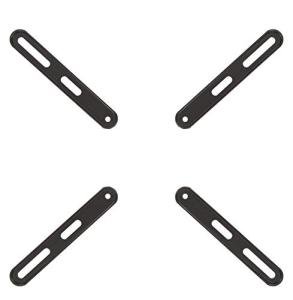
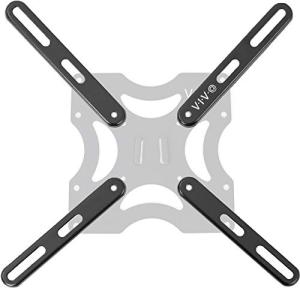
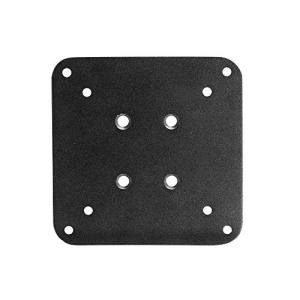
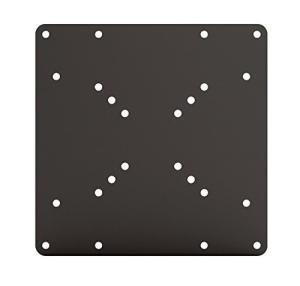
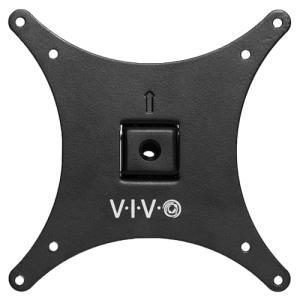
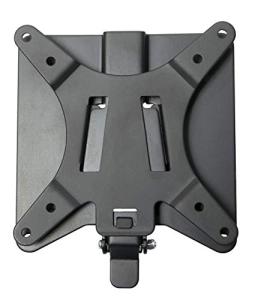
VIVO Quick Release Mount Kit
Vivo
Product Review Score
4.6 out of 5 stars
228 reviewsSGD 25.43 SGD 19.07
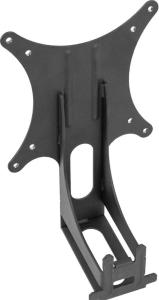
VIVO VESA Monitor Adapter
Vivo
Product Review Score
4.8 out of 5 stars
17 reviewsSGD 34.03 SGD 23.82
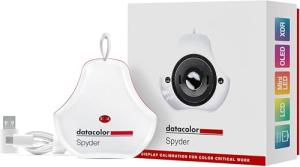
Spyder Monitor Color Calibrator
Datacolor
Product Review Score
4.93 out of 5 stars
50 reviewsSGD 215.02 SGD 164.12
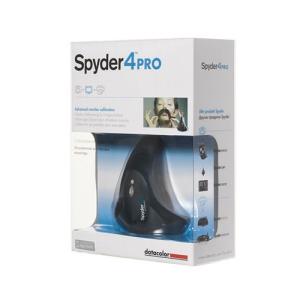
Spyder4Pro Display Calibrator
Datacolor
Product Review Score
4.34 out of 5 stars
13 reviewsSGD 270.38
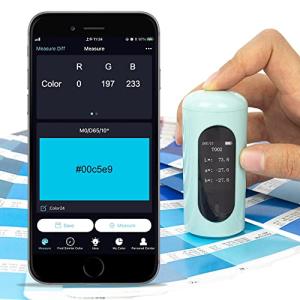
Vinckolor Pocket Colorimeter Pro
Vinckolor
Product Review Score
4.92 out of 5 stars
184 reviewsSGD 97.95
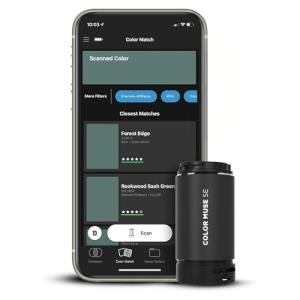
Portable Paint Color Matcher
Color Muse
Product Review Score
4.53 out of 5 stars
201 reviewsSGD 136.45 SGD 119.39
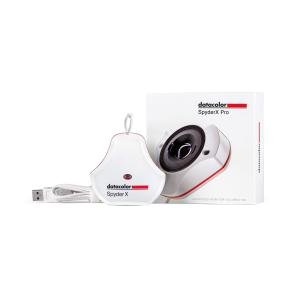
Spyder X Pro Monitor Calibrator
Datacolor
Product Review Score
4.66 out of 5 stars
168 reviewsSGD 373.59
💡 Practical Usage Tips
- When installing VESA ADAPTERS, it is essential to use a cross-pattern tightening sequence to ensure the weight is distributed evenly and the plate does not warp.
- Before starting a color calibration, let the monitor warm up for at least 30 minutes to ensure the backlight has reached a stable operating temperature.
- For accessories like USB switches that handle high-power peripherals, connecting an external 5V POWER SUPPLY will prevent sudden disconnections or lag.
- Periodically check the tension on monitor arm hinges after adding an adapter, as the increased Z-AXIS OFFSET can cause the screen to tilt forward over time.
✅ What to Look For & ⚠️ What to Avoid
Must-Have Features:
- Look for mounting plates made of COLD-ROLLED STEEL because they provide the rigidity needed to hold large displays without flexing.
- Opt for lens-based optical engines, such as those found in the Datacolor Spyder X Pro, which offer much faster and more accurate results than older filter designs.
- Ensure USB switches include a dedicated POWER-IN PORT to help stabilize the connection for gaming keyboards and external drives.
Red Flags to Watch For:
- Avoid colorimeters that use organic filters if they are several years old, as these components can degrade and cause a permanent yellow or green tint in the calibration.
- Be cautious of PASSIVE KVM SWITCHES that do not offer external power, as they often struggle to maintain a stable signal with high-resolution 4K displays.
- Watch out for non-VESA adapters that do not feature a safety locking mechanism, as the monitor could potentially slip out of the bracket during adjustment.
🛡️ Build Quality & Performance
The durability of gaming accessories often comes down to the materials used in the manufacturing process. High-quality mounting solutions, like the Arkon VESA Adapter Plate, utilize LASER-CUT STEEL to maintain a perfectly flat surface under heavy loads. This level of construction is vital because it prevents the slight leaning or drooping that can occur with cheaper aluminum alternatives. When a monitor is securely mounted with industrial-grade fasteners, the entire workstation feels more stable and professional.
Performance in connectivity tools is measured by signal integrity. High-speed switches are designed with internal RF SHIELDING to protect against interference from other wireless devices on the desk. Similarly, calibration tools now feature sealed polycarbonate housings to keep dust away from sensitive optical sensors. These design choices ensure that whether the goal is switching between two computers or achieving perfect color parity, the hardware remains reliable over years of daily use.
🏆 Top Recommendations
| Best For | Model Name | Key Feature | Why It Wins |
|---|---|---|---|
| Color Accuracy | Datacolor Spyder | Lens-based sensor | Fast and highly accurate. |
| Dual PC Setup | UGREEN USB Switch | 5Gbps data speed | Reliable peripheral sharing. |
| Large Displays | VESA Mount Adapter | Heavy-gauge steel | Supports up to 66 lbs. |
| Non-VESA Screens | VIVO Sceptre Adapter | Custom-fit design | Secures proprietary frames. |
❓ Frequently Asked Questions
Will a VESA adapter make my monitor stick out further?
Yes, most adapters add a small amount of depth, typically between 3mm and 10mm. This small MECHANICAL OFFSET should be considered if the screen needs to sit perfectly flush against a wall or aligned with other monitors.
Can a USB switch handle a gaming mouse without lag?
A high-quality switch using USB 3.0 TECHNOLOGY is generally fast enough to handle standard gaming mice. However, for the best performance with high-polling rate mice, ensuring the switch is powered can help maintain a steady signal.
How often should a monitor be calibrated?
For those doing professional creative work, calibrating once a month is a common standard. For general gaming and office use, a single calibration is often enough to significantly improve the VISUAL FIDELITY of the screen for its entire lifespan.