Establishing a truly ergonomic workspace often begins with reclaiming desk surface and achieving the perfect viewing height. Ergonomic monitor arms provide the mechanical flexibility needed to reduce neck strain while offering a clean, professional aesthetic. Whether supporting a standard office display or a massive ultrawide panel, the right mount ensures stability and fluid movement throughout the workday.
Ergonomic Monitor Arms
Find the perfect position for your monitor to reduce strain and improve comfort
Product List
💡 Practical Usage Tips
- It is essential to keep the arm in a horizontal position while adjusting the internal tension screw to ensure the counterbalance matches the weight of the monitor accurately.
- Users should verify the material of their desk before installation, as thin glass or hollow-core surfaces often require a reinforcement plate to distribute weight safely.
- Leaving a small amount of slack in the cables during the routing process prevents the plugs from being pulled out or damaged when the arm is fully extended or rotated.
- Checking the VESA compatibility of the monitor before purchase ensures that the mounting holes align perfectly without the need for additional aftermarket adapters.
✅ What to Look For & ⚠️ What to Avoid
MUST-HAVES:
- High-quality mechanical springs, like those found in the Ergotron LX, offer exceptional longevity because they do not rely on gas pressure that can leak over time.
- A wide range of motion including tilt, swivel, and 360-degree rotation allows for a seamless transition between landscape and portrait viewing modes.
- Integrated cable management channels are vital for maintaining a clutter-free workspace and protecting data lines from getting pinched in moving joints.
RED FLAGS:
- Arms with a single-bolt clamp might struggle with stability when supporting heavy ultrawide screens, potentially causing the desk surface to warp or the arm to lean.
- Be cautious of mounts that lack a quick-release VESA plate, as these often require two people to safely install or remove the monitor.
- Inexpensive pneumatic systems can sometimes suffer from "vertical drift," where the monitor slowly sinks or rises because the gas cylinder cannot maintain a consistent internal pressure.
🛡️ Build Quality & Performance
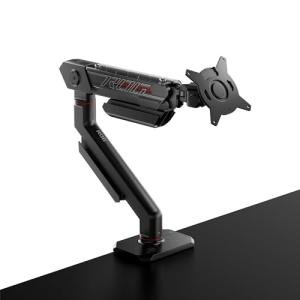
The overall durability of a monitor arm is largely determined by its internal lifting mechanism and the quality of its pivot points. Premium models often utilize die-cast aluminum and high-tensile steel, providing a sturdy feel that eliminates the wobbling often associated with typing or desk movements. For instance, the BenQ BSH01 features industrial-grade metal-on-metal pivots that allow for micro-adjustments without the jerky resistance common in budget units.
Performance consistency is another key factor. While gas spring systems offer a "zero-gravity" feel that makes movement effortless, they are technically finite components that may lose tension after several years of heavy use. Mechanical coil springs, conversely, provide a slightly more rigid movement profile but tend to maintain their structural integrity for a decade or more, making them a preferred choice for permanent professional workstations.
🏆 Top Recommendations
| Best For | Model Name | Key Feature | Why It Wins |
|---|---|---|---|
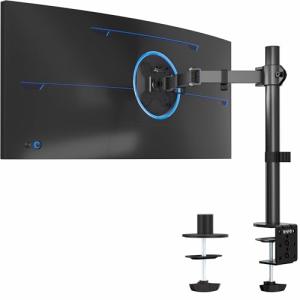
| Ultrawide Screens | HUANUO TitanLift™ | 40lb Weight Capacity | Handles 49-inch panels with a reinforced dual-clamp base. |
| Lifelong Reliability | Ergotron LX | Constant Force™ Tech | Mechanical spring design eliminates the risk of gas seal failure. |
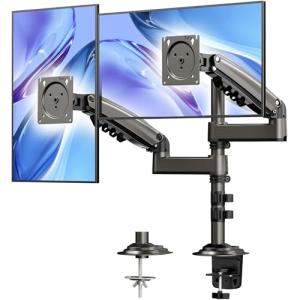
| Dual Setup | VIVO Dual Stand | Sync'd Pneumatic Arms | Provides independent height adjustment for two 32-inch screens. |
| Extra Height | ErgoFocus Long Arm | 22-inch Vertical Pole | Ideal for sit-stand configurations requiring extreme elevation. |
❓ Frequently Asked Questions
What is the difference between gas spring and mechanical spring arms?
Gas spring arms use a pressurized nitrogen cylinder to create a smooth, effortless motion that feels almost weightless. Mechanical springs use a heavy-duty metal coil; they require a bit more effort to move but are generally more durable over many years of use.
Will a monitor arm damage my desk?
If the desk is made of solid wood or thick particle board, it is usually safe. However, for glass or very thin desks, it is recommended to use a reinforcement plate or a grommet mount to distribute the pressure and prevent cracking or bowing.
Why does my monitor arm keep popping up or falling down?
This usually means the tension is not calibrated to your monitor's weight. You will need to use the included hex key to tighten the screw (if the monitor is falling) or loosen it (if the arm is popping up) until the screen stays in place on its own.