Optimizing a workspace or entertainment center often begins with the proper integration of display hardware. Whether the goal is to elevate a smart home controller for better acoustics or to secure a massive television for a home theater, the correct mounting solution improves both ergonomics and aesthetics. Selecting the right equipment ensures that valuable screens remain secure while providing the necessary flexibility for daily use.
Display Mounts
Easily elevate your viewing experience with our range of sturdy display mounts designed for any home setup
Product List
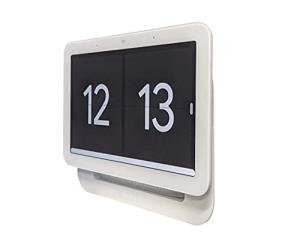
Google Nest Hub Gen 2 Wall Mount
Mount Genie
Product Review Score
4.25 out of 5 stars
168 reviews$29.99

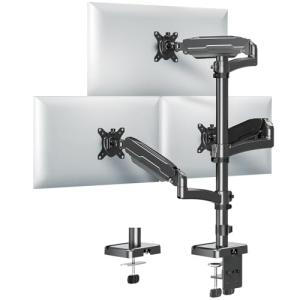
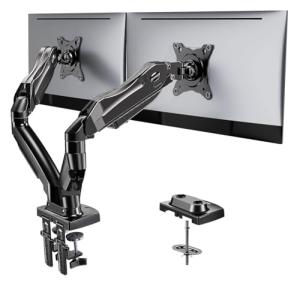
Dual Monitor Stand with Clamp
Huanuo
Product Review Score
4.97 out of 5 stars
168 reviews$69.99 $54.99
1. Expert Usage & Setup Tips
💡 Practical Usage Tips
- It is essential to verify the VESA pattern on the back of the display to ensures the mounting plate will align correctly with the threaded holes.
- Installers should always leave adequate cable slack near the hinge points to prevent port damage when the arm is fully extended or rotated.
- Utilizing a magnetic stud finder is critical for heavy television mounts to ensure the lag bolts anchor directly into the structural wood frame rather than just the drywall.
- For desk-mounted systems, the user must check the clamping range to confirm the C-clamp can securely grip the thickness of the desktop surface.
2. Critical Specs & Red Flags
✅ What to Look For & ⚠️ What to Avoid
MUST-HAVES:
- Gas Spring Counterbalance: High-quality monitor arms use a nitrogen-charged gas spring mechanism to allow for effortless vertical adjustment without tools.
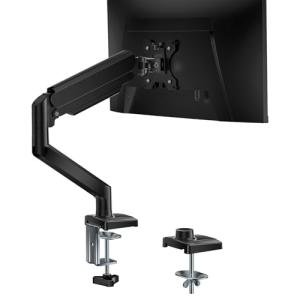
- Integrated Cable Management: Look for arms with internal channels or clips that hide wires, such as the design seen on the WALI Gas Spring Single Monitor Mount.
- High Tensile Materials: Components made from cold-rolled steel or aviation-grade aluminum offer significantly better long-term stability than composite plastics.
- Quick Release Plates: A detachable VESA plate simplifies the installation process by allowing the user to attach the bracket to the monitor before sliding it onto the arm.
RED FLAGS:
- Single-Stud Designs for Large TVs: Mounting a heavy television on a single stud creates a high shear stress point that can lead to structural failure over time.
- Friction-Only Hinges on Heavy Loads: Mounts that rely solely on tightening bolts to hold position often suffer from "droop" or "sag" when used with displays near the weight limit.
- Plastic Tilt Mechanisms: Key articulation points made of plastic can crack under the torque required to keep a monitor tilted at the correct angle.
- Limited VESA Compatibility: Some specialized mounts only support smaller patterns like 100x100mm, rendering them useless for upgrading to larger screens later.
3. Build Quality & Performance
🛡️ Build Quality & Performance
The longevity of a display mount is directly tied to the materials used in its chassis construction. Premium options often utilize anodized aluminum or cold-rolled steel, which provide the necessary rigidity to prevent the arm from flexing under load. This is particularly important for setups involving heavy ultrawide monitors or triple-screen arrays, where even a millimeter of sag can ruin the visual alignment across the bezel gaps.
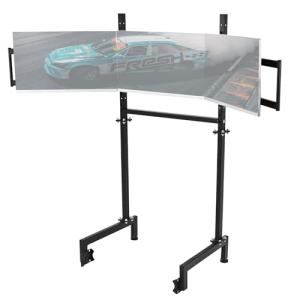
In specialized applications like simulation racing, vibration dampening becomes a critical performance metric. A standard office mount may transmit steering wheel feedback into the monitors, causing visual jitter. Hardware designed specifically for this niche, such as the Dardoo Adjustable Triple Monitor Stand, employs heavy-gauge carbon steel and a wide footprint to isolate the displays from the motion of the rig. This ensures that the visual experience remains immersive and stable, regardless of the physical forces being applied to the simulator frame.
For smaller devices, such as smart home hubs or tablets, the focus shifts from load capacity to precision fitment. Injection-molded ABS is frequently used here to create custom enclosures that snap securely around the device without blocking sensors or speakers. While these materials are lighter, they rely on precise manufacturing tolerances to maintain a friction fit, making them less adaptable to different device generations than universal metal clamps.
4. Top Picks Table
🏆 Top Recommendations
| Best For | Model Name | Key Feature | Why It Wins |
|---|---|---|---|
| Smart Home | Google Nest Hub Gen 2 Wall Mount | Custom Molded Chassis | Integrates cleanly with no interference to Soli Radar sensors. |
| Dual Monitors | Huanuo Adjustable Dual Stand | Dual Gas Springs | Offers independent, fluid height adjustment for two screens. |
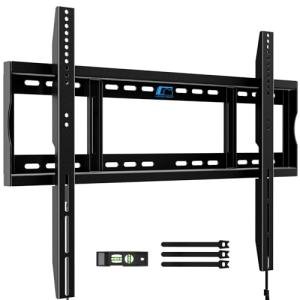
| Large TV | Home Vision Heavy Duty Bracket | 2.0mm Cold-Rolled Steel | Provides static load capacity of 132 lbs for 75-inch panels. |
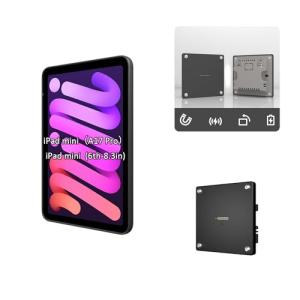
| Compact Control | Zilvex Magnetic Wall Mount | N52 Neodymium Magnets | Allows for a grab-and-go experience with a sleek 12mm profile. |
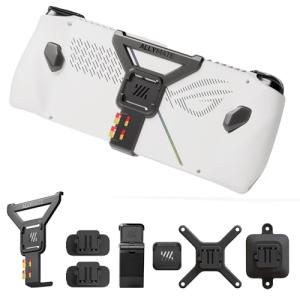
| Handheld Gaming | Mechanism 7-in-1 Bundle | Modular Rail System | Unique ecosystem for attaching hubs and batteries to the Ally. |
5. FAQ
❓ Frequently Asked Questions
What is a VESA pattern and why does it matter?
The VESA pattern refers to the standardized distance (in millimeters) between the four mounting holes on the back of a display. Common sizes are 75x75mm or 100x100mm for monitors, and up to 600x400mm for large TVs. Matching this measurement ensures the mount will mechanically fit the screen.
What is the difference between gas spring and mechanical spring arms?
A gas spring (often nitrogen-charged) provides a smooth, linear force that makes it easy to move the monitor up and down with a light touch. Mechanical springs or friction joints are more static; they are cheaper and reliable but require more physical force to adjust and don't offer the same "floating" feel.
Can I mount a TV to drywall without hitting a stud?
While heavy-duty drywall anchors exist, it is generally risky for articulated mounts that pull away from the wall. The leverage created by extending the arm increases the torque on the anchors, which can rip them out. Securing the mount to wooden studs or concrete is the only guaranteed way to ensure safety for heavy displays.
Will a clamp mount damage my desk?
Most high-quality C-clamps come with rubber or silicone pads to protect the desk surface. However, glass desks are generally not compatible with C-clamps due to the focused pressure, which can shatter the glass. For hollow-core desks (like some IKEA models), a reinforcement plate is recommended to distribute the load.